Keeping our smartphone batteries happy and fully charged is a high priority because — let’s face it — we’re glued to our screens. Everything we do on that device, whether it’s trolling Facebook or accessing email, sucks the life out of its battery. If you don’t have access to an electrical outlet, conserving battery life should be high on your chore list.
- Don’t let your battery die
- Airplane Mode is your battery’s friend
- Update your apps and clean house
- Use Dark Mode and dark wallpaper
- Dim the screen
- Disable location services
- Battery-saving apps
- Ditch the widgets, pause the notifications
- Disable app refresh
- Conserve power
- Battery accessories
- Avoid extreme heat or cold
If you’re looking to conserve juice, there are a few things you can do to keep your battery from draining so quickly. In this article, we’ll cover all of the must-know steps you can follow today to maximize your battery life.
Don’t let your battery die
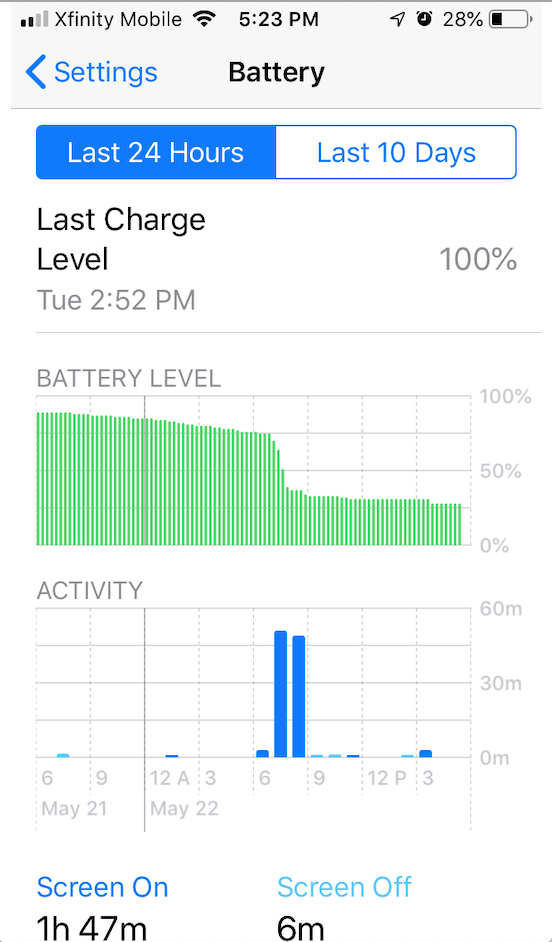
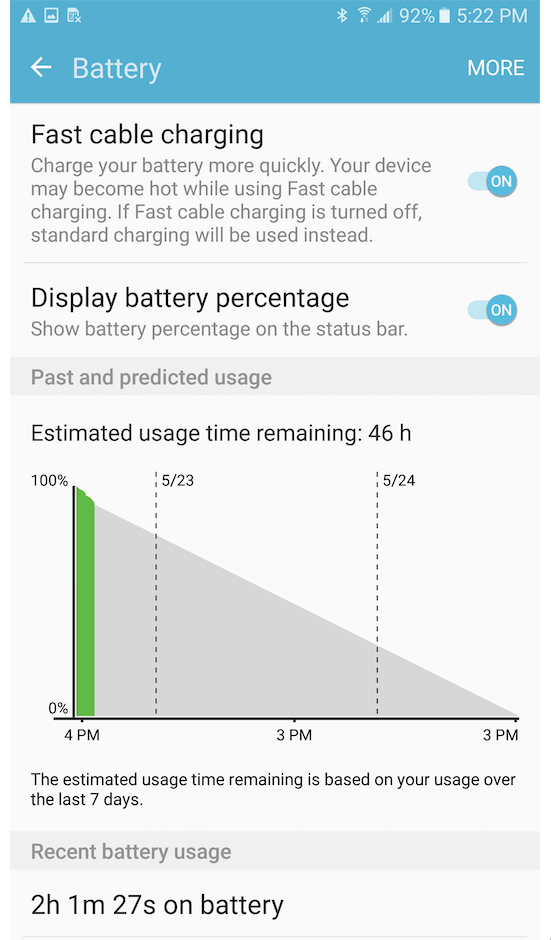
Try to keep batteries charged at an average of 50% or above most of the time — at the very least, somewhere between 40% and 80% — to preserve an optimal life span. Even though your charger can control electronic input to prevent damage, you should unplug the phone when power hits 100% and, if possible, avoid overnight charging.
Periodic charges throughout the day are more effective in preserving the overall life of your battery than letting it drain down to zero and charge back up to 100%. Not all batteries are the same, and different batteries respond to various charging schedules, but one thing is certain: All batteries will degrade eventually. It’s also best not to let your battery fully discharge too often, so try to charge it before it drops too low. When you do charge it, be sure to use the adapter that came with it and plug it into the wall socket — not your computer or your car’s USB adapter.
Airplane Mode is your battery’s friend
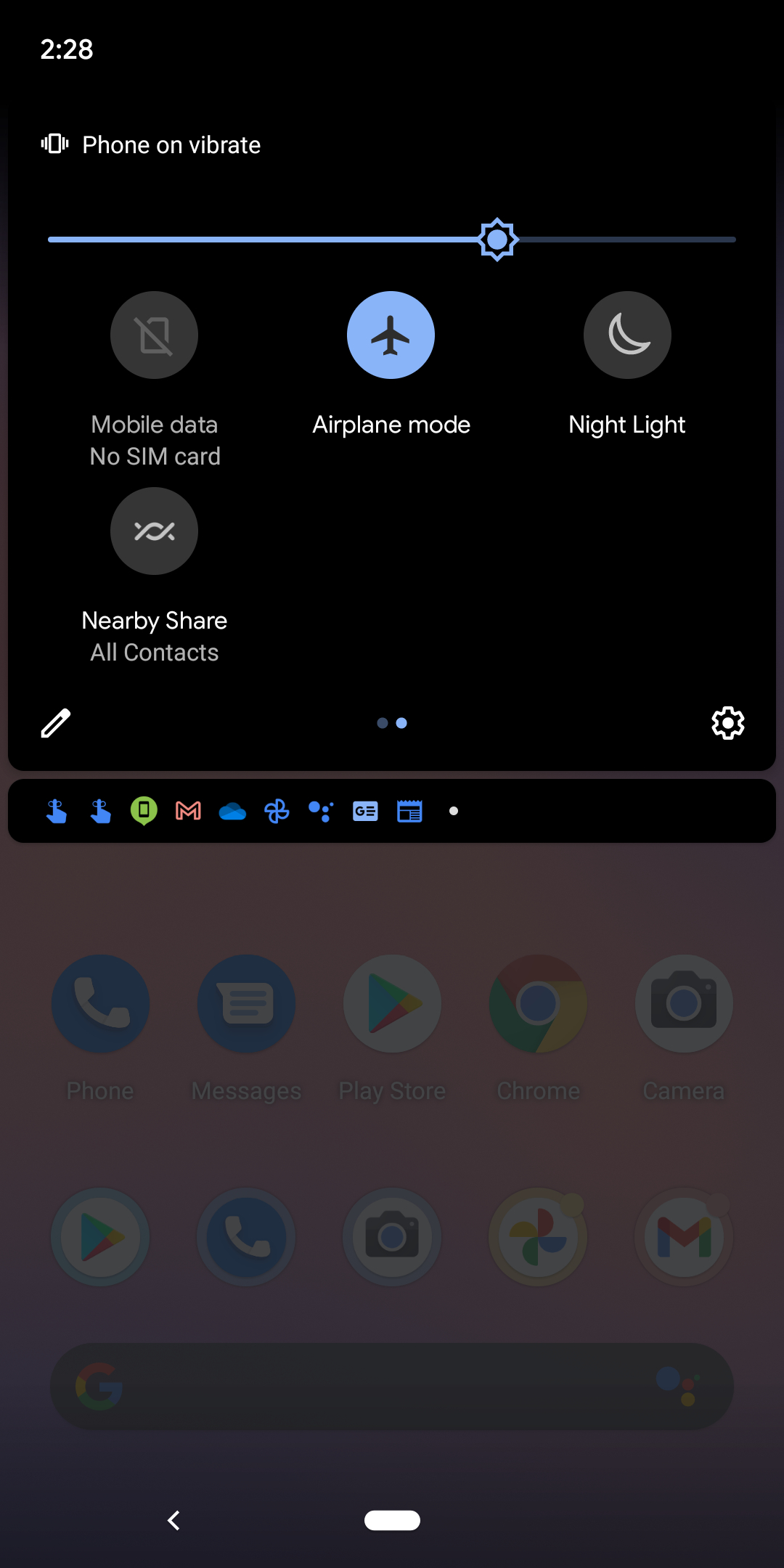
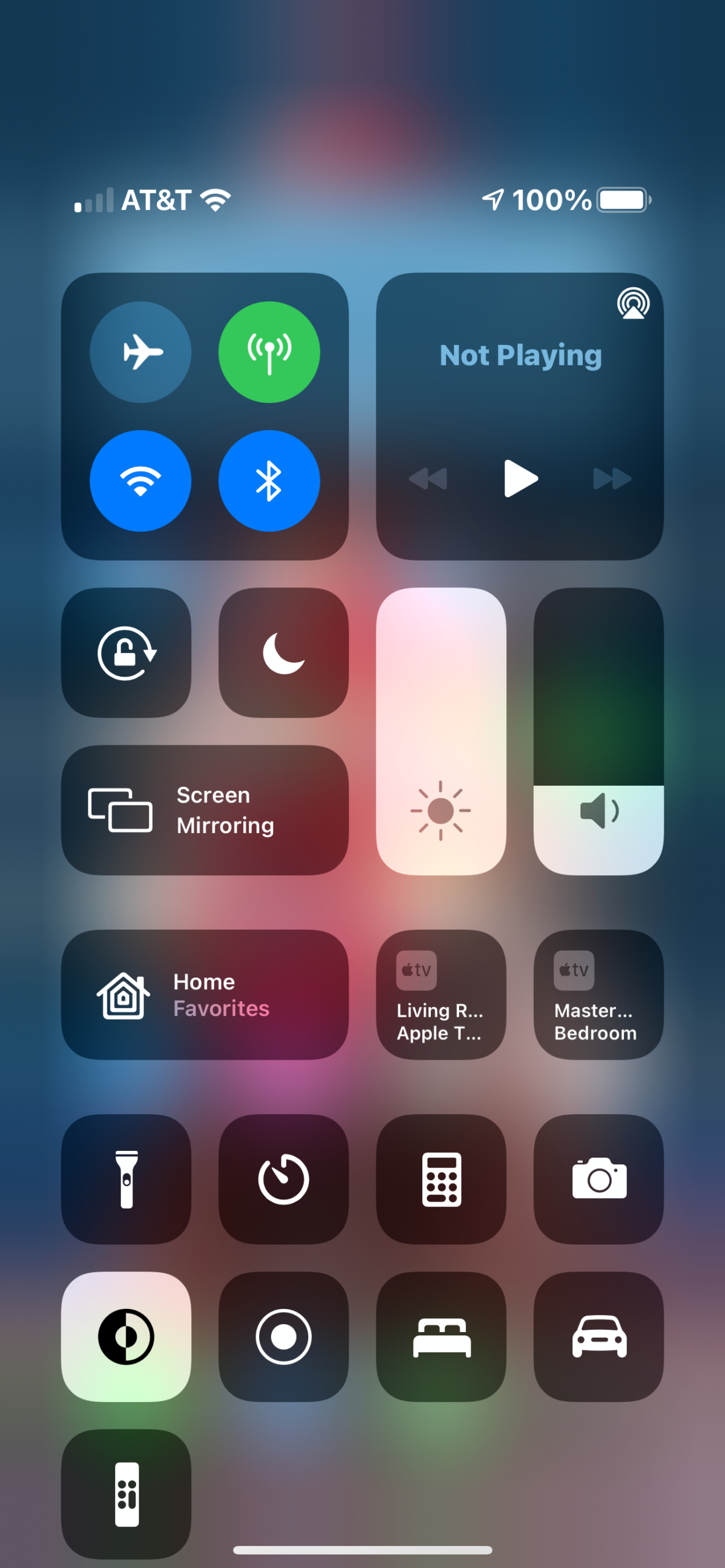
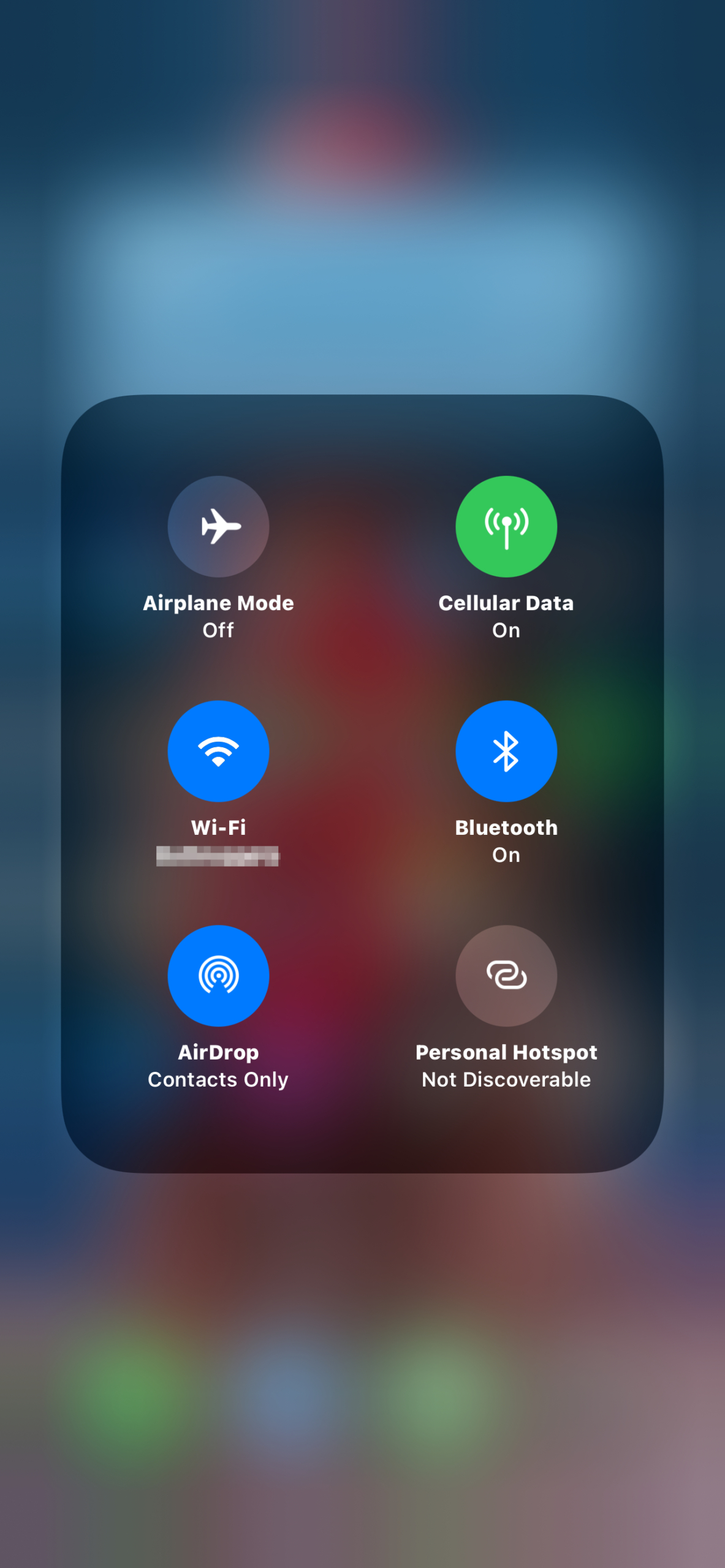
- 3. iOS 14 Airplane mode
Airplane Mode cuts off all radio signals to and from your phone, halting email, messages, phone calls, Wi-Fi, and Bluetooth connections. This may make life uncomfortable for people who are used to continuous internet access, but it’s a great help in conserving your battery when you can’t recharge your device.
To enable Airplane Mode, do the following:
Android 11
Step 1: Swipe a finger down from the top to expand the Notification Shade.
Step 2: Tap the Airplane icon on the Quick Settings bar — you may need to scroll right to find it.
iOS 14
Step 1: Swipe a finger down from the top-right edge, where you see the battery and Wi-Fi icons.
Step 2: Tap the Airplane icon in the Control Center.
To stop short of such a sweeping disconnect, you can individually disable Bluetooth, Wi-Fi, GPS, and NFC if you are not using them. Note that if you’re also wearing an Apple Watch or an Android-compatible watch, you’ll need Wi-Fi or Bluetooth for some watch features to function properly.
Update your apps and clean house
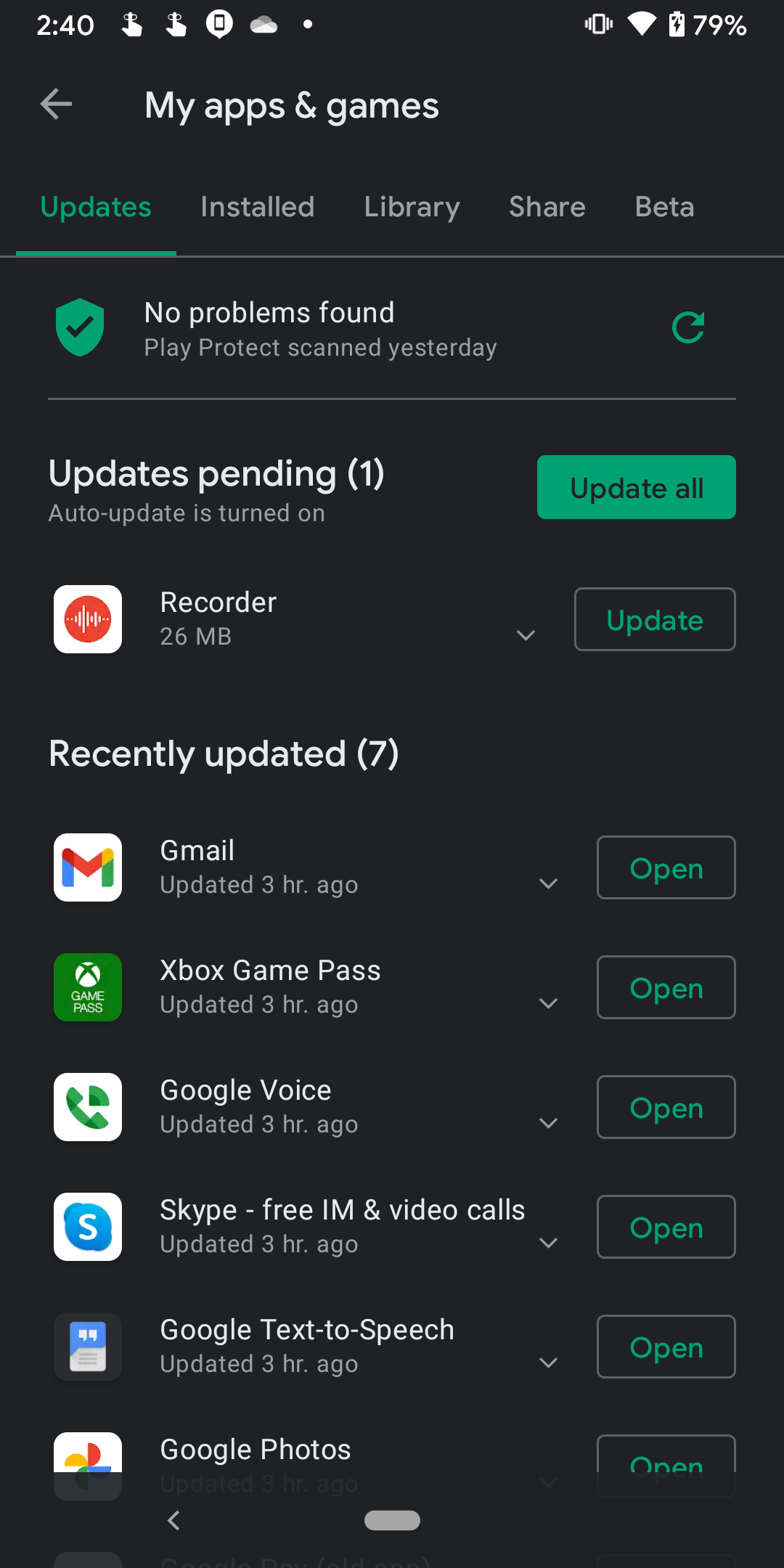
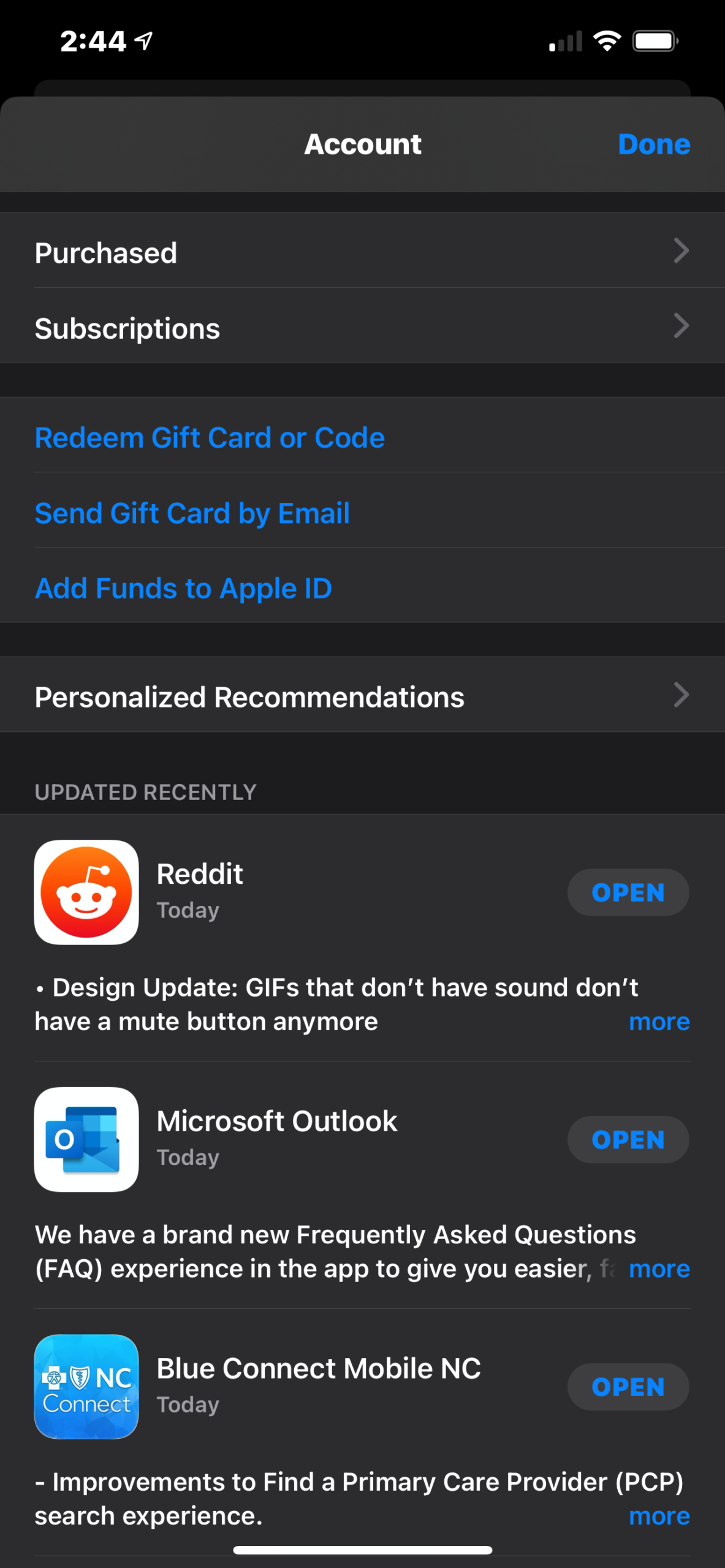
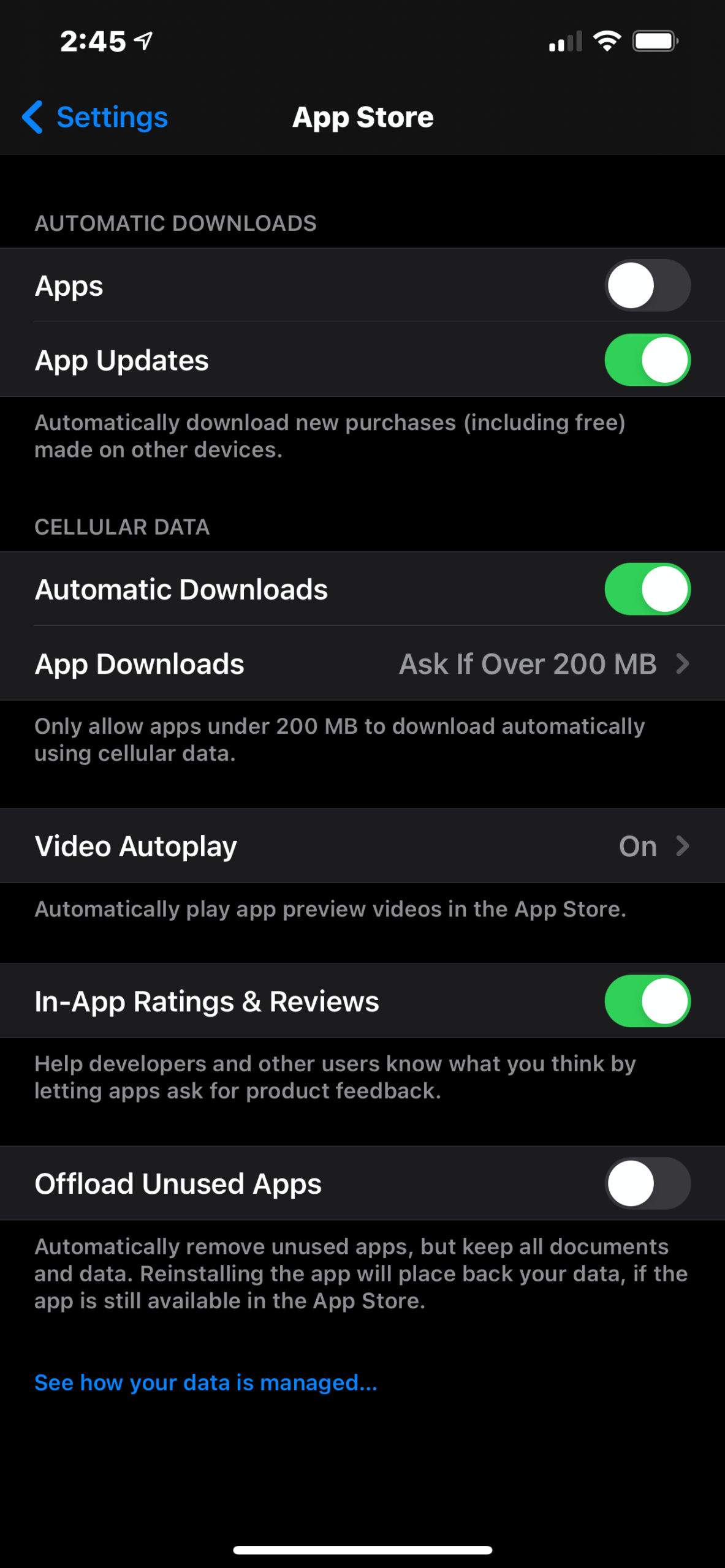
Developers upgrade their apps periodically, and part of the reason is to optimize memory and device battery life. Such updates are often tagged as bug fixes in the update notes. They may not be splashy or rock new features, but they will help keep your smartphone battery in good working order.
You can set your smartphone to update your apps automatically, or you can handle updates manually. Manually is better for preserving battery life.
Also, keep your phone tidy and up to date with only the apps you need and use. Every app that takes up needless bandwidth on your phone may be running battery-draining routines in the background.
Use Dark Mode and dark wallpaper
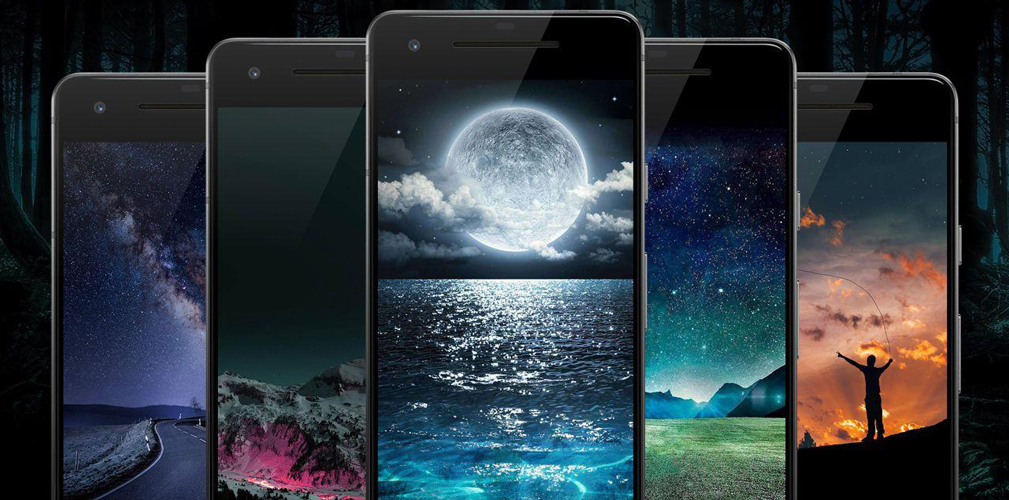
Most people love wallpaper, especially the animated kind — it’s one of the fun parts of having a phone. However, that pretty drapery on your home screen could drain your battery faster than you think.
On devices with AMOLED or OLED displays, black is created by simply turning pixels off — each pixel is a single light source. That’s less for the battery to power, extending its uptime. On devices with LCDs, pixels are not individually lit but are instead illuminated with a backlight, meaning dark wallpapers and a dark interface don’t produce any beneficial savings on the battery.
However, wallpapers with special effects will definitely drain your battery on any device, more so than a static image. That’s because the processor must compute and draw each frame of the animation, consuming more power than when rendering a static image. If battery issues are a problem, try using a wallpaper that doesn’t shift or move.
With all that said, if you have a phone with an AMOLED or OLED screen, using Dark Mode and a dark static wallpaper will definitely help improve battery performance. On phones with LCD screens, both are just easier on the eyes.
Dim the screen

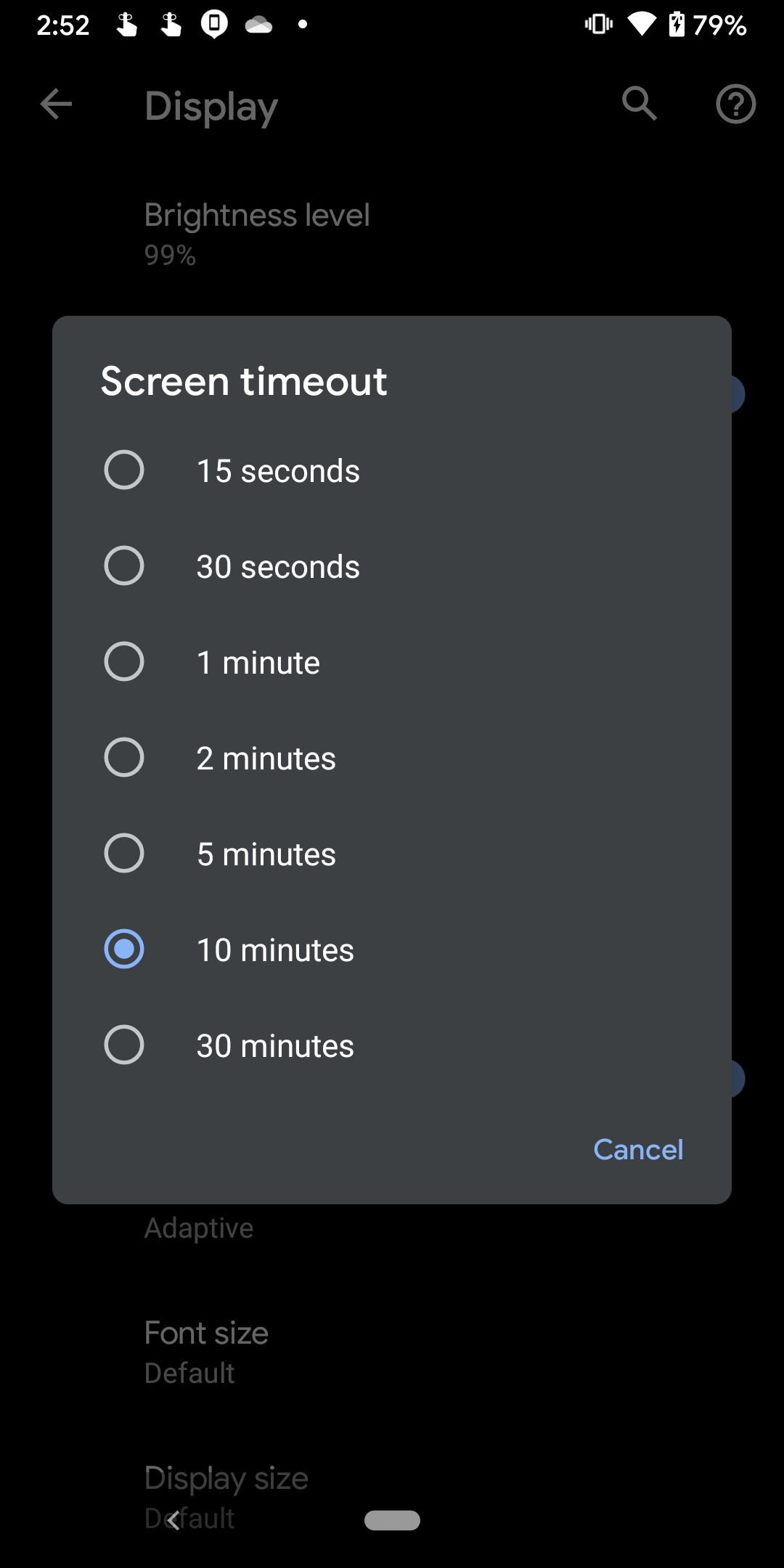
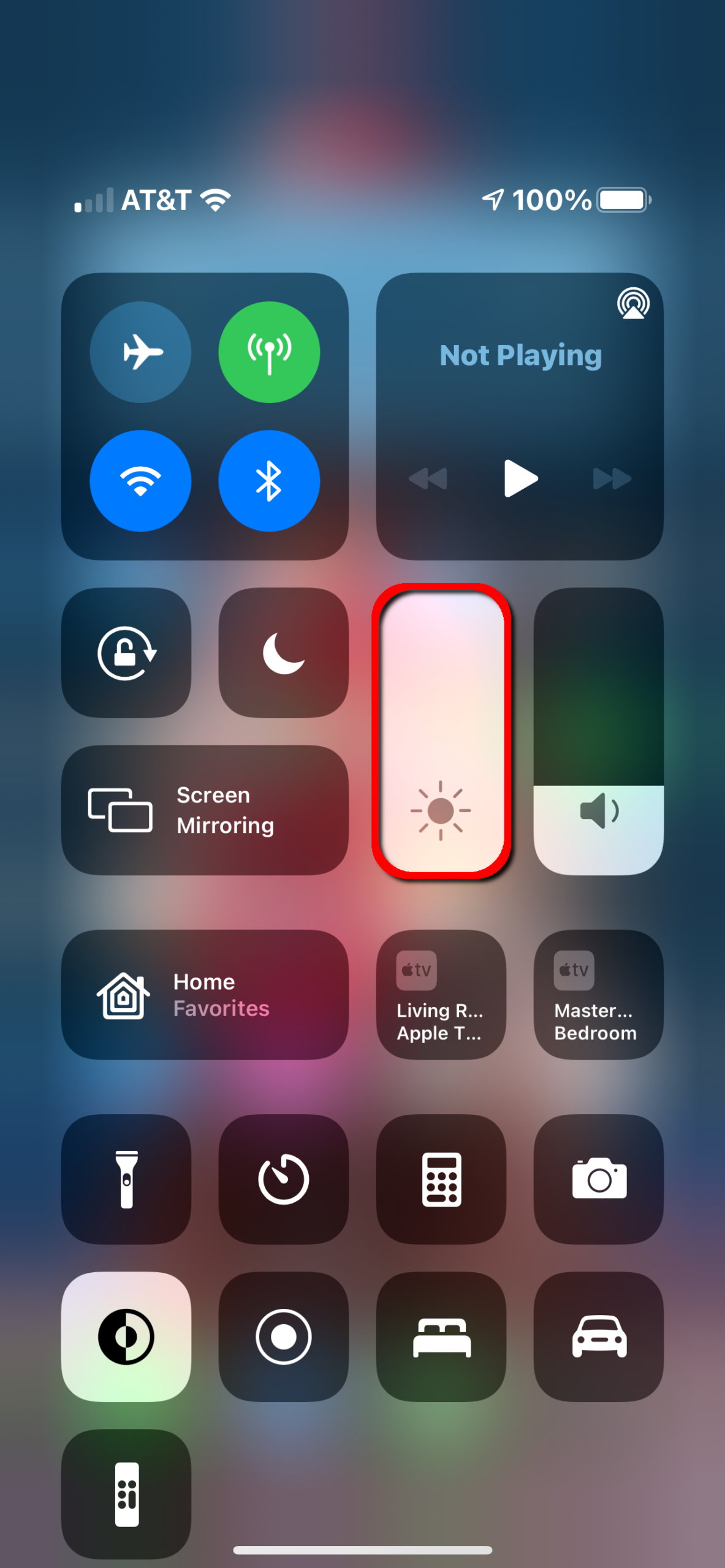
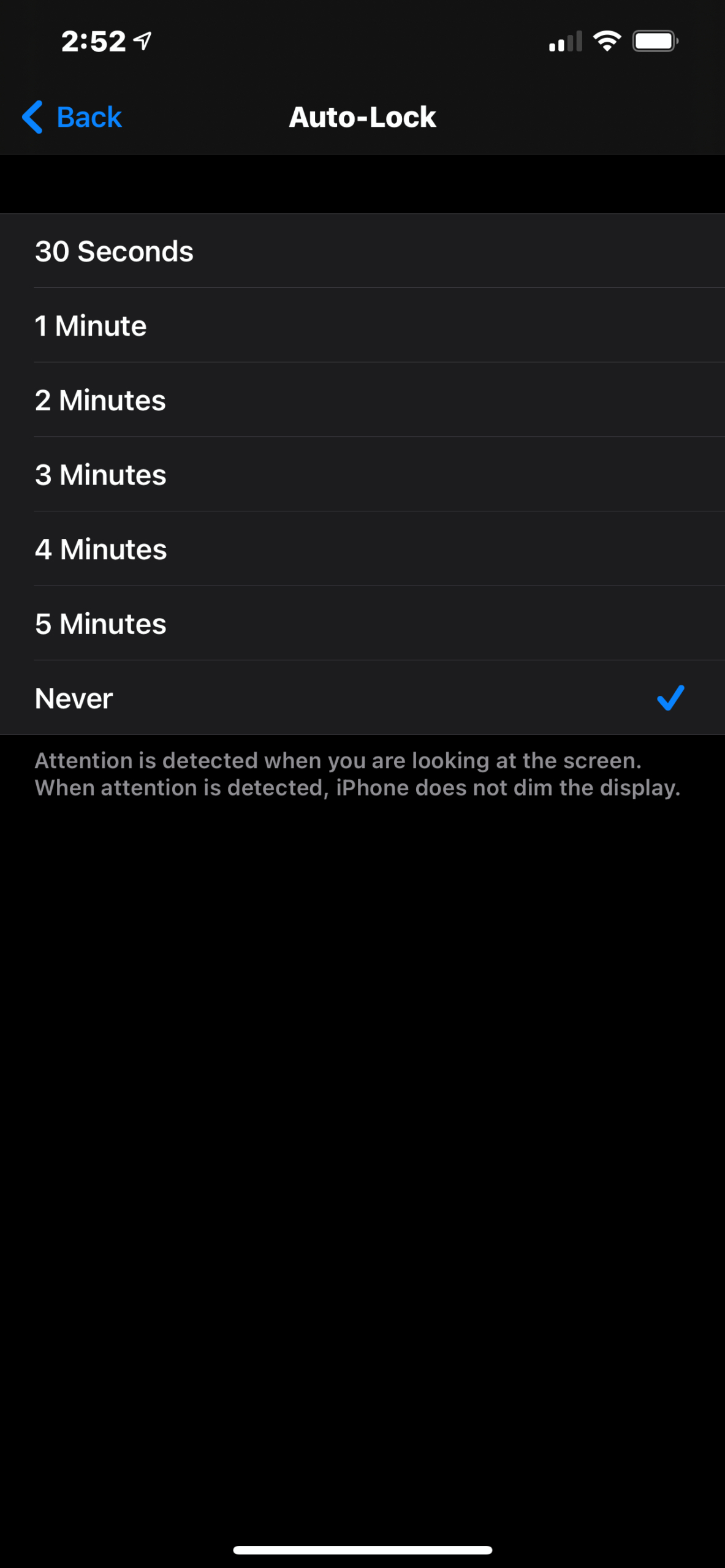
Large, brightly lit screens not only drain your battery fast but hit you right between the eyes. Always decrease screen brightness to the lowest, most comfortable level.
First, compare the screen brightness automatically set by your phone with the optimal brightness for your eyes. Often, the auto setting is brighter than you need, so feel free to override or disable it.
To manually adjust the brightness in Android 11, swipe a finger down from the top to fully expand the Notification Shade and the Quick Settings menu, and you should see a slider at the very top.
In iOS 14, swipe a finger down from the top-right corner — where you see the battery and Wi-Fi icons — and move the slider up and down in the Control Center.
You can also change the screen timeout period by doing the following:
iOS 14
Step 1: Tap to open the Settings app.
Step 2: Tap Display & Brightness.
Step 3: Tap Auto-Lock.
Step 4: Choose from one of six durations.
Android 11
Step 1: Swipe a finger down from the top to expand the Notification Shade and tap the Cog icon.
Step 2: Tap Display.
Step 3: Tap Advanced.
Step 4: Tap Screen Timeout and select one of seven durations.
Disable location services
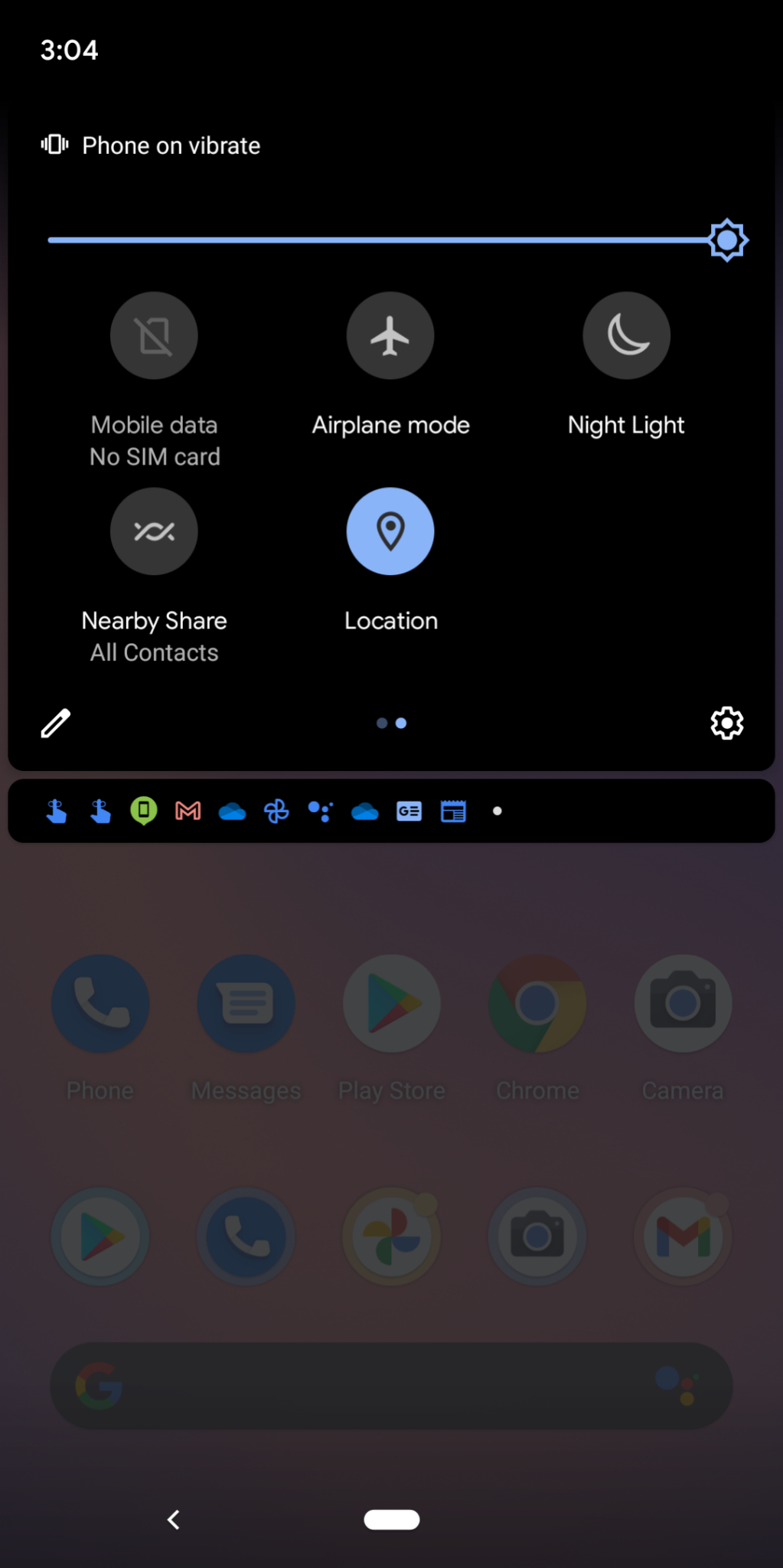
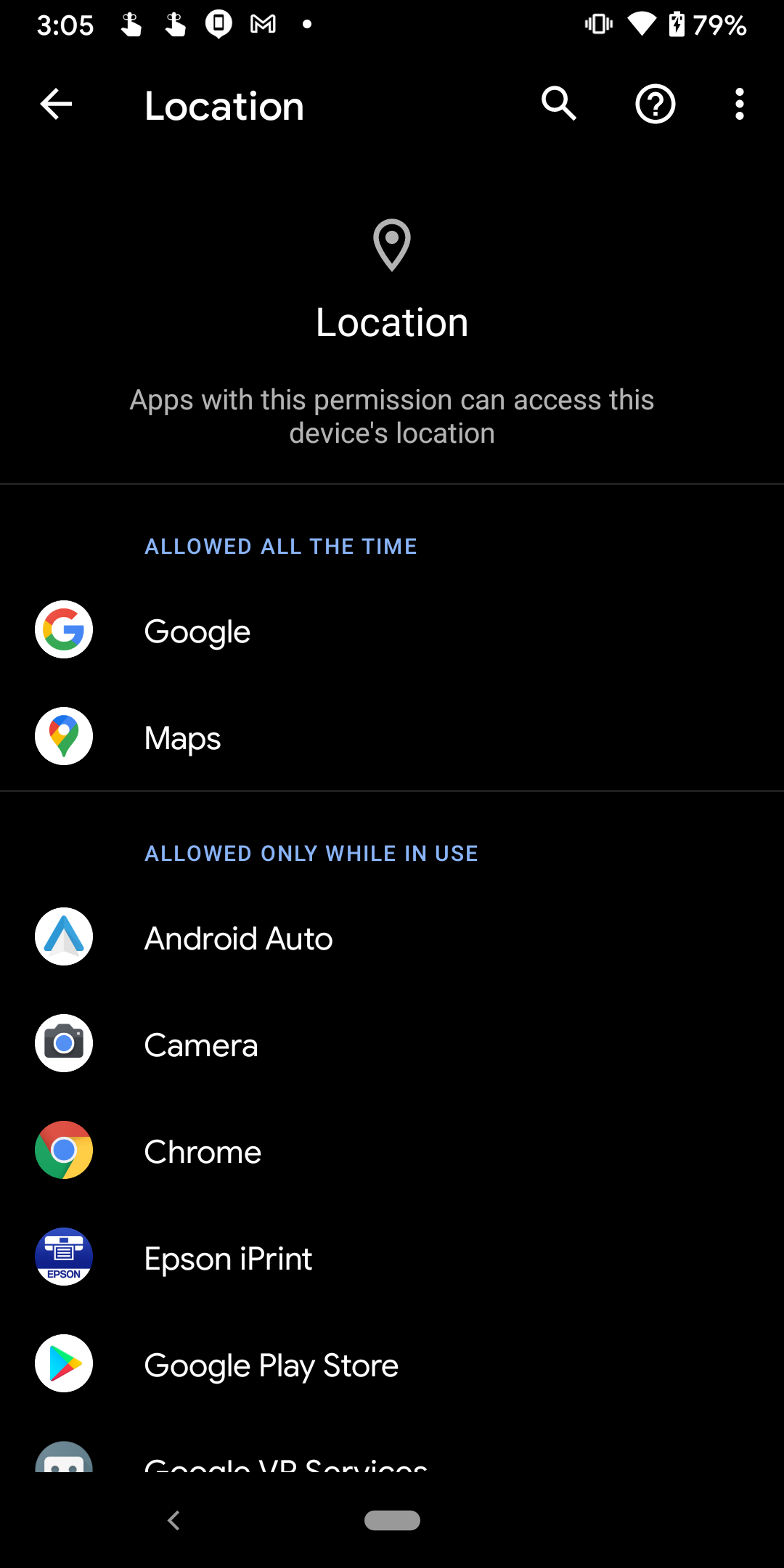

Most people don’t want or need their smartphone apps following them around, convenient as it may be when using travel apps or geotagging photos. Keeping location services on for all your apps is not only intrusive and unnecessary but also affects battery life. Most apps don’t need to track your location in the background, so determine how each installed app uses location services, and then disable the option where needed.
Here’s how to toggle off location services on an app-by-app basis:
iOS 14
Step 1: Tap to open the Settings app.
Step 2: Tap Privacy.
Step 3: Tap Location Services.
Step 4: Tap on an app and then select one of four options ranging from Never to Always.
Android 11
Step 1: Swipe a finger down from the top to expand the Notification Shade and tap the Cog icon.
Step 2: Tap Location.
Note: You can quickly disable location services across the board by tapping the toggle next to Use Location. Alternatively, you can pull down the Notification Shade and tap the Location icon in the Quick Settings menu.
Step 3: Tap App Access to Location.
Step 4: Tap on an app to change how it uses your location. You typically have four choices ranging from Allowed All The Time to Deny.
Apple’s iOS 14 isn’t quite so streamlined, forcing you to tap the Locations toggle in Settings > Privacy > Location Services.
Battery-saving apps
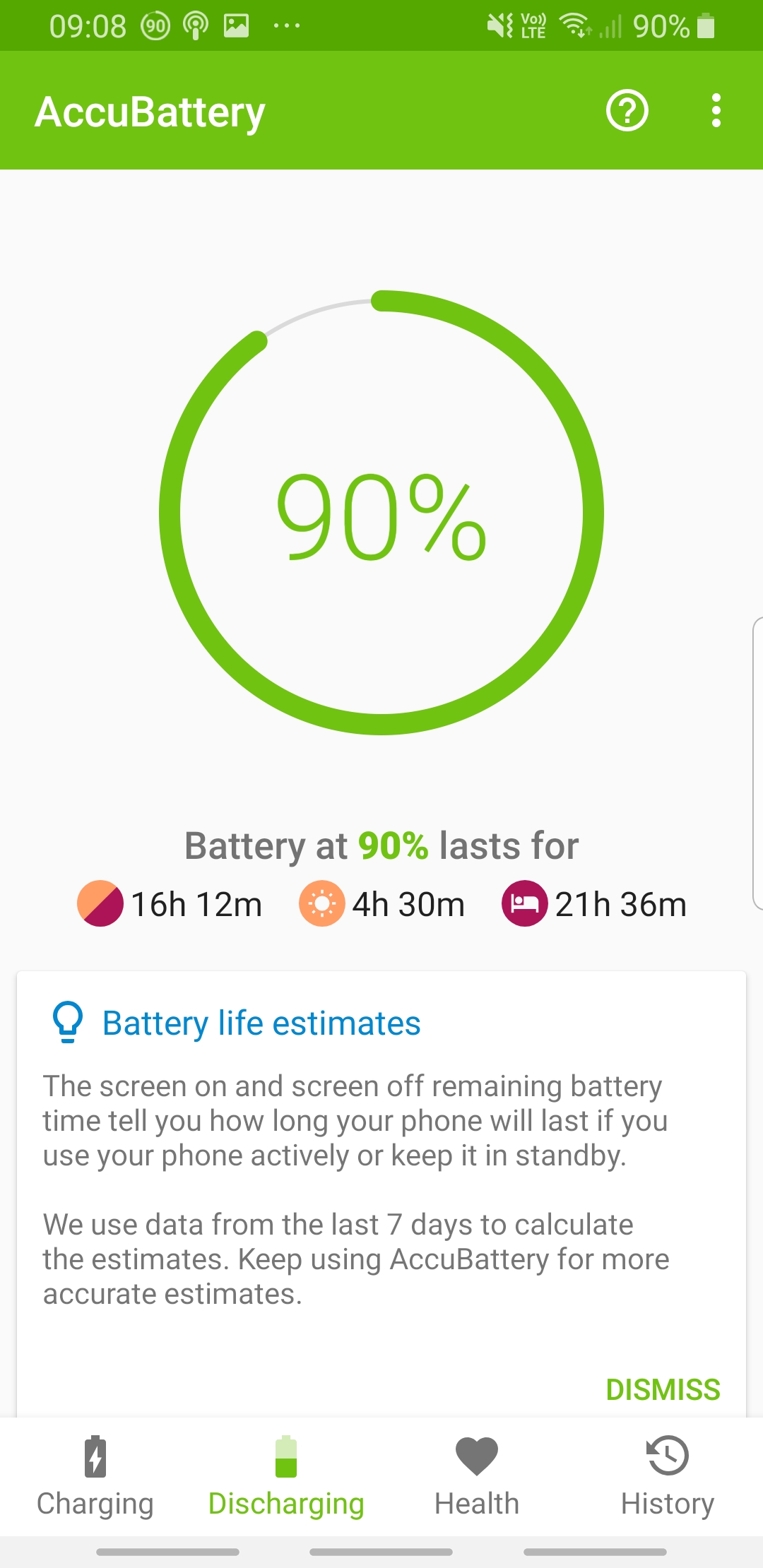
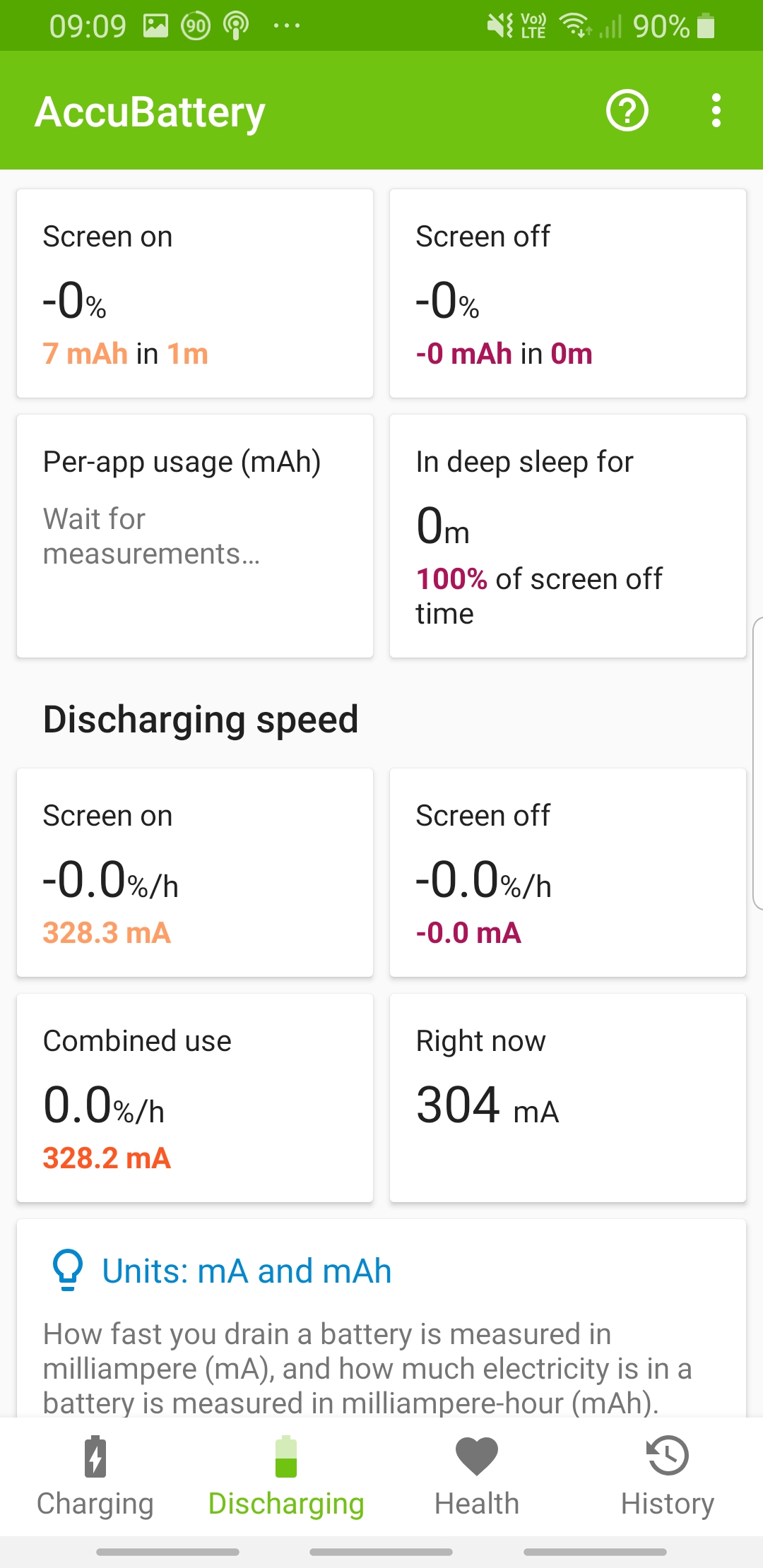
Even though most battery savings result from more efficient hardware and settings, you can find apps that are dedicated to extending your battery’s longevity. They can identify what is depleting your battery and compromising its overall condition. They let you save juice without having to dig into individual features or do a lot of manual tweaking. Some apps come with features that help you configure device settings to maximize your battery life.
For instance, AccuBattery for Android lets you view battery consumption data, including which apps blow through the most power over time, while a variety of power-saving settings and presets let you tweak your settings to get the most time from your available juice. The free Battery HD+ for iOS offers useful insights and reminders for keeping your battery tip-top. It may be that it’s time to consider replacing your battery if your phone’s performance is affected — for example, if it’s frequently overheating while charging or won’t run unless it’s plugged into the charger.
Ditch the widgets, pause the notifications
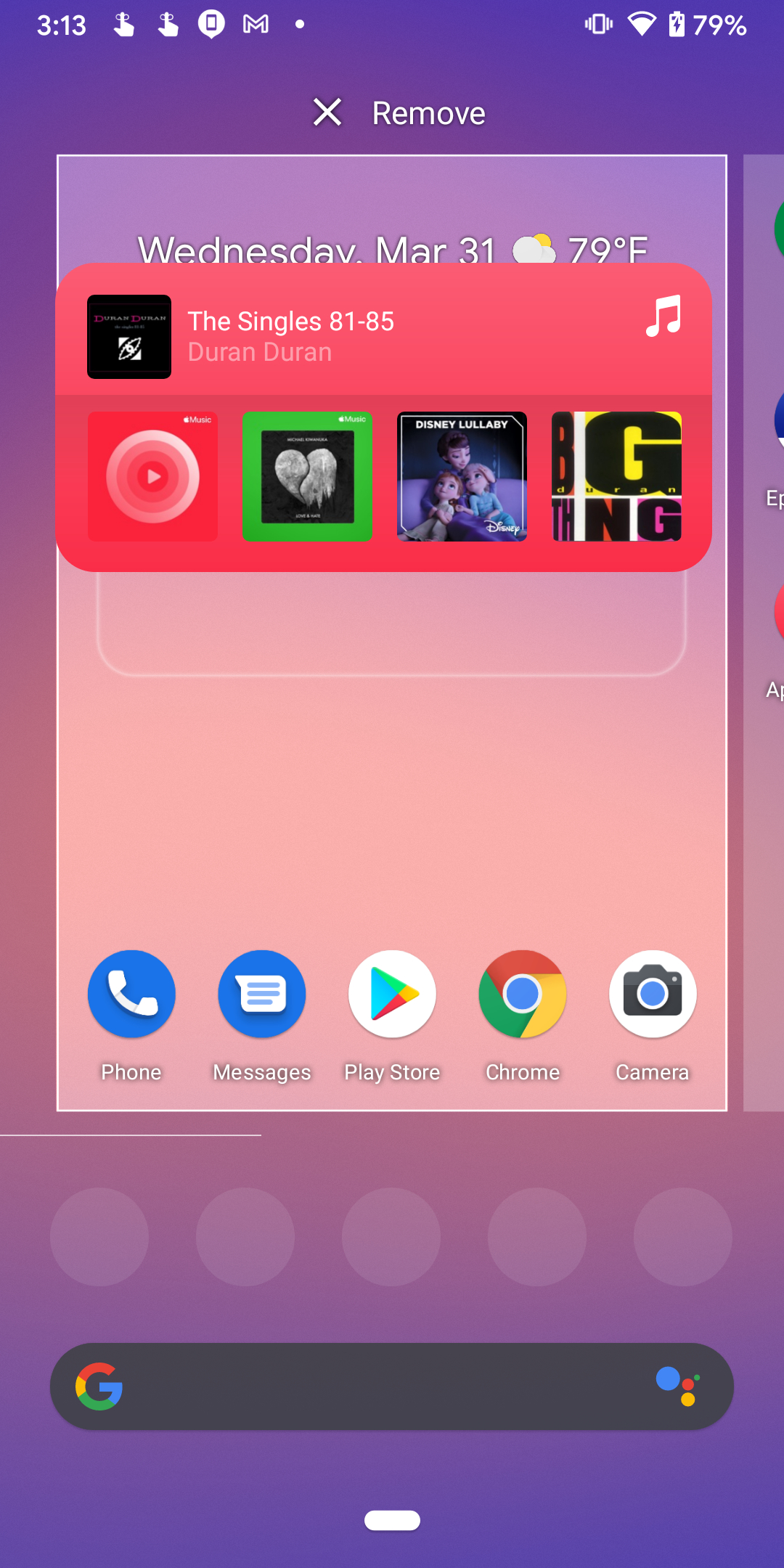
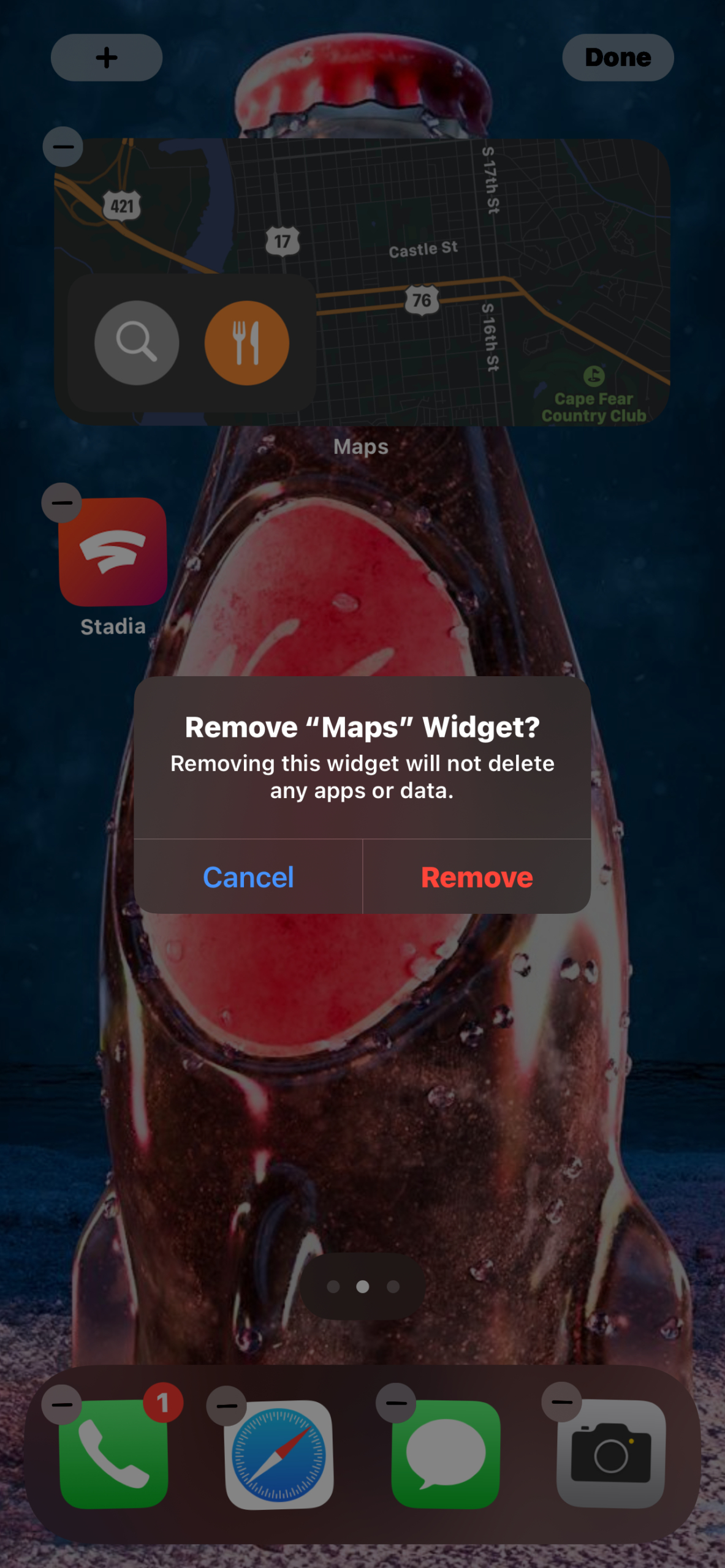
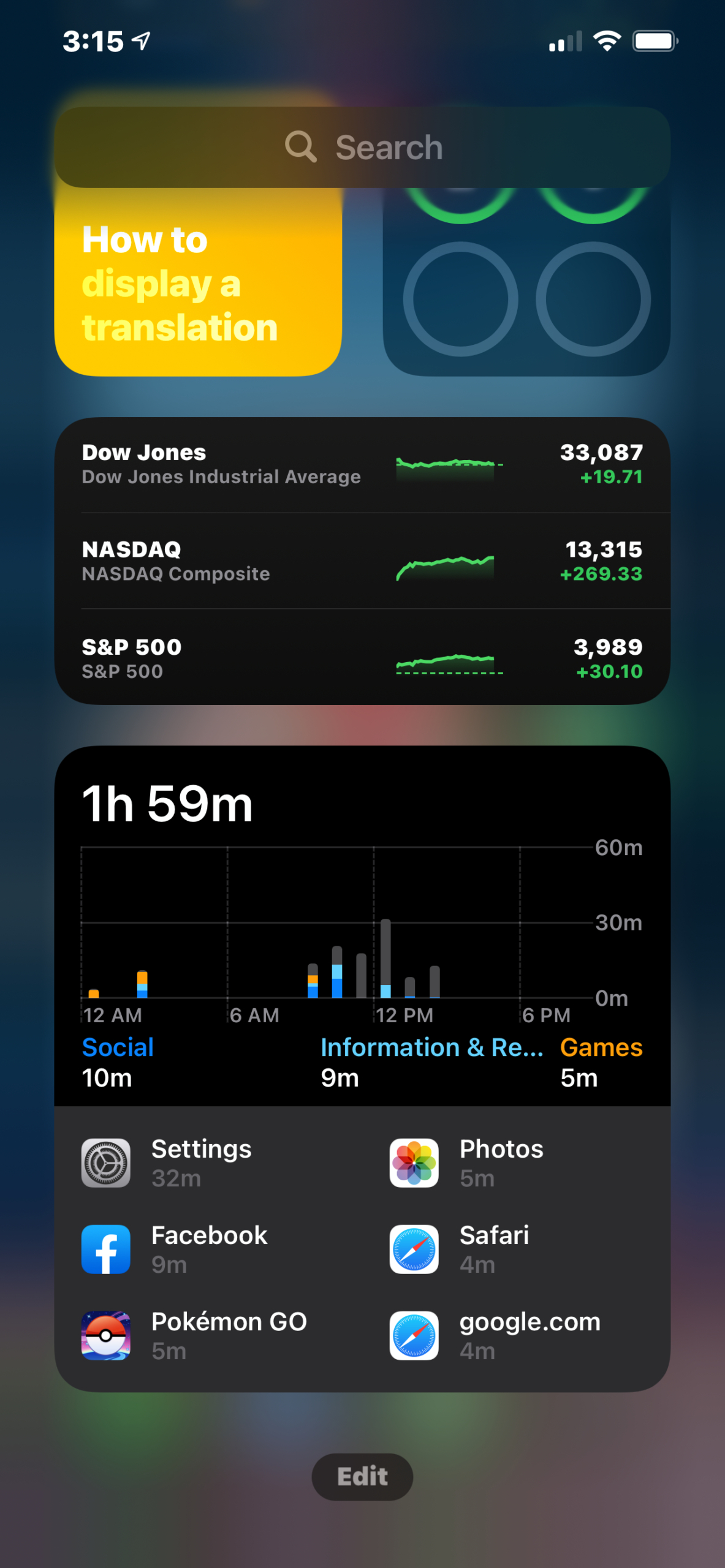
Android and iOS widgets are certainly convenient for your everyday life, but they can sap your battery’s resources. Multiple internet-connected widgets constantly sync and update, draining your battery.
Both platforms allow you to add and remove widgets. No matter where they reside (the home screen or another screen), they constantly refresh to keep their displayed information up to date, whether it’s the weather, news, or a suggested photo. However, you’ll see more battery use when they’re planted on the home screen.
On iOS 14, just long-press anywhere on the Home Screen and/or its associated pages and then tap the Minus symbol that appears on the widget you want to remove. On the Today View screen — which has all widgets — scroll down and tap the Edit button to remove any widgets you don’t need.
On Android 11, long-press on a Widget and drag it into the trash.
Another option is to turn off location tracking in widgets. Since widgets are just extensions of apps, follow our previous instructions to disable location tracking on an app-by-app basis.
Disable app refresh
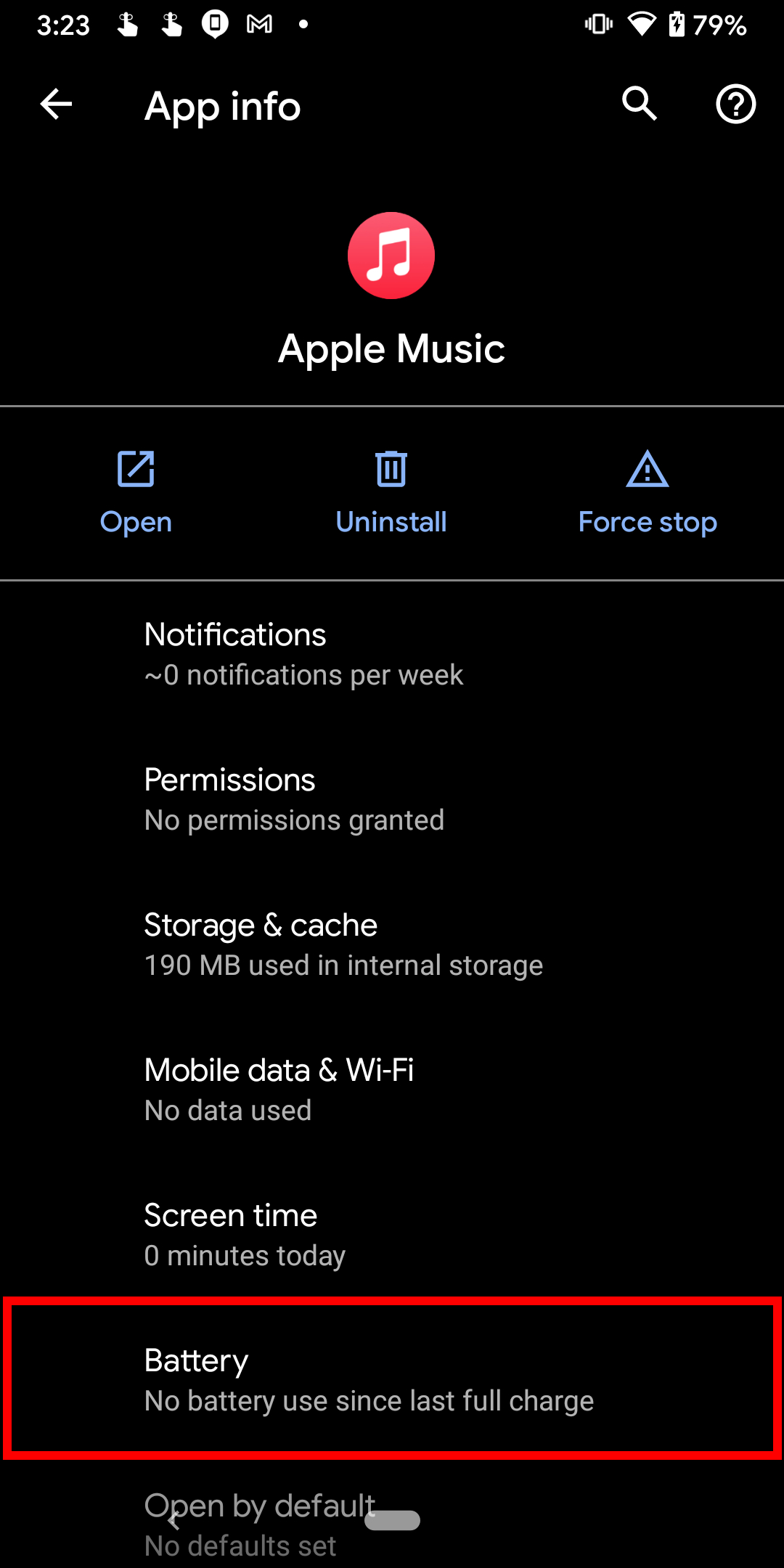
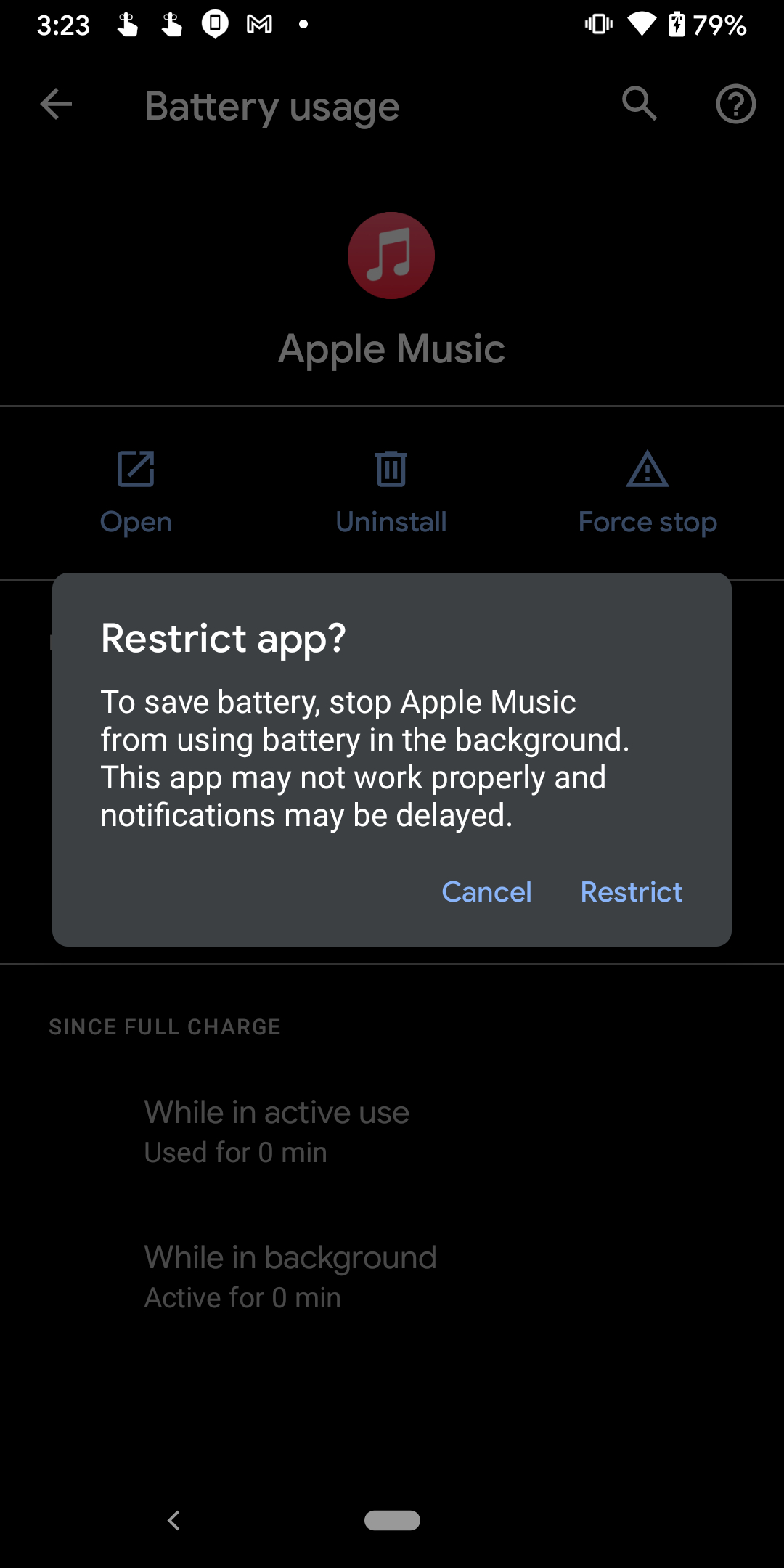
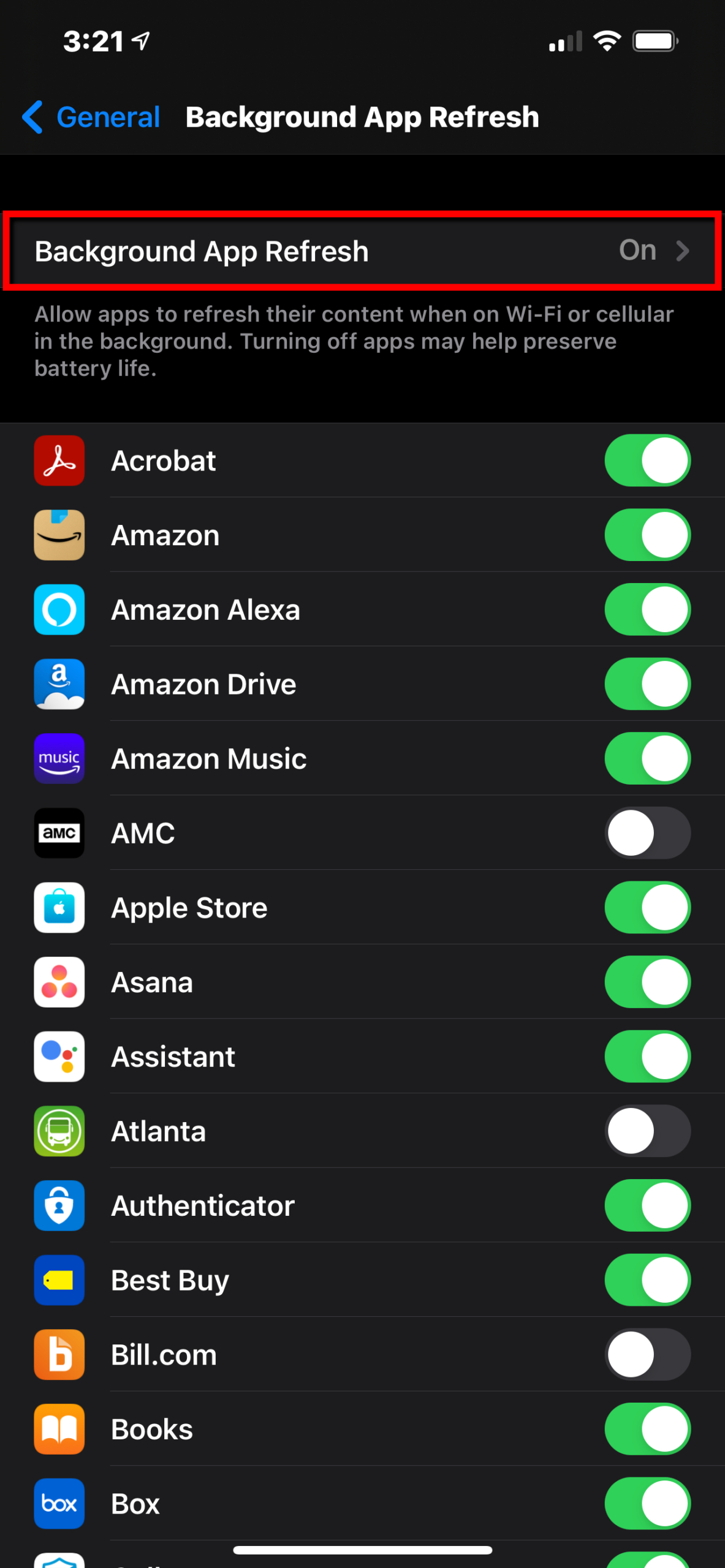
The background app refresh service in iOS and Android automatically updates your apps, and that’s cool, but it’s also a battery drain that may catch you at the wrong time.
iOS 14
Step 1: Tap to open the Settings app.
Step 2: Tap General.
Step 3: Tap Background App Refresh.
Step 4: Select Off.
Note: If you don’t want to toggle off refreshes across the board, the Background App Refresh screen allows you to toggle apps on and off individually.
Android 11
Step 1: Swipe a finger down from the top to expand the Notification Shade and tap the Cog icon.
Step 2: Tap Apps & Notifications.
Step 3: Tap See All X Apps.
Step 4: Tap on an app you want to disable.
Step 5: Tap Advanced.
Step 6: Tap Battery.
Step 7: Tap Background Restriction.
Step 8: Tap Restrict on the pop-up window.
Conserve power
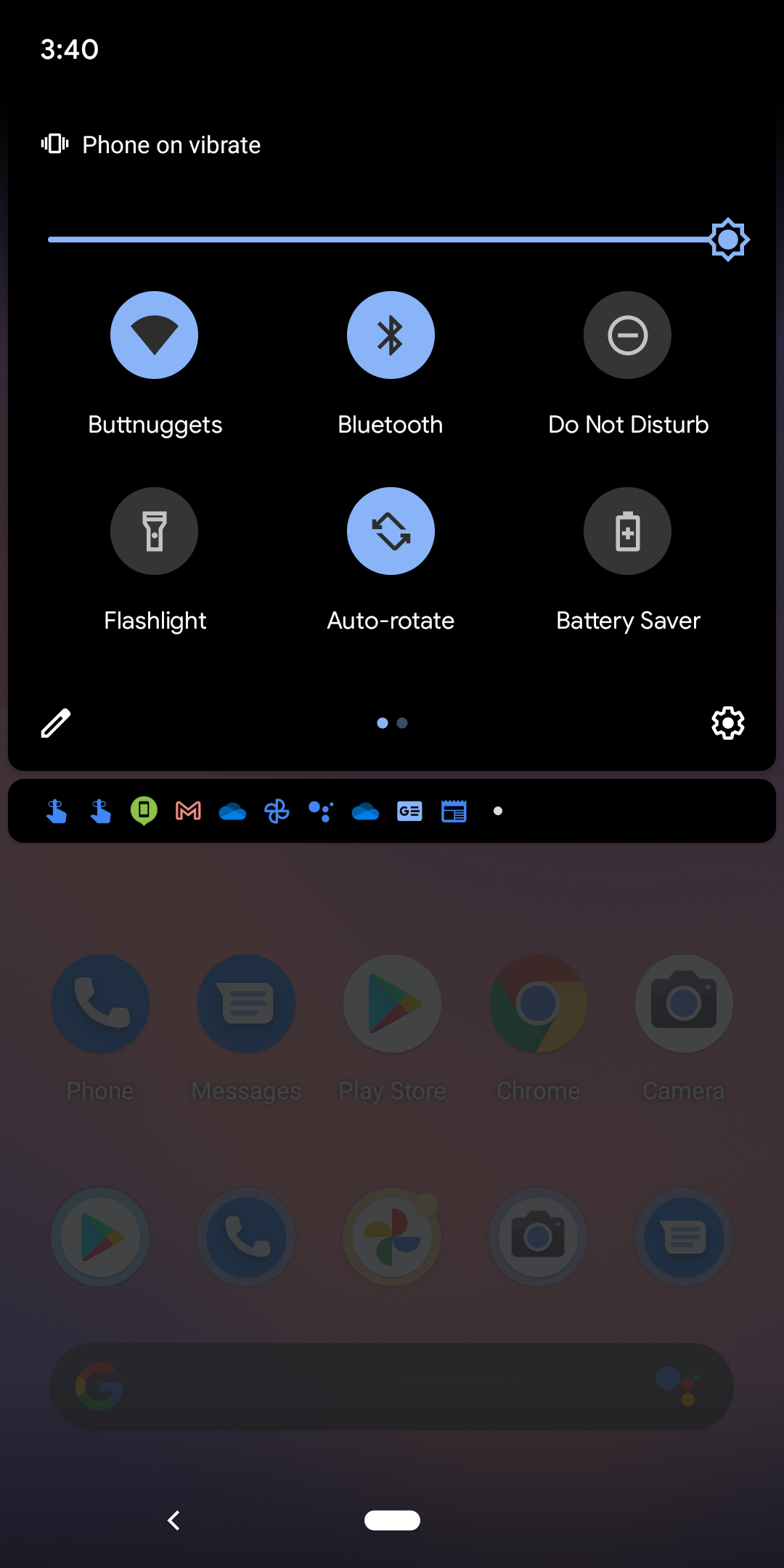
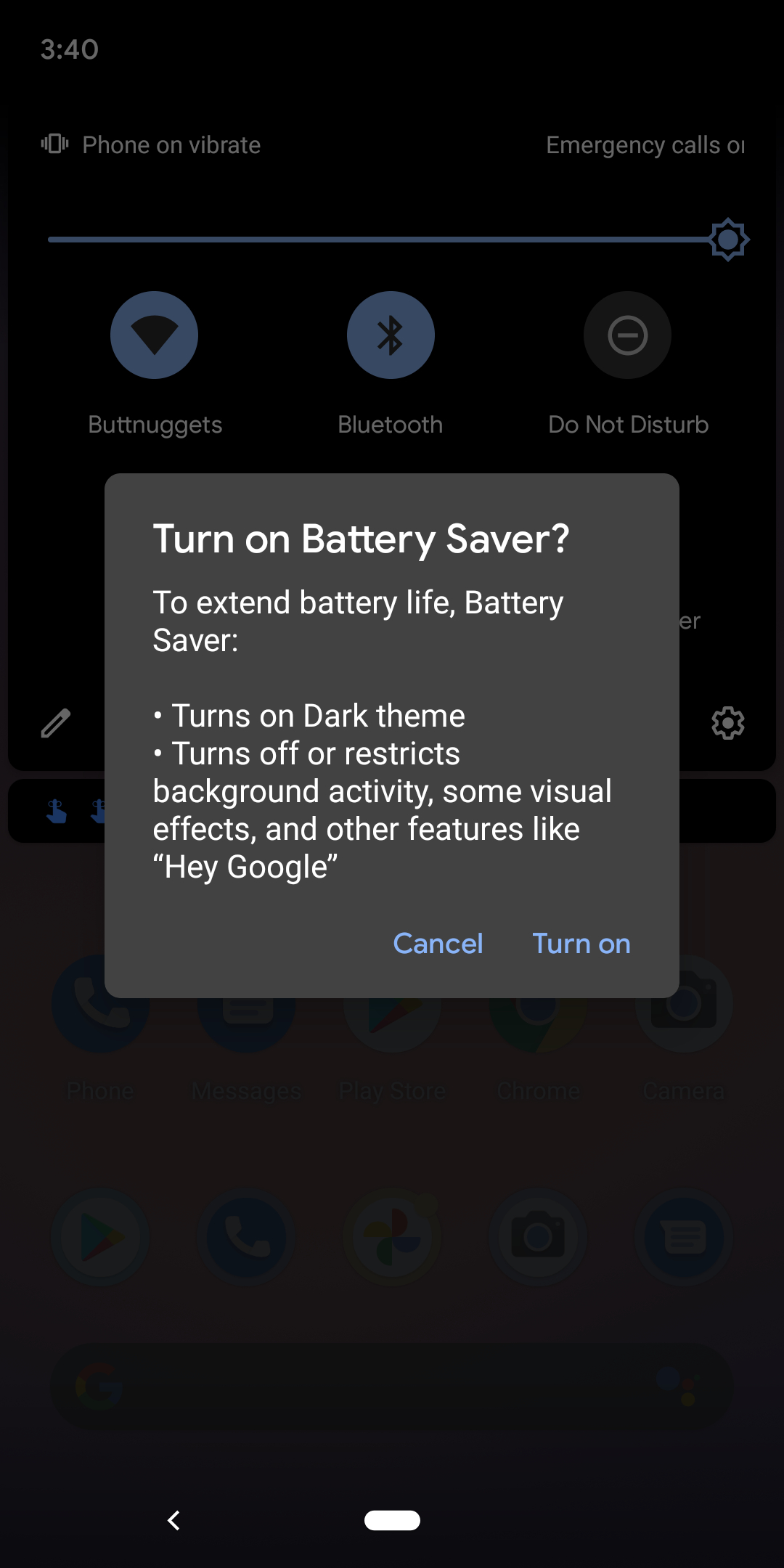
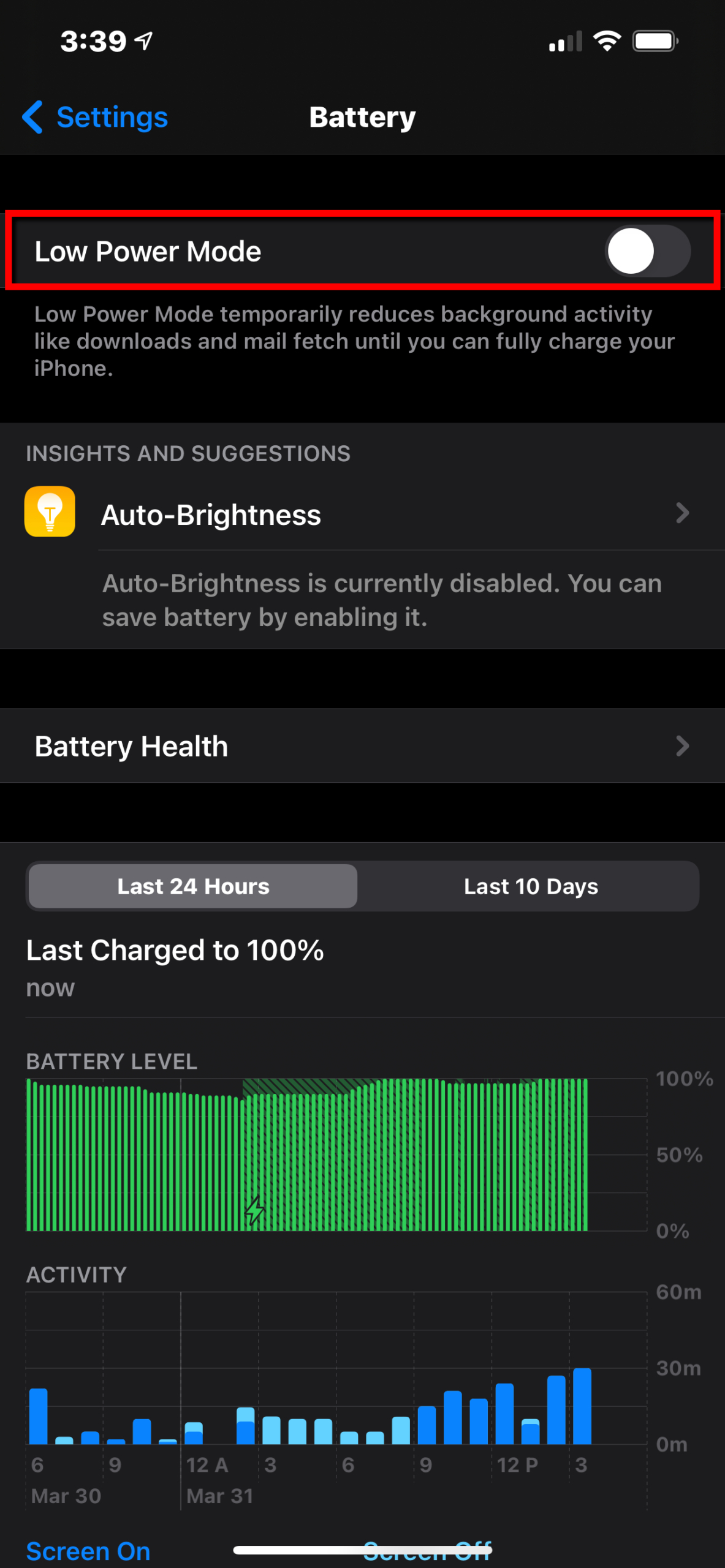
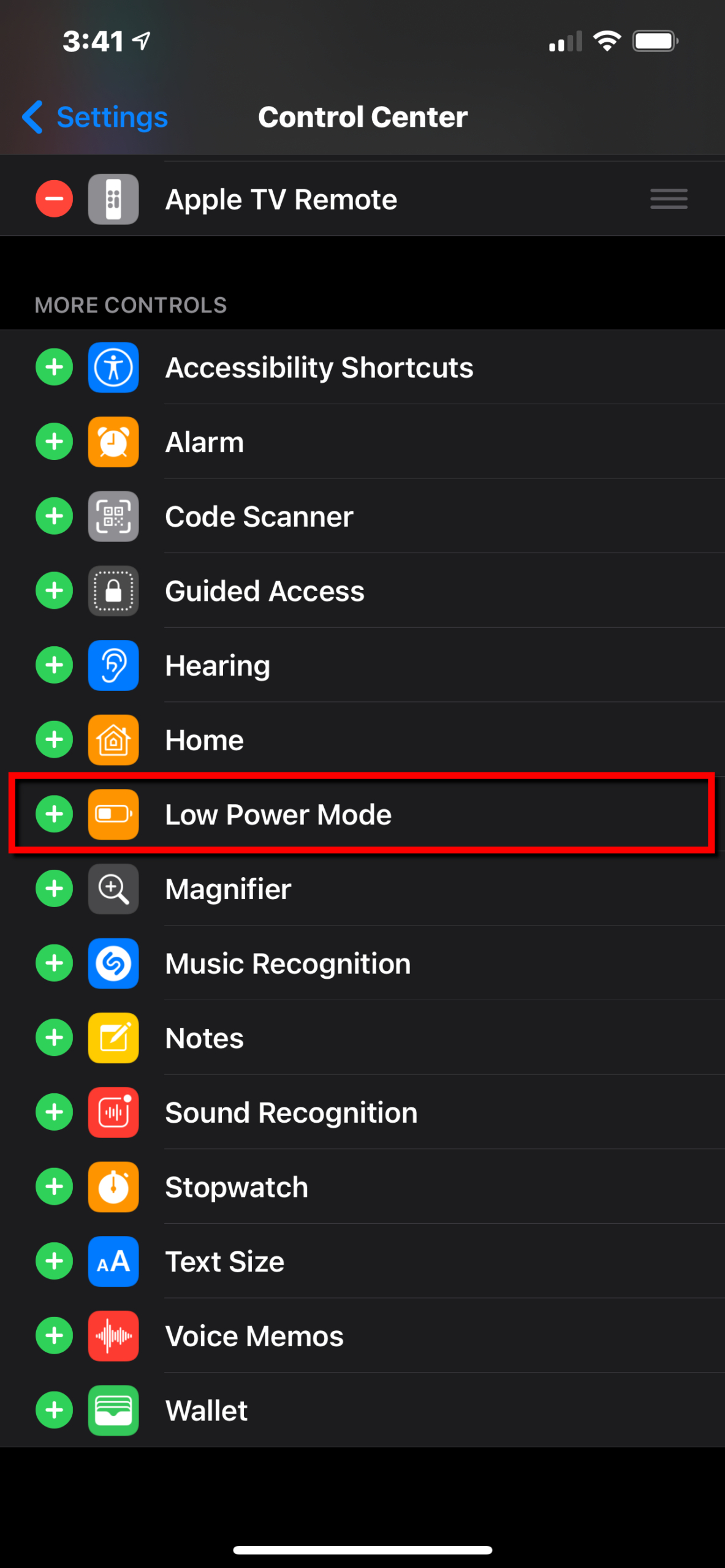
Both iOS and Android phones offer a power-saving mode that automatically adjusts your settings and shuts down all nonessential features. Toggle this on to use the least amount of juice necessary to keep your phone operational.
iOS 14
Step 1: Tap to open the Settings app.
Step 2: Tap Battery.
Step 3: Tap the toggle next to Low Power Mode.
Alternatively, you can add a Low Power Mode button to the Control Center via Settings > Control Center and tapping the green Plus icon.
Android 11
Step 1: Swipe down from the top to expand the Notification Shade.
Step 2: Tap the Battery Saver icon in the Quick Settings menu.
Note: You can make changes to the Battery Saver mode, like establishing a schedule, by visiting Settings > Battery > Battery Saver.
Battery accessories
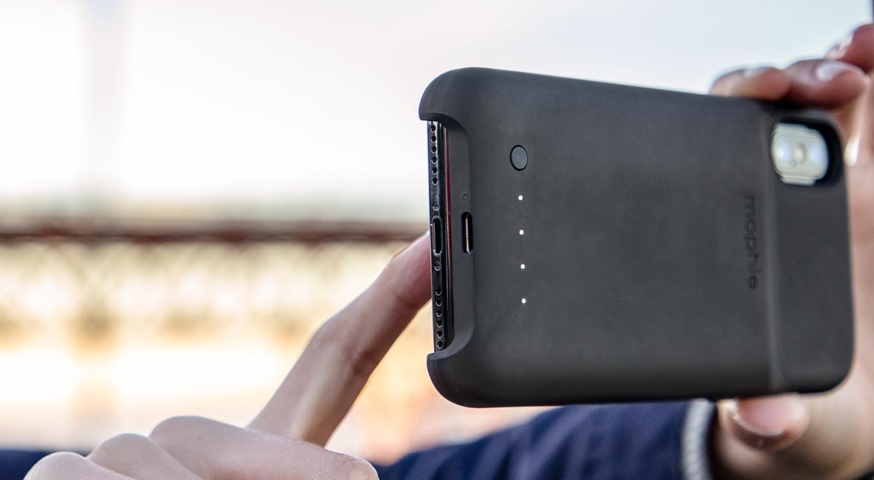
If your smartphone’s battery is removable, you can keep an extra one, fully charged with you at all times. When one gets low, just switch to the other. While this sounds like a convenient option, unfortunately, the majority of today’s devices have non-removable batteries.
Some protective cases have built-in batteries, but they’re designed for specific models and won’t work universally. While you’ll find many options for the iPhone, such as the Newdery iPhone 11 Pro Battery Case, you’ll have to dig deep online for other phone brands like Android. You can extend your battery while you’re out and about with car chargers. These chargers are particularly useful if you regularly navigate with your smartphone.
Avoid extreme heat or cold
According to Apple, iPhones perform best between 32 and 95 degrees Fahrenheit. This should be a good general rule of thumb for any mobile device, whether it’s a smartphone or tablet. Anything above and below that threshold will cause problems.
If your device is exposed to extremely cold temperatures, it will see degraded battery performance, but only temporarily. Don’t worry: There is no permanent damage. Once the phone returns to normal operating temperatures, it will perform as expected.
However, exposing your phone to high temperatures is just bad news, period. Everything inside needs to stay cool in order to perform optimally, else components will start to cook. After all, there are no running fans inside. Damage to heated components is permanent, including your phone’s battery.
Editors' Recommendations
- AirTags range: here’s how far the tracker can reach
- iPhone SE 4: news, rumored price, release date, and more
- Best iPhone 15 deals: How to get Apple’s latest iPhone for free
- The most common iPhone 15 problems and how to solve them
- The best iPhone keyboard apps in 2024: our 12 favorites