  1. Home
  2. Smart Home
  3. How tos

How to play Sirius XM on your Amazon Echo

Add as a preferred source on Google
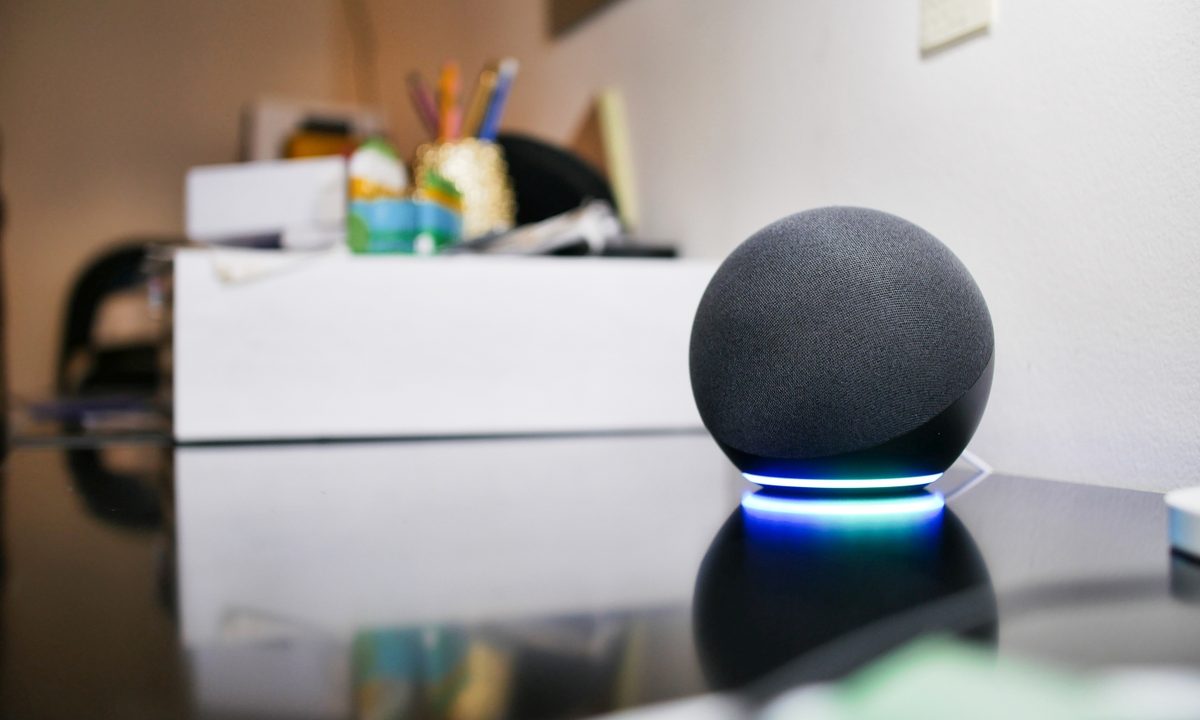
The Amazon Echo 4 on a counter.
Image used with permission by copyright holder

SiriusXM rose in popularity as a reliable satellite radio service that you could get anywhere, and that hasn’t changed. It’s still an easy way to play hits from all kinds of genres or listen to a wide variety of radio shows — and SiriusXM works on devices far beyond your car. That includes Amazon’s Echo devices, as long as you know how to set up the satellite radio.

Recommended Videos

Difficulty

Easy

Duration

10 minutes

What You Need

  • Echo

  • Sirius XM account

Echos pair particularly well with satellite radio like SiriusXM thanks to their room-filling sound and easy voice controls. But Echos don’t work automatically with the service. We’ll show you the best ways to set it up.

Search for SiriusXM on the Alexa app.
Image used with permission by copyright holder

The quick and simple fix

Alexa voice assistant manage Amazon Echos, and one of Alexa’s chief advantages is the multitude of skills it has to enable specific services or abilities. One of those skills is SiriusXM, which you can find right here. So, using SiriusXM with your Echo is as simple as enabling that skill for Alexa on the Alexa app via the Skills & Games section.

Alexa will ask you to log in with your SirusXM account info and confirm the skill. Then, all you have to do is direct your Echo, like so: “Alexa, play Hits 1 on SiriusXM.”

You can say a wide array of commands in this vein, telling Alexa to play specific artists, genres, or radio shows on SiriusXM. However, if SiriusXM is your primary source of tunes and talks, then there’s another step you should take.

Making SiriusXM your go-to music source on Echo

Alexa has the ability to set a default music source for the app. That means when you give Alexa a general command about playing music, it will use that specific service — aka, you don’t have to keep tacking “on SiriusXM” to the end of every command you give. If that sounds like a good idea, here’s how to set up this feature.

Step 1: Login into your Alexa app on your preferred device. At the home screen, select the More option in the lower right corner.

Choose More in the Alexa App.
Image used with permission by copyright holder

Step 2: In the menu, select Settings to continue. In Settings, find the Music & podcasts option.

Step 3: If you haven’t already linked SiriusXM, choose to link a new service and select SiriusXm from the list to add the skill and log in.

Choose SiriusXM as your default service.
Image used with permission by copyright holder

Step 4: Look at the top of Music & podcasts to find the Default services section, which is typically set to Amazon Music. Select it.

You will now see three different default options for Music, Artist and genre stations, and Podcasts. Start by selecting Music, then selecting SiriusXM from the list as your default station. You can also do the same with Artist and genre stations.

Choose Default Services in Alexa.
Image used with permission by copyright holder

Common FAQs

Can you connect SiriusXM to Alexa?

Yes, and that’s a bit different from connecting it to an individual Echo. Once SiriusXM is connected to Alexa, you can access it from any Alexa device. That includes Alexa apps on your computer, any Echo, and a variety of soundbars or other devices that come with Alexa built-in.

Is SiriusXM free with Amazon Prime?

No. However, if you are a new SiriusXM subscriber, and you use Amazon’s website to sign up for an SiriusXM Platinum package, you can get the first three months free.

Can I stream SiriusXM on multiple devices?

Yes. As we mentioned above, once the service is connected to Alexa, you can use it on a variety of compatible devices. However, you can stream simultaneously over Alexa to only one speaker or paired group of speakers at a time.

Why won’t Alexa play my SiriusXM?

If you follow the steps above, then SiriusXM should work. Double-check that your Sirius login information, especially your password, is correct. Keep in mind, Alexa needs an internet connection to operate.

Tyler Lacoma
If it can be streamed, voice-activated, made better with an app, or beaten by mashing buttons, Tyler's into it. When he's not…
Top Smart Home Upgrades Worth Making Before Your Summer Break
From outdoor monitoring to smarter front-door security, these EZVIZ devices combine smart protection with daily convenience
Person, Security, Electronics

Summer often brings a welcome change of routine for homeowners across Europe. Family holidays, weekend getaways, and longer days spent outdoors mean more time away and fewer opportunities to stay connected to what's happening back at the property. While it's a season for slowing down and enjoying the warmer months, everyday responsibilities don't simply pause. Deliveries still arrive, visitors may stop by unexpectedly, and trusted family members, cleaners, or pet sitters may occasionally need access while you're away.

Modern smart home technology makes those situations easier to manage. Today's connected devices can do far more than record footage or send motion alerts. They can help homeowners monitor outdoor spaces around the clock, stay informed about important activity, communicate with visitors remotely, and manage entry without needing to be physically present. Instead of constantly checking in or wondering whether everything is running smoothly back home, the right setup can provide greater visibility, convenience, and peace of mind throughout the season.

Read more
EZVIZ Sets a New Benchmark for Battery Powered Home Surveillance
Because every property deserves protection without compromise
Person, Security, Tape

Battery-powered smart cameras have become one of the fastest-growing categories in home monitoring. Once valued primarily for their seamless installation, today's models combine advanced visual technology, AI-powered intelligence, and dependable long-term performance that rivals many traditional wired systems. As innovations such as Always On Video 2.0 and solar charging continue to improve everyday usability, battery cameras are becoming the preferred choice for homeowners seeking flexible, comprehensive outdoor protection.

This shift has also raised expectations. Modern users want more than clear video. They expect smart detection, reliable monitoring, seamless smart home integration, and solutions that adapt to different property sizes and lifestyles. As one of the world's leading smart home camera brands, EZVIZ has responded by building one of the industry's most comprehensive portfolios of battery-powered cameras. The lineup is designed to serve every living situation, whether for renters or owners of apartments, condominiums, or villas. From accessible options for everyday monitoring to advanced multi-lens systems for larger and more demanding environments, the portfolio reflects a strong focus on innovation, user-centric design, and real-world needs.

Read more
Beatbot AquaSense X review: The pool cleaner for those that want to be pampered
It's a nothing short of a self-cleaning nirvana for your pool. But as they say, nothing fine comes without a fittingly handsome fee.
Beatbot Aquasense X robot, AstroRinse station and iSkim

view at amazon

Quick take: 

Read more