1. Home
  2. Gaming
  3. How tos

Digital Trends may earn a commission when you buy through links on our site. Why trust us?

How to play Fortnite with Xbox Cloud Gaming

Add as a preferred source on Google
Gold characters in Fortnite.
Image used with permission by copyright holder

Fortnite is one of the most successful games of all time, due in part to being available on a slew of platforms. It has a massive audience across PlayStation, Xbox, PC, and even Nintendo Switch. Recently, the game became available on mobile devices via Xbox Cloud Gaming, allowing players to stream Fortnite for free via a browser in many regions. This essentially gives players access to the full version of Fortnite without having to download or install anything onto a device. It’s a quick and easy process that works a lot better than you might expect, as long as your internet connection supports it.

In this guide, we’ll show you how to play Fortnite on your mobile devices via Xbox Cloud Gaming.

Recommended Videos

Fortnite Xbox Cloud Gaming guide

Play Fortnite at xbox.com/play with Xbox Cloud Gaming for free

The beauty of Fortnite on Xbox Cloud Gaming is that you don’t need a powerful device to run it. Smartphones as old as the iPhone XR (which launched in 2018) are verified to run Fortnite, though, as Epic Games explains, the game may work on older devices as well. Keep in mind, you can also use Xbox Cloud Gaming to run Fortnite on PCs.

First, you need a Microsoft account. After you’ve created one and verified it, visit the Xbox Cloud Gaming site on your mobile device.

From here, tap on Fortnite, which should be at the top of the screen. It’s typically showcased front and center.

Browser with Fortnite via Xbox Cloud Gaming.
Image used with permission by copyright holder

After you select Fortnite, it’ll ask you to sign in to your Microsoft account, and once you do, you’ll have the option to Play.

A short loading screen will appear, and then you’ll be given the option to link your Fortnite account. From here, you can either create an account or sign in with an existing one. Signing in with an existing account will carry over all of your skins and progress.

Once you’re signed in, you can launch into a match, and it works exactly how it does on other platforms. Assuming you have a high-speed internet connection, it should feel just like it does on console or PC.

To get a more authentic experience, we recommend playing with a supported controller. This allows you to connect various gamepads to your device via Bluetooth (or with a wired connection). You can also utilize a mobile controller device such as the Backbone for maximum comfort.

For a full list of details, you can visit the Xbox controller support page.

Joseph Yaden
Former Digital Trends Contributor
Joseph Yaden is a freelance journalist who covers Nintendo, shooters, and horror games. He mostly covers game guides for…
Galaxy Z Fold 8 prices may be even more brutal than expected
New retailer listings reveal steep prices for Samsung’s upcoming foldables and Galaxy Watches
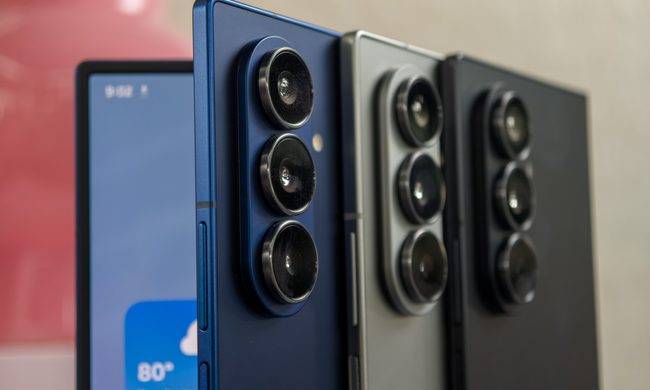
Close up of the Galaxy Z Fold 7 cameras and volume keys

Samsung’s next Unpacked lineup is looking even more expensive than expected. Previous leaks already pointed to higher prices for the Galaxy Z Flip 8, Galaxy Z Fold 8, and Galaxy Watch 9 series. A Portuguese retailer may have now revealed how much worse the damage could be in some parts of Europe.

Roland Quandt spotted an overview page on PCDiga (now deleted) listing Samsung’s upcoming foldables and watches ahead of Galaxy Unpacked on Wednesday, July 22. The figures are higher than the European prices leaked earlier this month (via NotebookCheck).

Read more
If you absolutely love pinball, this app will find you a table wherever you go
This free app helps pinball fans find machines around the world
Pinball

If you're the kind of person who plans vacations around vintage arcades, hunts down rare pinball machines, or misses that one table you played years ago, there's now a surprisingly useful tool built just for you.

Called Pinball Map, the free website and mobile app does exactly what its name suggests. It helps players locate public pinball machines almost anywhere in the world, whether they're tucked away inside dedicated arcades, neighborhood bars, restaurants, museums, breweries, or even campgrounds. Think of it as Google Maps, but instead of helping you find coffee shops, it points you to your next pinball game.

Read more
Xbox execs say the console exclusives comeback is just getting started
Gears of War E-Day and Clockwork Revolution are only the first two titles in a bigger plan.
Xbox logo

Xbox executives have confirmed the return to console exclusives has only just started. In a recent interview with GamesRadar+, chief strategy officer Matthew Ball and chief content officer Matt Booty said that two upcoming games are locked in as permanent exclusives, with more already in the works.

Gears of War E-Day and Clockwork Revolution lead the way

Read more