  1. Home
  2. Gaming
  3. How tos

How to get the glider in Rise of the Ronin

Add as a preferred source on Google
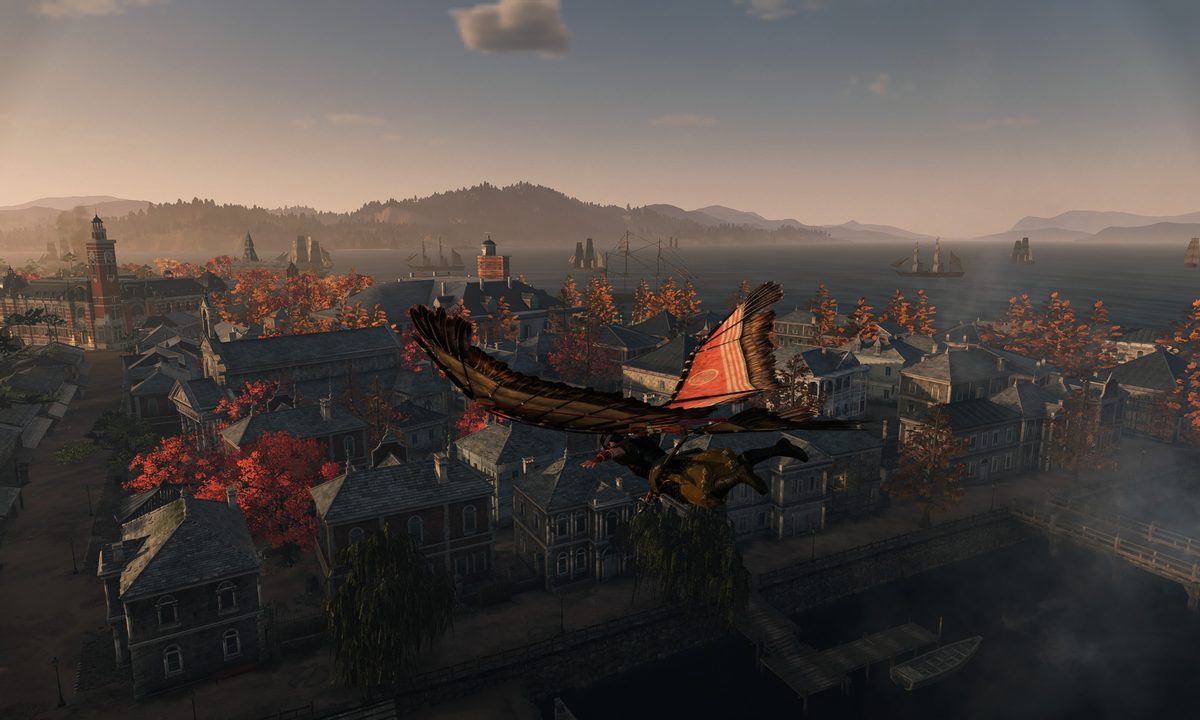
A ninja flying with a glider in rise of the ronin.
Rise of the Ronin_20240309075049 Team Ninja

The expanded open world of Rise of the Ronin is so big that not even a trusty horse and fast travel systemare quite enough to make traversal as fun and fast as needed. While it might seem a little fantastical, you won’t complain about the inclusion of a glider once you get your hands on it and feel how freeing it is to soar above the rooftops and countryside. This has been a heavily marketed mechanic, and yet you can miss your first chance to get it if you don’t explore a little before moving on with the main quest. If you want your ronin to truly rise, make sure you check out how to get the glider here.

Where to get the glider
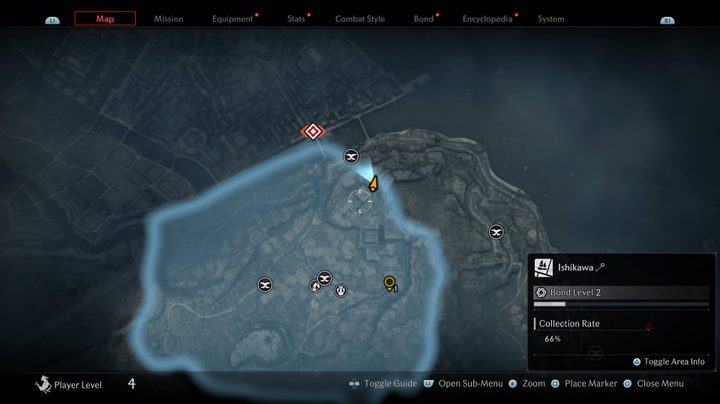
A map in rise of the ronin.
Team Ninja

The glider can be found only after you complete the first “big” mission in Rise of the Ronin called “Curtain Falls, Curtain Rises.” The end of this quest will have you slay the boss and engage in a short dialogue with them. No matter what you pick, you will get both the papers you need to cross into Yokohama and a key to a storage room. You’re not shown where that room is or even need to go there to continue, but missing it will mean losing out on glider access.

Recommended Videos

Before you leave this area, head to the location on the map above, which is directly down the stairs from where you fought the boss and to the left. Crack open the door and loot the large chest by the broken wall. You will find your glider and immediately be able to leap into the air and soar!

Jesse Lennox
Former Digital Trends Contributor
Jesse Lennox covers all things gaming but has a specific interest in all things PlayStation, JRPGs, and experimental indies…
Shopping for Back-to-school? These are the gaming laptops I’d recommend
Powerful enough for AAA games, practical enough for everyday lectures, assignments, and everything in between.
oled gaming laptop

Every gamer knows the pain of trying to do too much with the wrong hardware. Back-to-School is the perfect excuse to fix that. A good gaming laptop shouldn’t just hit high frame rates -- it should also survive endless browser tabs, assignments, coding sessions, video edits, and everything else college throws at it. These five machines strike that balance better than most, which is exactly why they’d be my picks this semester.

Alienware 16 Aurora

Read more
Sega’s Virtua Fighter Crossroads is coming to Nvidia’s wild new RTX Spark PCs
Virtua Fighter Crossroads will help showcase gaming on Nvidia’s new RTX Spark platform
Computer Hardware, Electronics, Hardware

Nvidia’s new RTX Spark platform has landed one of its first major games. Sega has confirmed that Virtua Fighter Crossroads will run on RTX Spark-powered laptops and compact desktop PCs when the game arrives in 2027. More Sega titles are also heading to the platform, although neither company has named them yet.

The announcement also marks more than 30 years of collaboration between Nvidia and Sega, a relationship that began when Nvidia’s NV1 graphics chip helped bring the original Virtua Fighter to PC. Sega later helped keep the young chipmaker alive by turning a $5 million payment into an investment when Nvidia was close to running out of money.

Read more
Lenovo’s new gaming laptop is the first to feature a 240Hz inkjet-printed OLED display
TCL’s inkjet-printed OLED technology finally reaches a commercial laptop through Lenovo
Computer, Electronics, Laptop

TCL has spent years saying inkjet-printed OLED could improve image quality, efficiency, lifespan, and manufacturing costs. Back in 2024, the company was still showing prototype laptop panels and promising a “comprehensive breakthrough” once the technology was ready for commercial products.

Two years later, it has finally arrived in a gaming laptop. Lenovo’s new Legion R9000P uses a 16-inch panel that TCL CSOT describes as the world’s first inkjet-printed OLED display integrated into a laptop.

Read more