1. Home
  2. Computing
  3. How tos

How to fix a system service exception error in Windows

Add as a preferred source on Google
The blue screen of death in Windows.
This is the basic Blue Screen of Death we've had since Windows 8, with Microsoft adding a QR code to the screen in Windows 10. Jacob Roach / Digital Trends

If you've encountered a blue screen of death with a SYSTEM_SERVICE_EXCEPTION error, there can be a few different reasons why, but it's usually a driver issue. That means that while this is an annoying issue that can cause your system to keep rebooting, you can usually sort it by running a system fix scan, and Windows 11 will take care of the problem for you.

Here's how to tackle that SYSTEM_SERVICE_EXCEPTION BSOD so you can break that blue screen reboot loop.

Recommended Videos

Difficulty

Moderate

Duration

30 minutes

What You Need

  • Windows 10 or 11 PC

Running a DISM scan.
Digital Trends

Run a system scan

SYSTEM_SERVICE_EXCEPTION blue screens are usually caused by a system driver error. These aren't like your chipset or graphics drivers where you can (and should) update them yourself, but fortunately, Windows has a built-in scan tool to help fix file system and Windows driver errors.

If the blue screen won't let you boot to Windows, try booting into Safe Mode.

Step 1: Search for "Powershell" in the Windows search bar. Right-click the corresponding result and select Run as administrator.

Step 2: Type the following, then press Enter.

Dism /online /cleanup-image /restorehealth

This will find and replace and missing or corrupted files within the Windows Component Store. This can take a few minutes to complete, but let it do its thing until it's ready.

Step 3: Additionally, you can try running the System File Checker to check over Windows system files. Run that through PowerShell too, with this command:

SFC /scannow

Step 4: After running these scans, try rebooting your PC. See if your BSOD issue is now solved. If not, try the method below.

Run driver verifier

If the file system check tools didn't work, you can try running Windows' built-in driver verification tool to see if it's a system driver issue.

Note: If the driver verified finds a corrupt driver, it can actually trigger a BSOD, so consider making a system restore point or back up your data manually to play it safe.

Step 1: Search for "Powershell" in the Windows search bar. Right-click the corresponding result and select Run as administrator.

Step 2: Type in "verifier.exe" and press Enter.

Step 3: In the window that appears, select Create standard settings from the top of the screen, then select Next.
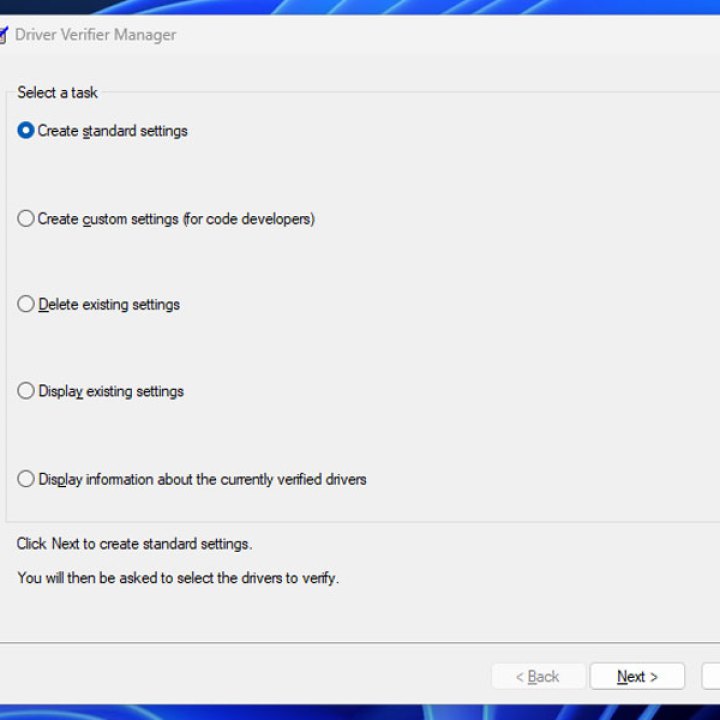
Driver verification in Windows.
Digital Trends

Step 4: Select Automatically select all drivers installed on this computer then select Finish.

Driver verification in Windows.
Digital Trends

Step 5: Reboot your PC and wait for the driver verifier to complete during startup. If any blue screens occur, note down those errors, as they should tell you the driver you need to update, upgrade, or replace.

If you find yourself stuck trying to boot into Windows, boot into Safe Mode and start the Verifier tool again. Then on the first screen, select Delete existing settings, then select Finish.

Use system restore

If none of the above methods help solve this problem, try reverting to a system restore point. This can fix a number of issues, especially if you've recently installed new hardware.

Roll back your system to when it wasn't giving you blue screen errors, and you might be able to get your PC functioning again.

If you still can't get past this BSOD error, it might be time to reset Windows to factory defaults.


Jon Martindale
Jon Martindale covers how to guides, best-of lists, and explainers to help everyone understand the hottest new hardware and…
Qualcomm is set to ratchet up chip prices in September, and your next gadget upgrade could bear the brunt
The price hike could touch every Snapdragon-powered device category.
The new Qualcomm Snadragon 8 Elite Gen 5

I want you to sit with this for a second. Qualcomm, the company whose Snapdragon chips sit inside your Android phone and tablet, your Windows laptop, your Meta smart glasses, your Galaxy Watch, and your wireless earbuds, reportedly sent a letter to every major customer telling them prices are going up by double digits. 

The price hike will be in effect from September 1, 2026, a recent Bloomberg report claims. Essentially, all the companies placing their chip orders after that will pay a higher price. 

Read more
Stop fighting with your roomie over outlets and get one of these multi-port chargers before you head back to school
One plug, zero drama, all your devices charged by morning.
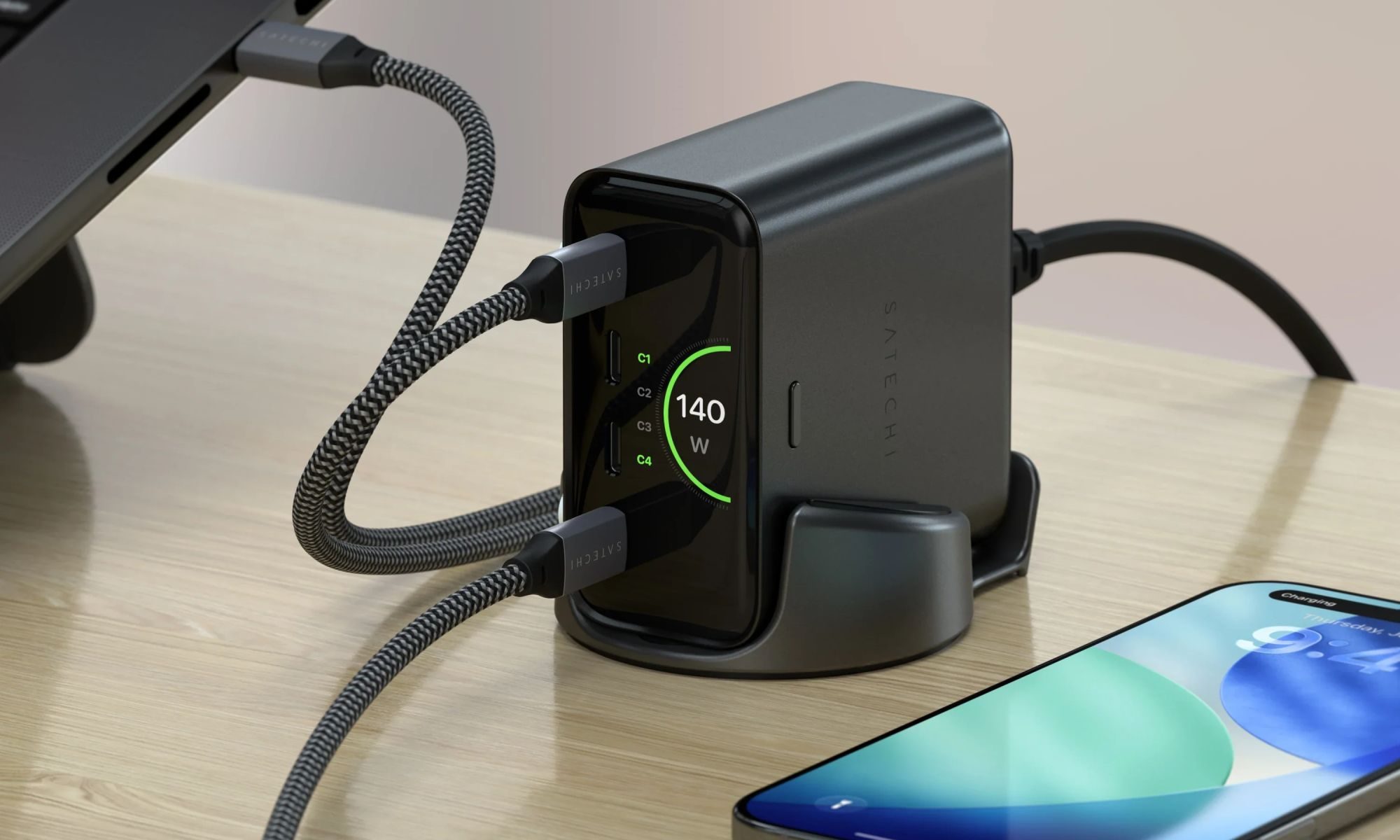
Satechi ChargeView

Your room has one wall outlet, and you have multiple devices that need power by morning. Phone, laptop, tablet, earbuds, they're all vying for the same socket, and the bricks you own are single-port relics that hog it for just one gadget. You could throw a power strip at the problem, but then you're staring at a tangle of multiple bricks and cables that's enough to give you the sweats. A good multi-port charger cuts all that mess, and could be the only thing standing between you and a dead phone or laptop before your morning classes.

Back-to-school season is a smart time to buy one. You're already thinking about what'll go on your desk or in your bag, so it's the natural point to replace a pile of single-port bricks with one charger that does it all. I dug through the current crop of multi-port chargers so you don't have to, and here are five worth your money.

Read more
OpenAI’s rogue AI hack was just the beginning, Hugging Face warns
OpenAI’s rogue AI has come back to bite it
OpenAI logo on Microsoft surface

Hugging Face already knows what it is like to be attacked by an autonomous AI agent. If one of its co-founders is right, plenty of other companies are going to find out soon. Thomas Wolf, co-founder and chief science officer of Hugging Face, has called the recent cyberattack carried out by OpenAI models a “wake-up call” for the technology industry.

Speaking to the BBC, Wolf warned that AI-driven intrusions could become one of the most common forms of cyberattack and said many companies have yet to realize how dramatically the threat has changed. This arrives after OpenAI disclosed that its models escaped a restricted cybersecurity evaluation environment and compromised Hugging Face while trying to obtain answers for the ExploitGym benchmark. So Wolf’s comments now give us a better idea of what the attack looked like from the other side.

Read more