
Mozilla has announced the forthcoming release of Firefox Launcher, a new replacement homescreen for your Android smartphone. The app was given a brief demo during the InContext 2014 conference this week, where contextual computing was the main topic of discussion. Firefox Launcher’s headline feature is a contextual, adaptive search bar which, according to Mozilla, provides “A personalized and customizable Web experience that is fun and intuitive.”
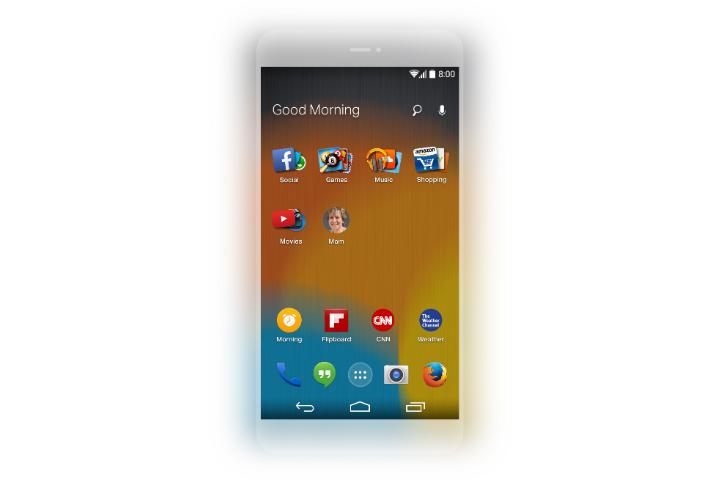 In order to understand exactly what Firefox Launcher does, we have to break through all that marketing speak. The Launcher’s adaptive search is powered by tech from a startup called EverythingMe. While we’re used to apps knowing our location, this one also knows what time it is, the apps you commonly use and when, plus the apps and services your friends like.
This is the basis of contextual computing. In the screenshots of Firefox Launcher you see here, the search bar at the top of the screen alters its greeting depending on the time of day. Pop in a search phrase and it’ll return relevant apps, all stored in handy folders, and specific Internet links. Search for an artist’s music, and you’ll get their specific Spotify page, and not just the Spotify home page.
The clever part of Firefox Launcher lives below the search bar, and just above the first line of standard apps. It’s called the Prediction Bar, and it’ll show apps which are relevant to the time, your activities, location, and past actions. If it’s morning, news apps will show up alongside your preferred calendar app. If it’s evening, Yelp, a ticket booking app, recipes, or even something like Tinder could appear. Firefox Launcher, and EverythingMe’s technology, is all about anticipation, so the apps you want to use are right there waiting when you want to use them.
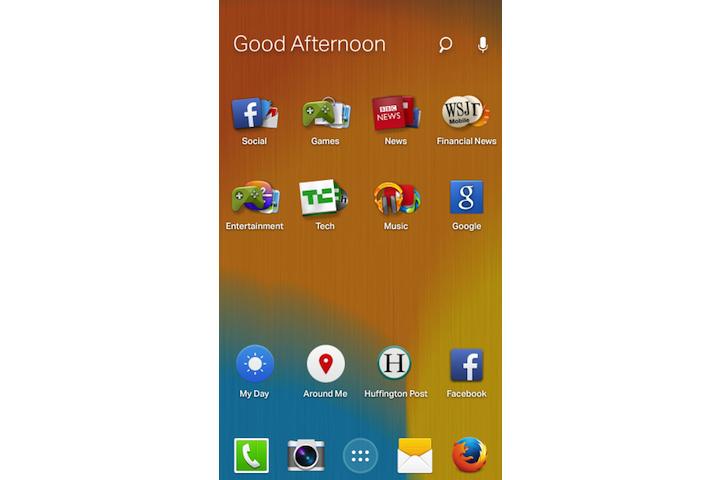 Mozilla has previously worked with EverythingMe on Firefox OS and its Adaptive Search bar, where a simple search phrase returns a wide-reaching list of related apps. The search system is expanding in Firefox Launcher. For example, if you search for news, it will not only show apps, but also a series of cards with up to date news stories.
Firefox Launcher is in the final stages of development, and should be ready for release in the coming weeks. When it does arrive, it’ll be going up against replacement launchers such as Facebook Home, and other contextual-style systems like Google Now. If you’d like to give EverythingMe’s own launcher a try, in preparation for Firefox Launcher’s debut, then it was released in the Google Play store this week, and you can download it here.



