1. Home
  2. Computing
  3. Legacy Archives

ClickFree Transformer Uses Any USB Drive

Add as a preferred source on Google
ClickFree Transformer Uses Any USB Drive
Image used with permission by copyright holder

Storage Appliance Corporation has been marketing ClickFree backup drives for a while: the basic idea is that users plug in the drives just like any USB device and like magic—no software, applications, configuration, or menu-surfing involved—the device automatically backs up your files. ClickFree has been offering backup drives with capacities ranging from 120 to 500 GB along with DVD-based backup, but now at CES the company is unveiling its new “Transformer Cable,” a USB device that enables users to convert any USB hard drive into a ClickFree backup device.

“Regardless of what the competition claims, our new Clickfree Transformer Cable is the only way to make a regular external hard drive easy to use, requiring no software or configuration, and immediately backing up everything that matters from your computer’s hard drive,” said Storage Appliance CEO Bryan McLeod, in a statement. “The Transformer Cable works with any manufacturer’s USB external hard drive to deliver automatic, no-click backing up. Finally, you can stop avoiding backup because it was too much trouble!”

Recommended Videos

The Transformer Cable setup is simple: plug it into a computer’s USB port, then connect another manufacturer’s hard drive to the Transformer Cable: the drive is immediately available as a hassle free backup device. The ClickFree backup method is not without its drawbacks: it’s been known to set off antivirus software as it scans a computer for documents, photos, media, and other data, and the system does not back up programs or system files—so if your hard drive really does go down, users will have a lot of re-installation and reconfiguration to do. ClickFree also works only with Windows 2000, XP, or Vista—if you run a Mac (or older versions of Windows), ClickFree isn’t for you.

The ClickFree Transformer Cable is available now for $59.99.

Geoff Duncan
Former Contributor
Geoff Duncan writes, programs, edits, plays music, and delights in making software misbehave. He's probably the only member…
MSI’s new 4K 120Hz OLED monitor uses inkjet tech that could make premium screens cheaper
The first 27-inch 4K 120Hz IJP OLED monitor arrives through MSI and TCL CSOT
Computer Hardware, Electronics, Hardware

The future of OLED monitors may have just taken a significant step forward. MSI and TCL CSOT have unveiled the world’s first 27-inch 4K 120Hz desktop monitor built using inkjet-printed OLED technology, bringing a manufacturing method once limited to prototypes and specialist displays closer to everyday buyers.

Called the MSI Pro Max OLED 271UPJW12, the monitor uses a TCL CSOT panel created by printing organic light-emitting material directly onto the display. The process wastes less material than conventional OLED manufacturing and could eventually make panels cheaper and easier to produce at scale.

Read more
MSI launches a white 16-inch gaming laptop with a 12GB RTX 5070 and a pile of matching accessories
MSI bundles a mouse, headset, and extended mouse pad with its new white Crosshair gaming laptop
Adult, Female, Person

MSI has launched the Crosshair A16 HX MLG Edition globally, giving one of its upper mid-range gaming laptops a white-and-red makeover alongside a full set of matching accessories. MLG here stands for Mo-Loong-Gi, meaning “Dragon Princess,” and refers to an original character created by MSI rather than Major League Gaming.

What are you getting with this special edition laptop?

Read more
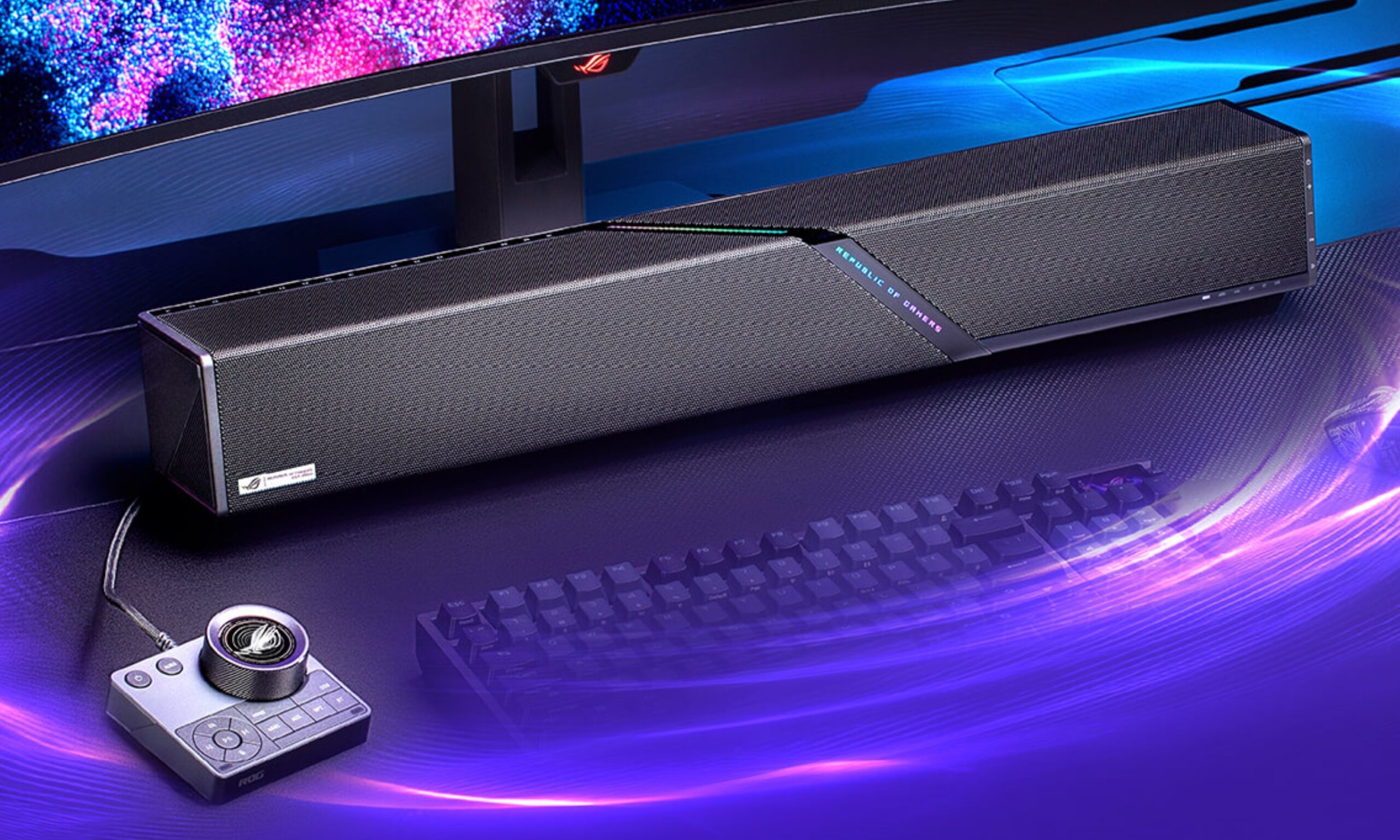
The ROG Gjallar packs Dolby Atmos in a compact form factor, but its US debut is still under wraps
Asus' new ROG Gjallar gaming soundbar brings Dolby Atmos and a wireless subwoofer to your desk.
Electronics, Speaker

Asus unveiled the ROG Gjallar back in early July 2026, as the first speaker system under the ROG brand. However, at the time, the company stayed quiet on pricing and availability. That's changed now. 

So what's actually inside the ROG Gjallar?

Read more