

“Though it offers a bright picture and mostly accurate color, poor black levels and an extremely high price sink the P2714T’s value.”
- Slim, elegant design
- Numerous connectivity options
- Intuitive display controls
- Stand lacks ergonomic adjustments
- Poor black levels and overall contrast
- Image quality doesn’t live up to the price tag
“Why you can trust Digital Trends – We have a 20-year history of testing, reviewing, and rating products, services and apps to help you make a sound buying decision. Find out more about how we test and score products.“
Since Windows 8 launched only a year ago, touchscreen laptops have hit the aisles of computer retailers like a flash flood. While the first models we reviewed less than a year ago were prohibitively priced, the technology can now be found on systems sold for as little as $399, and touch will likely be standard more often than not by the end of 2014. The revolution that started with smartphones is taking laptops by storm.
Desktops, though, are a different story. While the all-in-ones we frequently receive have embraced touch, those models make up only a small portion of the market. Most consumers who buy a desktop go with a traditional tower and then look to pair it with a monitor which, unless specific effort is made to search for it, will almost certainly not have touch. Availability of touch monitors is still limited and prices remain high.
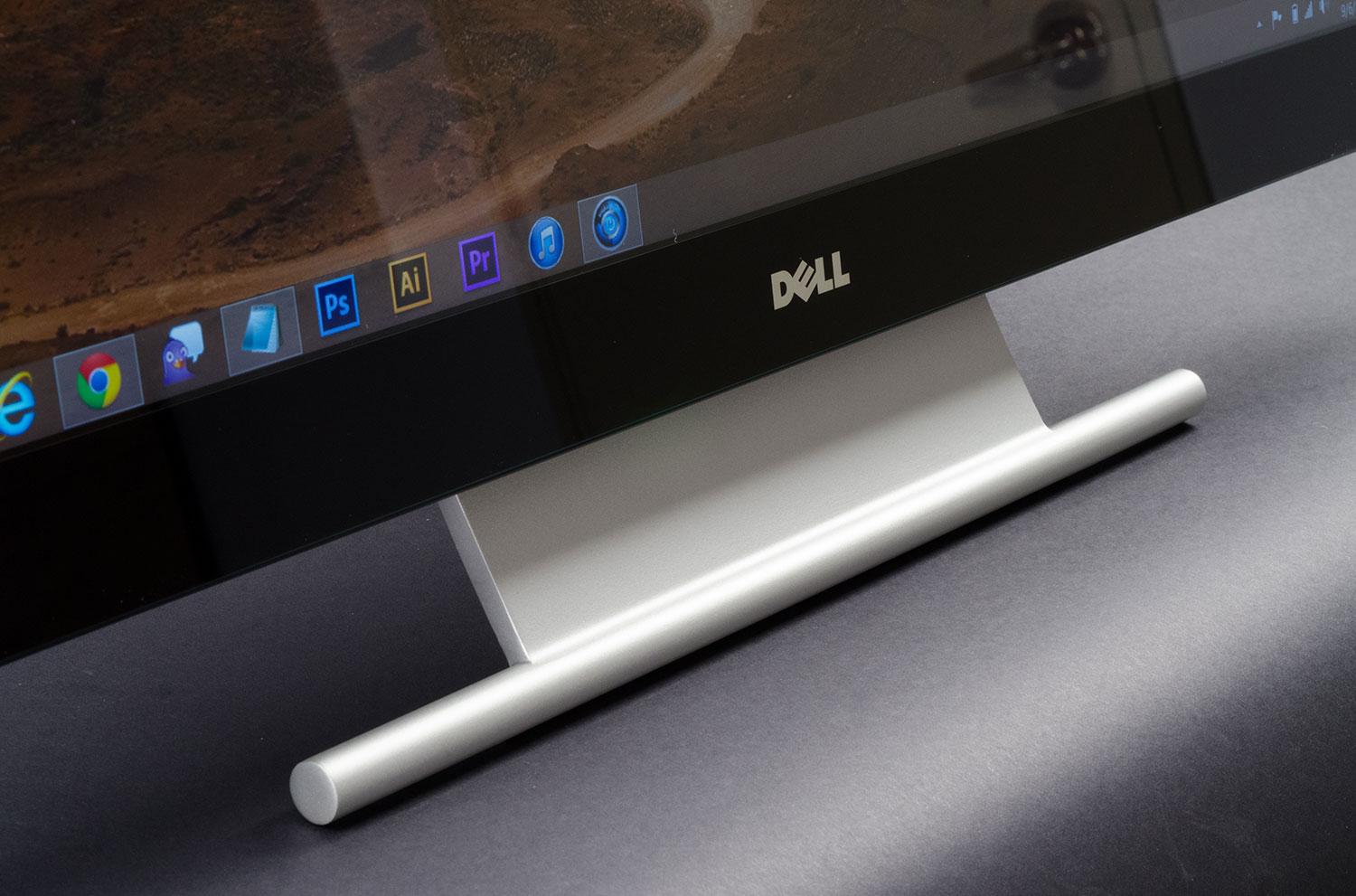
Dell, one of the industry’s more popular display manufacturers, is now wading into this small but growing market with a number of touch displays aimed at squarely at consumers. The largest of these is the P2714T, a 27-inch, 1080p touchscreen that dwarfs the more common 24-inch models. Screen real estate comes at a price, however, and that price is a MSRP of $699. That’s almost equivalent to Dell’s premium Ultrasharp line. Does image quality meet that standard, or is this a merely adequate monitor with an excessive touch tax?
Almost an all-in-one
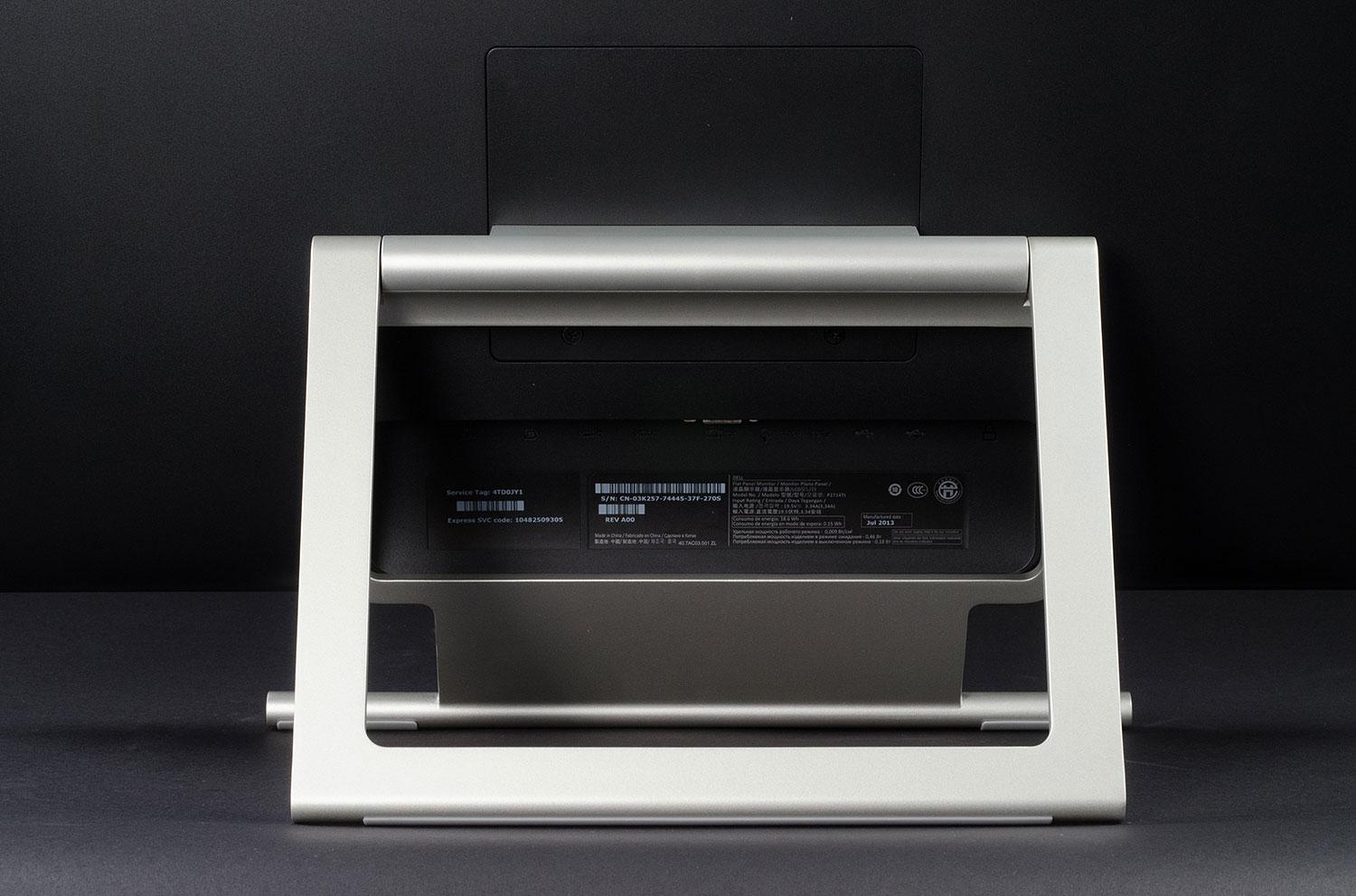
Dell sells all-in-ones, of course, and its 27-inch touch monitor seems to borrow from their design. This is a minimal, elegant monitor with a curved back panel and thin bezels containing an edge-to-edge glass panel. The rear stand is also simple, consisting of nothing more than a slim silver frame that props, rather than holds, the screen.
The P2714T is among the best 27-inch touchscreen monitors, but only by default.
Such basic designs means ergonomic adjustments are unavailable. Don’t like the height of the P2714T? Well, too bad. Height does not adjust and the display’s base is too large to sit on a book. This is a bit of a problem for a monitor that sells for a premium, but the stand does have a party trick: It can recline up to 60 degrees, which makes a convenient touch angle easier to find.
Connection options are tucked underneath the stand’s main support, which makes them a bit awkward to access. Users can hook up two HDMI inputs along with a VGA or DisplayPort device, and there’s an audio line-out jack for sending sound to external speakers, as this monitor has none. Two USB ports can be found on the left flank and provide an easy place to attach thumb drives and other devices that may be attached and removed frequently.
There’s not a lot to adjust, but it’s easy to do
Almost all Dell monitors have used the same OSD control arrangement for years, and for good reason; it just works. Four physical buttons exist on the lower right edge and, when pressed, prompt the appearance of the display’s menu in the lower right corner of the screen. The purpose of the buttons can change depending on the context of the menu, but because the buttons also align with what’s displayed, their function is never a mystery.
The P2714T’s controls are sparse, however, and clearly mark the monitor as a consumer, rather than professional, product. The main adjustments are brightness, contrast and color, but color temperature adjustment is limited to “warm” or “cool” presets, which makes calibration more difficult. We also weren’t particularly happy with the various presets like game and movie mode, most of which seemed to simply distort what’s on screen. Film mode, for example, makes for a bright and grainy image, while game mode is excessively sharp.
No ultra-sharp display
The moment of truth for the P2714T came when we hooked it up to our testing equipment. Does this consumer touchscreen mimic the glory of the Ultrasharp line, or is it just an extremely expensive version of Dell’s still adequate, but less impressive, S-Series?


Our tests started well enough by showing the display can handle 96 percent of the sRGB gamut and 73 percent of the Adobe RGB gamut while reaching providing a bright, clear picture measured at over 255 lux; just enough to make the display usable in a bright room despite the reflective edge-to-edge glass panel.
That, however, is where the good news ends. Measured contrast came to a very poor 280:1 largely because of poor black-level results. Put simply, this display does not reach a deep enough shade, and that means movies, games and other media suffer from a flat, washed-out look.
Color accuracy was less problematic with most colors returning a delta error of less than two, which is respectable, but blue showed an unfortunate deltaE (a measure of how much two color samples deviate) of 6.5. This is typical of consumer displays with an LED backlight because the color of the LEDs skews how blue is displayed. High-quality monitors find ways to curtail this problem, but it remains out of control here.
Subjectively, we found the P2714T’s image to be bright and reasonably sharp in spite of the fact it offers “only” 1080p resolution (most competitors of similar size have a 2560 x 1440 panel), but dark details were often obscured and colorful scenes looked flat and a bit cold. Whites, meanwhile, suffered from a bluish hue that wasn’t obvious at first glance but became very noticeable when compared to a reference display with excellent color accuracy.
Post-calibration results
To see if we could coax better perform from the P2714T we fired up our Spyder4Elite calibration tool. After several attempts we managed to reduce the deltaE of all colors except cyan to a result of 1 or below, but blue’s error remained above six, a very poor post-calibration result. The main problem is that, as mentioned earlier, there’s no precise color-temperature control. Compensating for the LED backlight’s bluish tint is difficult without that option. We also could not correct the display’s default gamma of 2, which is slightly off the ideal 2.2 target.
Even if color accuracy were better, though, the monitor would still suffer from lackluster black levels and poor overall contrast. There’s simply no getting around the fact that blacks are not nearly as deep as they need to be. Even Samsung’s Series 9 monitor, which we criticized for merely so-so blacks, is up to forty percent darker than the Dell P2714T in our post-calibration tests.
Conclusion
To be fair, the P2714T is a reasonably good display. Managing a delta error of less than one in every color besides two is not a bad showing for a consumer display, and this monitor also provides excellent brightness along with a reasonably sharp picture. A consumer who didn’t know better could probably buy this display and think it excellent – if they refused to look at the new Ultrasharp their friend had purchased.
That, however, is the problem, both with this display and with the touchscreen monitor market as a whole. The money spent on the P2714T could instead be spent on an enthusiast-quality display from Dell or another manufacturer, like Asus or HP, resulting in much better image quality. Those alternatives lack touch, but given the technology’s limited impact on how desktop owners use their PC, many buyers won’t see that as a problem. Sacrificing quality for touch just doesn’t make sense.
Dell does have one point in its favor, though; there’s not much competition. Many touch displays are available, but most are 23-inch or 24-inch models. The only direct competitor is Acer’s T272HL, which we haven’t reviewed. This means the P2714T is worth consideration by default, but we think consumers should wait for prices to fall.
Highs
- Slim, elegant design
- Numerous connectivity options
- Intuitive display controls
Lows
- Stand lacks ergonomic adjustments
- Poor black levels and overall contrast
- Image quality doesn’t live up to the price tag


