  1. Home
  2. Computing
  3. Legacy Archives

It’s official: Windows 8.1 gets October 17 digital release date, hits shelves October 18

Add as a preferred source on Google

Yesterday, we reported that Windows 8 will be released to the public “some time” in October. Well, Redmond must’ve been paying attention to all the hubbub about the release date, because Microsoft’s Brandon LeBlanc announced the official date today on the Windows Blog. Mark your calendars; according to LeBlanc, starting at 4 a.m. PST on October 17, Windows 8.1 will start rolling out worldwide as a free update for Windows 8 users via the Windows Store.

Don’t have Windows 8 yet? The update will also be available to buy online and in stores on October 18. You’ll also be able to buy a brand new Windows 8.1 device that day as well. We’re expecting to see a number of 7-and 8-inch tablets running Windows 8.1 at launch, and perhaps even a new Surface tablet. As we mentioned yesterday, Microsoft is releasing Windows 8.1 to manufacturers this month, but it’s taking the time between August and the October general-public release to update and patch the OS. 

Recommended Videos

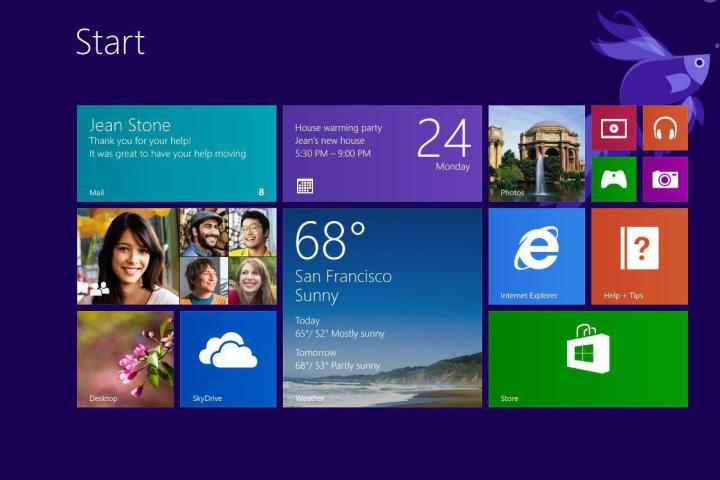
We’ve already had some hands-on time with Windows 8.1 thanks to the Preview version, and we can safely say it’s an improvement over Windows 8. Windows 8.1 will bring many fixes to the Windows 8 features we’ve griped about for the last year, including bringing back the Start button (not Start menu), an easier way to view your apps, a more personalized home screen, a better search experience, improved “split view” to make multitasking simpler, a revamped app store, Internet Explorer 11, and more. We definitely prefer Windows 8.1 over 8, but you’ll have to form your own opinion after Windows 8.1′s mid-October release.  

Jennifer Bergen
Former Computing Editor
Jennifer Bergen is the Computing Section Editor at Digital Trends and is in charge of all things laptops, desktops, and their…
macOS 27 is finally here with Apple’s biggest AI upgrades yet
Apple's latest Mac update brings a smarter Siri, deeper Apple Intelligence integration, and a host of useful improvements to everyday macOS tasks.
macOS 27 on a Mac on black background

Apple has officially released macOS 27 Golden Gate, bringing the latest generation of Apple Intelligence to the Mac alongside a collection of performance, search, connectivity, and usability improvements.

The biggest addition in today's release is Siri AI, which Apple describes as an entirely new version of the assistant. On Mac, Siri can understand personal context, answer questions about what's on your screen, take systemwide actions, and pull information from the web. It can also work with information from messages, emails, photos, and other personal content to provide more relevant answers.

Read more
Microsoft’s new AI rulebook puts human control above everything else
Microsoft's drat Humanist AI Code of Conduct lays out strict limits for its MAI models, from resisting shutdowns to claiming consciousness, as the company calls for a safer approach to frontier AI.
Person, Walking, Adult

Microsoft today published a draft "Humanist AI Code of Conduct," a rulebook meant to guide how its MAI models behave, and it opens with a blunt promise: People matter more than AI. The document lands just days after Anthropic CEO Dario Amodei called on the industry to slow down frontier AI development.

What the code requires

Read more
I didn’t know I needed an AI voice recorder until I tried the Comulytic Note Pro
I finally tried an AI voice recorder, and the Comulytic Note Pro makes a strong case
Comulytic Note Pro

I’ll admit that I was skeptical when I first picked up the Comulytic Note Pro. This is my first time using a dedicated AI note-taking device, so I came into it with a fairly simple question: why should I carry another gadget when my phone can already record audio and an AI chatbot can summarize it?

After spending time understanding how the Note Pro fits into that workflow, I think the answer is convenience. It takes the recording part out of my phone, gives me a physical button to start capturing audio, and then turns those recordings into transcripts, summaries, highlights,s and action points through its app. That sounds like a small change, but it addresses the annoying part of note-taking: trying to listen, remember, type, and participate in a conversation at the same time.

Read more