
What do you get when you combine two of the coolest tech innovations around, Google Glass and 3D printing? Well, for Chris Barrett, it’s a little product called the Sunshade, which he developed to help overcome a simple problem with Google Glass – its legibility in sunlight.
Barrett describes the problem on his website, saying the sun washes out Glass’s display, and he would often cover the prism – which displays Glass’s screen in front of your eye – with his thumb, or deliberately face walls while out and about, just so he could clearly see the information being projected. Hardly an ideal solution.
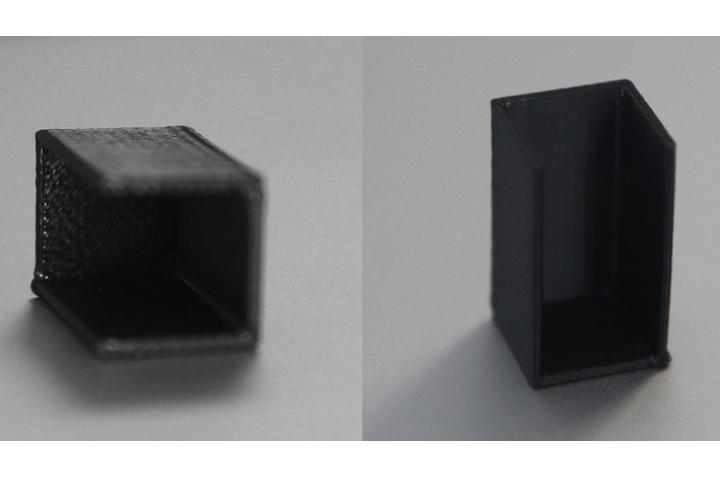 One brainstorming session later, and the Sunshade was born. It’s a cover which can be placed over the prism to protect it from the sun’s glare, thus making it considerably easier to see the display. Barrett then approached a fabrication studio in Philadelphia, where he was introduced to 3D printing. After striking a deal with the team, and various prototypes later, the final product has now arrived.
With the Sunshade fitted, glare no longer disrupts the Glass experience, plus there are a few less expected benefits. For example, it obscures the light projected by the prism, making it less distracting when used in meetings, and less rude when used in public. Of course, this also means it’s easier to surreptitiously look at your notifications without anyone knowing the screen is active. It even helps disguise the still-rare product, so he gets fewer comments from random strangers.
Interestingly, Barrett has embraced the same openness beloved by Google and the 3D printing industry, as he has made the Sunshade an open source project. If you own Glass and have access to a 3D printer, the plans for making your own Sunshade are available on his site for free. If you don’t, then a Sunshade can be ordered for a few dollars in a variety of colors.


