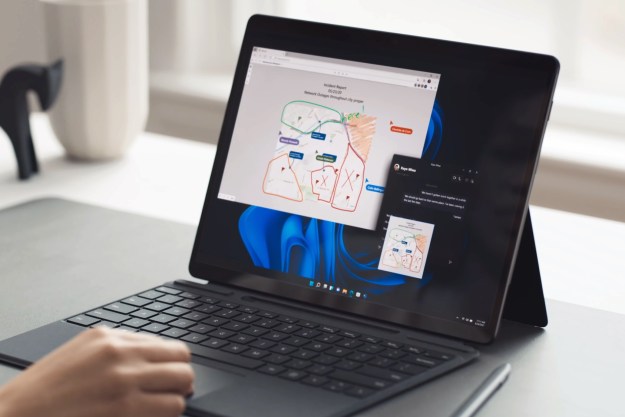
A quick visual glimpse of Microsoft's newest operating system, Windows 8.

Microsoft’s latest OS is still under development, but that hasn’t stopped Windows 8 from gathering a good amount of industry buzz.

First and foremost is the extensively redesigned user interface which has been optimized for touchscreens and tablets. Similar to the Windows Phone 7, Windows 8 will feature a new “Start screen” and include live application tiles. The new start screen will also display the user’s name and avatar.

Additionally, the new interface is primarily designed for 16:9 screen resolutions with larger screens capable of displaying two Windows 8 applications. Moreover, with such a large focus on apps in today’s user marketplace, the new Windows 8 will be much more app focused and allow users to sync their apps and content across devices as well as access the Window Store on any supporting device.

For a more in depth preview of Windows 8, check out Microsoft previews Windows 8 at BUILD.

Showing 16 comments

  1. Digital Trends at 2:57am 16th November 2011 James D. Dunn from digitaltrends.com said:The two thumbs keyboard works nice (use it on my cheap android 7inch tablet) but that looks like a horrible waste of space. Yes, lets replace half the screen with a BIG BLACK BAR. Looks ugly. At least the keyboard app I got (free) has the numbers between them.
  2. Digital Trends at 2:57am 16th November 2011 James D. Dunn from digitaltrends.com said:The two thumbs keyboard works nice (use it on my cheap android 7inch tablet) but that looks like a horrible waste of space. Yes, lets replace half the screen with a BIG BLACK BAR. Looks ugly. At least the keyboard app I got (free) has the numbers between them.
  3. Digital Trends at 2:57am 16th November 2011 Ian Bell from digitaltrends.com said:I think it looks great, but going the tile approach could mean gloom for Microsoft. It seems almost "too Xbox 360/Windows Phone" like and that's a bad thing. Power users will likely instantly be turned off.
  4. Digital Trends at 2:57am 16th November 2011 Ian Bell from digitaltrends.com said:I think it looks great, but going the tile approach could mean gloom for Microsoft. It seems almost "too Xbox 360/Windows Phone" like and that's a bad thing. Power users will likely instantly be turned off.
  5. Digital Trends at 2:57am 16th November 2011 Windows 8 News from digitaltrends.com said:Now that Windows 8 developer preview is out. You can use it yourself and take your own screenshots with this ap - http://win8review.com/2011/09/windows-8-screenshot-app/
  6. Digital Trends at 2:57am 16th November 2011 Windows 8 News from digitaltrends.com said:Now that Windows 8 developer preview is out. You can use it yourself and take your own screenshots with this ap - http://win8review.com/2011/09/windows-8-screenshot-app/
  7. Windows 8 News at 11:55am 17th September 2011 Now that Windows 8 developer preview is out. You can use it yourself and take your own screenshots with this ap - http://win8review.com/2011/09/windows-8-screenshot-app/
  8. Richard Wills at 5:55am 14th September 2011 who cares
  9. Ian Bell at 7:47pm 13th September 2011 I think it looks great, but going the tile approach could mean gloom for Microsoft. It seems almost "too Xbox 360/Windows Phone" like and that's a bad thing. Power users will likely instantly be turned off.
  10. Morgan Somerville at 2:25am 14th September 2011 Yawn.
  11. David Ni at 2:17am 14th September 2011 Magenta, Yellow and Cyan are hardly earth tones. Seriously, with all that Money, couldn't they hire some decent designers?
  12. Braxton Edwards at 1:11am 14th September 2011 Ewww.
  13. Roy Anthony Vann III at 1:10am 14th September 2011 Just a guess
  14. Roy Anthony Vann III at 1:09am 14th September 2011 Earth tones ...ya know the "GO GREEN" or "GREEN DEVICE" Look....
  15. David Ni at 12:56am 14th September 2011 I just really have to say ... what on EARTH is with the color scheme of the tiles? Green, yellow, blue, magenta... why?
  16. James D. Dunn at 4:35pm 13th September 2011 The two thumbs keyboard works nice (use it on my cheap android 7inch tablet) but that looks like a horrible waste of space. Yes, lets replace half the screen with a BIG BLACK BAR. Looks ugly. At least the keyboard app I got (free) has the numbers between them.
Close Suggestion Pictures: Definitive Technology’s latest StudioMonitor, SuperCube, Mythos soundbar and more
View Article