Amazon Kindle versus the Barnes & Noble Nook Color

It's the latest-generation Amazon Kindle versus the Barnes & Noble Nook Color. We weigh specs and reviews. What e-reader do you think reigns supreme?

So you want an e-reader, huh? Maybe you’ve decided to get back on the literary horse and start reading again, or maybe you’ve decided it’s just time to ditch trees and go digital. Either way, you’ve got a tough decision ahead of you. There may only be two big e-reader devices in the market, but they both offer some unique benefits. Do you care more for style and options, or are you just in it to read that novel you’ve been putting off? The newest Nook and Kindle are as different as they are similar. Some may say it’s not even fair to compare them, but if you’re looking for an e-reader, these are your two most prominent options. In the end, choosing an e-reader is more about personal taste than anything, but let’s give it a go.

Longform reading

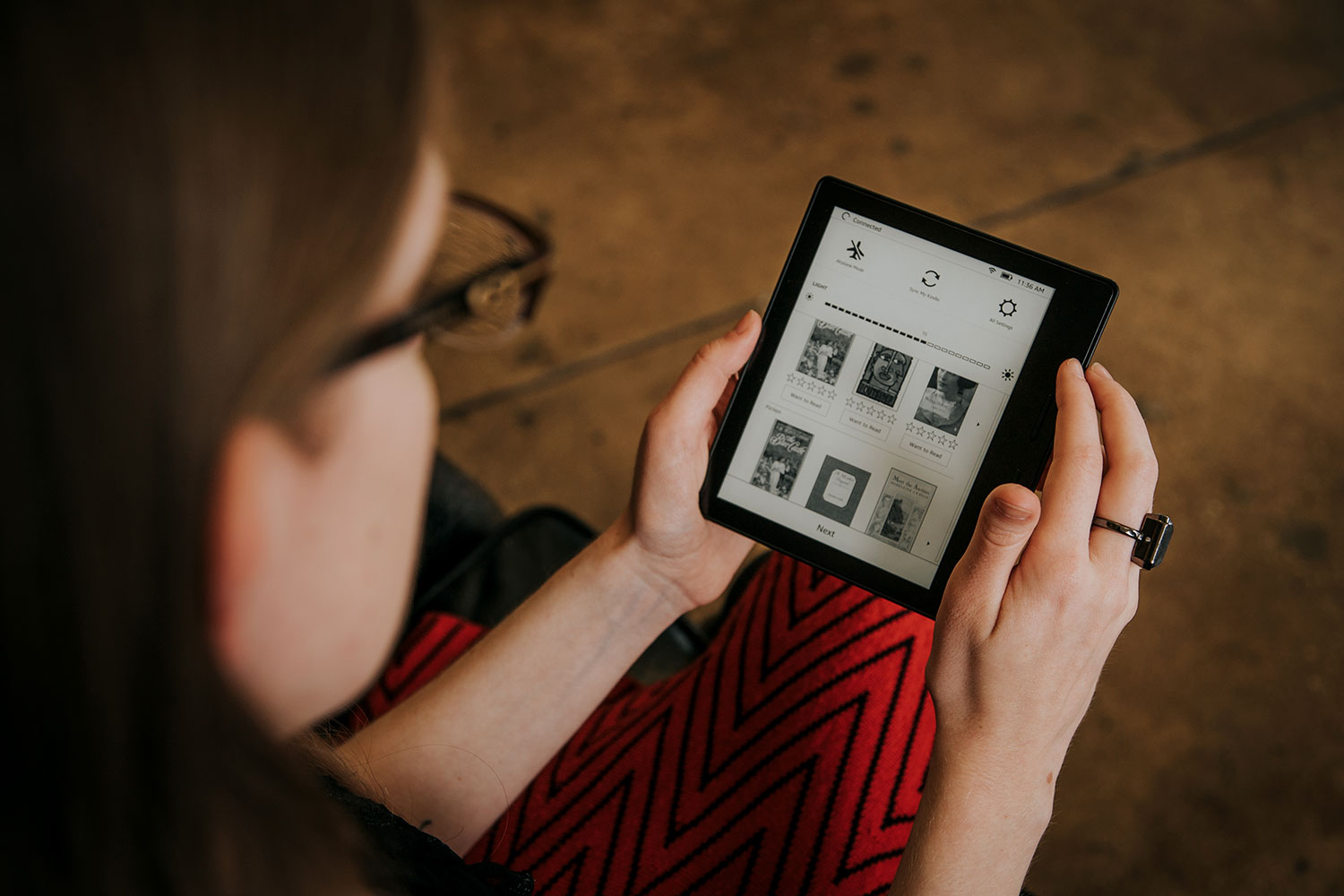
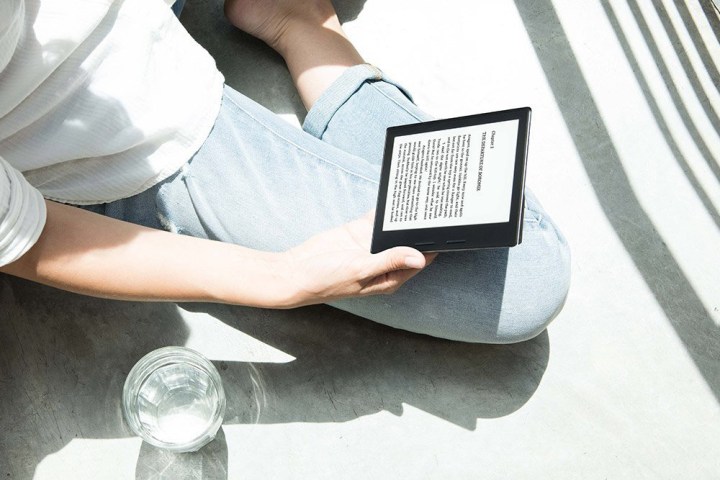
If your goal is to read long novels and spend hours with your e-reader, the Kindle is probably the device for you. Unlike your laptop, smartphone, or almost any electronic device, the Kindle uses an E-Ink display, which isn’t pretty or in color, but it does look just like ink. The first time you see a Kindle, you may wonder if you’re just looking at a fake screen or a store display, but believe it or not, this is a digital display. Aside from its screen, the Kindle’s size, design, battery consumption, and entire interface is built to cater to those who love the act of reading text and are willing to sacrifice a bit of prettiness for the written word.

Winner: Kindle

Nook Color Travel and LeisureVariety

With its backlit, color LCD touchscreen and app store, the Nook Color is the e-reader for those who love to read, but not 100 percent of the time. If you’re a Nook Color owner, you’re likely looking to buy a device that’s designed for reading or have a budget that prohibits a tablet purchase (sub $450), but you want a few bells and whistles anyway. The Nook Color has long-form books just like the Kindle, but it also has illustrated books, magazines, newspapers, and children’s books, all of which are in full color. You’ll need a Wi-Fi connection to download all of this, of course, but those who do can also check their email, play some popular Android games (the Nook runs on Android) like Angry Birds, browse the Web, and use “enhanced” e-books, which are e-book apps with more interactive elements than traditional books, which only let you turn the page.

Winner: Nook Color

Outdoor reading

The Kindle’s E-Ink screen is better than any LCD screen if you’re outdoors. Though the Nook Color has a good LCD screen with a fair amount of brightness, on a sunny day, you’ll be squinting to see your book.

Winner: Kindle

Reading in the dark

On the flipside, if you’re reading in bed, the Kindle’s reading light accessory is nice, but it can’t compare to a fully backlit LCD screen. If you do most of your reading in the dark, the Nook Color, or a tablet, may be more convenient.

Winner: Nook Color

Connectivity

The Nook Color only comes with Wi-Fi, and the cheapest Kindle is Wi-Fi only as well. However, those willing to spend but those who are willing to cough up an extra $50 can buy a Kindle with lifetime 3G included. Granted, the Kindle can’t do much with its 3G connection except download books from anywhere, but the freedom from the constraints of Wi-Fi is worth the cost to us. If Wi-Fi is your connection method of choice, this category is meaningless to you. In a world where carriers are charging $30 a month to connect a device to 3G, it’s very cool that the Kindle still has this feature.

In addition, the Kindle offers e-book lending, allowing you to borrow and lend books to friends. Integration with many libraries means you can actually visit a library and borrow books for free. Barnes & Noble counters this offer by letting Nook Color users download and read any book for free for up to one hour per day, as long as they’re in a B&N store.

Finally, both the Nook and Kindle service allow you to read your book purchases on more than just your Nook Color or Kindle. Each have smartphone apps, tablet apps, as well as Web readers for the PC so you can read your books anywhere. Your books, and the page you’re on, are stored in the cloud and accessible from anywhere.

Winner: Kindle

Library

Barnes & Noble claims that the Nook has the most books, with more than 2 million to choose from, with 1 million of those being free, but Amazon claims about as many, with 1.2 million free books and 900,000+ books for purchase. They both have a great library. Our recommendation: try them out (Nook store/Kindle Store) and see which one has the books you want to read most.

Winner: Tie

Kindle side viewPortability

The Kindle has a 6-inch screen and the Nook Color has a 7-inch screen. Overall, the Kindle measures 7.5 x 4.8 x 0.335 (height by width by depth, in inches) and the Nook Color is 8.1 x 5.0 x .48. So the Nook color is a bit taller, wider, and thicker, but the difference is hardly noticeable when you use them. If you have a hard time storing one of these devices in your purse or backpack (you shouldn’t), you’ll likely have trouble with the other as well.

Winner: Tie

Price

The Nook Color costs $249. The Kindle, however, has a variety of price points. If you’re buying on the cheap, you can opt for an ad-supported “Kindle with Special Offers,” which costs only $114, but forces you to look at sponsored screensavers and ads that display when you’re not reading. They aren’t too obtrusive, but a Wi-Fi Kindle without the offers costs only $139. If you want a unit with always-on 3G connection so you can download a book anytime, anywhere (except a bunker or the subway), the Kindle 3G is $189. Finally, the Kindle DX, which has 3G and a 9.7-inch screen (same as the iPad) is available for $379.

Winner: Kindle

Battery Life

What the Nook Color gains in, well, color, it loses in battery efficiency. One of the best attributes of the Kindle’s E-Ink display is how little power it draws. If you don’t have your wireless on, a single charge could last up to a full month on the Kindle. The Nook Color, meanwhile, has a solid 8 hours of battery life, which is great for an LCD device running Android, but it’s a device you will need to charge each day. Think of it this way: if the world ended tomorrow, you’d have a month to read your Kindle and about 8 hours to read your Nook Color. Luckily, we don’t think the world is ending anytime soon –though some books may lead you to believe otherwise.

Winner: Kindle

Conclusion

There is no absolute winner here. Whichever categories mean more to you will sway your decision. The Kindle is definitely more adept at text reading, but the Nook Color is the most flexible e-reading device on the market, allowing you the option to read a wider variety of book types, and giving you a few extras like email, Web browsing, and some apps to boot. Do your research, too. If there’s a category we didn’t touch that you care more about, ask. At less than $250, both are great deals for those who can’t afford a full tablet, or don’t want one. However, if reading books isn’t as big a deal to you, but you need a big touchscreen device, perhaps you should consider other options like the iPad 2 or Acer Iconia Tab.

Showing 438 comments

  1. Kindle compare | Shawnassecret at 12:11pm 21st May 2012 [...] Kindle vs Nook: An E-Reader Face-OffMay 12, 2011 … The newest Nook and Kindle are as different as they are similar. Some may say it’s not even fair to compare them, but if you’re looking for an … [...]
  2. Amazon Kindle ‘Lending Library’ breaks 100,000 titles at 10:46pm 29th February 2012 [...] is pushing ahead with an aggressive lending strategy, the Barnes & Noble strategy for the Nook e-reader is more complicated and still comes with a due date. For instance, a user can “lend” a [...]
  3. Barnes & Noble offers free books to Nook buyers at 8:05pm 9th August 2011 [...] for e-reader makers and Barnes & Noble will be hoping the deal proves attractive enough to tempt the young scholars away from Amazon’s Kindle [...]
  4. Cee Joanz at 4:37am 23rd June 2011 Article fails to clarify how long Kindle battery lasts if wireless is used frequently.
  5. Spam storm clogs the Kindle self-publishing platform | Buy Kindle at 11:18pm 22nd June 2011 [...] been hitting Google eBooks or Barnes & Noble’s Nook so far, but the Smashwords ebook publisher [...]
  6. TechLibrarian at 9:16am 14th May 2011 I work for a library that supports ebooks and I have to say this article is not completely correct. (In the Connectivity setion) The Nook (and many other ereaders) are already compatible with free ebook downloads through public libraries. This is not true of the Kindle, yet. The Kindle is in negotiations with public libraries to provide free ebook downloads, but Nook has already made it happen! Check out your local public library for free downloads of all the latest books!
  7. medwardkelly at 11:05pm 12th May 2011 "In addition, the Kindle offers e-book lending, allowing you to borrow and lend books to friends." NOOK has been doing that since it originally launched it's e-ink version and Kindle just launched that program a few months ago. It is also FAR easier to use with libraries because it reads e-pub files and Kindle does not. I think you should do some fact checking on this before posting this stuff. Kindle not only doesn't beat NOOK on these things, it's literally years behind.
  8. nnookk at 1:24pm 12th May 2011 I am currently using my nook now i have to disgree eith ome of the comments the noo is gret sort of an ipad apps and everything
  9. nahnah69 at 9:11am 29th March 2011 I bought a kindle about a month ago and I love it!! I saw the nook after and now I don't know what to do, should I get a nook and is there really a huge difference between the two and is it worth another hundred dollars more than what I spent on my kindle.
  10. Robert at 11:08am 17th January 2011 FYI, regarless of which one you choose, there’s a company called Nuvo-Tek.com which makes a sleeve case for either the Kindle or Nook and they offer good products at very good prices. You can buy them directly on their website, or you can buy them on Amazon or Buy.com for a little less.
  11. evalin at 10:29pm 8th January 2011 NOOK ROCKS!!!!!!!
  12. joqiii at 4:51pm 31st December 2010 The problem I see is when B&N goes out of business. Won't happen to Amazon.
  13. CAt at 3:34pm 31st December 2010 I have a kindle and not once has it frozen up or dissapionted me in ANY way. i think that it is worth the buy.
  14. liz at 12:03am 30th December 2010 My father just bought the regular Kindle for me... Should I be worried,I had a choice between that or a Nook...
  15. George at 1:14pm 28th December 2010 I got a Nook and I love it. It seems better than a Kindle because you can find stuff more easily. I am really pleased with it.
  16. Mary Lindquist at 2:45pm 27th December 2010 I have a question about the look of the screen. I tend to get migraines when I spend too much time in front of a computer. Is there a difference between the Nook and the Kindle as far as ease on the eyes for extended reading?
    1. yoyo at 9:37am 5th June 2011 The kindle is exactly like reading a book. No backlight or anything.
  17. Prichards at 3:43pm 26th December 2010 I got a Nook for Christmas and want to upgrade to the color. Can anyone who owns a Nook color please tell me how it works when reading outside?
  18. Suekoo at 2:09pm 26th December 2010 We do not have wi-fi, is that something we need to do?
  19. Crystal White at 9:38am 26th December 2010 Just received a nook for Christmas, and so far I'm dissapointed. I am stationed in Germany, and Barnes and Noble doesn't support APO addresses. Which I really don't understand. They don't have to ship anything...just let me buy the stupid ebook so I can download it. I can get all the free samples I want, but can't purchase anything. I had to go into one of my bank accounts and change my billing address to my parents back in the states. Hopefully that will work. Also, when you go to the list of books you have in the libraray on the nook (where it shows photos of the book covers) any new downloads don't show up in the cover photos, but they show up in the list on the top screen. So, the book you pick on the touch screen doesn't line up, and it ends up opening the wrong book. So far this thing is completely frustrating! If someone I didn't like had bought it for me, I would've chucked it out the window by now.
  20. vee at 9:24pm 25th December 2010 I received my nook as a christmas gift this morning. Having trouble down loading books...keeps saying webconnectivity problem but internet on laptops is working o.k. Cant find out how to change the font. Not ready to take it back yet but getting close to that point.
  21. nikosmama at 9:13pm 25th December 2010 I settled on the Nook, mainly for the color, the wireless internet browsing, (I can access my work email via a browser, don't need to carry the heavier laptop), and that I was not locked into Amazon format. I don't like the fact that Amazon's format is proprietary
  22. Arlen Yoder at 9:12pm 25th December 2010 Trouble with the Nook. Just bought one for my wife. It freezes up frequently and the BN website is extremely slow compared to the Amazon website.
  23. nikosmama at 8:59pm 25th December 2010 I settled on the Nook, mainly for the color, the wireless internet browsing, (I can access my work email via a browser, don't need to carry the heavier laptop), and that I was not locked into Amazon format. I don't like the fact that Amazon's format is proprietary; I am a big customer of Amazon. So my ebooks will be B&N and other. I did notice that I hold my Nook along the sides. This appears to be where the page-turner function is on the Kindle. I would imagine being very frustrated by accidental page turning. What I don't like is that the charging connection is at the bottom of the Nook. Lying in bed, reading as it charges is bothersome, and I feel like I will break it somehow as I rest in on my stomach or the bed, lying on my side. B&N website has been extremely slow today, (the 25th). It wasn't as bad as went I got it on the 23rd, so either many people got the Nook from Santa, or I am going to be frustrated trying to search for books. While B&N was doing a search, I was in another Tab, and did three searches in Amazon. B&N timed out.
  24. autumn at 6:21pm 25th December 2010 i have a nook and i am only 9 i got it on chirstmas and i am really happy with it but,it does run a little slow and i love the pictures when i press the power botton!!!!!! i prefer the nook NOOK ROCKS KEEP MAKING MORE!!!!!!!
  25. sabre1100 at 10:43am 25th December 2010 I asked for a kindle for christmas, but I am considering the nook instead. After reading the comments, the nook seems a better choice for me. Most of the comments were really old, does the 1.3 version come in it? can I get textbooks, as I am an older college student trying to catch up with technology.
  26. Chrissy at 6:49am 20th December 2010 Before buying either e-reader i weighed out the pro's and con's. To me it was a big choice. 250$ is not something to be iffy about so I simply asked around to all of my collegues and friends. Keep in mind this was for my husband for christmas. So this is my story. I bought both, the nook for him, the Kindle for me... which is my favorite? Too close to call!
  27. Lucy at 4:17pm 19th December 2010 does the nook have giftcards
  28. Dan at 12:58pm 18th December 2010 very good review ive been going on for hours reading comparisons trying to figure out wat id like best but after reading a user review like this im for sure wat one i will get! Thanks!!
  29. Lee at 12:21pm 18th December 2010 Yikes! I think I'll just flip a coin!
  30. Frasier Crane at 5:17pm 16th December 2010 I dont know what knid of e-reader to get myself for christmas. could somebody give me some advice?
    1. CAT at 6:21pm 16th December 2010 I Prefer the nook or nook color DEFINITELY!!
      1. Cece at 7:22am 18th December 2010 Um . . . . . Dude!!! The Kindle 2 ROCKS
  31. Robert at 8:52am 8th December 2010 The iPad may be cool, but I am not going to buy an eReader for more than a laptop costs these days...
  32. Helen at 4:45pm 7th December 2010 I think personaly, the nook rocks. that is probably because they came out with a new color one which, is the most awesome thing ever! Kindle came ot with a new one to, but personaly, i like color.
  33. BARGER at 12:17pm 5th December 2010 WE JUST PURCHASED A NOOKCOLOR FOR $249. ADDING DEVICE COVER, EXTENDED WARRANTY, COST WAS $380. PLEASE TELL ME IT IS WORTH IT! I WAS TOLD HAD THOUSANDS OF "FREE" BOOKS, BUT HAVE NOT BEEN ABLE TO FIND THEM. ANY SUGGESTIONS?
    1. Cece at 7:29am 18th December 2010 I dont think there are any free books. Please dont get mad at an 11 year old Kindle 2 lover. Ithink you wasted your money
    2. TakenFromPage1 at 8:54am 19th December 2010 Free books ARE listed. Use the search option on your Nook. Select 123. Enter 0.00 in the search field. 951,764 results.
  34. sam at 6:07am 5th December 2010 i think i would want a nook cuase they have color duhduhduhduh
  35. brenda at 4:19am 2nd December 2010 i just go to the local public library where it's free! maybe someday i will own a kindle or nook, but for now i prefer the library.
  36. jimmy at 6:56pm 30th November 2010 I-Pad wins
  37. Betsy at 10:08am 29th November 2010 I'm a college student looking for either the Kindle or Nook to cut down on the weight and bulk of my backpack. I have been doing some research and it seems that Barnes & Noble will allow you to rent eTextbooks. Is anyone familiar with this? Or does anyone know if the Kindle does the same thing? Thanks
  38. Woooah at 5:46pm 28th November 2010 I have the nook, and I love it. I've tried out the kindle in Staples, though, and it seems like a nice product too. Not leaving my trusty nook though, because I need the ePub.
  39. doglover at 3:30pm 28th November 2010 Please. Please help me pick which one would be the best. I heard that the nook is very glitchy, but it has more ebooks to download?
  40. Stacy at 8:31pm 25th November 2010 Does anyone know which (Kindle/Nook) has a battery that can be replaced by the owner. What happens to your library if the divice crashes?
    1. Jo123 at 5:50pm 28th November 2010 Kindle doesn't, nook does. Since you create an account to buy books on both devices, nook and Kindle, your library doesn't go anywhere if the device has an issue. For example, my nook had issues, so I brought it to B&N and I got a replacement. Once I re-logged in, my books were exactly as I left them on my problem nook. By the way, my problem was that the buttons for turning the pages wouldn't respond well. It was a problem that B&N solved after they reduced the price a few months back. So if you do opt nook, don't worry. That is if you're deciding on either.....
  41. Sheryl at 4:59am 23rd November 2010 This was the most helpful review I have seen. I have been back and forth for some time and I now know exactly what I will purchase. Thanks .
  42. abbey at 2:29pm 20th November 2010 the nook is slow but also verry helpfull it real sems to me that the way to put music on it is verry difucult tho
  43. Lisa at 12:15pm 20th November 2010 The great Nook/Kindle debate. They are both ebook readers, and format is not an issue as you can use Calibre to convert books to either format. I think the Kindle 3 is a great choice for people that want a better screen, faster processor, longer battery life and a keyboard. The Nook does have an easily replaceable battery, SD card slot, and store coupons that pop up when you take it into a B&N. After long consideration and review, I chose to purchase the Nook as B&N is now offering refurbished Nooks at a considerable discount ($99 for wifi, $119 for 3G & wifi) and they come with original packaging and a 1 year warranty with the option to purchase a 2-year extended warranty. Regular price for the Nook is ($149 for wifi, $199 for 3G & wifi) Kindle goes for ($139 for wifi, $189 for 3G & wifi). So I saved a considerable amount buying a refurbished Nook. If you want one, go to B&N website, click on Nook, choose the original, and on the left side of the screen find Certified Pre-Owned. The Color Nook is a completely different entity and does not have the eInk display, it is more of a tablet than an ebook reader, but if that's what you're looking for it is considerably cheaper than an iPad and it runs on Android OS.
    1. Lissa at 6:50pm 26th November 2010 Thanks for your post Lisa! I am looking at both Kindle and Nook. Good Info (0: ..........Lissa
  44. J.G at 10:56am 20th November 2010 Kindle sounds way better than the nook right now, but im going to check it out on another site>
  45. kerry at 7:52am 17th November 2010 i am trying to decide whether to buy the nook color or the kindle. Is one better than the other? i have heard the color version you cant read that well in sunlight and is more complicated to use than the kindle but i still think it is better. Is it?
  46. jim at 3:16pm 10th November 2010 Well, I had a nook for about three days. Looked at buying 5 ebooks, all which cost more than their paper back counter part from Amazon. Titles: last pic show, Texasville, Lord of the rings.
  47. dcteti at 6:54pm 8th November 2010 I would have to lean towards Amazon's Kindle. My girlfriend has one that we actually share. Downloading the books we want is easy, the screen is easy to see and you can increase the font and the size is not too big and not to small. Check out this site. It says it al!! http://newkindlewirelessdevice.com/
  48. Squeeze at 12:36pm 4th November 2010 I have a Nook, I'm quite happy with it and I don't notice any slowness at all.
  49. Alexis at 4:44pm 28th October 2010 For all those people who love the felling of a book NOOK has apaper back cover and i love it!
  50. frank at 5:43am 25th October 2010 the nook sucks
  51. john at 5:42am 25th October 2010 i think that the nook is a stupid copy of the kindle
  52. castud at 10:06am 12th October 2010 Has anyone tried using the Nook for school instead of purchasing textbooks?
  53. Prettynstl at 7:14pm 11th October 2010 Was totally sold on the Kindle until I actually saw a demonstration on the NOOK. What sold me was: being able to download books from the library and other sources for free, being able to hold pics and music, expandable memory, replaceable batteries located in the store, free books on Friday, being able to actually read a book for free while in the store, sample of the book before you buy it and surfing the net. I am in no way techie. As a matter of fact my cell phone is the penny phone that comes with the service, some of the buttons have fallen off but I still use it (drives my kids crazy). I am saying all this to say, knowing nothing about technology, not techie at all, just looking at mere features and the simplicity of using them, the NOOK wins hands down. The nook does weigh more than the kindle, however when I held my co workers kindle, I was afraid I was going to break it. The NOOK appeared more durable. For a consumer that just likes to read, maybe check your email, show some pics or listen to music at home, work or waiting at the doc office, the NOOK will handle that and much more.
    1. kayla at 8:29pm 27th October 2010 they say u can read books in the store on nook for free, but does that mean you have to go back to b&n everytime you want to start reading again?
  54. Jon at 6:13pm 8th October 2010 After reading all of your comments, I personally find that most of the people commenting are completely biased towards the two products. The Kindle has been around longer and therefore has worked out most of the kinks in the software and etc. The Nook is somewhat new and doesn't have EVERYTHING figured out just yet, but has made a lot of progress in its shorter time being around. Those are most of the points Ive seen repeated over and over. Quite honestly, Kindle is a great product. I give Amazon props for doing something right and doing it well. It has a lot of features that a lot of people like. It has the ability to download books from almost anywhere. Its limiting factors are mainly that you don't have someone you can go see in a store and talk to about your problems/concerns and in order to fix something, you have to send it in to Amazon. The Nook is also another rather amazing product. It has a touch screen, like most phones you see today, that a lot of people like. It also has a web browser. And it also has the ability to download books from the places where the masses, aka the vast majority of the US population, live. Anywhere you get AT&T, you most certainly can download your books. And if you can't get AT&T or a very good signal from AT&T, I'm sorry to say it, but you'll just have to go home, the nearest burger king, the nearest Hardee's, and etc to download your books. The Nook's limiting factors are that it is new and doesn't have all the bugs kinked out yet, it requires you to get AT&T if you want be constantly on the move while downloading your new books, and it has to rely on B&N's employee's to be nice, helpful, and knowledgeable about their products. First, there is the issues of the screens and etc. The Kindle has the old-fashioned buttons and toggles with the separate screen that you've probably seen at some point or another, depending on how old you are. Quite a few older people and even some younger people prefer it like this due to ease of access to certain things. BUT, in this day and age, as I would like to point out, a lot of people are using TOUCH SCREENS. So, you can't really hate B&N for making a product with a feature that the masses like/use. Its true that they can go out. But, its also true that the Kindle's screen could go out and you wouldn't be able to use it either. If either went out, it would be a paperweight. Both of them rely on the screen. Whether you get the touch screen (Nook) or the buttons and toggles (Kindle), if the screen ever goes out, it won't work. That's just the simple truth. Which would you rather have; a touch screen Nook not so unlike that phone of yours sitting next to you or in your pocket or a Kindle with the good old-fashioned buttons and toggles on the front that some people prefer? And then, there is the issue of the formats, batteries, and etc. As far as I've seen, both carry almost all of the same formats. Correct me if I'm wrong, but the only difference I know of in the formats is E-pub, which you can get reformatted for the Kindle. So, the formatting thing isn't much of an argument...or at least, not a good one. The battery, whether you like it or not, needs to be charged and changed out as time goes on. Your battery life depends on what you do with your product and/or factory defects and etc. The one major thing I've seen is that Kindle has to get sent in, in order to get the battery changed, when it can no longer hold a charge; the Nook's battery however, can be changed at any B&N. This is a major point of convenience towards getting the Nook. If you don't care about convenience, then it's still a toss-up, but most people would rather go in and get it changed quickly. And by the way, to the people who like to bring up the iPad, that isn't really a part of this comparison. It's a good product, but, its not what we're discussing. We're discussing the products Kindle 2 and the Nook. Not the feature of being able to download from both and put it on the iPad. So, please, try not to say things like "Go with the iPad" and "iPad rules!". Saying those types of things doesn't help this comparison. Those are just my 2 cents in this comparison. Sorry if you feel i rambled/talked too much.
  55. Angie at 8:14am 8th October 2010 This might be a stupid question, but what happens to purchased books when you replace a device? Are you required to buy them again in order to have them on your new reader, or are they saved somewhere so you'll always own them? Does it work differently on Kindle v. Nook?
  56. Guest at 3:27pm 7th October 2010 the nook is the awesomest ereader in the world!!!!!!!!!!!!!!!!!!!!!!!!!!!!!!!!!!!!!!!!!!!!!!!!!!!!!!!!!!!!!!!!!!!!!!!!!!!!!!!!!!!!!!!!!!!!!!!!!!!!!!!!!!!!!!!!!!!!!!!!!
  57. Sunnie at 7:02pm 5th October 2010 My daughter is studying in Italy. Before leaving she researched an e-reader for the convenience, obviously. She went into our Barnes & Noble and had a long discussion with the clerk, explaining that she was going to Italy and was hoping to load books as needed... She was assured that would NOT be a problem. She bought a Nook, though she was disappointed that her B&N membership could not be applied to the purchase. Once she got to Italy she found she could NOT download books! Completely opposite to what the B&N clerk had told her. She is very disgusted with being misled. After her experience and in comparing the prices of the books I have decided on the Kindle 2. After all, Amazon has been at this for a lot longer than B&N.
  58. kaite at 4:07pm 28th September 2010 ok so im really confused i love to read a good book so idk on to get a nook or a kindle. Who says that the nook is slow and ect. which one is better or which one do i get HELP ME!! if u know please comment
  59. D D at 9:58pm 23rd September 2010 I am researching which of these devices would be best for me. I like to read but I am not a person who keeps up with the old and the new authors. which device allows you to download new books or titles? I was told that one of these does not allow new titles is this true? Is it best to have a key board or touch screen? The kindle has a memory down load or is it the nook? Thanks for anyone's help on these comparisons. I just want to be able to travel and not have to pack books to carry on the plane or ship. D
    1. Pat Groesbeck at 1:10am 26th November 2010 I was having the same problem ie, which one did they say did what. So I got out my note cards and started a list under Nook and one under Kindle. As I reread the notes I am finally getting some clarity. This has really been confusing! Good luck. Guest
  60. Anna at 1:16pm 20th September 2010 I am now more confused on which one I should try.... =/
  61. armywifemac at 2:26pm 19th September 2010 Ive got a qustion im looking into getting an ereader for my huband thats about to deploy to afghanistan he loves to read on his down time and i figured they would be easier to carry around than a bunch of books. the only thing i need to know is which one allowss me to buy him books and send them to him in a memory card or something like that since internet or wifi will be so hard for him to acess over there? thanks
  62. p c at 8:58am 17th September 2010 I have researched and read all the comments, and I just bought a Nook. The deciding factors for me- I tried to find a kindle to see, and Target was out of stock" between models" .None of my friends have one. Maybe if I could have compared side to side, but it was frustrating to have to imagine a Kindle. I don't want to have to send it away to replace the battery. I don't want to have to send away to fix, or call a number to ask how to fix myself. The customer service was excellent at my B & N. Current version 1.4. I do want to be able to share a book with friends, and I am hoping to be able to link topublic library for free books. The screens seem similar and the books available for me, seem about the same as I don't have to have every single book out there. I am sure I will be busy. Even the stuff about B&N having financial difficulty and Amazon angering publishers-about cancel each other out. Who knows. No guarantees anywhere. Thanks for all the information, it was great to read everyone's experiences.
  63. OhCarolBobbysGirl at 1:29pm 14th September 2010 After doing whatever research one feels is necessary, a person has to buy what feels right for themselves ~ And, I'll do the same! I'M BUYING A NOOK! I just have to decide which one ~ the wi-fi or the 3G! Please, your input on which is best & WHY! Either way, I think it will be the best $149 or $199 I've spent in a long time! Even if I have to pay the tax ~ there is no shipping at B & N!
    1. CMG at 6:57pm 10th October 2010 I have the same decision to make. Has anyone given you clarity on the difference? I don't live near a BN so will be downloading almost all books. Will that be free downloading with both? Or just with the 3G?
    2. wayne neva at 6:56am 22nd November 2010 Pay 149. I bought a Nook, the only time I can see myself downloading a book is when I'm at home on my computer. Then when I download it, I can plug the connector wire and upload it to my Nook.
  64. Bridget at 1:21pm 14th September 2010 ok so i got my nook a couple of months a go and i love it!!!! i think it is much better looking then the kindle and i have used the kindle before and didnt like it nearly as much as the nook.
  65. Anne Hovanyetz at 7:29pm 9th September 2010 AFTER READING ALL THE COMMENTS I THINK I'M GLAD I WENT WITH THE NOOK. FOR WHAT I WANT TO DO THE NOOK SERVES MY PURPOSE!
  66. Jen at 11:05am 31st August 2010 I am more confused than ever now! Originally I had been leaning toward the Kindle but now I am thinking the Nook because of the library capabilities. I have been using the library regularly for the past couple of years and love it. I had been putting off buying an e-reader because of that very purpose. But now that I found out I can still utilize the library with the Nook, I am ready to go to B&N right now! It seems to me that both are great e-readers, it just depends on the user. I am an avid reader, but it is for pleasure. I do not read newspapers or magazines very often, so that feature is not important to ME. However, being able to download books from my library is very important to me, so it seems like Nook is the clear choice. I really do think it boils down to the user and what you are looking for feature wise.
  67. iPad Vs Kindle at 5:17pm 29th August 2010 [...] [...]
  68. Dan at 12:36am 21st August 2010 @ iPad - I'll Hoist up a nice jolly roger to torrents!, and yes you can get the apps for both kindle and nook on iPad to purchase from the sotres and it IS better, however iPad costs more than the two..only downfall
  69. iPad at 12:32am 21st August 2010 get an iPad, you can download apps for both kindle AND nook, so in that alone it wins, also I recommend a little thing called torrents, you figure it out.....plus iPads do more than just e -read all in all, iPad WINS!!!
  70. Aurora at 12:57pm 20th August 2010 at first i was still deciding on weather to buy the nook or the kindle 2 and after reading all these coments and reashering a whoole whole bunch i have decided on a nook thanks for helping cause im am a very indecisive person lol. im really excited about getting my new nook
  71. Elizabeth at 6:37am 10th August 2010 i am a bookworm. i read all the time. i spend hundreds of dollars on books a year. with all this debate i don't know whether to get the nook or the kindle... anyone have a good suggestion?
  72. @cal82 at 9:02pm 8th August 2010 By the way, I've just gotten around to doing some in-depth testing of the Nook and the B&N reader on my iPhone. I was shocked...shocked to discover the books don't sync (Amazon calls it "Whispersync") between devices. I wanted to like this device, but it is now headed to the gadget graveyard.
    1. Sue at 11:03am 16th September 2010 Sure they do; you just need to do a bookmark and then sync.
  73. TallyV at 12:29pm 8th August 2010 I purchase a Nook for my wife and I use an iPad. It's nice to have both!! If you like to read outside, the Nook is awesome. If you want to surf the web, email, facebook, etc... the iPad is best for this. My vote is ... have both!!
  74. Melanie at 9:38pm 7th August 2010 i just bought a nook and 3 hours ago purchased my first 2 books, but they still haven't downloaded in my library. How long does it take and how do I even know it's working??
    1. Sylvia at 9:34pm 6th January 2011 it should download immediately. take it back and see if something is wrong with your nook.
  75. Carol M at 8:20am 6th August 2010 Went to B &N this past week and played with a nook. Absolutely DESPISED the thing. Totally COUNTER intuitive ! For that reason alone, I would NOT recommend this to anyone. So far, i find my local library has enough books for me. No need to get an e-reader. For my money, I would prefer an iPad. Apple ROCKS!!
  76. Cindia at 4:38am 3rd August 2010 My daughter is going in her senior year at high school. She hates reading. I am hoping this will help her enjoy it more. Text books for college are another concern I have for her. I would love to be able to download textbooks needed for her college track. Which device would work better for college textbook materials and research and stuff like that for school??????
  77. SG1 at 8:22pm 1st August 2010 I was in a similar situation, I did not find any of my books at Barnes and Noble only on Amazon. I am a bit scared of buying a nook or a kindle although I feel it will cut down on sore muscle from carrying 2 tons of books daily.
    1. vrm at 11:42am 20th November 2010 Ipad is the way to go in this situation. Leave the nook and kindle for your pleasure reading... though I know there isn't a lot of time for that in graduate school
  78. Annika at 10:30pm 30th July 2010 I'll skip on both. I like my bookshelf of books!
    1. Lexi at 7:25pm 9th August 2010 Why did you even come on here then if you prefer real books?
  79. azr at 8:47pm 30th July 2010 I only saw one other person mention this, although it is the biggest reason I will choose the Nook over Kindle... being able to borrow the latest books from your local library! Personally I cant afford to buy many books, and as with real books, the library is a great resource for people like me who love to read without emptying our pockets....
    1. Elsie at 12:16am 26th August 2010 I'm with you. Patronizing your local library is the only way to go, whether it be ebooks or the real thing. Save a tree, too.
  80. Racheal at 1:48pm 29th July 2010 Does anyone know if you can download college text books to either e-reader?
    1. hayesdod at 2:32pm 29th July 2010 As far as downloading college texts, I think it would be a copyright issue. Remember that a huge amount of revenue is generated through the sale of texts. The big plus with the Nook, again, is the the epub compatibility. My local library is building their electronic book library, and uses the epub format. You can, of course, convert files in certain circumstances (from PDF to others, and vice versa), but I cannot be more happy with the epub capability of the Nook. I think that if any college texts were to become available on e readers, they would be in the epub format .. it seems to be becoming the standard platform for mass access texts. I think the only feature I have seen so far that is better with the kindle is the ability to use wikipedia directly from the thing. The Nook does have a web browser in its software, but because these are not machines built with the power of web browsing computers, it is limited. I read Arts and Letters daily with my Nook and it works fine, but it is a text based web page. Still, comparing one with the other, the Nook is hands down the better unit. I have gotten so many "classics" for free. And still, being able to "lend" a book to another person with the PDF reader installed on their device, or own a Nook themselves, is so great I can't praise it enough.
  81. Sam Alex at 1:07pm 29th July 2010 I'm totally on the fence here... I went to Best Buy today and played with a Nook, but the interface was very clunky and almost non-responsive. I only spent a few minutes with it, so maybe it had lots of stuff running, not sure. I might swing by B&N tomorrow and see if they have someone who can answer some questions for me. As for the Kindle, the biggest points I have for it are the ability to browse Wikipedia and other websites with the Webkit browser, the email address to send documents to the Kindle, plus it supports audio files (including audible audio-books) which is nice. Also the ability to lock the device incase it's stolen is a huge plus. Not supporting ePub files is a bummer, but granted it supports PDF and so many other formats, it's not hard to convert an ePub book to a compatible format. Also though I don't plan on using the Kindle for too much, it'll be nice to use it with Facebook, Twitter, and a few other forums I frequent. A friend has a Kindle so I might try his out first, then try the Nook at B&N as well.. but for now the Kindle is still 1st on the list for me.
    1. Anne Lewis at 7:21pm 5th August 2010 I just got the 3G Nook - my main like is that I can go back and see a real salesperson with questions. But I do like all the other stuff mentioned in favor...Looks like I'm going to like my Nook - only had it a couple of days. Can't wait to do Lend Me with a fellow Nook owner, I don't know any yet - hey - there should be a lending site for Nook. It's all electronic, right? I'm a Nook Novice here; I wonder if that would work? I'm going to search that now -
  82. Brandy at 8:59am 29th July 2010 As a nook owner I love it. There is a way for me to download library books from certain libraries to my nook. I still like a good book to hold but getting use to the nook was easy. Also, all the book shelves around a the house are now a thing of the past. I have donated all my books and video's to the local library so now it technology all the way.
  83. hayesdod at 8:57pm 28th July 2010 I have a Nook and I love the thing. Not only does it have an expandable memory slot, it supports epub format. I have been able to download books from my local library at NO COST and have them on my Nook within seconds (did I mention that this is FREE). Kindle cannot do that. Kindle also does not allow for sharing of books and that is HUGE. To be able to lend a friend a book over e mail is a great feature on the Nook that Kindle just does not support. On top of it all, the battery life is great when you disable the wifi option. The whole "international" 3g and wifi boast of the Kindle just does not add up. The Nook also has 3g and WIFI capabilities that pretty much trump the Kindle. the kindle is LAME. I have used the Google library of free classics download and though some may be rough, they are FREE and READABLE! What is free these days? To the critics of the Google library, Deal with it! Free is free. I have researched both platforms and am still so happy I went with the Nook. As an avid reader, it has not let me down and I have never regretted my purchase. The more I read about the two (kindle and Nook), the more I am happy with my choice.
  84. josie at 2:30pm 28th July 2010 i dont know wether to get the nook or the kindle.. im a teen so i lik high tech stuff and ik how to work them but im nevrous about which to spend my money on. i want to b able to use my ereader for a while so i dont no which to choose. i really want the nook but im concerned about the touchscreen.will it become nonresponsive? also,will it be worth it when ive bought 80 books and spent double of wat the kindle books cost? The bad thing about the kindle is that it doesnt have as many free books and its amazon i have looked at the nook and i feel lik its wat i need but im not sure any tips to choose?
    1. iPad at 12:31am 21st August 2010 get an iPad, you can download apps for both kindle AND nook, so in that alone it wins, also I reccomend a little thing called torrents, you figure it out.....plus iPads do more than just e -read all in all iPad owns em all
    2. Guestguy at 2:38pm 27th October 2010 I recommend you learn to spell.
    3. amanda at 12:23am 1st December 2010 Guys... first clue, is she's a teen. Therefore, the next logical thought is that she is speaking text-er speak. Yeah, there are still some spelling issues but sheesh... lay off, she's a kid for Pete's sake.
  85. JohnsonC at 3:40pm 26th July 2010 Haven't heard mention about file organization. I bought the Nook recently and am already returning for the most important feature lacking- SEARCH BY SUBJECT (Genre). Amazon listened to its customers early and the Kindle 2 has the ability to store "collections" in folders and subfolders. This is what's sorely needed if you've got a major library going. Search by Subject-Author-Title, in that order. Strange the developers (usually reader-nerds) wouldn't have had this in mind as a priority #1. Other than that I think the Nook is a fantastic device (ver 1.4) haven't had any problems with refreshing rate, bookmarking. Perfect wifi connection in multiple locations. touchscreen works fine but clunky to look up words in dictionary. No-one has mentioned but I think the reader screen on the Nook is also larger than the readable screen on the Kindle2.
  86. JohnsonC at 2:14pm 26th July 2010 Haven't heard mention about file organization. I bought the Nook recently and am already returning for the most important feature lacking- SEARCH BY SUBJECT (Genre). Amazon listened to its customers early and the Kindle 2 has the ability to store "collections" in folders and subfolders. This is what's sorely needed if you've got a major library going. Search by Subject-Author-Title, in that order. Strange the developers (usually reader-nerds) wouldn't have had this in mind as a priority #1. Other than that I think the Nook is a fantastic device (ver 1.4) haven't had any problems with refreshing rate, bookmarking. Perfect wifi connection in multiple locations. touchscreen works fine but clunky to look up words in dictionary. No-one has mentioned but I think the reader screen on the Nook is also larger than the readable screen on the Kindle2. Regarding battery when it dies, I think you can turn in the Kindle2 for replacement of battery (much like the Ipod?) or replacement of the device itself. I'm going to be comparing these guys side by side for a few days and then send back one or the other. I'll probably repost to this board, but to me the key issue is sorting by subject, which could in fact be a firmware upgrade in the near future on the Nook. If they already had it I wouldn't even consider the Kindle2 Hope this helps someone!
  87. Gil at 8:38pm 25th July 2010 Has anyone actually tried buying e-books from another vendor, say Borders, and actually have it work? The last I read unless the Epub format did not have a DRM on it, you could not read it on the Nook.
  88. Tina at 2:16pm 25th July 2010 I wanted to buy the Nook but my friend just bought a sony (I know this is not the two that are compared) and said the Nook was so bad she wish she had never got it. When I asked she said B&N charges download fees after the book price unles you are a member. Does all e-reader charge a download fee and if so how much? I have seen the Nook and Kindle 2 battle and I still don't know which one I should get. I thought I would pick the Nook and be on my way and now I am confused on it all. Does Target sell Kindles? I would like to go to B&N, Target and Walmart and check on there e-readers.
  89. JTL at 12:26pm 25th July 2010 I got the Kindle because I am an avid reader. The biggest benefit of the Kindle over the Nook is the cost of books. I looked at the cost of several books and found that the Kindle books were usually cheaper. Several reviews also mentioned that. One book was $9.99 on Kindle and $14.99 on Nook. With the number of books I purchase each year, that is significant to me. Even the store clerks were complaining about how expensive the books are on Nook. I also have chatted a couple of times with the in store sales rep about the nook and he didn't have a clue about the product. I can't imagine him being much help in solving problems.
  90. Linda at 3:06pm 23rd July 2010 I came on this site to hopefully get information on the best of the two ~ boy! what an ear [or eye] full ~ the only thing I am certain of is that I need the "live person" to help me if and when a problem occurs. I had downloaded a book from Amazon to my MP3 player and it's in a format that I cannot read. After 2 months I finally got a number to actually speak to someone... who was very nice; but told me when ever I download a book to just call they will change the format for me... now what help is that? I want to learn how to do it my self. More research is something I will doing over the next couple of months before deciding. Thank you each one for your input.... I have gotten lots to consider and think about.
  91. Gee Whiz at 12:17pm 23rd July 2010 I'm considering the Nook for a couple of reasons from the research I have done. The font change capability is important. The external memory is another as I can put my music on that. The ability to change the battery is another big issue because I won't have to send it back to Amazon for that. If I turn off the wireless I can get a greater battery life for reading. Since I can read 3-5 books a week and always take a book with me this would make it easier for me to do so and if I finish one I can just start another. The other major factor is that I'm not as restricted to format as a Kindle. At this point my next steps are to go back to B&N and play with the in store machine and then put it on my Christmas list.
  92. roth at 1:23am 23rd July 2010 I'm interested in using an e reader for Talmud. However for those not acquainted it's page layout is the main text in the center and two paragraphs of the two main commentaries surrounding and encasing it. Preservation of the layout is imperative. I'm near sided hence if the page were shrunk I could still read it by sticking the page right to my face. My question is if these devices have sufficient resolution and if putting Talmud on them is simple or even possible.
    1. M. Graff at 9:53pm 19th August 2010 Is the Talmud available in electronic form? Can either reader read adn turn pages fromleftto right? It would seem that with the described format you would want an ereader with a large screen.
  93. singermom at 12:13pm 22nd July 2010 I don't have either, but it didn't take long reading reviews of Kindle vs. Sony Reader to find out these Kindle limitations.
  94. hopessong at 5:48pm 17th July 2010 I have a kindle DX and I am very happy with it. Although I must admit it was a little upsetting when I had to send my Kindle back because of some type of defect. sending it back was a pain in the butt. However, as a e-reader, it is better then both the Ipad and the Nook. Just for kicks, I went into B&N to look at a Nook. The thing was pleasing to the eye and I must admit that I like the fact that tech support is only a short train ride away from me. However, it can be slow to respond. I tried to bring up some information and it didn't come up at all. The sales man brushed over it but I took note. The Ipad is just a big Iphone and its not really, if you ask me, a real e-reader. The Ipad has a e-reader feature and that's about it. I also dislike the fact that I will have to shell over money every month to AT&A.
  95. Teacher at 7:49pm 16th July 2010 I have a Nook,and after reading through only half of my first downloaded book, the screen went blank and would not correct itself--it looked like an Etch-A-Sketch!. The wonderful people at the B&N store worked on it for an hour and then gave me a new one--said it was a one-in-a-million occurance. Ok--so I dowloaded a second book, began looking for others, and the Nook froze. Took it back to the same wonderful people--same situation--they couldn't fix it and gave me another new one. They told me that it is imperative that the latest updates must be downloaded or the Nook will freeze. They said the updates will come out once a month to expand the capabilities and provide patches for the inherent problems. So far, I'm disappointed in the product--I'm on my 3rd Nook and have only ready one book on it! I've spent more time getting one to work than actually reading. I'm hoping this 3rd Nook is the charm! Is the Kindle a better product?
  96. Alex at 4:38pm 15th July 2010 I think that the Kindle is a much better choice than the Nook. I have not looked at the differences between the two, but I do not think that a touch screen is all that important when reading. You are enjoying a story, are you not? You aren't competing to see who has the best, and most flashy to show off with, tech gear. You do, however, want what's best for you and what is most convenient. The Kindle has never disappointed me and I have enjoyed 255, soon becoming 256, books in a 15 to 16 month period. As I said, it has never disappointed me in that length of time and there's a good chance that it won't disappoint. Please consider the Kindle when searching for an ebook.
  97. Dave at 8:46am 11th July 2010 I've not yet read a comment here about ebook prices. I own a Kindle (1st generation) and have not paid more than $9.99 for a book, including new releases. I was in B&N yesterday to look at the Nook and saw several new releases for $12.99. I was also told by a B&N rep that the high end price for their ebooks is $14.99. That's a pretty significant difference, don't you think? If you read an average of 25 books a year, that's up to $125 you're paying for that oh-so-cool "touch" feature you have on your Nook.
    1. jtNewersey at 5:15pm 12th July 2010 thats lame and manipulative; first of all you assume one reads 25 high end priced books yet you also mentioned that new releases are 2 bucks higher in price - it adds to 50 not 125, secondly even if that was the case its either 4.17 bucks a month or if one really buys only the high end its 10 bucks a month. I guess you are not very happy with your KIndle ?!
      1. Brian s at 6:39pm 12th August 2010 Just remember that a lot of the Kindle books are not released when the physical book is; with Nook, the ebook is available as a new release immediately as the physical release is available (usually). Nook has MANY more available new releases than kindle. So, if you want a new release, you pay the 2-3 bucks more to get it right away. With kindle, you just cant get it.
  98. John in Indiana at 7:00pm 10th July 2010 I have enjoyed my Kindle but am frustrated because I cannot download books to the Kindle from my local library. Therefore I bought a KOBO, said to be capable of accepting downoladed books from the local library, only to find that it has "unresolved known software issues" that the KOBO Team "is working on." Because the downloaded books showed up on the KOBO in a tiny font, I tried to enlarge the font. This works with the preloaded books that come with the KOBO but not on the books downoaded from the local library. That's a deal-breaker for me because of my eyesight. I found that if you return the KOBO to a Borders store you have to accept a Borders Gift Card as reimbursement. To get the price credited back to your charge card you have to mail the book back to Borders. So I did that but I'm not happy about it. Maybe the Nook with its latest software updates is what I need?
  99. Barb B. at 6:44pm 10th July 2010 I've been compareing Kindle and Nook for a while now. Friend bought Kindle. I finally went to B&N to see their Nook. The employees sellig the Nook were very knowledgeable. They offer classes. I opted to buy the Nook They downloaded membership and 2 E-Books. I bought their cover with it's own built in light. For $44.00 I bought their 2 year warrenty for accidents. I'm very happy so far.
    1. Alex at 4:49pm 15th July 2010 With my Kindle, I have had problems with the screen after it being damaged. My brother accidentally broke it. However, when I called Amazon about it, they sent me a whole new Kindle and, after sending back my broken Kindle, there was no charge. So, I didn't have to buy a warranty in order to get the service I felt I should've only gotten with a warranty. Other than the screen being damaged, I have also never had any problems with my Kindle including it freezing up, not saving what I wanted to save such as bookmarks, etc, etc that I have heard the Nook had problems with. The biggest differences between the Nook and the Kindle are the Nook's touch screen and color and i don't believe those two things are very important when thinking about service and your complete knowledge that you got something worth more than the money you spent on it. And by the way Barb, I apologize if I sound like I'm protesting against your opinion. I just feel strongly about my own. Thank you for reading!
      1. Mark R. at 4:42pm 23rd July 2010 Alex, would you please stop posting your comments? They're much too opinionated and make balanced judgment difficult, if not impossible. Thanks!
  100. scott aussem at 8:06am 10th July 2010 im trying to decide between nook , kindleor i pad leaning twords nook are any of these devises wi fi compatable
  101. Pandorawolf at 5:34pm 9th July 2010 I am thinking of getting an ereader for my father. He loves to read but his siteis getting worse. I heard that the Kindle may be a good idea because it has shading and the text can be enlarged. Does anyone know if this is true?
    1. Alex at 4:53pm 15th July 2010 The text can, in fact, be enlarged. I don't know what you mean by shading, but the Kindle's type doesn't generate light and so is much easier on the eyes. I would definitely recommend getting the Kindle for him than the Nook
  102. tim40744 at 1:03pm 9th July 2010 It might be important to note that B & N not only has severe financial problems but is also embroiled in the Alex lawsuit, the "Poison Pill" lawsuit, and potential legal issues with alleged patent infringement. I would be a little concerned about purchasing a device from a company facing life-threatening issues like these. I'm sure the Nook is a fine reader though.
    1. guest at 11:45am 13th July 2010 i doubt that matters. it's about the product they make, the product should be free of prejudgement of its manufacturer but judged because people actually realized the product and judged it for its own.
  103. Patsy at 2:11pm 8th July 2010 I started with the Kindle 2 and just purchased the Nook because it looked so intoxicating. The only good news is the dual compatibility access feature. Did everyone forget you have to pay sales tax at BN? Also, navigating on the touch screen is a total pain. Looking up a word in the text is a 5 step process with BN, not so with Kindle. I don't like the way the books are listed onBN. Also, when you receive a "sample" it doesn't always say sample, sometimes says new and i cant remember if i bought the book or just have the sample. the BN feature of adding your own wallpaper is nice but not a huge deal. i like ebooks as they are easy to hold so sometimes i have the hard copy AND the ebook. it's a convenience matter for me.
  104. rehanon at 1:09pm 4th July 2010 I have lots of e books that I have bought from here and there and read on my computer. Most are pdfs, can I use them on either device? One of my friends is a reading fanatic and put all of their ebooks on an SD card for me, would I be able to read them on either of the devices or do I have to buy the books once I have the device?
    1. guest at 1:27pm 8th July 2010 You will need to check the formats of each book. You will also need to know that Nook supports SD cards, while Kindle does not. You may be better off reading those books on the PC and when you get your reader, to get books for them in the correct format . You can get books most anywhere for both devices, as most places will ask what format you need. There are many classic books for free for both devices as well. Good luck in your decision.
    2. tim40744 at 12:49pm 9th July 2010 Kindles read unprotected MOBI and PRC. They also read .txt files. PDFs can be read natively but the print is small. The zoom feature is nice but it doesn't work well with multiple columns . PDFs can be converted into MOBI, that works better. Kindles have no SD ports, material has to be sideloaded by USB.
  105. kat at 5:44pm 3rd July 2010 My mother at 88 is losing her eyesight and can only read large print books. She is hinting at getting an e-reader. If we got her one, which one? She has a PC but not wireless; the e-reader needs to be easy to use and easy to obtain books. Any suggestions?
    1. paultakeda at 12:10am 4th July 2010 The Nook and the Kindle 2 have the exact same 6" e-Ink display (same manufacturer), they are literally identical. You can bump up the font-size on e-books so they can be made extra large, but that puts fewer words on the screen. If this is a problem, the new Kindle DX with it's almost 10" display is an option, except the device is rather big, which may not be to your mother's liking, either. Does your mother have a library card? Does her public library lend out e-books? If she does, the Nook might be more to her liking as she can check out digital books to read. She can also purchase books from B&N and other sites that sell e-books (except Amazon.com), and she can walk into a Barnes and Noble, sit down, and enjoy the More in Store content (B&N pops up coupons and so on on the Nook if you walk in with one, for instance). The Kindle is locked to Amazon.com for content. Amazon.com has an extensive digital library and having one source means it's less likely get confused about how to obtain content. This streamlined approach, which has been very successful for Apple's App Store, is what would make a Kindle more appealing. I would not worry about the display, I'd be more concerned about how your mother would want to obtain content.
      1. guest at 1:28pm 8th July 2010 You can buy additional books for Kindle in other stores as well. Most will ask what format to download the material so it will work with whatever device you have.
    2. tim40744 at 12:44pm 9th July 2010 Kindle has different free books listed every day. They seem to be on one extreme or another, some are risque and some are Christian. Your mother would prefer the latter, I'm sure. :)
  106. ash at 3:15pm 3rd July 2010 this may be a dumb question but can you download kindle books on the nook and vis versa?
    1. paultakeda at 12:00am 4th July 2010 The short answer is no. Here's the long answer: If you purchased an e-book from Amazon it is only readable on the Kindle. Amazon e-books use a proprietary format (AZW) that cannot be read on any other type of device unless there is an Amazon app loaded onto it (ex: iPad/iPhone Amazon app). Barnes and Noble e-books are in ePub format, a recognized standard readable in virtually all e-reader devices, including the iPad and home computers. You can use software (ex: calibre, which is free) to convert ePub into a format the Kindle can use (the Mobi format), EXCEPT if the ePub has DRM. All B&N books have DRM and therefore cannot be converted to Mobi to read on a Kindle. The same goes for library e-books (Adobe-DRM ePub), which can be read on the Nook (or any other ePub e-reader), but not on a Kindle.
      1. tim40744 at 12:40pm 9th July 2010 Adobe epubs can be read on a Nook, iPad, or Sony. However, a B & N epub can't be read on anything but the Nook. You could strip off that bad B&N DRM but that would be illegal. :)
  107. Kenney21 at 5:15pm 28th June 2010 I've had my nook for over a week now and I love it. I have not experienced any of the problems that some of the other posters on here have reported. One surprize is how quickly the pages turn. I had read some of the criticism from Kindle users was that the Nook was slow in this regard. My page turns are basically instantaneous. A lot faster than if I was actually turning the page on a book. I also love the fact that I can download my favorite music and listen to it while I read. Awesome feature. The only "problem" I had was figuring out how to delete free items that I had downloaded more than one of. I caled their tech support and they walked me through the problem with ease. I'm very happy with the Nook and its tech support.
    1. Stephane at 9:41am 8th July 2010 the new version of the firmware is much faster!
  108. Frank at 11:17am 28th June 2010 Well, I think - regardless of what kind of ereader one uses - if you could have e-versions of your real Books and a search function over the entire library then this alone is worth to have ebooks, even for REAL-book-lovers. Especially if you own many books.
  109. lauritastl at 8:07pm 27th June 2010 Tech support for Nook does not know how to work with them. They kept telling me that the error code that popped up only did so when there was an issue with the payment on the account, but they said that they couldn't find an issue. When I told them the issue was that their online account would not remember my card as the default card, they said they couldn't see that. After a week, I said screw it, took it back, called customer service, and got my money back for my un-salvageable books. All but one of which I was ever able to read. I'm going to try a Kindle next...
    1. tim40744 at 12:37pm 9th July 2010 Find a Kindle buddy that's already bought loads of books that you like. Register your Kindle on their account. Whispernet the books you want. De-register. Wow, easy. :)
  110. lauritastl at 8:06pm 27th June 2010 I got a Nook from a Barnes & Nobel Store. First of all, I am NOT a credit card user. I pay cash or I don't pay. I have them, but I don't want them out there. I used my Visa Check card instead, and thus, anything I purchased before 9 am or after 5pm had a 3 hour delay on it. THEN, the online account decided that it couldn't remember my card as the "default" card. It remembered it fine enough when I bought something, but wouldn't remember it when I wanted to access my purcahsed or free books. I'd log in, set it as default, log out, and it'd be gone again. I couldn't even use their digital desktop feature to save my books, for the same problem. Called customer service about 6 or 7 times, and they had NO solution. Took it back. Their service and support is deplorable.
    1. tim40744 at 12:34pm 9th July 2010 I have a debit card and it's never failed to work for "one click" purchases. I have a Kindle though. :)
  111. Kat at 6:03pm 25th June 2010 I returned my Kobo today, and am buying a Nook . Originally I planned to replace the Kobo with Kindle. But I was blown away by the level of technical support available from the in-store Nook Trained assistant manager (Jeremiah - West Bloomfield Michigan). {For the record the Kobo has NONE of the functionality of the Nook or Kindle. If you actually DO NOT want additional "bells and whistles" the Kobo is ideal. Perfect for my 78 year old Mom - easy to use and nothing to learn The Kobo IS also lighter/ more comfortable to hold.} The Nook accessed the internet not "lightening fast," but quick enough. I do not think the Kindle has this Internet browsing capability. Also the expandable memory is a nice feature of Nook. But best of all was the fantastic in-store technical assistance. How nice to know that I can be ANYWHERE (vacation, business trip) and I can take the Nook into a B&N. ALSO - I learned the Kindle battery can not be replaced when it eventually wears out - and at that point the device has to be sent back to amazon. The nook has a replacable battery. For "techies" like me the Nook seems the clear winner - especially at $40 cheaper.
    1. tim40744 at 12:32pm 9th July 2010 The Kindle is $10 cheaper now, go figure. If it's so comforting to have a human being assist you, it may not be so comforting when Barnes & Noble begins closing stores en masse. They aren't going to continue to sustain $32 million quarterly losses without closing a huge number of stores. They will have to make a difficult choice: close a hundred+ stores or go bankrupt. ANYWHERE could turn NOWHERE very quickly. (BTW, if my K2 is over a year old and out of warranty, I can replace my own battery for $25...it's the right battery & it even comes with the appropriate tool)
    2. Gil at 9:05pm 25th July 2010 You are wrong on a few points: 1) The Kindle 2 can browse the web. 2) You can go right down to a store, say Radio Shack for example, get a replaceable battery, take the the back off your Kindle, unscrew another panel and replace the battery.
    3. Cathy at 12:02pm 1st December 2010 How often does the Kindle need to have a battery replacement?
  112. Chris at 8:59am 24th June 2010 What is the great benefit of there being a brick and mortar store for B&N if you can't return your defective Nook there? My wife bought a Nook at a B&N store a couple of weeks ago and has been using it and loving it since then. Last night she got a notification on it that a code upgrade was available and told her she should download and install it. She followed the instructions and the code downloaded and started to install when the Nook simply shut down (it was plugged in) and became a paperweight. None of the oh-so-helpful suggestions from tech support like 'take the battery out and put it back in' make any difference. B&N agreed to replace the unit under warranty, but are making her ship hers back and shipping her a replacement which will in no way arrive before we leave for vacation on Sunday, which is the whole reason she bought it. So what exactly does B&N having 'real' stores get you if you can't get an exchange there when their software upgrade turns the thing into a doorstop?
    1. tim40744 at 12:19pm 9th July 2010 Amazon sends out replacements immediately. They do not make you return the defective one first.
  113. Linda at 4:41pm 23rd June 2010 My husband has told me I'm getting an e-reader for my birthday, like it or not. I only get to choose which one. I have an extensive library and am running out of room for new books as I am a voracious reader. I am relatively tech savvy, but love the whole experience of reading a book or the newspaper. (Yes, I have a subscription for daily delivery of our local newspaper). I find it very tiring to read on the computer. My eyes are burning from reading all the comments posted prior to this post. I just wish I could try out both the Nook and the Kindle to see which I prefer, instead of purchasing one, using it, returning it, and then trying out the other. Both products seem to have their die-hard fans, but I wish the posts were a little more helpful in helping me decide.
    1. tim40744 at 12:18pm 9th July 2010 Although there aren't working demos of Kindles at Target stores, you have a full 30 days to try it and return it if you don't like it.
  114. Vicoria at 1:48pm 23rd June 2010 So, I have read that the Kindle offers Internet access... Is that like access to Amazon's web page or the hole sha-bang? And I hear the Nook's touch screen is incompetent and slow, but updates have improved that... So either confirm or deny because I'm getting more confused, I want to know about which one is less of a hassle to use and more efficient in terms of book searching... Help me out here!!
    1. tim40744 at 12:15pm 9th July 2010 Internet access on the K2 is clunky but usable. Content with Java or flash isn't viewable. I've sent yahoo emails with it. If you like Facebook or Twitter, being able to post highlights & comments directly from a book/magazine/newspaper is nice.
    2. Sylvia at 9:28pm 6th January 2011 from what I understand about the kindel it is limited to what you can do on the internet. the nook gives it all to you. I check my bank account and watch youtube on the nook. the speed is great and its all in color. plus it can hold up to 6000 books. and its also easy to read in the dark. you can also upload pictures to the nook. I have a picture of my kids as my screensaver. =0)
  115. Karen Neal at 7:32am 22nd June 2010 I purchased my nook in January. I absolutely love it. There have been several software upgrades and the speed is getting faster. As a matter of fact the 4.1 software upgrade just came out and it added another font size. I have looked at the Kindle 2 as well, but I really enjoy going into the Barnes and Noble store and getting the coupons and free goodies just for owning the Nook. It is really a matter of personal choice. It is like comparing a Ford and a Chevrolet.
  116. Kindle vs Nook-Price Wars | More With Less Today at 9:28pm 21st June 2010 [...] http://www.digitaltrends.com/gadgets/kindle-vs-nook-an-e-reader-face-off/2/ [...]
  117. Price Drop on Amazon Kindle In Response To Nook’s New Pricing | Misc. Gadgets at Hardware Sphere at 7:09pm 21st June 2010 [...] Image Courtesy: DigitalTrends [...]
  118. Barnes & Noble's Nook Gets a Price Cut to Compete with Kindle | Too Much News at 7:00pm 21st June 2010 [...] out our Barnes & Noble Nook versus Amazon Kindle [...]
  119. Jasmine at 6:04pm 21st June 2010 I'd like to get an ereader for my mom whose eyes aren't great and isn't the most tech savvy person. I was leaning towards the Kindle because it seemed more simple/easy to use (less is more) and I read the font size was easier to adjust. Am I right? It seems everyone loves the Nook, though, but is it for everyone?
    1. Penny at 6:10pm 1st July 2010 Jasmine, I tried the Nook for my elderly Mom but the type did not get big enough. However, I got one for myself and love it!
    2. tim40744 at 12:12pm 9th July 2010 With the update, the two largest fonts on the K2 are almost too large to be easily used. :) They're probably OK on the DX.
  120. Leaetta at 9:04pm 19th June 2010 I've been debating wether to buy a nook or the kindle. Both seem really nice. Can you see the kindle in the dark? Vand which one do you recomend?
  121. Janis Ricci at 5:33am 19th June 2010 After reading comments on the Nook vs. Kindle I am more cofused then ever about which one to buy.
  122. Andrea at 7:05am 17th June 2010 If you download Overdrive library books to the nook, do they automatically disappear when the expiration period occurs? Thanks
    1. paultakeda at 12:04am 4th July 2010 If you have an expired library book open on the Nook, it remains readable as long as you don't close the book, turn off the Nook, or sync it with Adobe Digital Editions on your computer. Do any of the above and the book will be listed on the Nook but instead of opening will display an expiration notice.
  123. celine at 5:48am 15th June 2010 i just like to read on the go , whith is best nook or kindle ?
  124. Mkat404 at 10:07am 14th June 2010 Yes, as long as both kindles are the newest "global" capable versions and they are registered to the same amazon account.
  125. Mkat404 at 10:04am 14th June 2010 You just need to have them registered to the same amazon account. You can download the same book to up to six devices (Kindles, PCs, IPads, etc.) at the same time. If you're both reading the book at the same time make sure to turn off the sync feature so you both keep your respective places in the book.
    1. David B. at 11:45am 26th June 2010 Does the same thing apply to the nook?ThanksDavid B.
  126. dang at 2:51am 14th June 2010 Congrats! I'm sure you'll love it. Let us know what you like/dislike after you've got familiar with it.
  127. Nanners6019 at 2:01pm 13th June 2010 I was interested in buying a Nook for my father and myself. Problem is, my father lives in the US Virgin Islands. I know BN will not ship to him, is there anyway I can share my ebooks with him? We typically ship books back and forth since we read the same things, but it gets costly. I thought this would be the perfect solution, but now I'm not so sure. Do any Kindle owners know if sharing with someone outside the US is possible? I read that you can somewhere on here if you have the same account, but what's that mean. Sorry, I am completely technology challenged and just looking for a simple way to read while deployed. Thanks.
    1. tim40744 at 12:09pm 9th July 2010 If you have Kindles on the same account, any book you have may be downloaded to each device. Actually, there's a little trick that allows you to put books on other Kindles that aren't "permanently" on your account. That's part of the US, there should be no problem anyway.
  128. Kenney21 at 11:48pm 12th June 2010 I would like to thank you all for some very insightful and entertaining reading. The arguments presented here remind me of the reviews I read before deciding to get a PS3 or an X-BOX 360. Both systems are great, just as I am sure that both the Nook and the Kindle are great. However I have made up my mind, and next Sunday, Fathers Day, I will be the proud owner of a brand new NOOK. I can't wait. Thanks to all!
  129. Lisas at 5:10am 12th June 2010 Such hostile readers....
  130. Timwshea at 4:59am 11th June 2010 Who can tell me how to "share" a book on the Kindle? I have one and my wife is getting one but I cant see why we would need to buy 2 copies of the same book.
    1. guest at 1:31pm 8th July 2010 I buy all of my books in the PC app first then download it to the device, then you can download into more than one device from the PC.
    2. tim40744 at 12:05pm 9th July 2010 If you have your Kindles on the same account, any book you have at Amazon can be shared. You may have 6 different Kindles/apps that share the same book.
  131. Ryan at 8:23pm 7th June 2010 The best thing about the nook, is if something does malfunction(which happens to electronic equipment, even the kindle)you can just walk right into any B&N store and have them fix it.
    1. Chris at 8:49am 24th June 2010 I think that is a flat-out lie. My wife bought a Nook at a B&N store a couple of weeks ago and has been using it and loving it since then. Last night she got a notification on it that a code upgrade was available and told her she should download and install it. She followed the instructions and the code downloaded and started to install when the Nook simply shut down (it was plugged in) and became a paperweight. None of the oh-so-helpful suggestions from tech support like 'take the battery out and put it back in' make any difference. B&N agreed to replace the unit under warranty, but are making her ship hers back and shipping her a replacement which will in no way arrive before we leave for vacation on Sunday, which is the whole reason she bought it. So what exactly does B&N having 'real' stores get you if you can't get an exchange there when their software upgrade turns the thing into a doorstop?
    2. tim40744 at 12:02pm 9th July 2010 Nooks and Kindles are basically non-fixable. What exactly have these trained Nook technicians fixed for you in-store?
  132. Ryan at 8:19pm 7th June 2010 Yeah, you can't ignore the facts. The nook is just better. Just read all of the comments in this blog and you will see the nook does a lot more overall. Who cares if you are not into a flashy touchscreen; you get more with your money when you buy the nook. Actually with the $50 giftcard the nook is technically $50 cheaper than the kindle
    1. tim40744 at 12:00pm 9th July 2010 Now the Kindle is $10 less. :)
      1. troy99 at 1:37am 23rd July 2010 How do you figure?
  133. Ryan at 8:13pm 7th June 2010 How can you claim that you read books to get away from technology when you are reading them from a piece of technology? It doesn't matter what the nook has over the kindle, it is still an ereader, web-browser, and communication device. That seems like a significant amount of technology to me. You wouldn't have a kindle if you wanted to get away from technology when you were reading. When purchasing the kindle you were actually getting closer to technology.
    1. Brian at 6:22pm 12th August 2010 Uhm, if you read the post, he's comparing the e-reader to iPad. Not the nook vs. kindle.. HELLLOOOOOO
      1. Rashid at 11:10pm 19th November 2010 The title of the article is "Kindle vs Nook: an E-Reader Face Off." HELLLOOOOOOO right back?
  134. Ryan at 8:06pm 7th June 2010 Using the ipad as an ereader seems ridiculous. I don't know about you but reading from a computer screen(which is basically what an ipad is) hurts my eyes after about 30 minutes. That is why ereaders are made with the e-ink technology. It doesn't emit any light and is friendly to your eyes. The ereader will always trump the ipad when it comes to ebooks.
  135. Bichuf at 10:49pm 6th June 2010 If you get and iPad you will be able to read books from Amazon, B&N, iBooks and any other thing out there, just about! Amazon and B&N provide applications that run on the iPad to read their books. So you can have all with an iPad plus do many other thing if you want to. On the readers all you can do is read.
    1. Cecelia at 7:05am 18th December 2010 I agree with u, but I am only 11 years old and even i can see that the i Pad costs SO much more than the Nook and the Kindle2. Plus, the Kindle 2 now cost 139 dollors thrugh 179 dollars and can hold up to 3500 books and has acess to Borders which is SOOOOOOOOOOOOOO much bigger then B&N!!! If you prefer the Nook over Kindle 2. . . . Either you have a kind of disorder or you are natturally stupid :)
  136. Kris at 3:03pm 5th June 2010 Nook Rocks
    1. Ray Vincent at 3:15pm 31st July 2010 Amazon just came out with a new Kindle that beats the nook in almost every category. The new kindle is: - Slimmer - Lighter - Has more storage space - Longer battery life (One Month of each charge!!) - Also runs off WiFi (The WiFi version is even a little more light weight) Kindle seems to have one upped the latest Nook in this release, but I must admit that I've never used a Nook so I can't speak to how much easier it is to navigate through books. My Fiance has the 2nd Generation Kindle and I love using it whenever I can. She raves about it as well. I can't wait to get the latest Kindle when it's available. The only thing that I wish that Kindle had available was the ability to share books with other Kindle users easily. The Nook does have that, you can essentially let another user "borrow" a book from you for 14 days at a time. I wish that Amazon would allow for that. Both Amazon and B&N seem to roll out software updates regularly, I'm sure it's just a matter of time.
  137. Kris at 3:02pm 5th June 2010 Kindle is a great product it does what it was built to do. But for the same price (as of June 2, 2010 including a $50 Gift Card) $259, You get so much more. Biggest for me is the Android OS. Not only is it fast and user friendly, but it is backed by Google. What other software gets 3 firmware upgrades in the first six months of being on the market. Plus the expandability of the 16 GB Micro SD card. You can view your book covers in full cover as if you are standing in front of it. Plus a replaceable battery that you don't have to send off for for only $30. Plus a live person to talk to. 500,000 free books and over 2 Million more to purchase. What else do you need.
    1. tanya at 6:57am 16th August 2010 which one are you talking about?
  138. John at 10:57pm 2nd June 2010 I don't care what anybody says, I love my Kindle. And who needs a touch screen? I read books to read and get away from technology a bit. And when the high maitenance touch screen goes out, like they often do--then what?
    1. OhCarolBobbysGirl at 1:10pm 14th September 2010 Please! All of this sounds like you're defending your Kindle instead of stating positive facts: ~ An eReader is an eReader! ~ some like a touch screen, others don't ~ free is free, with most of the free being Classics, over 100 years old with no copyrights left! ~ And, by the way, how many eBooks can any person read in a life time? ~ the availability of ePub is important as all library books are free. Not having this access is of great importance ~ to some! ~ the Nook costs less. ~ the Nook's battery is replaceable, without having to return it! ~ B & N customer service is made up of HUMANS ~ people you can talk with, if not touch. BUT, IT ALL COMES DOWN TO PERSONAL CHOICE! PEOPLE BUY WHAT THEY think IS BEST! QUIT DEFENDING YOUR CHOICE! ~ IT MAKES IT SOUND LIKE YOU DON'T LIKE YOUR CHOICE!
      1. OhCarolBobbysGirl at 1:16pm 14th September 2010 Also: ~ the Nook is expandable, for those who want to keep all the eBooks whether read or not! ~ all the customer issues with the Nook are rectified with updates
    2. Chloe at 7:48pm 30th September 2010 Who cares the key bored went out a while ago but u still love it don't you?
  139. Ryan at 8:21pm 1st June 2010 Also forgot to mention some other things. 1)The Nook has an Android operating system, which makes it the first Android based eReader. 2) You can personalize your screensaver with personal photos. 3)You can try the Nook for free in any B&N store.
  140. Ryan at 8:14pm 1st June 2010 Also, B&N offers over 460,000 more eBooks than Amazon.
    1. tim40744 at 11:55am 9th July 2010 If you don't count the free, uncopyrighted ones, B&N has less. All together, over 2 million books can be read on the Kindle.
  141. Ryan at 8:12pm 1st June 2010 The big deciding factor here is the Nook is newer and distributed by a real bookstore. A bookstore that you can physically go to. I have read evey post on this blog and everyone that complained about the nook only had one thing they didn't like about it. It was either wifi availability or not being able to use it out of the country. Big whoop. If that stuff matters to you so much, which it does, than its a good thing you bought the kindle. If you didn't care about those and compared all the other specs than you would see that the nook wins. Everyone that like the nook had a lot to say why they did. I rarely saw anyone praise the kindle. The kindle lovers were mostly just bashing the nook. I do not hate the kindle I just think the nook is better. The biggest reason is there are more places to get eBooks for the nook than the kindle. Also, when I hear amazon deleted certain George Orwell book from customers libraries without notice that turned me towards the nook even more. B&N specializes in books and they, I think more than most, know the value of books. At least in that situation B&N would have let its customers know before hand. Not come up with an excuse after it already happened.
  142. Ryan at 8:05pm 1st June 2010 You people are not looking at the big picture. Overall the nook is more versatile. Compare the specs.
  143. Ryan at 8:03pm 1st June 2010 Just because you said so right?
  144. Ryan at 7:59pm 1st June 2010 No because the Kindle does not have enough memory for all of them. The Nook has expandable(though micro ds) memory.
  145. Rachel at 10:25am 1st June 2010 I bought a nook about a month ago and I love it. I did a lot of research on both the nook and the Kindle 2 and even considered upgrading to an iPad. After a lot of considering I decided to go with the nook, and I am glad that I did.I think the nook is visually more appealing than the Kindle 2 and I like the touchscreen. I have not had any problems with it being slow to respond, in fact sometimes I hit the wrong button and I can easily switch back to the home screen to choose a different one. Although the page flipping may be slower than the Kindle 2, it does not bother me. I think it takes just as much time, if not less, than if I were to flip the pages of a book myself. As far as the battery life, I always leave mine in sleep mode and with the Wifi on and it lasts a few days. If I turned it off completely and kept it in airplane mode all the time then I'm sure it would last close to the 14 days they say it does.So if you are debating between which one to go with, I say go with the nook.
  146. Spookyone at 4:13pm 29th May 2010 Only the Kindle.
  147. coolgirl at 8:53am 26th May 2010 Allright,allright.I do have to agree to that.
  148. coolgirl at 8:52am 26th May 2010 You are SO wrong.Kindle will always be the best and always.
  149. coolgirl at 8:51am 26th May 2010 Yeah,exactly,SIC
  150. Fred at 12:33am 21st May 2010 This was a terrible decision for me... actually reading on either one is a nearly identical experience, but the Nook had some technical merits: user replaceable battery and expandable memory. If all you do is read, the expandable memory is probably not a big deal, but I don't want to send my Kindle 2 all the way back to Amazon and pay them nearly three times as much to replace a battery.So it came down to whether I could share with my family... I was under the impression only Kindle allowed this, and the only thing you got with Nook was the ridiculous "lend" feature. Having two kids, I wanted them to be able to share books. This made the decision really hard for me... until I found out that the Nook shares books on the same account, too, and, in fact, there are other ways to share books as well... that clinched it, and I got two Nooks, and so far we really like them.If international access is not a big deal (we're travelling next month, but we're going to load up on a few books before leaving... other than that, we rarely travel internationally), then the Nook, IMO, is clearly better.
    1. tim40744 at 11:52am 9th July 2010 If the K2 is out of warranty anyway, you can replace the battery for $25. Just because it says it's non-replaceable does not make it so. :)
  151. Fred at 12:29am 21st May 2010 It depends what you mean by "used." You can read them anywhere you want. Kindle is the only one with international support (in that you can buy books internationally), but that doesn't necessarily mean it'll work in Jamaica... visit the Amazon website where, through some searching, you can find a coverage map.If it's not too much trouble to stock up on some books ahead of time, the Nook wins on several accounts.
  152. Fred at 12:26am 21st May 2010 This is not true... I pulled the trigger on two Nooks for our family because they are better for a lot of reasons, but B&N can no more sell you copyrighted ebooks than Amazon... they are both licenses.
  153. SIC at 11:47pm 20th May 2010 Do not buy the Nook - if you try and buy a book when you are connected to an ISP that is outside of the US your order will be cancelled. The whole reason to have the device is to be able to choose a book at the last moment when you are travelling. The customer service at BN was awful - just kept repeating the script when I complained that the person who sold it to us told us we could buy and download books anywhere. The only books you can download if you are outside of the US are ones you have already purchased while in the US. What a rip-off.
    1. SIC_Response at 7:10am 26th June 2010 You should have done your research. Everyone knows that it only works in the U.S.
  154. John at 11:40pm 20th May 2010 At first as was all set on getting the Kindle. Then I started to take a harder look at the Nook. after using both, going back to the kindle was like going back in time to the 1980's or so using that joystick to navigate around.The Nook was just more fun to navigate around. The color touchscreen LCD is just a really nice feature. To me it just feels and acts more like a higer end product. Also the instore support is nice. Brick and Mortar trumps mailing back and forth every time. In-Store browsing, e-Pub support. I don't have to convert all my e-pub files from my e-book clubs. You do with the Kindle, don't let anyone one here fool you. The most widely used format isn e-Pub which the Kindle does not recoginize. You have to convert yours. Please Kindle fan boys stop with the twisting.tons and tons of free e-books, as other stated you can find a ton on the website or just browse by price doing a $0.00. Love the Daily. I'm getting addicted to it when I wake up for my morning coffee.Replacable battery. That is more key than people think right now. What is Amazon's support for after Warrenty when your battery no longer holds the Charge, and it will. They all do, they wear down You then now have a nice. $260 paperweight. After the latest firmware update all past bugs etc have been addressed the one thing Kindle used to hang it's hat on, speed of performance, has been wiped away. The Nook is performing great. As it really was before, I think either people exaggarated on the speed or really have a severe case of ADD. Either way the performance is snappier than before. Wi Fi vs Whispernet? Wi Fi everytime. No question. Whispernet is not available everywhere. Overall the Nook has too many real life using features the Kindle doesn't have.1. Replacable battery2. Sd Microcard Slot3. Brick and Mortar Support ( that is huge, more than you think it is)3. Wi Fi4. In-Store browsing and reading any book. I love love this. 5. Color touch screen navigation. It really does give you that iPhone feel. I mean seriously Kindlebotts' we are half way through 2010 and you are navigating via a joystick? Really? 6. Looks and feels so much better.I'm sorry this really is no need to buy a Kindle, heck even the Sony e-Reader is a better choic. Epub people e-Pub. I can go to library and check out a book with my Nook can you with you Kindle and it's littl stubby joystick?
    1. tim40744 at 11:48am 9th July 2010 John: 1) Replaceable battery - In the first year, Amazon will replace it. If it's out of warranty, I'll replace my non-replaceable battery myself for $25. Not a problem. 2) Sd Microcard Slot - I don't want an SD card sticking out of my K2. In the unlikely event that I run low on space, I'll delete books I've already read. If I want them back, I can re-download them for free. 3) Brick and Mortar Support ( that is huge, more than you think it is) - If that's a huge thing, there's a problem in your future. B & N lost $32 million in its last quarter and the brick & mortar stores were the culprit. They are already planning to close 6-10 stores per year as leases expire. If they have another horrible quarter like that, the B & N store near you may have a "For Sale" sign on it. Like it or not, brick and mortar bookstores are dying. 3 again?) Wi Fi - The next generation Kindle may have wi-fi. If it doesn't, who cares? There aren't that many free wi-fi hotspots out there to make this a huge selling point. I have encrypted my own wi-fi at home, most people do. 4) In-Store browsing and reading any book - B & N let's you read a book in the store for a whole hour, very nice. Not all books may be read in this way. The publishers must allow it. (I'm happy to go with the free samples I can get of every Kindle book) For me, the closest B & N store is 70 miles away. When B & N starts mass closings, far away stores will become more common. 5) Color touch screen navigation - That little touch screen doesn't add anything to actual reading, that's still an e-ink display. If you had used the "80's technology" at all, you would realize it works very well. I'm happy with it. I want as little touch screen as possible. I don't care for smudgy screens...glad you like them though. 6) Looks and feels so much better - That's your opinion. Most people who have actually used a Kindle would say the Kindle is superior. We'll agree to disagree. As far as Adobe epubs, I hope the next gen Kindles will support them. I have no use for B&N epubs. If you want a less restrictive format, it seems ridiculous to purchase a B & N epub with a proprietary B & N DRM. I have no problem with the Nook, per se. The "Kindlebott" remarks as well as the general tone, I don't care for. Enjoy your Nook.
  155. Reader. at 8:00pm 20th May 2010 Only problem with Kindle is the fact that Amazon is merely LICENSING the books to you. This means that if a publisher's relationship with Amazon sours, they can yank their books, which means the books you 'bought' on your Kindle. And if Amazon keeps pissing off publishers like it has, then there could be a lot of wasted money...The Nook actually sells you books. It may be in that awkward 1st gen technology phase, though. Best wait until it works out those minor bugs and stick with it.
    1. tim40744 at 11:07am 9th July 2010 There is no distinction between what you're purchasing from Amazon or B & N. (If it's a book from the "agency 5," you're purchasing it from the publisher and not the vendor anyway) If publishers "yank" their books from any vendor, it doesn't affect the content on the device. Amazon was "pissing off" the publishers because they wanted lower prices for their customers. I don't see any problem with that. Steve Jobs took the publishers' side and now we have higher ebook prices. http://www.newyorker.com/reporting/2010/04/26/100...
  156. Julie R at 5:46am 18th May 2010 I've had a kindle since Aug09 and until recently I loved it. Currently Amazon is having issues with Penguin publishers and as of today 3 newly released books that I want are not available on the kindle but are available on the nook. John Sandford Storm Prey is one of these titles. If this is not resolved soon I may have to switch to the nook to get the titles I want.
  157. John at 1:44pm 14th May 2010 I have a library of over 2000 audio books. Can these be loaded into the Kindle and played? My son now has a Kindle and has a substantial library. He lives in Colorado. My daughter wants to buy one. She lives in Costa Rica. I live in Thailand... will we be able to lend books back and forth?
  158. soph at 3:32am 11th May 2010 Which of these two devices nook vs kindle can be used outside of the U.S say in Jamaica?
    1. Aurora at 12:48pm 20th August 2010 the original kindle can so im pretty sure the new one would have the same feature cause a friend of mine took hers to mexico and downloded some books there but i dont know if there is any international fee
    2. Dianne at 12:45pm 1st January 2011 I took my Kindle to Italy and it worked just fine.
  159. dd at 2:42am 10th May 2010 I just purchased a Nook. The 1.3 update made a big difference. One issue that the folks at my B&N store were unable to answer was regarding security. If my Nook is stolen or if I lose it, the finder could download all of the books that he wants, and it would be charged to my credit card. There is no logon requirement that I know about, e.g., entering a username and password. Comments, please
    1. tim40744 at 11:04am 9th July 2010 The new Kindle updates allow for password protection. I don't know if the Nook has a similar feature in the works or not.
      1. nbs007 at 6:48am 27th November 2010 My Nook requires that I sign in on my email account in order to download. As secure as my email. It requires re-entry if it sits idle too long. I can download new books from ANY WiFi, not just B & N.
  160. Staci at 1:18pm 6th May 2010 I am having the same problem. My mother has the Kindle and loves it. I actually have never seen or heard of the e reader before last week. I think my main problem is that it's costly and I want to make sure Im getting which one is best for me. Good luck to you
  161. Staci at 1:15pm 6th May 2010 I have read many of these review sites. My mother bought a Kindle and loves it. I read a few reviews and it talked about the life of the battery, not how long it runs on a charge, is about a year. I took this to mean that like the ipod you have to buy a replacement and have to send it back to get that replaced. I know the Nook you can buy a battery and replace it yourself. Has anyone had these problems? Is it worth to just get the Nook for this reason? If Kindle decides to upgrade and say let people lend books would you have to buy a whole new one or can they update this without making the customer buy another unit?Thanks,Sorry I am new to all these fun electronic toys :-)
  162. Anita at 3:30am 6th May 2010 To get a list of the free books, go to shop, then search. change your keypad to enter numbers(by hitting the 123 key) and type 0.00 hit enter. this brings up all the books availiable for free..last time I checked, there were about 930,000. Also, there's been an update that should stop the freezing issue.
  163. spookyone at 1:52pm 5th May 2010 Really, it's for the best. Although your tech support was awful, if I understand correctly, the Nook wouldn't meet my needs anyway. Tech support was very clear that a 3G connection was necessary for your "much more powerful than the Kindle" device to work on the AT&T cellular network. Quite frankly, ebooks are tiny little files, and my Kindle, under powered as your tech support considers it, seldom takes more than 30 seconds to download a book on Sprint's 1X network. The only 3G coverage outside the 2 largest metro areas in Iowa are on Verizon, and anywhere I go regularly has Sprint 1X service and AT&T EDGE. To be useful to me, your AT&T supported device would need to run on EDGE or, as Apple's products do, revert to EDGE when 3G is unavailable. As a 3G only device it is useless to me. I read ebooks, and have for more than 10 years now, to avoid traveling in to the city to buy books. It is absurd to me that I would take my Nook to a STORE to get books for it!!! This alone proves that the Nook will never outsell the Kindle. Amazon GETS IT! People buy Kindles to get books NOW! WiFi is fine, but I really enjoy that I can take my Kindle to a quiet park and read, and download a new book or magazine right there. I do this all the time now, and have since my first Palm Treo, and without that feature I have no interest in your product. Before my Kindle I purchased a Sony reader and, though I loved the paper display, I kept reverting to my Treo because I could buy the books over the cellular connection. I have the best of both worlds now, as I returned the Nook for an iPad. With the Kindle app running on my iPad I can use my Kindle when I need the epaper display (in the park) and the iPad in situations where it is a better fit. It reverts to EDGE when 3G isn't available so I can keep the Kindle and iPad in sync, and I can play games and keep my calendar up to date as well. Amazon has at least 10X the books available, and you all have to quit lying about the what Formats the Kindle supports. It supports, without conversion and synced directly from my computer all the mobi format books I bought for my Treos, and most unprotected formats can be easily converted to mobi for free. There are at least 5 sources of free books that can be downloaded directly to the Kindle. I know of 5. There could be more.
  164. spookyone at 1:01pm 5th May 2010 Actually, it's fine, as your tech support was rude and Sent from my iPad
  165. BN Seller at 11:29am 5th May 2010 Check out the downloadable reader, if they decide to publish in color, you'll be able to view the full color version on your PC or Mac, while being able to read the articles and view a gray-scale version of the images on Nook. Check it out, the gray-scale looks good, and if they publish to pdf (or you scan to pdf) you can read it on Nook.
  166. BN Seller at 11:25am 5th May 2010 Again, you're looking at limited 3G & wifi access (will have to turn access off while on the plane anyways), your battery life will be longer. Now that I've taken out the battery issue, Nook offers a web browser and other features as of update 1.3, which is free; the home menu has also received a facelift, allowing access to wifi, mp3 player. Games have been added (sudoku & chess, but others can be added) and are accessible from the home menu.Go here to see more: http://www.barnesandnoble.com/nook/new-features.....
  167. BNSeller at 11:17am 5th May 2010 If you don't need your wifi or 3g, turn them off, this will extend your battery life to around 10 days, great for a short camping trip.Also, our color screen takes power, unfortunately, there's nothing you can do except shorten the time before the screen goes black.eInk consumes power only when changing the screen.
  168. BN Seller at 11:14am 5th May 2010 Do you have the latest download? This should fix a lot of issues. If you need more help, go to your local BN.
  169. BN Seller at 11:06am 5th May 2010 Sideloading is just connecting Nook to a PC then dragging and dropping the files into the correct folders. Nook does not reformat the pages or allow font size/type changes (most pdfs have these locked anyways), but the touchscreen acts like a touch pad, and since it's in color, you can view parts of images on the screen.
    1. Toshua at 12:27pm 18th December 2010 Question: Can you use a jumpdrive or external harddrive to load books into a Nook. I have a 100 gig harddrive full of books I'd like to put on an ereader
  170. BN Seller at 10:58am 5th May 2010 Yep, try giving us feedback on OUR website. We may have people trolling, but if you want us to get your idea faster, give it straight to us. You may also get a response whether we're working on it or if we can't do it.Check out our latest update and you'll see that we take care of our customers as much as possible.
    1. jim at 3:15pm 10th November 2010 Well, I had a nook for about three days. Looked at buying 5 ebooks, all which cost more than their paper back counter part from Amazon. titles: last pic show, texasville, Lord of the rings.
  171. BN Bookseller at 10:50am 5th May 2010 Not really, BN requires that a receipt be present for returns, this could be used to invalidate a copy. But, the cost of ebooks (and books) is set by publishers, not by the seller. We have some flexibility in discounting, but if a title costs us X per copy downloded, we can only discount so far.
  172. BN Bookseller at 10:42am 5th May 2010 Freezing issue may be resolved by latest download (1.3 is current) This is an issue with the publisher (the one with rights to the title)Try searching for "0.00" this will bring up all free books, you can narrow search by adding other search terms.Price for Nook? No, price has not changed.Price for titles? Some may vary in price, again, this has more to do with publisher than us.
  173. BN Bookseller at 10:20am 5th May 2010 First off, I'm sorry for how you were treated by our tech support, our store does not leave customers to work things out if they need help, we help them as much as we can, we have taken hours to correct issues and have even replaced defective devices and batteries. They should have had you return to a BN store. You can download updates and register at the store, we do this everyday for customers. Also, anything that isn't hardware can be updated on Nook, for example: we now have a full web browser, if amazon had done this you would have had to buy the kindle3 or maybe 4 or 5. Also, you can download a free copy of our reader software for iPhone, iPad, Mac, or PC; possibly more devices soon.
  174. GBC at 2:18pm 3rd May 2010 Lies or just misinformation. Kindle supports pdf without emailing it back and forth. And Kindle supports AZW, TPZ, PRC, MOBI, TXT, MP3, AA, AAX.
  175. dang at 8:23am 3rd May 2010 If you have kindle 2 or kindle dx with version 2.5, it should support PDF natively.See http://www.amazon.com/gp/help/customer/display......
    1. tim40744 at 10:36am 9th July 2010 K2s have always read PDFs natively. The update provide zoom capability for PDFs.
  176. Ryan at 6:45am 3rd May 2010 Gutenberg, Manybooks, and Mobireference file types will not work on the Kindle. You have to convert these files via Amazon and then have them emailed to your device. And you're charged for the service! Amazon sucks.
    1. Renee at 1:16pm 25th July 2010 I have been downloading from at least Gutenberg and Manybooks and I am fairly sure even Mobilereference and all had Kindle downloads available for at least the titles I wanted with no conversion needed.
  177. Ryan at 6:41am 3rd May 2010 Running Nook software 1.3...and it's a dream. Barnes & Noble really listen to it's customers!
  178. Ryan at 6:39am 3rd May 2010 Blame Amazon. The Kindle only accepts books from Amazon and Amazon's file types only work on the Kindle. Bad way to do business if you ask me.
    1. tim40744 at 10:33am 9th July 2010 B&N epub's can only be viewed on Nooks, is that good business?
  179. Ryan at 6:37am 3rd May 2010 Swing and a miss. The majority of the free Google books are Public Domain books, generally works over a hundred years old. That means classic literary works from the likes of Dickens, the Bronte sisters, Dostoevsky, and Mark Twain can all be read FOR FREE. Far from works that were not popular or "not good enough." Haha, you just got owned.Nook Wins!
  180. Ryan at 6:30am 3rd May 2010 Nope, the Kindle only supports Amazon files. No others. Not even PDF files...in fact, if you wish to read a PDF file you have to send it to convert it to Amazon's file type and email it to your Kindle. And they charge you for this service!
    1. Passante at 11:40am 3rd July 2010 Not so. Kindle has had a built-in reader for native PDF files for some time. And there are free utilities like Mobipocket that will convert various formats so you can read them on a Kindle or a Nook.
    2. tim40744 at 10:31am 9th July 2010 Kindles can read PDF files natively (they can now zoom in as well), .txt, unprotected MOBI, unprotected PRC, and through conversion they can use HTML, DOC, JPEG, GIF, PNG, & BMP. Unless you want the convenience of sending the converted files directly to the Kindle, it costs absolutely nothing to convert.
  181. Ryan at 6:24am 3rd May 2010 You can't read Amazon books on the B&N Nook because Amazon's file type is proprietary to Amazon, so their books can only be read on the Kindle. Don't get it twisted.
    1. m stran at 4:45pm 29th July 2010 I was told you could down load a book from Amazon to your pc and then load it to nook.
  182. Jennifer at 3:41am 3rd May 2010 I have just gotten a nook, and it's amazing! The one thing I really like about it is you can millions of books FREE when you go to the Barnes&Nobles Store..
    1. tim40744 at 10:21am 9th July 2010 Those millions of books are mostly the free ones that are available for the Kindle as well. How many books are available for Kindle? Only about 2.4 million. Not many, I'll grant you. ;-)
  183. Julie at 10:58pm 2nd May 2010 You may think college textbooks on an e-book may be easier but it probably won't be. When I study I know that I have all my books and info spread out everywhere, with bookmarks on various pages, and my textbooks are highlighted when there's certain info I need to remember. A person can't exactly do that with an e-book :) But it is a nice idea.
    1. tim40744 at 10:18am 9th July 2010 Well, the nice thing about highlighting on a ebook is not having to flip back through the book to find them. If you need your highlights and notes and OH NO, I FORGOT MY BOOK? No problem, your highlights and notes are right here: http://kindle.amazon.com/your_highlights and that's just too cool. :-)
  184. Katie at 8:27am 2nd May 2010 It may be slow now. but they are constantly updating. i personally love my Nook. Especially free fridays at your local Barnes and Noble
    1. josie at 1:32pm 28th July 2010 Every friday?
  185. Mike at 5:11pm 1st May 2010 the ebook free thing.. is a decent idea.. but in reality.. they would need the authors permission to do that. Ebooks are supposed to have a separte ISBN on them because they are a different product.. and.. for authors.. different royalty rate...
    1. Spec K at 4:21pm 29th July 2010 Mike, hint: tape up your right hand ring finger to remind you not to overuse DOT DOT DOT. It is almost as annoying as caps.
  186. HelpMeNow at 10:15am 1st May 2010 I was just at barnes and noble and i wanted to get a nook, but im having doubts, can someone help me? i want either a nook or kindle.
    1. Pat at 3:48pm 8th July 2010 I have Kindle 2 and Nook and prefer kindle. it's easier to navigate with bookmarks, underlining, making notes and highlighting.. the only major advantage of the nook is the dual compability feature. You can always get a signal; if not whisper net, then internet. the touchscreen is a total pain. also you pay sales tax at bn. i will use the nook only for travel when i can't get a whispernet signal. the feature of adding personal wallpaper is cutsey but unnecessary.
    2. Jim at 3:13pm 10th November 2010 Well, I had a nook for about three days. Looked at buying 5 ebooks, all which cost more than their paper back counter part from Amazon.
  187. spookyone at 3:51am 30th April 2010 You most certainly do not have to buy your books for your Kindle from Amazon. It is EASIER that way, of course, just as it's EASIER to buy books for the Nook from Barnes & Nobel. Both support books from many other, including free sources.I've been reading ebooks for 15+ years, beginning on an early Palm device with the old green and black screen and moving up to color touchscreens and finally to an iPod Touch and then my iPhone. One year ago I bought a Kiindle and the experience has been fantastic. I'm currently out of town for a funeral and for got my Kindle. I'm an reading junkie and have learned that epaper is far superior to backlit, especially with my neuropathic pain, so rather than read on my iPhone I ran out and bought a Nook. Holy Limitations, Batman! My Kindle sopports purrchasing books practically ANYWHERE! It supports cellular data on the slower, older network (in my case Sprint's 1G service, on the newer AT&T models, EDGE). I was completely unable to activate my Nook--called customer service and was told I'd have to wait until I got home to activate it as it supports ONLY 3G coverage--not EDGE. An ebook is a tiny file; the speed of 3G is not needed, and AT&T's 3G is very limited in availability. Most everywhere one might go that is not on a coast will not support purchasing books on the go and I've never been anywhere I was unable to buy a Kindle book. The Nook was unable to support the area I was in right now where I really NEED it, and it also won't work at my home. I returned the Nook less than an hour after buying it and wrote a nice Thank You to Amazon for from the start (even with the details it may have got wrong in 1.0) making Whispernet work in rural areas as well as Major cities. I will be rethinking my purchases from Barnes & Nobel of any kind in the future as the customer service agent was a smart-aleck as well; infoming me that the Nook was more "powerful" than my Kindle and therefor needed 3G (stupid, as books are small files and I have never been unable to start reading a book on my kindle in less that 5 seconds) and that AT&T's limited 3G coverage is a lie spread by Verizon--most everywhere AT&T has 3G coverage (which, as an iPhone owner I can testify is as false as can be--I have 3G available in less that 5% of the places I go.All in all, I kept my Nook for less than an hour as it is a far inferior device to my Kindle and needs to add EDGE coverage to make it truly connected.)
    1. Alicia Moore at 6:29pm 23rd August 2010 I really appreciate your answer. I, too, have had issues with AT&T and went back to Verizon - my service got dropped in San Antonio (its headquarters) and Las Vegas (?!?). I am an avid reader and I am always traveling, so getting service is a huge priority to me. Thanks!
  188. Lis Brown at 12:19am 30th April 2010 Kat - I own a Kindle and my husband got a nook for his birthday last week. After just one week of having access to both, we've noticed only one major difference; the Kindle starts up much faster, seconds as opposed to about a minute with the nook. A sign of less complicated hard- and software, I suppose. And my Kindle seems to stay charged longer, too. We both use our ereaders for book reading only, no newspapers or magazine subscriptions, no document transfer, etc. As far as book selections are concerned, we're both happy with what Amazon resp. B&N have to offer. All in all, not very difference for your every day use, and both very nice to read from! Good luck!
    1. mstrann at 4:42pm 29th July 2010 I also heard the Nook held it's charge longer!
    2. mstrann at 4:42pm 29th July 2010 I also heard the Nook held it's charge longer!
  189. drt at 4:48am 29th April 2010 So the Government should step in and dictate content? Let the market decide and you'll get better results at a lower price.
    1. Jeff at 10:07am 25th December 2010 Great response! Tired of everyone insisting that the government is the answer, when in fact, it is the problem
  190. Fabienne at 7:56am 28th April 2010 Kindle has buttons and the Nook is touch screen. I have an LG Dare phone with touch screen and completley hate it. It takes almost force pressing to get the number in. Does the Nook have the same problem? I'm going back to blackberry just for the buttons. The girl showed me a Nook in B&N yesterday and I was almost convinced but Amazon doesn't have the suggestive sellers to grab you in, so I wonder if the Nook seems more appealing b/c we've been able to touch one and not a Kindle. The girl said there is no glare with the Nook and she uses hers at the beach but the comment above mine had a very different opinion. I wonder how many people writing in here are employees for either or. Just wish I could test a Kindle to compare.
    1. Nick at 8:12am 27th June 2010 FYI - there are multiple styles of touch screen technology. The Dare uses a pressure plate that is HORRIBLE my partner and I both had them his worked great but mine drove me crazy. Apple products and Droid based products like the nook use a static based technology for the touch capabilities if memory serves me correctly, in any case they don't use the same technology as the Dare. Still look at the other feature to choose what is right for you don't discount the Nook because of the Dare.
    2. Pat at 2:15pm 8th July 2010 I vote for the Kindle. The touchscreen looks inviting but is a pain to use. I have both readers and the kindle is more user friendly, easier to navigate, underline and highlight. Also, you pay sales tax with BN.
      1. tim40744 at 10:05am 9th July 2010 I had to pay sales tax on my K2 because Amazon has a facility in my state. I'd rather pay it as to suffer any recourse later. Amazon is in a legal tussle with the state of North Carolina because they want sales records for the last 7 years to nail people for sales tax evading. The ACLU has entered the fight on Amazon's side because of the right to privacy issue. I'm hoping Amazon is successful.
    3. Cyndi at 8:26pm 28th July 2010 You can check out the Kindle in Target stores - the one near me has a nice display where you can play with the Kindle, if you have the patience to wait for the old folks that were trying to figure out how to use it. I was on lunch hour, so didn't have the time to wait, but hope to go back soon and try it out. Assume all Targets have this now.
      1. NanLovesIowa at 3:56pm 15th October 2010 Staples has it, too.
    4. Fay at 12:56pm 6th October 2010 I stopped at Best Buy in Menomonee Falls, WI. They had them on display right by the entrance. I am guessing other Best Buys would have the same. The clerk was willing to set it up with a battery so I could try it.. On that day, I did not have time, but plan to stop back another day to see if I like it and then compare ti to the Nook at B & N.
    5. defyingravity33 at 1:44pm 12th December 2010 lol thats so funny i hate touch screens also i switched from an htc evo back to black berry and im doing the samke thing from nook to kindel
    6. sara at 7:59pm 11th January 2011 Staples has a kindle on display for testing etc. last I heard. I myself am looking at buying a kindle or nook, and I'm finding it very hard to choose between the two with soooo many different opinions. I'm going to go to B&N this week to test out a nook, and Staples as well to see if I can test a kindle.
  191. Deborah at 2:52pm 26th April 2010 I own a Kindle 2 but have been considering it to buy a Nook (I like the touchscreen). Went into B&N this weekend to compare and the Nook had several glitches in the 15 minutes I was looking at it - if froze 2 times, the highlight feature wouldn't work without resetting it 3 times and is much more cumbersome to get to than simply using the toggle on the Kindle (it's 3 steps just to highlight. This for me is a problem - I'm a big highlighter and wouldn't want to interrupt reading flow for 3 steps each time You can't highlight sections or paragraphs easily - you have to move the cursor word by word as opposed to outlining your desired passage and hitting the toggle). Very slow page turning and most importantly we took it outside to check glare and in direct sunlight it prevents the pixels from displaying - leaving it UNREADABLE. You have to turn the screen facedown away from the sunlight on each page turn so the pixels load in a readable format. Forget about Kindle vs Nook screen glare _IT"S UNREADABLE OUTSIDE
    1. tim40744 at 9:58am 9th July 2010 The K2 highlighting and note taking works very slickly. It's nice if you like sharing those passages & notes on Facebook or Twitter. One click on the "share" button and the highlight/note posts right on your Facebook/Twitter page. I like that feature quite a lot.
  192. Deborah at 2:24pm 26th April 2010 I was at B&N this weekend and asked to find out you can't read Amazon books from a Nook - either (capitalism at it's best)
    1. m stran at 4:40pm 29th July 2010 I was told that if you down load the Amazon Kindle book to your pc you can transfer it to your Nook.
  193. ophmarketing at 4:45am 26th April 2010 I love that idea—CDs and DVDs have been doing it for a long time now—although I think it would actually work better for Amazon and the Kindle than it would for a 'bricks and mortar' shop like B&N. By buying a book in a bookstore, it would be harder to monitor whether the book was subsequently returned without giving up the e-book.If Amazon were to do it (Amazon offers real books, too, you know), they would know immediately if an account that was used to purchase a book wound up returning it, at which point they could automatically delete the e-book from that account's Kindle.
  194. book_n_hand at 2:39am 26th April 2010 Ther is no way that the Kindle could read the books that you already have. Amazon has the Kindle e-reader set up so that it is only compatible with books from their site. The Nook is more likely to let you read the books you already have because it is compatible with the e-pub format. Most of the e-reader sites offer this format. My personal opinion... Get the Nook. I have one and it is great, plus a lot of the old software issues from the earlier versions were just fixed in version 1.3. Everything is much smoother, faster and nicer. I have a friend who has the newest version of the Kindle 2, and she hates it. She just put it up for sale on ebay and is using the money she gets back for a Nook.
    1. guest at 1:15pm 8th July 2010 The comment about only getting books for Kindle or Nook at their own websites is not necessarily true. There are many other sites that have e-books, many of which are also free or cheaper than at both Amazon or B&N and they will ask you which device you are downloading for and give you the correct format. If you are at the websites for these 2 devices, they actually will give you other websites to find more books. You can get books for either reader from many other e-stores, so for those that say you cannot get books anywhere else have obviously not completed your research.
      1. Tina at 2:08pm 25th July 2010 I heard if you buy the Nook they charge you a download fee. Does all e-readers do this? If so how much is the download fee?
    2. bdh at 10:10am 18th December 2010 "Ther is no way that the Kindle could read the books that you already have" Of course there is. Sorry you aren't very computer literate. Assuming you mean e-books (lol) all you need to do is convert any e-book nto a format that kindle supports (and it supports many). There are already 100s of programs that will accomplish this. Use google and find out how. I often use my Kindle to read a number of papers and books not acquired from their (Kindle's)site. In fact, I would say that more than 50% of what I am reading comes from sources not related to Kindle. That all being said, I haven't seen the Nook in person, but the screen looks slightly bigger(I don't know the specs and I'm not going tt bother too look for fear that it will frustrate me and be true, but the Nook seems bigger from these pics) - the biggest problem I have with the Kindle is that the screen is just too small...and extra .5 inches would have made a big diff.
  195. Brad at 4:23pm 25th April 2010 I am a former B&N employee myself and my friends still working at the store have been trying to sell me on the Nook. To be honest, if I were to pick between the Kindle or the Nook, I'd lean toward the Nook. But even though the Nook looks like it would be awesome for reading traditional page-turner type books, the main reason I would want one is for magazine reading. Right now I buy a huge number of special interest magazines and frankly would just about chew off an arm in order to get a Nook if it supported them all. Unfortunately most of those magazines are not published in an e-format, and even if they were, the Nook cannot support full color pictorials with the articles, and I suspect that it wouldn't include all the ad copy. For some people, losing the ads would be a bonus, but to me, advertisements are an integral part of magazines because they usually offer products and services which cater to my interests. I would also be disappointed in downloading a cookbook or a travelogue, for instance, and not having full color support for the accompanying photography. Obviously the Kindle doesn't do this either which is why I am waiting a while to see if one of the companies other than Apple offers a full color reader in the near future. The iPad would be fine if it didn't cost as much or more than a full-fledged notebook computer.
  196. cicatuer at 6:18am 25th April 2010 I'm looking into purchasing a B&N Nook, though I already have a few thousand ebooks on my laptop that I am working through at the moment, does anyone know if I will be able to read them on the device? I read on one of these comments that the Nook was more open, I'm assuming that means there are more stores that ebooks might be purchased from to be used. Since I doubt I bought mine from one of these preordained stores, will the Nook be able to read them? If not, is it possible that the kindle does? I only ask since I noticed the numerous formats compatible with the device.
    1. Passante at 11:28am 3rd July 2010 Check what formats your existing ebooks are and then check on the B&N and Amazon sites to see whether those formats are supported by Kindle and Nook. The technical specs of the devices will tell you. Kindle's native format is proprietary so that's how Amazon sells its ebooks, whereas Nook uses the industry-standard (open) ePub format, but both can read other formats. I think you have more choices with Nook, but that's not the only thing to factor into the buying equation. Both devices have their pros and cons. One thing to note is that people are fierce flag wavers for whichever reader they own, so you're better going by independent reviews than the Kindle-is-better and Nook-is-better groups.
    2. jackie at 8:32pm 5th December 2010 well the kindle allows you to read the books from your kindle on your computer, touch, phone, ect ect so i would expect that you could do the opp. look into it. i personally love my kindle, and u no what the kindle has that is awesome (well it is coming out very soon like in days) BOOK LENDING
  197. Shaylana at 5:20am 21st April 2010 I own a Nook, and I love it. I have had no problems, and I can buy any book in Nook format that B&N sells. Exandable memory is a must, and only the Nook has it. I can also download books from other sites to my computer and transfer it to my Nook. It is a type of pdf format. The books you can and cant read on your device are simply dependent on getting the book in the right format. B&N is generous in the samples of the books that you can download to see if you like the author's style. You can download a sample of any book they sell, and there are always enough pages in the sample to either get you hooked or pick another book. You are only limited on both devices by format. If you can't find the book directly from Amazon or B&N...well, that's why God created Google. B&N will lend books, they have free in-store downloads, but they also have books you can get free for limited time periods. Today I just saw that a book I wanted to read had just been free for a week. I missed it. Bah. I came to this comparison to see which device would be best for my niece for graduation. I am choosing the Nook only because it would fit her style better. She doesnt need a keyboard, she will prefer the extra features, and the expandable memory is a must. She will love the extra media features on the Nook. The Nook would make my mom crazy, she will be getting a Kindle.
    1. tim40744 at 9:43am 9th July 2010 Expandable memory is not necessary, I can load well over a thousand books on a K2. On the unlikely chance that I obtain more books than that, I can delete books and re-download them from Amazon at any time. Book lending is nice except you are restricted to about 1/3 of the available books, can only lend each book once, and can't read the books for the time my friend has it. On the other hand, I can use a nice loophole that will allow my friend to have a book I'm reading and keep it permanently (as long as they don't delete it from their Kindle for some reason) I don't even have to remove the DRM to do it. Amazon has limited time free books, samples from all their books, but alas there is no B&N coffee shop. I'm not a coffee house type anyway. ;-)
    2. Barbara at 10:31am 11th October 2010 I went to Best Buy today to look at both. I really liked the clarity of the Nook. But, I was wondering if you are concerned at all that B & N is closing stores. What if they go out of business? What happens to my library of books and future purchases? I did have some difficulty with the touch screen. I couldn't get it to move properly. My daughter wants me to get a Nook so that we can share files. Also, I like the fact that the Nook has a replaceable battery. If you purchase it at Best Buy, you can get a service package for $29.99. They offer tech support and will fix or replace the Nook if needed. Also, they offer a free one-time battery replacement ($29.99) which covers the cost of the package. I like the look at feel of the Nook but am concerned that it has only been around a short time. I was hoping that the Nook 2 would be out before Christmas. What do you think?
    3. lalalal at 8:40pm 5th December 2010 the kindle has music 2 i am a teenager & i <3 the kindle i can have my textbooks on it and i really use it for reading and i can lend my books and stuff i have a a toach and a laptop i dont need the random stuff the nook has i dont want a glare or a short battery life i can listen to my music and i love the kindle
  198. Kevin E. Cleary at 8:41am 20th April 2010 I was told today by a sales associate at Barnes and Noble (at Great Lakes Mall in Mentor, OH. B&N, this girl should get a raise, I wish I knew her name) that you can "sideload" PDFs onto the Nook. Basically, I think you lose some of the text manipulation options, like changing the font, but otherwise it will display.My friend has a Kindle 2, and he said that Amazon recently updated the firmware to allow you to view PDFs, so they're evenly matched on the PDF front.
    1. Wow at 10:23am 12th July 2010 I jumped when I read Great Lakes Mall in Mentor, Ohio - I live in Mentor!
  199. Squire at 6:38am 19th April 2010 I am trying to decide now between the kindle and the nook. What I find is that some of the new books I want are not available on kindle but are available on the nook. I like the design and looks of the nook better than the kindle, but I like the lightness of the kindle as I intend to use it only on long plane trips and in foreign countries so I won't have to lug heavy books. Also, I like the longer battery life of the kindle and the universality of it. I think I will wait a bit and see if anything changes for the better between the two..
    1. Passante at 11:18am 3rd July 2010 The WiFi-only Nook is just over an ounce heavier than the Kindle, which really isn't much. It's thicker than the Kindle, but even so, it's just the thickness of a slim paperback. Not sure what you mean by "universality." Kindle uses a proprietary format, whereas Nook uses the industry standard ePub format. That gives Nook the edge on universaity. The prices have dropped dramatically on both devices, so depending on your point of view, this could be (a) a good time to buy or (b) a good time to wait because if the prices are dropping on the current versions, it may mean something much better is coming out in the near future.
      1. tim40744 at 9:29am 9th July 2010 The EPUBs purchased from B&N have their proprietary DRM copy protection. You can't read a B&N EPUB on a Sony, for instance. I don't call that universal.
    2. jessica at 7:32pm 21st December 2010 i'm deciding 2 it hard but i am going with the kindle (most likely)
  200. Kat at 11:05pm 18th April 2010 I'm still undecided as to what to purchase. And reading all these comments doesn't make it any better, so I think I will wait awhile longer, keep buying my paperbacks until something better comes along.
  201. SMac at 2:56pm 17th April 2010 there are sites that offer some etextbooks online. You can purchase the one download at half the normal price most college bookstores charge (which still saves you money because they only give you half back for the buyback anyway, if they even take it). They also have the internet access one to which gives you like 180 days or so, or may be cheaper than the download one. Anyhow, here is one of those sites, <a href="http://www.coursesmart.com," target="_blank">www.coursesmart.com, but google more .
  202. cajungirl at 1:36am 16th April 2010 I bought my Nook several days ago and will be returning it shortly. I don't know if it's a lemon or if it's the Nook's ability to scroll through the Bible. In five minutes of trying to find the chapter and verse in the Bible the Nook froze up three times. Everytime I try and read or find books online it freezes up. Very disappointed.
  203. Allan G. Lunsford at 5:08pm 13th April 2010 The biggest advantage I see to to all ereaders - whether it be a Kindle 2, Nook or the new iPad - is the ability to have a significant library without having to have the space to house it. I now have a personal library of close to 10,000 physical books . . . way too many . . . and still growing. I am beginning to think of downsizing the house I live in but that will be difficult when it comes to my library. So I see digital books as a solution to the problem. Now if only the publishers would let those who own the physical book to purchase the same book as an eBook for a nominal fee . . . like one dollar.Another issue is the transference of the eBook you purchased between the different devices - Kindle 2, Nook or iPad - and be able to take advantage of the different eReader's features related to the program managing the reader experience. For instance can you buy a book from Barnes & Noble on the Nook . . . have it function according to the Nook programing . . . and then transfer it to a iPad and have it function with all of the iBook features that the iPad has to offer.
  204. picklelady at 12:43am 10th April 2010 I have had a Nook for about a month. I get very frustrated because it continually freezes up. At B&N they showed me how to remove the battery and then reinstall it which usually frees it up. That seems to be alot of work just to read a book. I have had to do this multiple times in a short period. Anyone else have the Nook freezes up on them?
    1. Sylvia at 9:18pm 6th January 2011 I also have the Nook and have never had that problem. im an avid reader and I love the fact that it is in color and lights up. I have purchased about 2 books a week. im hooked. I am also able to search the web and get on pandora and facebook on the nook. you cant do that on the Kindel. I also keep it updated. if you get online on the website and update your reader it will be just fine. I am aslo able to upload pictures to it. I have a picture of my three kids on it as my screen saver.
  205. Leonard Patrick at 1:04pm 9th April 2010 Hi...I don't have either a Kindle or a Nook. I want to know which one is best for reading books in PDF. I have about 200 on my computer mostly out of print from Google etc. I want to be able to put them all in one place and take then take it where I go. Can anyone help?
    1. your Mom at 9:44pm 27th July 2010 I just bought my Nook today for my birthday and it is great! I was told you can transfer pdf format books from Google Books to the Nook . In its case the Nook is protected and feels like a real book. It is very user friendly and so far so good. :)
    2. Coralyn at 6:05pm 19th August 2010 I have a nook and I love it!! You can download your PDF books in the nook.Here is the list of format that you can use on your nook: From Barnes & Noble, Fictionwise & eReader * EPUB * PDB * PDF Other Sources * EPUB (Non or Adobe DRM) * PDB (Non DRM) * PDF * Graphics: JPG, GIF, PNG, BMP * Audio: MP3 I hope that helps.
    3. jessica at 7:27pm 21st December 2010 you don't have an ereader you don't need to commet.
  206. pegrdy at 3:52pm 6th April 2010 It's not just a book reader...it's for people who want to do a bunch of things fairly well. But, it won't excel at any one thing. If you want to read a LOT of books, get a Kindle or nook.
  207. janee at 7:51am 6th April 2010 Was leaning towards a NOOK and now definately will get one, great input what sells me is the lending and borrowing feature, alson can access books while in B&N to read while in there at no cost, mind you could always just sit and read the actual book as well!!!
    1. Tim40744 at 9:19am 9th July 2010 The lending feature only works for about 1/3 of B/N's books and only once time per book. There's a loophole that allows all the sharing you would like with the Kindle. You don't even have to remove the DRM to do it. ;)
    2. M Mitchell at 2:31pm 28th November 2010 You have one hour to read the book at B&N then get an offer to buy the book.
  208. MDW at 3:13pm 2nd April 2010 As a graduate student I have recently become more interested in these ereaders. For me it is all about cutting cost and availability of books that I will need for class, not pleasure reading. I did a search of all the books had to order this semester, 22 total. I then did a search through Amazon and B&N (exclusively) for e-versions of these books. Outcomes:22 booksAmazon: 5B&N: 2Of the books that were the same, Amazon's were always cheaper. This little experiment has pushed me more in the direction of getting a Kindle, although initially I was in the market for a Nook. Perhaps waiting a little longer will allow both the time to make more ebooks available.
    1. Brianna at 10:03am 9th July 2010 My husband is a graduate student, but has found ebooks for his classes in pdf format and they are currently on his computer. He's going for the Nook because those pdf files can transfer right over. Kindle doesn't allow that.
  209. Kristina at 10:24am 28th March 2010 The BIGGEST thing I think not enough people mention is the fact that you can check out books from the library on a Nook, whereas you cannot on a Kindle. I use the library all the time, and this was a BIG deal to me. I just read The Help for free- I will start The Girl with the Dragon Tattoo tomorrow. A friend has owned the Kindle for a year and has spent a ridiculous amount of money buying books from Amazon- I am just not that dedicated to making someone else rich, thank you.
    1. maggie at 5:21pm 10th July 2010 Authors! Think about paying the authors a little something.
    2. Barb B. at 6:49pm 10th July 2010 How do you get to t Library for download? Very Interestig
      1. Dana at 1:52am 27th September 2010 Libraries that offer ebooks can tell you how it's done. My local library system allows me to download them from home.
    3. Kim at 1:31pm 16th July 2010 Thank you for mentioning library books. This is a major consideration for me as the library is a free and invaluable resource for all of us.
    4. Jami Bracker at 4:08pm 22nd November 2010 Thank you so much for mentioning the library. I was reading these reviews trying to decide which to purchase for my mom. She gets most of her books from the library decision made thank you.
    5. Mikey Mouse at 4:53pm 4th December 2010 the only downside to the library is that it is only 4 certian books :(
    6. sharon at 8:22pm 6th December 2010 your review and comments were the best for me. I too use the library all of the time, so to be able to download from there is critically important to me. I din't see any other ebook that lets you do that.
    7. Bobbi at 10:55am 25th December 2010 Thank you for bringing up this point! I got a Nook as a gift August 2010 & I haven't had to buy a book yet because I am hooked up through the library system. I read 3-4 books a month & I have never run out of choices through the library epub books....& best of all ... its totally.free!! My sister got a kindle over a year ago and she does love it, but she was shocked & jealous when she found out my Nook hooks up to the library. She pays a lot to buy books every month.
  210. shoop da whoop at 4:38am 28th March 2010 my thought is if you are going to buy a real book why would you need the e book version too i mean seriosly what if you finish the real book the e book version will just take up space and besides barnes and noble wouldnt make a profit if they gave you both versions think before you buy too you cant return an ebook that you have already purchased from amazon or b&n hope this sets things straight
    1. Communicate! at 10:01am 16th July 2010 Woah. Have you ever heard of punctuation? Try writing in complete sentences; it makes you sound less like an idiot.
      1. jessica at 7:23pm 21st December 2010 I know right.
    2. jan at 9:52am 29th July 2010 I returned 3 Nook's, as they were faulty. I tried each one more than 3 times, had heelp from an ill equiped help desk. But loved what the nook should have done.
    3. Vicki at 12:28pm 24th August 2010 This coming from someone that doesn't know where a period goes? Your review means very little seeing, as another person stated, you can't even write complete sentences!!!!
    4. justin at 7:20pm 21st December 2010 Dude! What is with your name
  211. Chris at 2:18am 22nd March 2010 You can get a huge number of free books on Amazon's Kindle site. They list them in the "bestsellers in Kindle" , on the Kindle Books' page, lower righthand side. You can also download free books from Project Gutenberg and several other sites. These are books out of copyright range: All the Sherlock Holmes books, all of Jules Verne, all of Emily Bronte, etc. Most B & N ebooks are more expensive than the Amazon versions... I think you hit a few exceptions.
    1. Charlie at 7:33pm 14th July 2010 Wow, all of Emily Bronte's one book - Wuthering Heights! Were you thinking of Charlotte and her 4 books?
  212. Ian Bell at 7:06am 15th March 2010 So what are some quality books from Google? Everything I have read said that Google books are typically out of print publications and simply were not popular (I.E. good enough) to still be sellable.
    1. Avid Reader at 9:33am 21st June 2010 Not popular does not mean that they do not have amazing books. You might not find the latest Stephen King novel, but you might find a rare but brilliant book on esoteric Buddhism, for instance. It all depends on what you are looking for.
    2. Lana at 8:17am 1st July 2010 I've found a large number of old, out-of-print books that I was able to use as primary sources for my research. Google Books has saved my ass several times. It just depends what you're looking for.
    3. Passante at 11:02am 3rd July 2010 Free books on Google (and Gutenberg) include major classics of literature in many languages. The point isn't that they are out of print and "not good enough" to be saleable; it is that they are out of copyright, which allows them to be distributed free. And many of them ARE still being sold in hardcopy. Instead of relying on "everything [you] have read," why not take a look for yourself. And by the way, "popular" and "good enough" are non synonymous, as witnessed by some of the trash that sells really well.
    4. oldfashionedgirl at 3:19pm 5th July 2010 For people who are doing historical research, a lot of the Google books are copies of books you would have to order in from WorldCat. They have been a big boon. Add to that, many of my old favorites are now out of print. Not deathless prose, but comfortable old friends. It is nice to have a way to revisit them.
  213. Jack Fredenburgh at 7:03am 15th March 2010 You destroyed the credibility of your comments by your casual comment that free Google books are garbage. Now I wonder if you really know of any quality control issues with Nook. Do you?
    1. guest at 10:40pm 17th December 2010 I can't find the word garbage anywhere in his post
  214. bill gates at 5:44pm 12th March 2010 I got the Nook and personally I must say this - although it is slower I believe it is the way to go for now... The only thing I wish I had that the new Kindle 2 has that the nook does not have is 1) faster processor for turning pages etc and 2) the ability to have landscape view ... I am confident b&n is very interested in customer feedback and does consumer research into stuff like this obviously. For someone like myself who has tons of epub and pdf files on their computer already its great to have a device like the nook that is truely open, you should accept nothing less. Hopefully Sony and Amazon will catch on and allow epub formats and ability to read all microsoft office documents, rich text format, simple text, and many other formats. Someone should also really add email/gmail capability or something too. Nook has a small color touch screen which is really nice also, look into it.
    1. justin at 7:17pm 21st December 2010 is this the real bill gates?
    2. Trey Harvey at 9:37am 25th December 2010 is this the real bill gates?
  215. new nook user at 10:52pm 6th March 2010 AWESOME idea about getting the e-books for free if you already purchased the paper copy from B&N!! I love paper books, but, as someone said earlier, they are not so easy to take places & the nook fits in a handbag and/or briefcase. I would LOVE to have my paper book at home and be able to continue my reading on my e-book when I'm not home. Also, another great idea would be to have textbooks for kids and/or college students - no carrying heavy bags & no forgetting your book! There would not be a need for highschool students to carry large book bags - easier to go thru the metal detectors! Sad as that is!
    1. mom o'highschoolers at 4:28pm 24th July 2010 Just spoke with my husband about this myself! A highschool textbook probably costs the school at least $75.00... .multiply that times 4 or five couses that require texts, and that's a look of dough! not to the shoulder and back pain caused by heavy text books in backpacks carried around all day!! I say go electronic....originally thinking had the kid a cd for the computer...always someone says not all kids have computers....so...let them have the books! but I'd just as soon have them use an ebook. Thanks for reading my rant!
      1. Guest at 5:07pm 25th November 2010 As a high school teacher we are all over this idea. Cost wise it is wonderful. Unfortunately most textbooks are not avail as an ebook. Hopefully this will be the up and coming. Realistically, the cost is a mute point if you take into consideration, not only the initial purchase, but all of the lost and damaged books each year.
    2. flblondelady at 12:46pm 3rd October 2010 I live in Florida, and just last week, one of our High Schools supplied the Kindle to all of the students. The cost of the Kindle was $179, now the kids don't have to lug all those heavy textbooks around with them all day. Wow, wish I had this kind of technology when I was in school!
    3. Julia at 12:53pm 3rd October 2010 As a college student I think having all my textbooks right there would be just great instead of carrying them all around. Plus, for some of my classes, I not only have more than one textbook, but some of them are well over $100 each.
    4. JAY at 12:12pm 30th November 2010 That's freaking genius! My kid always forgets his books for his homework. Drives me insane.
    5. impaldra at 7:14am 14th December 2010 The kindle does have a large selection of textbooks available for very reasonable rates but they also have a wider selection of text books then B&N anyway so....
    6. Dawn at 2:17pm 28th December 2010 Thats the best idea ever!!! both my kids back packs weighed over 40 to 60 pounds!!!! The only down side would be for the kids that can not afford one what would they do???
    7. Christie at 5:44pm 5th January 2011 Now that's a wonderful idea. Kids backs are being so damaged by the weight on their backs. Please follow up on that idea. Thanks
  216. Bookseller at 8:17am 2nd March 2010 Free books ARE listed. Use the search option on your Nook. Select 123. Enter 0.00 in the search field. 951,764 results.
    1. Gayle at 10:35am 5th July 2010 Thank you from a 1 day nook owner. I love this thing!
  217. Ella at 7:51am 23rd February 2010 I wish Barnes & Noble would give you the ebook for free if you bought the real book in their store. That's the one advantage they could have over Amazon & Apple -- B&N offers real books too. The Nook looks awesome (Kindle fans are like tween fangirls foaming at the mouth, which makes me distrust the device) but I love having the real books and I don't want to have to repurchase all my books in e-format, you know?
    1. turtlegirl784 at 3:38pm 10th July 2010 Amazon sells tons of books too, and they're often cheaper than B&N (especially if you're not a member of their club thing)! I don't see how B&N has any advantage over them in that area. They also have a purchase history with every account, so it would be easy for them to offer a free ebook if you buy the physical one.
  218. Sam at 2:17am 22nd February 2010 I have a nook. My disappointments are:The device has frozen a few times and is a nuisance to restart.It does not seem possible to lend all books, only B&N allowed.There is no list of only free books. There are some free (.99) that I might like to read, but you have to plow thru all the lists.It seems that price have suddenly risen, or am I not understanding?
    1. m stran at 4:35pm 29th July 2010 I was told that I could down load a book from Amazon to my pc and then download it to my nook. I can also take the nook directly to Barnes and Noble or Best Buy if I have a problem , rather that packing it up to ship off to Amazon. I've also been told tha the Kindle has to be sent off just to replace the battery. I'm leaning to Nook.
    2. Ashley at 5:12pm 29th July 2010 You can find a list of free books and upload them to your nook, you just have to do it on your computer on the B&N site. It's a pain, but thats the way to get the free ebook list.
      1. janrey1234 at 12:05pm 3rd August 2010 Actually if you type in 0.00 in the search field on the Nook all the free books will come up. I was just at the B&N store and looked at the Nook. She showed me that feature in particular. Don't type "free" because you'll come up with everything free in the title.
        1. Yonnie at 3:30pm 7th August 2010 Thanks for that tip!
        2. amanda at 10:51pm 30th November 2010 to both Ashley & Janrey... these are fantastic things to know, because it was precisely the lack of listings i find for Nook vs the GINORMOUS listings i find for Kindle that was swaying me big time towards the kindle.
  219. lettergram at 1:34pm 21st February 2010 "I personally have an older version of the kindle (the original), which allows for an SD card to be added (newer versions do not), which could be viewed as a downside. However, there are 2GB on the smaller version of the kindle and each book is up to 2MB, usually only 1.5MB, meaning unless you plan on reading more than 1,000 books, as well as storing them on your kindle there really is no need to have an SD card.I recommend the kindle."If you wish to see my comparisions look at lettergram.org
    1. Kevin at 2:40pm 6th July 2010 The ability to hold all the books isn't as important. The kindle holds all purchased books in archive. I can use my pc, my iPhone, and my 2nd gen kindle to read. The archived items are easy to retrieve. Basically amazon holds all your purchases. I live my kindle and have downloaded free content.
    2. Webster Ranger at 6:53pm 15th July 2010 You are overlooking the fact that Kindle advertises Mp3 and Audible support as features. Those files, unlike simple book files, are relatively huge and require considerably more storage space. I have several hundred Audible books, having joined Audible.com during its first year in business, and many of them I listen to over and over again, as the whimsy strikes me. I will require enormous storage capacity in a reader player. My current storage needs for Mp3/Audible/eBooks is in the range of 60GB. The iPad is really inadequate for the same reason. I use an EeePC from Asus, with a 200GB hard-drive, at present. Before I switch to Kindle, it will have to add SD support. Most of my eBooks are reference materials.
  220. despot at 7:14am 18th February 2010 Wow.
    1. Field Line at 11:52am 17th September 2010 Thanks. That really helped.
  221. Scott at 12:12am 11th February 2010 I don't know that I was clear enough, but for me, issue was the ability to PURCHASE ebooks from other vendors using the "standard" of the ePub format, and then side load the books onto the Nook. The amount and the availablity of free books was a moot point (imho) between the two devices. That ability, plus the fact that the Nook was linked Barnes & Noble's own ebook store, added to my decision to purchase the Nook over the Kindle (or one of Sony's eReader offerings).
  222. Phil at 10:31pm 10th February 2010 Those who say that it's tough to get free books on Kindle obviously don't have a Kindle. There are probably 20,000 free books listed on Amazon itself (not just public domain) and thousands more across numerous websites. I would challenge any argument that there are more books available on Nook that Kindle does not also have access to. And the idea that you can only get books from Amazon is wrong - there's gutenberg, manybooks, mobireference, etc.
    1. Kayla at 1:04pm 1st July 2010 yes all the classics (mostly) are free on the kindle and include the entire book and there are many other free books from amazon! why is no one speaking up for the KINDLE??? its a classic :)
    2. Cheryl at 11:41am 2nd August 2010 I agree with Phil. I've purchased books from ebay for my Kindle. I spend a lot of time commuting to and from work, so the read aloud feature is the thing I love most about my Kindle.
  223. Mia at 7:56am 10th February 2010 Thanks Keri! These comments have seriosuly made me feel a lot better about giving the nook a second chance. does it really seem like you're reading a real book? haha i will miss that aged-paper smell.
    1. amanda at 10:45pm 30th November 2010 amen, sister. that's why i've been such a hld out on e-readers. lol
  224. Keri at 5:59am 10th February 2010 I have a nook also and I'm very happy with it. I love regular books, particularly hardcovers - the feel of the pages, the smell of the paper, etc., but some books are hard to take everywhere - they're too heavy or they don't fit in the bag, or on a trip when I want to bring a bunch of them. The nook is the closest thing to a real book that allows me to carry a bunch of heavy books in a 12 ounce package. I also find myself forgetting that I'm reading on the nook and just getting lost in the story. The 1.2 software is really nice. You should definitely take another look!
    1. Jen at 5:33am 28th October 2010 There is another software update 1.4.1 now check it out!
    2. Alicia at 7:46am 3rd November 2010 I feel the same way about books, the feel and smell and getting excited in going to BN to get a new one, but between a purse, school bag, and books its hard to juggle everything. i def think i want a nook now that i feel like im not betraying my books! lol thanks!
    3. Dee at 1:25pm 4th November 2010 Hi Keri: I received a Nook w/ 3G for my birthday. I was ready to return it. I was beginning to think paying the extra money for 3 G was a waste. Do you own the Nook with 3G? If so, what has your experience been like?
    4. abbey at 2:31pm 20th November 2010 do u no how to get music on the nook i just got one for my birthday and i cant seem to figer it out.
    5. deednll at 9:22pm 24th November 2010 I am interested in purchasing either a nook or kindle for my 11 year old daughter who is an avid reader. I am not really in the loop as to which is the better of the 2. Do you have any suggestions as to which would be a better purchase?
    6. Guest at 1:20pm 29th December 2010 I agree with you Keri, I have the nook and I love it. It is not slow, it never freezes and there are a ton of books out there, if you are in college, which I am, you can even download your books on there through a pdf file. I think it is great and very dependable.
  225. Mia at 4:30am 10th February 2010 well i may just give the nook a second chance! this new technology push is kind of driving me crazy. I guess i'm too old fashioned for all of these new gadgets coming out. i was actually really confused by ereaders because i didn't understand why people who are total bookworms and book lovers would want an ereader. i understand they're convinient and can hold a lot of books but i love holding and reading books. that's why i was excited for the nook, and i was just totally disappointed with the quick chance i had to get my hands on it. such a great idea but it just wasn't what i thought it would be. glad to hear the 1.2 is better! may take a second look at it
  226. Scott at 4:15am 10th February 2010 As an owner of a Nook, I guess it's pretty easy to see why I come down on the pro-Nook side of things, but for me the ability to buy from other e-book sellers (READ: not locked into buying from Amazon), ePub support, and the touch screen where the big selling points. Having owned it for a month now, and having read 3 books on it, I can tell you that the initial software I had on it (1.1) was HORRIBLE (lost bookmarks/failing to save your place in the book), but with the latest update (1.2), these issues are corrected, and the device's software feels very polished and nice. I find that as I'm reading, i forget that I'm reading on an e-reader, and reach up to turn the page... it's just very natural. So there's my two cents.
    1. Peg at 11:28am 9th July 2010 Thank you for your 2 cents. I'm considering the Nook and I think you just sold me! Thanks Scott.
      1. Tina at 5:43pm 15th July 2010 I am going to be getting an e-reader very soon and was set on the nook. Now everyone is telling me bad things about it. Now if I get the Nook can I buy any ebooks and read it on the nook? Like say can I buy from Amazon and read it on the Nook? I really wanted the Nook but IDK now.
        1. Guest at 7:55pm 21st August 2010 Nook spec page says: Not Supported: DOC, LIT, TXT, AMZ (Amazon), LRZ/LRX (Sony)
        2. Destaney Velez at 5:48pm 16th January 2011 Tina you can download books from Barnes and Noble and Google Books. Its supports EPUB and you can buy books from project gutenberg...for free. Unlike Kindle where you have only Amazon!
    2. Kim at 7:47am 1st August 2010 There is a 1.4 update know that has really down wonders. Give it a try.
      1. Kim at 7:48am 1st August 2010 sorry, I mean done wonders :)
    3. denise at 7:19am 11th August 2010 I have had my nook since it first came out and I am super happy with it ;) I find myself reading so much faster I have nearly finished the entire twilight series in less than a month. I have no complaints other than a couple books I wanted were not available but I checked and they were not available for any e reader so I guess I will just have to wait for them. :) LOVE MY NOOK
      1. Fail inspector at 3:32pm 30th December 2010 I appreciate the feed back but I'm going to have to give you a fail for reading Twilight.
    4. Ness at 5:36pm 3rd September 2010 I think your critique is the best one on here! I have been on the fence of what to buy and now I am convinced the Nook is the way to go! Thanks!
    5. JAN at 4:53am 29th December 2010 I just got a nook for x-mas and i'm still learning its capabilities, functions, etc. So far...so good....no complaints. However, I was reading your post and did not realize that you can buy books from other sites. I thought I was locked into B&N. Is there additional software that I need to download in order to buy from other e-book sellers or does the nook come with the necessary software installed?
    6. Destaney Velez at 5:46pm 16th January 2011 I have a nook also and i love the 1.5 version software!
    7. kimba at 6:19pm 25th January 2011 I totally love my kindle. Fast downloads, no glare outside at all (that is my most important thing). I have the kindle with the 3g and can even download books while on the road while reading. Battery life is excellent. No negatives with it at all. BUT.. today I dropped it and of course it is no longer working...So, I would love to get the color, touch screen ereader. But...my main question is can you use it outdoors, in the pool and on the beach.
  227. Mia at 3:11am 10th February 2010 I played around with my friend's Nook and it was really slow, which was really disappointing because i love Barnes & Noble and i was holding out to buy the nook as my first e-reader purchase, but yeah i was super disappointed. it's such a great idea, they just didn't follow through with iti pray for updates and fixes
    1. Joey Cristina at 11:57am 29th June 2010 updates HAVE fixed speed and bugs. try it again
    2. Danni at 7:58pm 2nd July 2010 The Kindle is way more reliable. no offense to nook.
      1. tim40744 at 1:16pm 9th July 2010 Nook still doesn't have collections either. It's nice to have books categorized.
  228. James at 3:07am 10th February 2010 Why did you call him FLAGG?
  229. candykean at 2:43am 10th February 2010 I've been happy with Kindle until today. Didn't know I had to buy ebooks only from them. B&N had the same book for less $$. I'm no tech-wizard and nowhere was it spelled out: can't buy an ebook from B&N and read it from your Kindle. Free enterprise vs monopoly. I'm mad! I want my $ back.
    1. ed2010 at 11:51pm 14th July 2010 you aren't locked into only buying books for the kindle from amazon, i have purchased 100 books from fictionwise and saved them in kindle format, downloaded them to my mac, and copied them to the kindle using the usb cable. worked like a charm.
    2. SG1 at 8:14pm 1st August 2010 I just talked to B&N and you can not load any book onto the nook unless it is specifically from them. So it goes the same way for both books.
    3. darryl at 10:22am 5th December 2010 just get the galaxy tab and you can load books from any one using their apps plus watch movie news navigation internet all at 7inch and only .8lbs
  230. buzguy at 2:42am 10th February 2010 Clue=Flagg is Greg
  231. buzguy at 2:41am 10th February 2010 I wonder if FLAG thinks in color. Why is Flag waiting... gonna buy stock in Amazon or what?
  232. candykean at 2:40am 10th February 2010 Kindle vs Nook -- aackk!! -- I ordered an e-book from Barnes & Noble, only to find I can't load it on Kindle. Why don't the jerks spell it out in plain sight before I pay for the book??
    1. DaftZomb at 9:19am 13th July 2010 You can convert the file to a format compatible with your kindle. I use a (free) program called Calibre for converting files and loading them on my nook. By the way, at this point the nook has very few issues. Fast page turns, LCD droid powered interface works fine once you get used to it. Suck on that, kindle.
    2. guest at 1:33pm 16th July 2010 just bought one from barnes and noble store that was the first thing the salesman told me
    3. Kim at 7:45am 1st August 2010 That is one of the reasons I went with the Nook. After researching both, I realized that I could not download ebooks for the Kindle unless it was from Amazon. The Nook, however, lets you download any ebook and store it as a document if it's not from B&N
    4. yo,dude at 9:02pm 12th August 2010 you mean why didn't Amazon tell you you would have a hard time to read eBooks you buy somewhere else than Amazon...
    5. Coralyn at 8:55am 19th August 2010 I agree with Kim. Nook has more Format of ebooks that you can download than kindle. If you are undecided between Nook and kindle, you can do your own research which one is better for you. For me, Nook stand out more. you and download 3 different format with nook. you can even share your books with your friends.
      1. vkal at 7:55pm 23rd August 2010 I just cancelled my order for Kindle 3 and bought a Nook exactly because of this issue. More than the free Google ebooks out there, what's more important is the fact public libraries across the country are starting to carry Adobe DRM ePub books. These are readable on all readers except the Kindle - and because they are DRM protected, utilities such as Mobibook cannot convert them to read on the Kindle. I live in Chicago and the public library here has a lot of eBooks that I can borrow. Such a dealbreaker!
    6. Troofinlending at 9:50pm 8th November 2010 OK .. Why didnt the Jerks spell it out in plain sight .... Lets talk about this - You have a Kindle, that doesn't support epub because of Amazons stupidity, why should B and N be obligated to spell out anything to you? If you have a BMW, taking it to a Ford dealer doesnt mean they are going to tell you they dont have the parts before they charge you a diagnostic fee. its called BUSINESS. This is not a direct comment to CandyKean but to folks who think that B and N is conspiring against Kindle users, If you want to buy from Barnes and Noble, Boarders, or other places, buy a nook, it saves you headache heart ache and pain.
    7. Xsepherous at 7:03am 14th December 2010 THEY SHOULD NOT HAVE TO SPELL IT OUT FOR YOU!!!! AMAZON AND BARNES & NOBLE ARE TWO SEPARATE COMPETING COMPANIES. YOU CAN'T GO TO MCDONALD'S AND GET A WHOPPER NOW CAN U?
  233. Greg at 1:43am 10th February 2010 The Nook has a lot of quality control issues they still need to work out. I also see no advantage of the Nook over the Kindle in terms of content. The Kindle still has more REAL books (the free Google books from B&N do not count as they are garbage in the first place) and magazines. I am personally waiting for the new color Kindle to come out that will kick the iPads butt. The Apple iPad is still way too bulky and over priced. It's about content, not games....
    1. Elsie at 11:12am 25th June 2010 Is that a fact that there is a color Kindle in the works? if so, do you know when that is expected to happen? Thanks.
    2. Tina at 7:10pm 5th July 2010 iPad can buy any book, any service, has apps for kindle, b&n, and iBooks. It's a computer with almost 10 inch screen in color, can do almost anything for about 100 more than the 9inch kindle. Well worth it in my opinion
      1. tim40744 at 1:13pm 9th July 2010 The Kindle4PC does have color in it, if the book has color. Before I would sink an additional $400 into an iPad, I would go with a cheaper netbook that would have more capabilities.
    3. Greg's a Tard at 7:14am 11th July 2010 The iPad is a computer, the Nook and Kindle are eReaders. There is no comparison. That's like saying a horse is better than an apartment. They have nothing in common except that people use them.
    4. azr at 8:16pm 30th July 2010 The kindle has more real books to BUY, but I'm gonna go with the Nook so I'm also able to borrow unlimited ebooks from my local library...
      1. andrys at 11:42am 12th May 2011 The Kindle has library lending later this year, with Overdrive and 11,000 libraries, and they will actually save your annotations if you like and have them available to you-only if you re-borrow or buy the book. You won't need Adobe software or any other software to download or USB-cable it and the book will be downloaded within a minute.
    5. minpin at 8:58pm 14th January 2011 hey greg i agree with you.
  234. Greg at 1:43am 10th February 2010 The Nook has a lot of quality control issues they still need to work out. I also see no advantage of the Nook over the Kindle in terms of content. The Kindle still has more REAL books (the free Google books from B&N do not count as they are garbage in the first place) and magazines. I am personally waiting for the new color Kindle to come out that will kick the iPads butt. The Apple iPad is still way too bulky and over priced. It's about content, not games....
    1. not greg at 11:17am 26th June 2010 I can't believe you even tried to put the iPad in the same sentence as the Kindle... the iPad is not just an ereader, its for music, games, video, internet.... everything. I'm not putting down the Kindle or Nook, but you CAN NOT compare those to the iPad. That's like comparing a portable DVD player with a laptop and saying that they are going to come out with a new portable DVD player that is going to be better than a laptop; sure both play DVDs and maybe the DVD player will load faster or be smaller, but thats because it doesn't do everything the laptop does.
    2. Jim at 7:30pm 31st December 2010 I have a kindle 2 and an iPad the iPad may be ittle bulky but is awesome! Download audioboks at itunes and have access to kindle, nook, and iBooKs. Have not put it down in a week.
    3. andrys at 11:45am 12th May 2011 I have a NookColor - and that really has quality control issues but is otherwise beautiful. The Kindle has free 3G not only for buying books but for visiting text sites for look-ups. Best for mostly text info sites as images load slowly. But it's free 3G unlimited all over the world. (100+ countries) Free web-browsing on 3G in 61 countries.
Close Suggestion Visa to launch digital wallet this fall
View Article