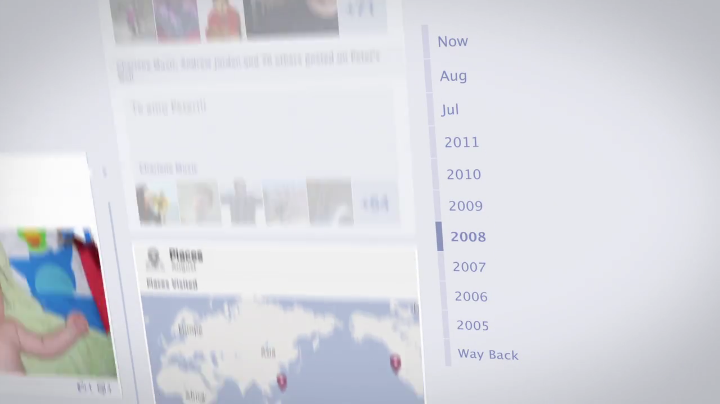
The Facebook Timeline introduced many new elements to the social networking site. In addition to being a new and interesting visual format for Facebook, there are many privacy implications tied to the new layout. It’s best to think about Timeline as two-fold: how to protect your privacy as well as how to utilize your new creative options.
Here’s a breakdown that will help you best put Timeline to use. You can check out our original Timeline FAQ as well, which is more of an introduction to the basics of Timeline.
Privacy
View as
The best way to truly realize how much you are sharing is to head over to your Timeline and check out the “view as” feature. The gear icon next to you Activity Log link reveals an option to let you view your Timeline as certain users. Check out what it looks like to friends and family. After that, you’ll be more than motivated to head over and make a few custom friends lists and start editing how public your posts are.
Friend lists
We’ve written about the importance of creating custom friends lists more than once, but the Timeline has made this more important than ever. Given the fact that you are able to scroll through time and visit moments you thought were buried in the past, it’s high time you get on board with lists.
For starters, you can use the Smart Lists Facebook has made: your close friends, family, co-workers, and those nearby you. But now you need to dictate what each of those groups can and can’t see. Which means each time you post something or upload new information, you need to check that pull down to determine who you’re sharing with. We’d advise making your close friends list include everyone you generally want to share everything with (which is how it should be) and that way you can best avoid an accidental over-share.
Past post visibility
You should also make sure to head over to your privacy settings and check out the “limit the audience for past posts” section. When Timeline hit, we immediately expressed concern over how this hurt the original Facebook generation—college kids. When the site was specifically tailored to their kind, posting “iffy” content was a little less worrisome. Now that’s not the case. Unfortunately this means that anything you made public in the past is now far easier to find.
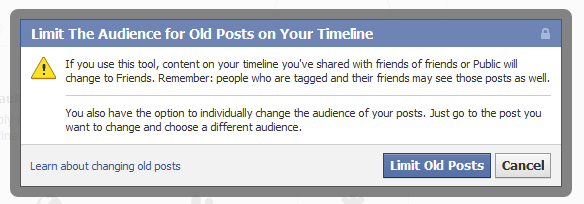 The easiest work-around is to head to this category and choose to make all past posts labeled “public” accessible to friends only.
Visuals & content
Taking care of your privacy settings is easily the most important part of the Facebook Timeline, but moving on you can focus on the more creative aspects of the new profile. There’s a lot to be said for the new possibilities the site presents via the Timeline and once you’ve gotten through the much more serious task of locking up your information you can move on to something more fun.
Life events
The easiest way to add your past to your Timeline is via the “life event” link on your page. Sure, you can use the year toggle on the right-hand side of the page, but the auto-scroll fun won’t last forever. A quicker method is to file everything you want on your Timeline under the “life events” icon.
From here you can also categorize easily, filing moments under “Family & Relationships” or “Home & Living,” etc. You can customize these life events as you so choose and send them to the correct date on your Timeline.
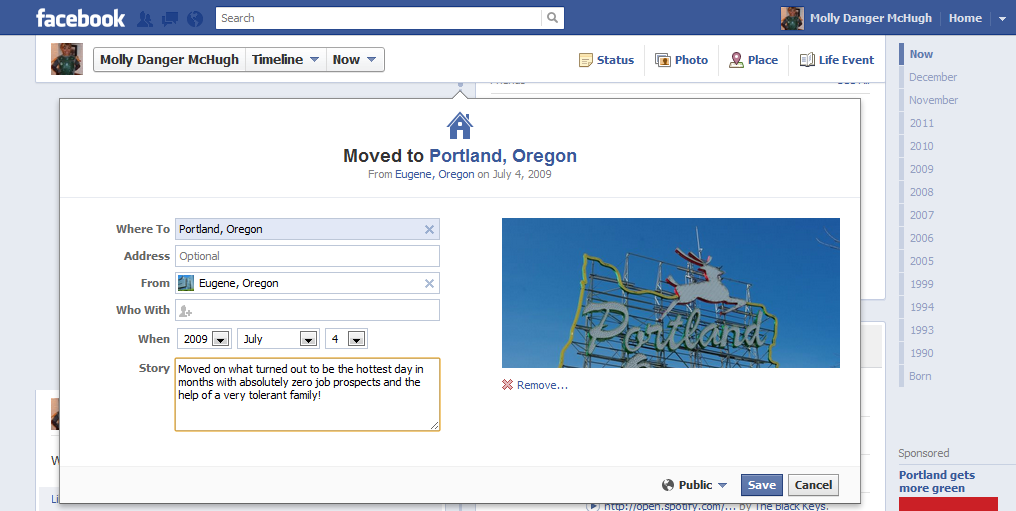
There’s something very foreign to creating these events. Up until now, Facebook has revolved around real-time, but now users are being encouraged to tell stories from their past. Dictating in the past tense is entirely new, and it sort of creates two very different experiences within one site. Using the News Feed is real-time sharing with your friends, while using and browsing Timeline is more about cataloging and reminiscing.
Cover photo
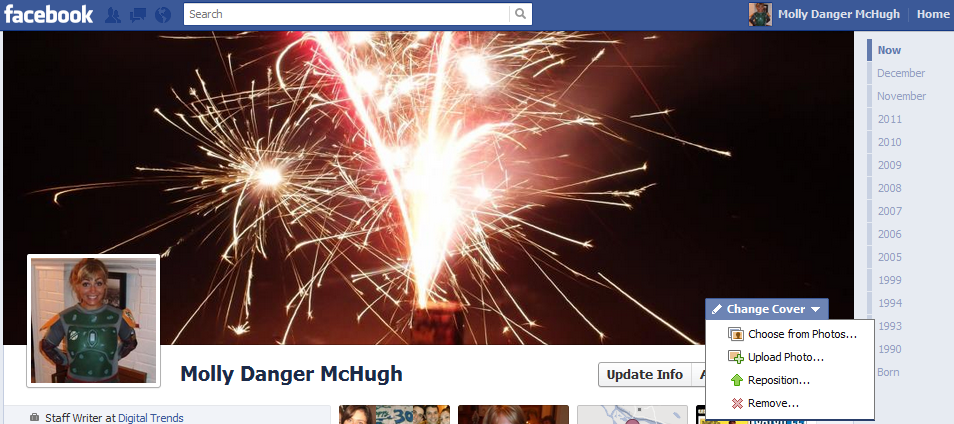
While the profile picture used to be your visual representation to the world, it’s now your cover photo. It takes up far more real estate and definitely steals the focus from your own image.
There are a couple of important things to know about these photos. For starters, they are all public. Even if you have customized your settings to keep all photos visible to friends-only, everyone can see your Cover photo. So most of you will want to keep things tasteful.
Images also need to be a minimum of 720 pixels wide. And don’t worry about losing your images every time you change your cover photo—they will be sorted into an album you can find under the photos tab, similarly to how it worked with profile pictures.
Featured posts
In order to get you going with Timeline, Facebook auto-selects posts it thinks deserve to be featured on your Timeline. This might mean that your Timeline is peppered with Wall posts and pictures you have no desire being prominently displayed on your page.
The only way to find out what has been featured is to meticulously comb through your Timeline. The star icon allows you to feature stories and the pencil to edit or remove them. The gear icon allows you to make them visible to a certain group.
This last part is probably the most important thing to take stock of. For those of us who began using the site when it was only populated by college kids, making some things privy to certain eyes only is crucial.
Your questions
Last time we did a Timeline FAQ was at the developer release, so there hadn’t been time for most users to get their hands on the thing yet. So since it’s been awhile, we thought we’d take a second to directly address some of our readers’ questions in this post.
Q: “I was recently tagged in a photo, approved it, but it doesn’t show up on my Timeline in ‘Profile.’ It usually says such and such was tagged in such and such’s album, although that doesn’t show up?”
A: Now the easiest way to see the photos you’re tagged it is to defer to the Photos section on your Timeline. On the top you’ll see your personal albums and below the images you’ve been tagged in. Still, there is another way you show up on the Timeline when someone has tagged you in their photo. The thing is this is likely to get buried much faster than it used to based on Timeline’s chronological focus.
Now, if you were tagged in a handful of photos in December, Timeline will lump those together in an update reading something like “Tagged in X amount of photos in December.” It means it’s much easier to overlook, and Facebook is likely trying to encourage you to feature this data on your Timeline.
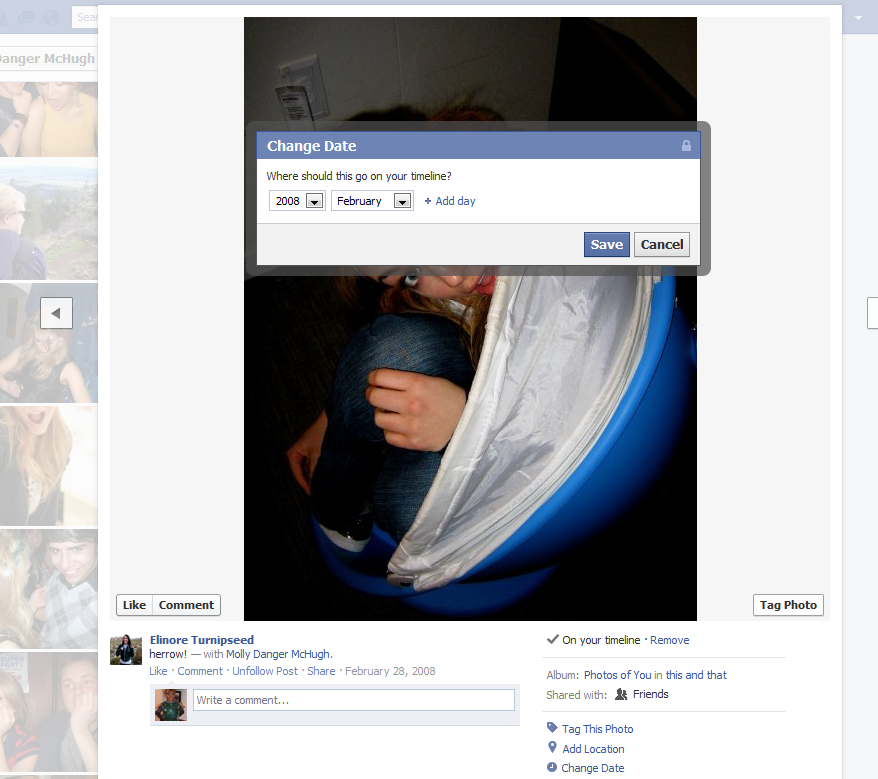
Q: Someone tags me in a photo and it comes to my Timeline, but the date is not right. How can I change the date of that photo?
A: Click on the photo in question. On the right hand side, you should see a link that says “Change Date.”
Q: Why can I see old status updates from my friends on their Timelines and I can’t for people I’m only subscribed to?
A: Subscriptions are a relatively new feature and means that people—including many celebrities—will opt to keep many of their posts for friends only. If you’re a subscriber, you will only see updates they dictate to be public. And now, that’s becoming less and less common.
Q: How do I add photos to old albums?
A: First of all, you can only have 200 pictures per album. But all you need to do is go to your Timeline, click the Photos link, choose an album and from there add more photos.
Editors' Recommendations
- What does a check mark mean on Facebook Messenger?
- How to create multiple profiles on a Facebook account
- Instagram Threads: what you need to know, and how to sign up
- Reels are about to show up in yet another Facebook feature
- What is a Facebook Pixel? Meta’s tracking tool, explained