
April Fool’s is the one day a year it’s generally acceptable to prank people, so hopefully you’ve been plotting. If you don’t have the time or resources to fill your coworker’s office with balloons or buy an evil clown costume, you can still get into some low-grade mischief with tech-related pranks. By just fiddling with the settings on someone’s phone or computer, you can induce annoyance or mild panic!
Note: Some people are more open to pranks than others. Don’t cause an HR incident by indiscriminately pranking people at the office!
Mouse tricks
The simple tape trick
-

Photo credit: Overclock.net Image used with permission by copyright holder
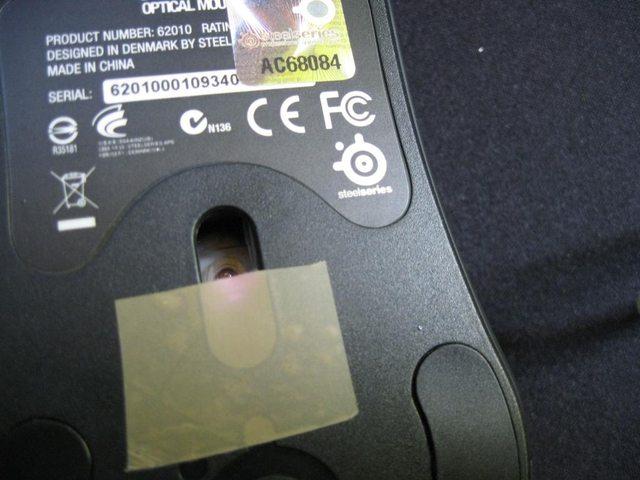
As the name denotes, this is the laziest and easiest prank on the list. It takes absolutely not time at all. For beginning pranksters only.
Step 1: Find clear tape or a sticky note.
Step 2: Put it over the laser on your victim’s mouse.
Step 3: Enjoy the frustration.
This is the modern day version of stealing the ball from someone’s mouse. It’s an easy thing to figure out, so don’t expect all day laughs.
The Ghost Mouse
You will need two identical wireless mice and the desire to confuse a friend.
Step 1: Replace their mouse with one that looks exactly like it.
Step 2: Take the actual mouse to your desk and wreak havoc.
Step 3: Enjoy as the confusion eats away at them.
There are two ways to execute this prank. You can move it around wildly so they catch on immediately and you both chuckle. Or you can watch them very carefully and work to move when they move, only messing up every so slightly. It is up to you how much time you want to put into this particular joke.
Pointer Problems
Another mouse prank will test the patience of those around you.
Step 1: Open the control panel on your computer.
Step 2: Find the “Mouse” settings.
Step 3: Change the icon from a pointer to an hourglass or rainbow wheel of death.
Your victim will think something is continuously loading on their computer even though nothing is happening. This will soon turn into a psychological study of your desk mates when you see how long they will wait for something to happen. You can also change the direction of the mouse so it goes the wrong way no matter what they do. That is equally as enjoyable.
Screen tricks
The Broken Screen Surprise
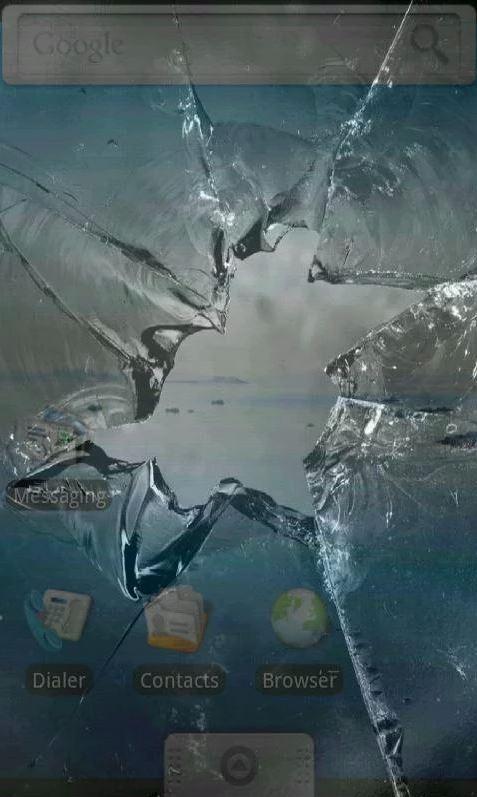
This shouldn’t have to be said, but don’t actually break someone’s screen. There’s an app for that.
Step 1: Get a hold of your friend’s phone.
Step 2: Download the broken screen app for iOS or Android.
Step 3: Tell them you accidentally dropped their phone and see the reaction.
You will have to know their password to download the app so start work on that well before April Fool’s Day. The perceived loss of property could lead to some unpleasant reactions, so only try this on your most mellow of friends.
The Frozen Desktop
This prank is incredibly easy and is guaranteed to frustrate your victim.
Step 1: Take a screenshot of their desktop
On Windows, open the Snipping Tool (open the Start menu and search for Snipping Tool), and drag the cursor to highlight their current desktop.
On Mac, press Shift + Command + 4 to open the screenshot tool, then click and drag to highlight their desktop.
Step 2: Set the screenshot as their desktop background (By right-clicking on the desktop and selecting Personalize in Windows or by navigating to System Preferences followed by the Desktop & Screen Saver panel in MacOS.)
Step 3: Move all the icons to a folder hidden at the bottom of the screen.
Step 4: Watch as your coworker struggles to open application after application to no avail.
The Frozen Desktop will cause a decent amount of frustration for minimal work on your part.
The broken monitor
There’s a good chance your target may see through the blue screen of death wallpaper (or maybe they have a Mac and find it odd that they’re getting a Windows error message). For something that might not be so obvious at first — and certainly more panic-inducing — swap their desktop background out for one that makes it look like their screen is broken.
Just remember to come clean before they order a new monitor.
The blurry morning
The ultimate prank is one that makes someone doubt not only their sanity but also their physical health. Blurry Morning does both of those things with minimal effort.
Step 1: Go into your victim’s control panel.
Step 2: Turn the brightness down slightly and the contrast up slightly, but not enough to be obvious.
Step 3: Every time they leave the room, repeat Step 2.
Step 4: By the end of the day they should have a completely wacky screen.
If you do this the right way, your victim will think they are losing their vision during the day. The key is to make little adjustments so they can’t detect it immediately.
Computer tricks
The Tower of Babel
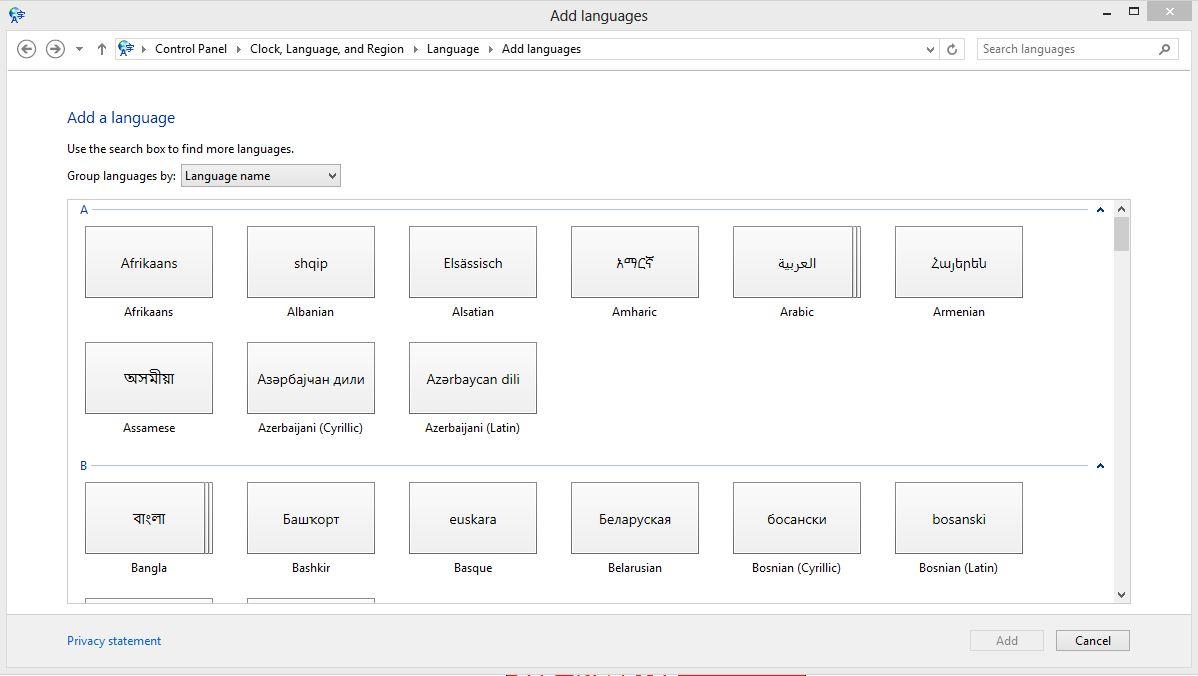
Nothing will make you question your sanity like having your keyboard fight against you. That’s exactly the situation this prank creates.
On Windows:
Open Settings.
Click Time & Language, then Region & Language.
Under the Languages field, click Add a language.
On MacOS:
Open System Preferences, then choose Language & Region.
On the left, under the section titled Preferred languages, click the + button to add a new language.
Choose a language and click Add.
We recommend Romanian because only a few characters are different, so it will take them a while to figure out what’s happening.
The Curious Autocorrect
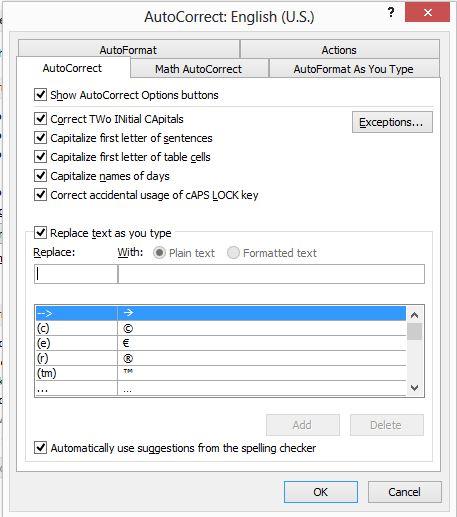
This prank takes more work than most of the others on the list, but provides no end to hilarious moments. This can be done on smartphones or Microsoft Word but messing with someone’s email is the ultimate prank, so here is how to change autocorrect in Outlook.
Step 1: Open Outlook and Click File.
Step 2: Go to Mail.
Step 3: Click Spelling.
Step 4: Click Autocorrect.
Step 5: Go to Autocorrect Options.
Step 6: Replace whatever word you want with another word.
Some fun ones include replacing their name with something inappropriate or replacing “at” with “t.” Use your imagination, the possibilities are endless! Explore other platforms to really ruin their day.
The Speaker Switch
The Speaker Switch is a brilliant prank if your victim has external speakers.
Step 1: Connect their speakers to your computer.
Step 2: Play something.
You can choose something subtle for this like a distant scream every once in awhile or you can do it big and blast your favorite TLC song. It’s up to you to decide which will have the most impact and garner the most laughs.
Fun with Chrome extensions
Chrome extensions aren’t just for productivity. The Google Play store is rife with novelty extensions, and installing some on a friend or coworker’s browser can lead to some confusing moments for them. Try, for example, installing an extension that rewords Wikipedia articles to be about Nic Cage, or one that replaces every instance of the word “Millennial” with “snake people.”
Be careful with that last one, however; as demonstrated by a minor snafu at the New York Times, such text-swapping can bleed over into their work. Note that there have been incidents in which certain Chrome extensions have contained malware, so vet any extensions you want to install.
Adventures in Photoshop

This is what you would call a “long-con” because it will take a little while for your victim to realize what has been done, and by that time you could have messed with many of their photos.
Step 1: Get your friend’s Facebook username and password.
Step 2: Download a few of their photos from their profile.
Step 3: Change the photos slightly using Photoshop.
Step 4: Replace the old pictures with those you’ve tampered with.
The key to Photoshop follies is to stay subtle. Add a droopy eye or a funky lip so people won’t notice immediately. Once they notice something is off they will begin to question every photo they’ve ever taken.
The iPhone Typing Tease
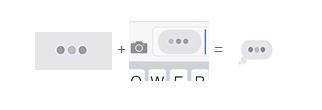
Though wonderful, this prank only works if two iPhones are both using iMessage.
Step 1: Go to this site on your phone.
Step 2: Hold your finger down on the gif and click “save image.”
Step 3: Send the image to your friends.
It will give the illusion that you are typing when you’re not and drive people crazy. We recommend sending it after a text that says “The funniest thing just happened,” or “We really need to talk.”


