There are a lot of stats to keep track of in Call of Duty: Warzone, but finding them isn’t as simple as you might hope. Although numbers like your K/D ratio, number of kills, and total score are in Warzone itself, third-party websites are necessary for getting a full view of your performance in the game. Here’s how to track your stats in Call of Duty: Warzone.
Recommended reading:
- Tips and tricks to win Call of Duty: Warzone
- The best loadouts in Call of Duty: Warzone
- All Warzone bunker locations: Where they are and what’s inside
How to track your stats in Call of Duty: Warzone

There are three main Warzone stat-tracking websites: Codstats.net, Tracker.gg, and Wzranked.com. Of the three, we prefer Wzranked — the stats are cleanly laid out, and the site has detailed, up-to-date information on the most-used weapons. You can also track your Warzone stats in-game, though the presentation isn’t as good as it could be. More on that in a moment.
Here’s how to look up your Warzone stats on Wzranked:
- Open your browser, and head to Wzranked.com.
- Select your platform of choice using the drop-down menu, and enter your username (including any numbers).
There’s a lot to dive into on this page, but your recent wins, win ratio, K/D ratio, and other stats will appear here. By default, this page takes all modes into account. You can sort the stats by mode by clicking on the top left beneath the Refresh button. Here, you’ll see various modes like Solos, Duos, and Rebirth: Resurgence.
If you scroll down beneath the charts, you’ll get a list of your recent matches, so click Details on the right-hand side to see more. This page ranks all the players in that particular match and can be sorted by kills, deaths, downs, damage dealt, and a lot more. This is a great way to dive deeper into a specific match, not just for yourself but for all players in the lobby. Use this to keep track of your personal record or to simply find another player you’d like to squad up with later on.
While Wzranked is one of the best third-party Warzone stat trackers, there is a bit of a caveat you should be aware of. Any matches you’ve played prior to joining the site will not be accounted for by default. However, you can request for those stats to be pulled by joining the Wzranked Discord and pasting in the URL from the Seasons page into the Request Lifetime Data channel.
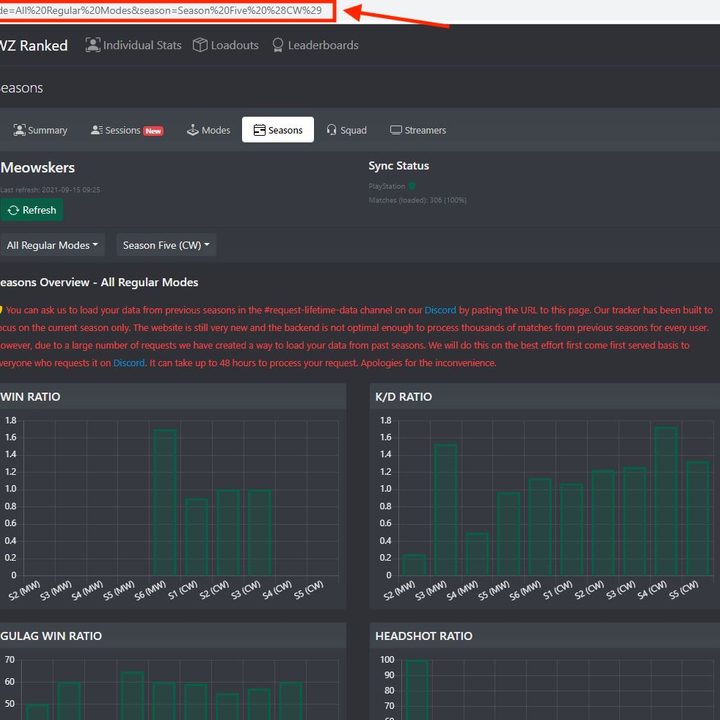
Use your URL on the Seasons page and paste it into the Discord channel.
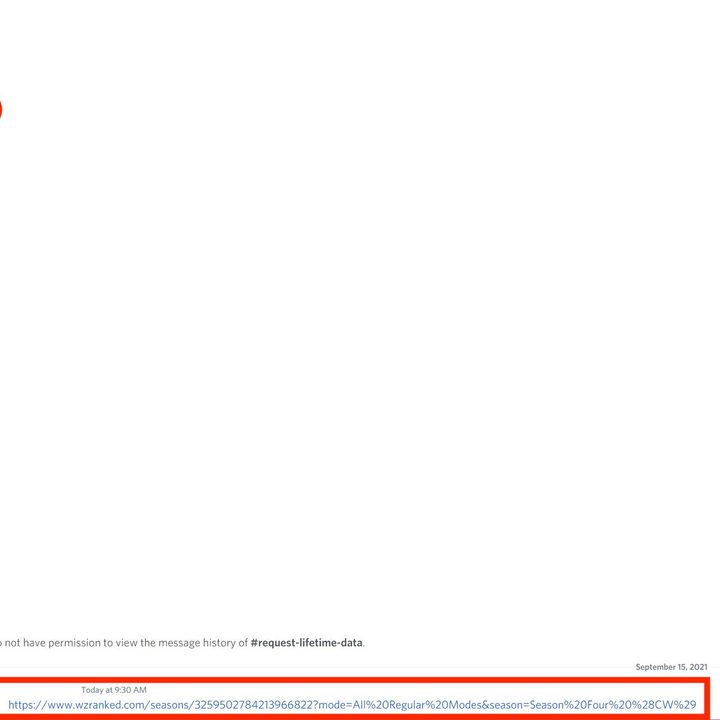
After you’ve done that, you’ll have to wait for the mods to approve your request, but once they do, you’ll have all of your lifetime stats available on the site.
How to track your Warzone stats in-game
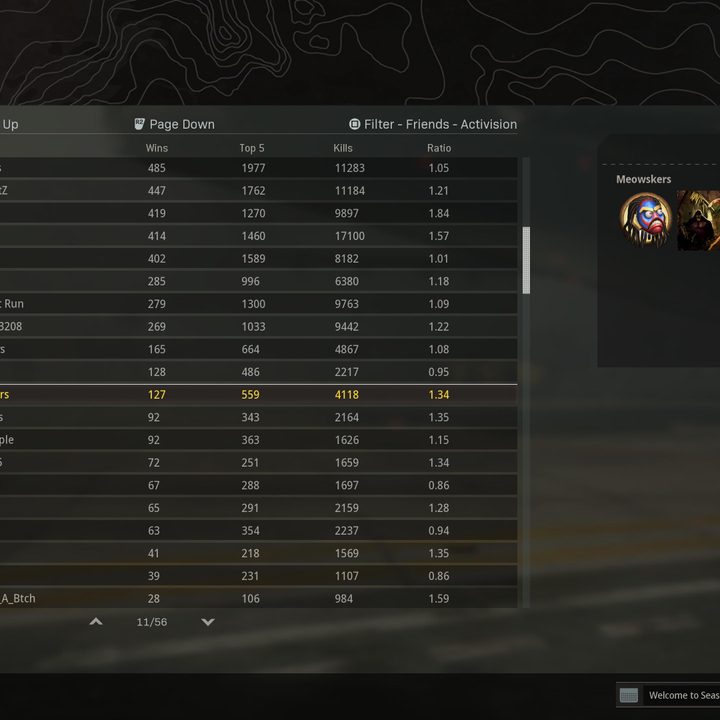
Although you can’t get in-depth stats directly in Call of Duty: Warzone, you can quickly check things like your win percentage and total number of kills without exiting the game. To track your Warzone stats in-game, follow these steps:
- Launch Call of Duty: Warzone, and select Warzone on the title screen.
- Select Barracks.
- Select Records.
- Choose either Score, Kills, Wins, or Plunder to track your stats.
Warzone shows the stat in question as a comparison to the world leaderboard, which is a little annoying. Thankfully, you can filter the results by your friends list and platform to get a better idea of how you stack up. Although most of the information is available in-game, its presentation isn’t great. For a clearer view of your performance, it’s better to use one of the sites referenced above.
There are, however, some areas in the Warzone menu that are worth checking out. On the Records page, tab over to Commendations to see the badges you’ve earned across Warzone and Modern Warfare. Similarly, you can find your level progression under the Barracks page by selecting Officer Progression and your achievements by selecting Achievements on the same page. You’ll find challenges for your level and season on the Officer Progression screen, each of which awards you a Ribbon of Honor and a chunk of experience.