“The BackBeat Go 3 let too much noise in and seriously lack bass.”
- Lightweight design
- Optional charging storage pouch
- Weak bass
- Noise leakage from eartips
- Sweat causes slippage
- Only one size of ear wings included
“Why you can trust Digital Trends – We have a 20-year history of testing, reviewing, and rating products, services and apps to help you make a sound buying decision. Find out more about how we test and score products.“
When Plantronics launched its BackBeat Go 2 wireless in-ear headphones in 2013, followed by the BackBeat Fit in 2014, the company was effectively staking its claim to an audio category few others were going after, and it met with some success.
That was then, but in 2016 the game has changed, and so have our expectations, raising the stakes for the BackBeat Go 3, Plantronics’ latest pair of wireless Bluetooth earbuds. Affordably priced and simply designed, the BackBeat Go 3 seem like they have the right mix, especially considering the company’s historically solid offerings. Unfortunately, we found they fell short in a couple of key areas.
Out of the box
You’ll find there are two versions of the BackBeat Go 3 out there, and the only difference between the two is that one version includes a storage pouch that doubles as a portable battery charger – the standard version have a $100 list price, the charging pouch edition lists for $130. Otherwise, the two products are exactly the same.


Attached to the pouch charger is a short, embedded micro-USB cable, though a separate untethered charging cable is also included in the compartment at the top. Since the pouch’s battery has its own micro-USB port, this cable could be used to charge that up, or charge the earbuds directly from a computer or USB charging port. In addition, there are two extra pairs of silicon eartips (the third pair are already installed on the headphones), offering small, medium and large sizes out of the box.
A quick printed setup manual is included, with full-blown instructions available online through the Plantronics website.
Features and design
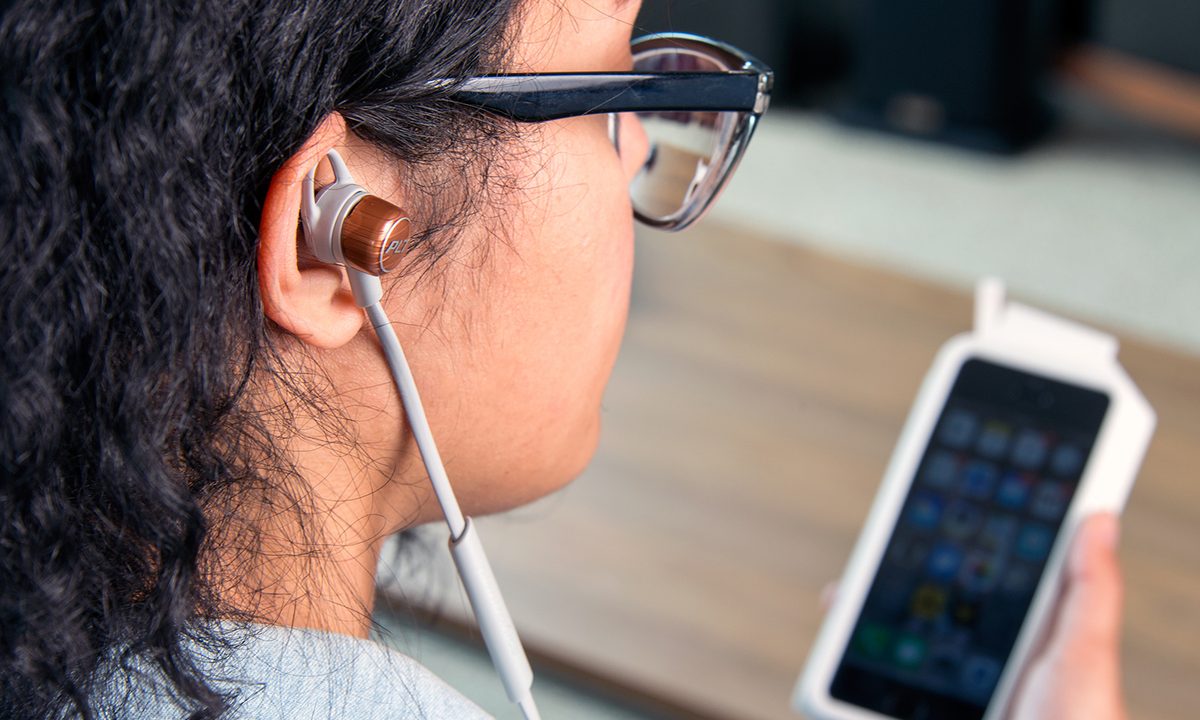
Our review unit came in black, and there is a gray model with copper accents as well. Being relatively understated on either earbud, the design is basically an iteration of the BackBeat Go 2, albeit a little sleeker. The security wings that attach to each earpiece are also very similarly designed, and are intended to be pliable, yet firm enough to keep them nestled in each ear. It’s a balance that is tricky to achieve, and in this case, Plantronics should’ve gone firmer.
Plantronics used a nano-coating that can withstand sweat, humidity and rain.
The cord attaching the two is a perfect length, with plenty of slack to let hang below the chin or across the back of the neck. There’s no real right or wrong way to position them. The inline control and microphone offers volume, track skip, call answering and voice control. The middle button acts as both the power button and voice control trigger for voice assistants, like Siri or Google Now.
Plantronics used a nano-coating from P2i, a liquid-repellent technology supplier, that can withstand sweat, humidity and the odd drop of rain. The company also says it 3D-mapped the human ear to create eartips that won’t wiggle around while active.
You’ll find the micro-USB charging port inside the right earpiece, with a slit at the top to snap it off. It easily snaps back on once the battery is full. Otherwise, there are no special trackers or sensors on either side, so don’t expect heart rate or calorie burn readings from the BackBeat Go 3, like some competing models are throwing in.
Setup
The BackBeat Go 3 don’t have NFC, so we paired them with an iPhone 6 Plus and LG G5 the old-fashioned way. Pairing was seamless and voice prompts helped lead the way. We were listening to tunes two minutes after we pulled the earbuds from the box.

In the past, Plantronics used a free iOS and Android app called Plantronics Hub that would help manage whatever headphones or headset the company released in the last couple of years. It offered diagrams for the products’ buttons and controls, answered common questions, and could push firmware updates, if necessary. Somewhat outdated by now, the BackBeat Go 3 weren’t on the app’s list at the time of this review.
Every time the earbuds are turned on, the on-board voice confirms the headset’s vital statistics, saying “power on, listen time: three hours, headset connected”. It will announce in mid-operation when the battery level moves to medium, low or very low. Pausing the music and pressing either volume button will also announce the current battery level. The BackBeat Go 3’s battery meter also appears at the top of an iPhone, iPad or iPod Touch screen when paired.
Audio performance
While Plantronics claims to have 3D-mapped ears as a reference point for its eartip design, it’s understandably hard to customize something for millions of ears that are naturally going to be different. But that’s not really where the company went wrong here.
To get decent bass, we had to cram the eartips into our ear canals.
If you can’t get the right fit, and the BackBeat Go 3 are more challenging than most in-ears in this regard, consistent noise leakage and weak bass will be an issue. Granted, allowing some background noise in is a safety precaution for runners as they jog through streets, but we think the lack of consistency in the audio spectrum due to varying fit challenges will trump everything else.
The treble and mids are warm, and if you do get a good fit, there’s a respectable amount of sub bass present, though they remain lean in the mid-bass. Overall, the sound is
We also found the BackBeat GO 3 don’t always stay put. We didn’t have to constantly adjust them to stick them back in, but the more we moved, the more we broke a sweat, the more often they would start slipping away. And, for this reviewer, to get a stronger semblance of bass, we had to really push the eartips into our ear canals. That didn’t last long as a stop-gap solution.
We tried all three sizes of eartips, and couldn’t find one among the trio that reduced the leakage significantly, though the large ones did the best. We then attempted to use eartips from competitors’ earbuds, including larger sizes than those available with the BackBeat Go 3, to see if we could MacGyver a tighter seal. No dice.
Unfortunately for us, Plantronics used a different clipping system for the eartips, wherein they clamp into the inside of the hole. Most in-ears use the opposite method, where the tips slip over a protrusion. It’s a design tweak that makes connecting the eartip much easier than conventional designs, but it negated us being able to use other tips we had on hand.
Given the trouble we had fit and the resulting drop in audio quality and prevalent sound leakage, we passed the BackBeat Go 3 around to several others in Digital Trends’ Portland headquarters to get a sense for how they fit with different ears. We found that when a good seal is achieved, bass is prevalent, and the tight seal improves passive noise isolation, though not as well as comply foam tips will with competing in-ear headphones. In general, though, users found the BackBeat Go 3 to be a little cumbersome due to their size, and the security wings varied widely from ineffective due to being too small, to uncomfortably large. Again, some different wing options would have been appreciated.
Bottom line: While all in-ear headphones vary in perceived performance based on fit and seal, the BackBeat Go 3 are large enough to make them problematic for a larger swathe of the population than others, and for that reason, our enthusiasm is tempered.
Phone calls sounded great through these earbuds. No callers complained about not hearing us, and they even held up well with a fair bit of noise in the background. Given Plantronics’ pedigree for phone headsets, none of that came as a surprise.
Activating Siri and Google Now through the main inline button was easy. We only needed to hold it down for two seconds before it triggered. We noted a slight delay of about two seconds before the voice assistant would pop up onscreen, causing us to issue a command before it was ready to hear it. Once we got used to the timing, the delay was a non-issue, though quicker timing would certainly have been preferred.
Plantronics rated the BackBeat Go 3 at 6.5 hours of listening time, which is accurate if the volume is at a medium level. Since they’re not really loud to begin with, you will have to go above that, knocking the time down to between five and six hours. That’s still not a bad number, all things considered, and the charging case is handy, especially on the go, with enough juice to double listening time.
Warranty information
Plantronics offers a one-year limited warranty from the date of purchase from an authorized reseller, covering repair or replacement.
Conclusion
The BackBeat GO 3 use a familiar lightweight design, yet Plantronics was too conservative in closing the gaps it needed to to put these earbuds over the top. As is, they are serviceable, but far from exceptional and not a real standout from the competition. Given their size, they will be a hard fit for many users, and that is problematic. Still, Plantronics folded some great features and solid sound quality into this set of active in-ears, and they are worth a look if you value excellent call quality and a water-proof design.
At $100, or $130 with the battery pouch, they don’t necessarily break the bank, but if you’re looking for a mix of comfort and audio performance, the Jabra Sport Pace Wireless are one option that prove to be better at both.
Updated 6-10-16 by Caleb Denison to reflect new information regarding fit and sound quality based on testing with a broader range of individual ears.