“Sony’s uber-netbook amazes and awes, if you can afford the outrageously high price of admission.”
- Truly unprecedented size and weight
- Sharp, high-resolution, LED-backlit screen
- Acceptable desktop performance
- Solid carbon-fiber chassis
- Extreme price premium for netbook hardware
- Dismal built-in speaker
- Won't handle many movies and games
“Why you can trust Digital Trends – We have a 20-year history of testing, reviewing, and rating products, services and apps to help you make a sound buying decision. Find out more about how we test and score products.“
Introduction
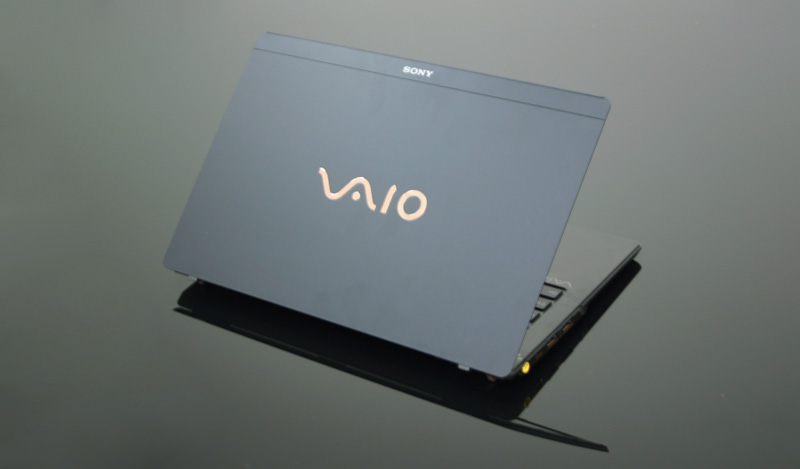
After teasing us with the sleek but useless Vaio P, Sony went back to the drawing board for the launch of Windows 7 to design an impossibly thin and light notebook unhindered by the many, many flaws of its predecessor: the Vaio X. Though it rides on netbook hardware like the P, a speedier CPU and larger, more usable form factor put this model head and shoulders above it. Unfortunately, the price moves accordingly to $1,300, making the Vaio X a truly amazing toy for those who can manage to afford one.
 Features and Design
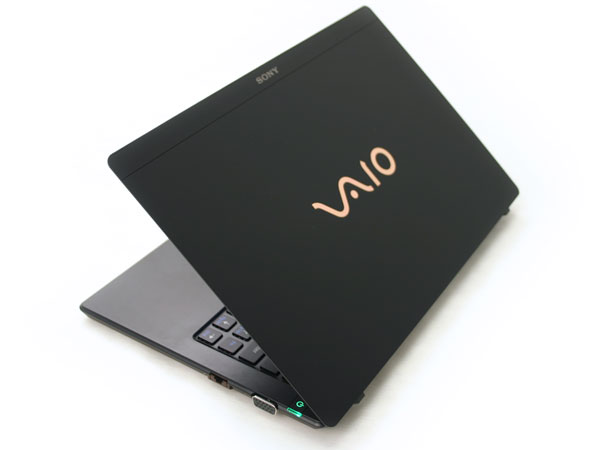
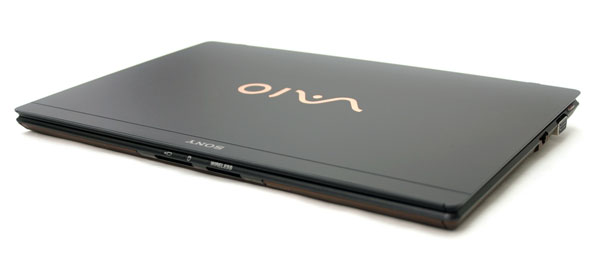
It’s hard to overstate just how light and tiny Sony’s new Wunderkind truly is. It measures half an inch thick, and weighs 1.5 pounds. This is a notebook you can flip around like a magazine, lift from the corner with a thumb and two fingers, and probably send into the stratosphere with a dozen or so balloons. If the MacBook Air can cut a cake, the Vaio X can probably perform minor surgery.
Don’t take that to mean that the Vaio X feels insubstantial. Sony has called upon the wonder of carbon fiber to give the notebook stiffness and rigidity totally out of proportion to its weight. We were able to wring a bit of flex out of it by intentionally grabbing two corners and giving it a twist, but the small size of the machine and impossibly light weight means that it never really encounters this sort of stress during every day handling. We only batted an eye when adjusting the screen with one hand from the side, which made us wish it had a little more reinforcement.
Fond as Sony is of glossy paintjobs, our carbon-fiber review unit came decked out in stealthy matte black from head to toe – an arrangement we much prefer. Although it doesn’t offer the durable rubbery feel of say, a ThinkPad, it shakes off fingerprints and other marring all the same.
Ports
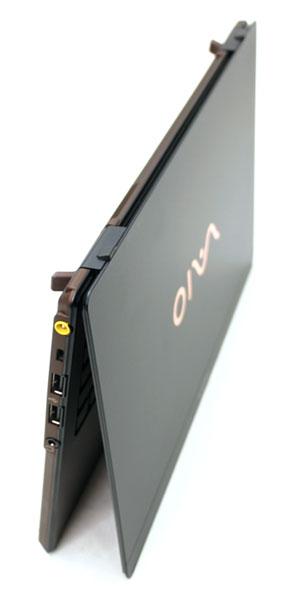
When you’re designing a notebook as thin as some of the connectors that will plug into it, you have to get a little creative. Sony engineers rose to the occasion. The VGA connector on the right, for instance, matches the height of the notebook almost identically, and therefore isn’t even shielded in from all sides: The bottom edge has been left bare and sits flush with the bottom of the notebook. Along the same lines, the right-hand Ethernet port literally snaps open like a jaw to accommodate the standard connector, which would be too fat to fit without this python-like adaptation. Sony also provides two USB ports, a headphone jack, and a power jack on the left-hand side. We really wish Sony had managed to move one of the USB jacks to the right; both to accommodate for right-handed travel mice, and to prevent the overlapping problems you might encounter when connecting oversized accessories like thumb drives or mini camcorders. Up front, you’ll find both an SD card reader and a slot for Sony’s Memory Stick Duo cards.
Hardware Specs
As with the Vaio P, Sony would prefer to gloss over any similarities between its premium Vaio X and those $400 toys we call “netbooks,” but the fact remains: The basic underpinnings are the same. The Vaio X uses the Z550 variant of Intel’s Atom, which runs at 2.0GHz, (in contrast to the 1.6GHz usually found in vanilla netbooks), Intel’s GMA 500 integrated graphics, and 2GB of RAM. As you might expect, Sony has opted for an SSD hard drive rather than the spinning variety, which puts capacity at 64GB in the base model and up to 128GB through upgrades.
Keyboard and Touchpad
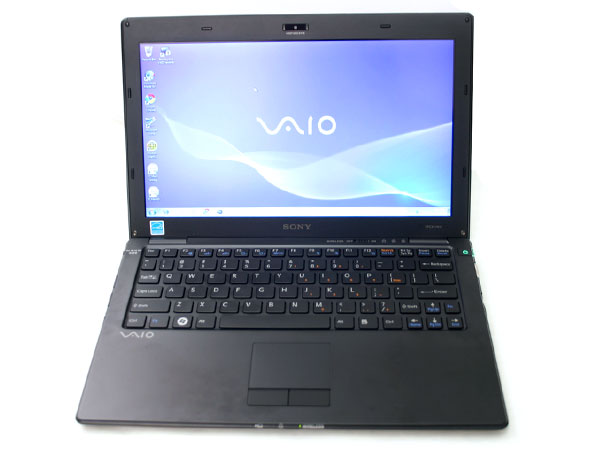
Like most of Sony’s new Vaios, the X Series uses a Chiclet-style keyboard – more like an array of nearly flush-mounted buttons than “keys”. We initially balked at both the shallow stroke and tight spacing of the keys, but eventually overcame both limitations after a 30-minute learning curve. Still, we wish Sony could have used the extra half inch of space to the left and right of the keyboard to stretch it out to a more comfortable size.
We felt much the same way about the touchpad, which measures only a little larger than a matchbook despite copious surrounding space that could have been commandeered for touchpad. Before learning its boundaries, it’s far too easy to begin a stroke at its edge and inadvertently trigger the automatic scrolling function. Even so, we give it points for its smooth matte finish (reminiscent of the superb CW Series touchpad) which makes swiping around on it smooth and snag-free, even with slightly clammy fingers.
Screen
Despite measuring only 11.1 inches across, the Vaio X screen offers full 1366 x 768 resolution, giving it incredible pixel density. That’s the same resolution you might find on notebook screens all the way up to 16.0 inches, effectively compressing all the working room of a much larger notebook into a physically tiny space. Buyers with poor eyesight might find that it strains the eyes a bit in its default configuration, but Windows 7 makes it easy enough to bump up text size to a more readable level without sacrificing the crispness this level of resolution provides. Sony also wisely opted to go with a matte finish on the display, which might rob the screen of a bit of the glossy “pop,” but makes it far more usable and less annoying in many situations.
Performance
The Vaio X is a beautiful piece of machinery. Downright gorgeous, in fact. But can it perform any better than a $400 netbook?
Yes and no. On one hand, the 2.0GHz processor seems to give it that little extra bit of spring in its step. It handles Windows 7 just fine, minus the flashy Aero bits (they come turned off by default). It snaps open browser windows in a split second, breezes through photos, and boots to the Windows desktop in 55 seconds. Not bad.
 But the same walls that bind your $400 netbook still apply to the Vaio X. It will handle YouTube, but has trouble scaling even standard-def content to fill its 1366 x 768 pixels in full screen mode. Hulu bumps it against the same wall. (Incidentally, shifting resolution to 1024 x 768 for the sake of testing fixes the problem, explaining why many lesser netbooks pull this trick just fine.) And don’t even try any gaming.
The Vaio X suffers from the same handicaps as a netbook, but it’s worth noting that experientially, it doesn’t feel like a netbook. By virtue of running Windows 7 and offering a bright WXGA screen, we’re dealing with a whole different level of refinement from the dime-a-dozen XP machines with half as many pixels to drive. When you play within the boundaries, it doesn’t announce them to you.
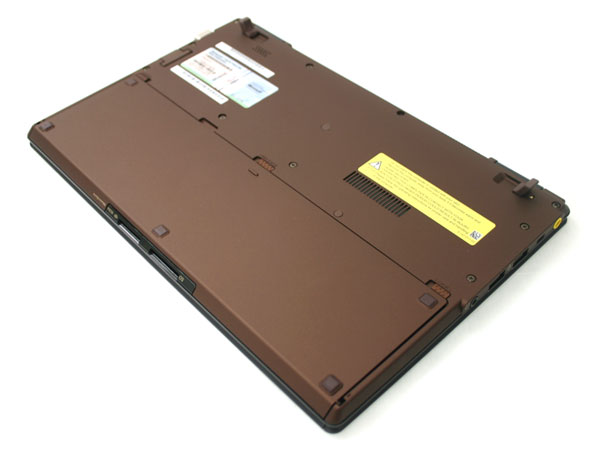 Perhaps the most disappointing aspect of the Vaio X’s performance cropped up when we fired up music on the built-in speakers. The single down-firing speaker – which hides behind a grille no bigger than half a keyboard key – emits barely a whisper.
With the built-in battery, which sits flush to the bottom, Sony’s three-hour battery life estimate proved closer to two hours for us. However, Sony includes an extended-life battery with every unit. Although significantly bulkier, it delivered a clean 10 hours at full brightness – not all that far from Sony’s 12-hour claim.
Conclusion
Let’s just throw it out there: With performance right on par with netbooks that cost a quarter of what it does, the Vaio X is an atrocious value. But that truly doesn’t do this magnificent machine justice. You will get a stupid grin on your face the first time you handle it. It defies all expectations of what a working laptop can look and feel like. Even after using it for hours, we returned to it to marvel anew at the size and build quality. If you’re looking for a novelty, status symbol and technological benchmark every bit as much as you’re looking for a functional computer, decide what it’s worth to you and see if you should bite the bullet on the Sony Vaio X.
Highs:
- Truly unprecedented size and weight
- Sharp, high-resolution, LED-backlit screen
- Acceptable desktop performance
- Solid carbon-fiber chassis
Lows:
- Extreme price premium for netbook hardware
- Dismal built-in speaker
- Won’t handle many movies and games