1. Home
  2. Phones
  3. Mobile
  4. News

AppleCare fraud scheme used more than 1,000 fake iPhones from Hong Kong

Add as a preferred source on Google
 

A pair of Chinese citizens have been charged with fraud in Switzerland for a scheme that involved more than 1,000 fake iPhones from Hong Kong.

Recommended Videos

The pair, a mother and son, took the “deceptively real-looking” iPhones to Apple Stores, where they asked for replacements. The fake iPhones, which had simulated water damage, were also given IMEI numbers that matched genuine iPhones with legitimate AppleCare+ policies, 9to5Mac reported.

Apple Stores are concerned that checking such iPhones may result in a short circuit and a battery fire, so once the AppleCare+ policy is confirmed, the devices are replaced with new ones for 99 Swiss francs, which is equivalent to about $107.

The son was able to exchange more than 1,000 fake iPhones, while the mother exchanged more than 100. They received the fake iPhones from a contact in Hong Kong and shipped the real ones back, earning 10 Swiss francs, or about $11, for each device, Swiss news website SRF reported.

The pair, who claim that they believed the iPhones were real, are appearing in court today and tomorrow, according to SRF. The son, who has lived in Switzerland for almost 20 years, is facing a four-year prison sentence and the possibility of being expelled from the country.

The report said that the mother and son were caught when Swiss customs officers intercepted two packages with 50 iPhones that were determined to be fake. However, it remains unclear how the customs officers recognized the counterfeit iPhones, even as the Apple Store staff did not.

Digital Trends has reached out to Apple for comment on the matter, including whether it will implement changes to protect itself from similar schemes in the future. We will update this article as soon as we hear back.


Aaron Mamiit
Aaron received an NES and a copy of Super Mario Bros. for Christmas when he was four years old, and he has been fascinated…
Android desktop mode made me miss my laptop in record time
I tried writing and publishing from Google’s phone-to-monitor setup, and the future of mobile computing immediately started sweating.
Computer, Electronics, Laptop

Android 17 desktop mode has a very simple pitch. Plug your phone into a monitor, add a keyboard and mouse, and watch the slab in your pocket pretend to be a computer. I wanted to give that pitch a fair shot, so I tried using it for an actual workday instead of a cute demo.

The goal was boring on purpose: write an article, edit it, build the page in WordPress, upload whatever needed uploading, and publish the thing without running back to my laptop like a coward.

Read more
After test-driving iOS 27, my iPhone still doesn’t feel like it has made a substantial leap
Siri learned new tricks. Safari got smarter tabs. My morning routine didn't change at all.
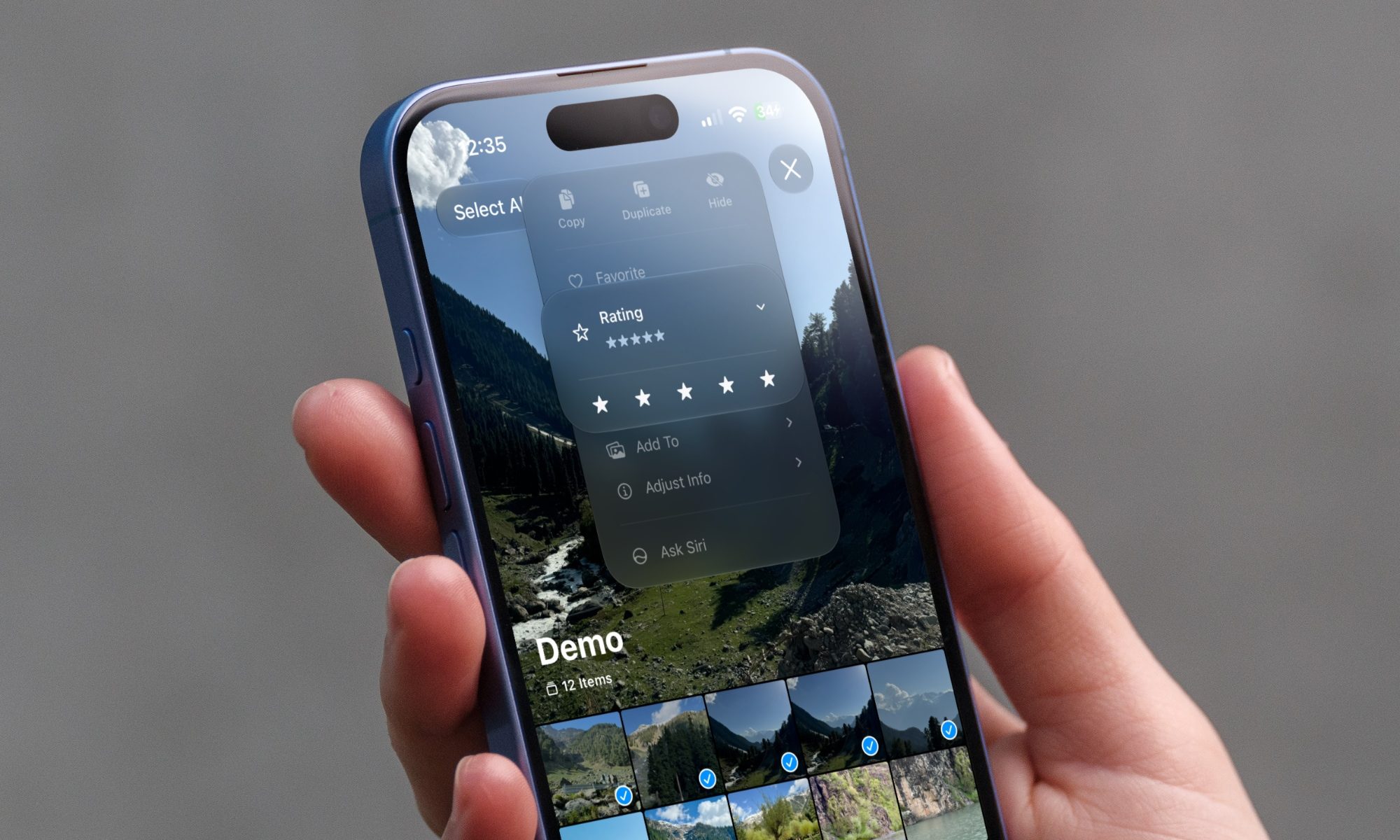
iOS 27 new star rating feature in Photos

Every June, after Apple wraps up its annual WWDC keynote, I install the latest iOS beta on my iPhone, watch the progress bar crawl to completion, and wait for the inevitable restart. For years, picking up my phone afterward felt almost identical to how it did before the update. 

I saw the same grid of icons, the same Control Center, and the same version of Siri until iOS 26 finally broke that pattern in 2025.

Read more
Android 17 makes a strong case for ignoring Android version numbers entirely
When the most noticeable change is a better Quick Settings button, the annual update cycle starts looking more like branding than progress.
Android 17 logo.

Android 17 finally separated the Wi-Fi and mobile data buttons, and I hate how much that improved my mood. For years, Android treated internet access like one mysterious blob, as if Wi-Fi and cellular data were emotionally codependent. In Android 17 Beta 3, Google split the old combined Internet button into separate Wi-Fi and mobile data tiles, making each connection easier to switch off with a single tap.

That’s a good change, which is also why it’s a little damning. When one of the cleanest wins in a major OS update is “the buttons make sense again,” the celebration gets awkward fast.

Read more