Update: Due to negative feedback from the public, CNet was the first to report that Amazon has changed its mind about its tablet device’s opt-out strategy within the the last 24 hours and will now offer a buy-out option for $15.
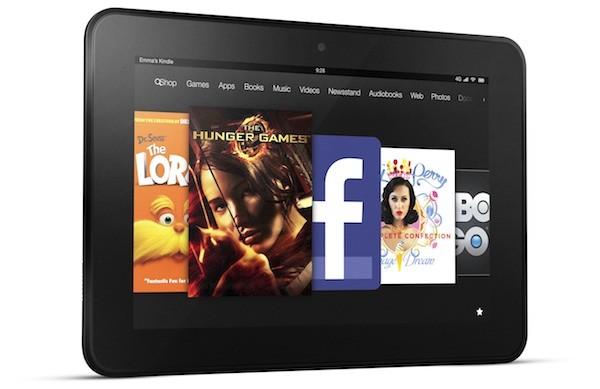
Amazon’s new Kindle Fire tablets will sport advertising on their home screens and lock-screens, and owners cannot disable the ads through a settings feature within the tablet. While earlier reports had suggested that Kindle Fire users could disable the default Amazon “Special Offers” promotions, Amazon has confirmed that the ads will be a permanent feature of the tablets, with no option to “buy out.”
Advertising has existed on previous Amazon e-readers subsidize discounted units, but users have always had the option to opt-out, either by paying more up front to purchase an ad-free device, or paying to remove Amazon Special Offers after the purchase was made.
On its new line of e-readers, this strategy remains intact. An ad-supported basic Kindle now runs for $69, while the ad-free version runs for $89. The self-illuminating Kindle Paperwhite will also be available in an ad-free edition for an extra $20.
The three Amazon tablets introduced on Wednesday are a different story. The Kindle Fire, HD 7, and HD 8.9 will reportedly all come with advertising. Even the higher end tablet, the LTE version of the HD 8.9 that can cost upwards of $599 for a 64GB LTE device, will not get a reprieve from ads.
Amazon will the ads to help recoup the losses it sustains from selling the devices at such a significant discount. Unlike Apple, which makes as much as a 51 percent profit margin for every iPad sold, Amazon sells its devices at a loss, with the hope that it can generate revenue through in-app purchases, subscriptions and of course advertising. Amazon CEO Jeff Bezos has made no secret of this strategy. “We want to make money when people use our devices, not when they buy our devices,” he said at Thursday’s press conference.
The good news may come from the downward price pressure Amazon is exerting on tablets. Theoretically, selling devices cheaper than competing companies will attract more consumers to the devices. As Amazon’s tablets steal market share from other tablet manufacturers, these manufacturers will be compelled to lower the costs of their tablets to compete. We’ve already seen Google debut the Nexus 7 at $199 to compete with the Kindle Fire.
Of course, if you can’t stand the ads and can’t wait for similarly priced competitors, we’re sure that hacks to make them go away will crop up soon after launch.
Editors' Recommendations
- Best tablet deals: iPad, Samsung Galaxy Tab, Fire, and more
- The best Android tablets in 2024: the 11 best ones you can buy
- Amazon Fire HD 10 and Fire Max 11 prices slashed… for now
- Amazon’s answer to the reMarkable is $95 off at Best Buy
- Amazon is having a huge sale on Google and Samsung tablets


