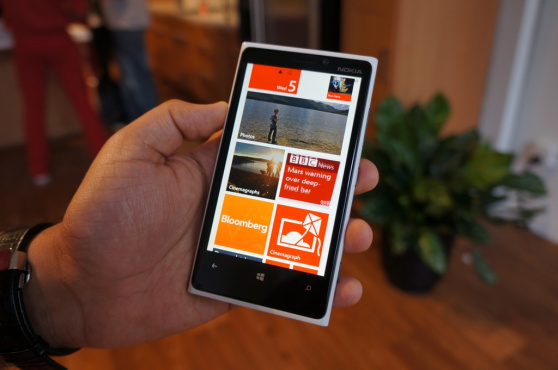
So, how is Windows Phone doing? It’s hard to say. As perhaps the last dark horse competitor in what would otherwise be an Apple-Android race, Microsoft’s mobile OS is a cipher. Despite much early praise for the “flagship” Nokia Lumia 920 and “signature” HTC Windows Phone 8X, commenters have been swift to write off any discernible aesthetic edge the devices may have because of the platform’s lack of serious developer support. That Google has refused to develop for Windows is a serious blow to the OS’s legitimacy.
Then again, Microsoft’s marketing clout cannot be denied. The brand has pumped untold millions into their PR push, daring anyone to say they don’t at least recognize these devices. And, while there have been numerous missteps along the way, it seems to be working. Even though hard numbers are a fiscal quarter away, Nokia’s shares are up and AT&T stores state demand for the Lumia 920 is high. Clearly someone is buying these things. But one large problem remains, and that’s the state of the Windows Phone app marketplace. If you’re buying a smartphone, you probably want to be able to use Facebook, Twitter, Tumblr… the list goes on and on.
So what’s a new Windows Phone user to do? Sharing online is one of the first things you’ll ever do with your brand new smartphone. But Windows Phone is unique in that it simply doesn’t have as many top-shelf apps to get social with. But where there’s a will, there’s always a way. Calling all new Windows Phone users out there: Here are the social apps you’re going to need and want. Time to hit that install button.
Official apps actually worth a damn
Much has already been said about how innovative and glanceable the People Hub and Me Tile combination is, and all that holds true. Windows Phone does a great job of aggregating your Facebook, Twitter, LinkedIn, and Skype profiles in a way that feels much more natural than on platforms. So if you want to browse your feed or Timeline without bothering with all the extraneous dross or even just want to — gasp! — call a friend, you can do it quickly and with ease.
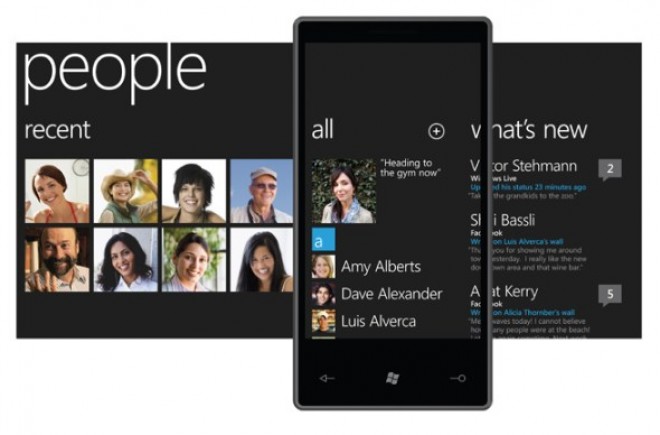 But if you want to do more than that, you’ll need to download the apps.
Microsoft’s WP8 Facebook app is… good, mostly. It takes advantage of all the lovely UI flourishes of the OS, and it acquits itself nicely in terms of performance and stability thanks to a recent update. You shouldn’t have any trouble drilling down into friends’ profiles, but it has a learning curve seeing as it’s so wildly different from iOS and Android’s presentation.
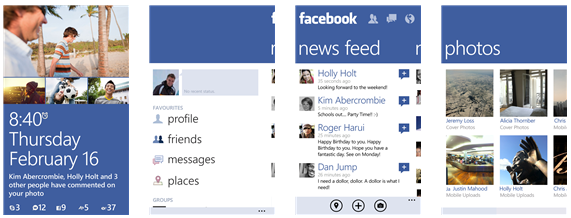 Much the same can be said for LinkedIn–you can search for new contacts and explore colleagues’ profiles at a whim. As for Skype, well… it can’t hurt that Microsoft owns the company. As such, they’ve baked some of its features into the OS by allowing you to make voice and video calls from within the People Hub, but you still (somewhat inexplicably) need to download the official app before that integration can happen. It’s strange, but Skype for Windows Phone 8 is still in Preview so hopefully future iterations will improve on said weirdness.
Tweeting with the best of them
Windows Phone’s Twitter app, on the other hand, is mediocre at best. It approaches tweeting in a rather bare-bones way, making it hard to do some of the things even casual tweeters have become accustomed to.
But, much like iOS and Android, Windows Phone doesn’t lack for a few great, full-featured Twitter clients for people who need a little more.
I’m recommending two.
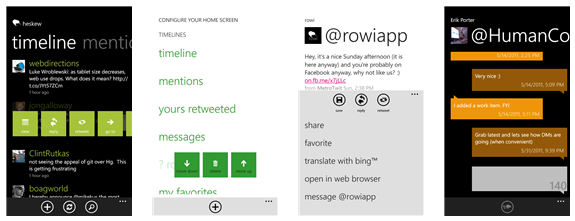
First, Rowi is a fan-favorite among Windows Phone users, and the acclaim is well-deserved. It’s interface is clean and lightweight enough to get out of the way of your feed when you just want a quick look, but can edit photos, translate tweets via Bing, and save articles for later via apps like Instapaper and Readability.
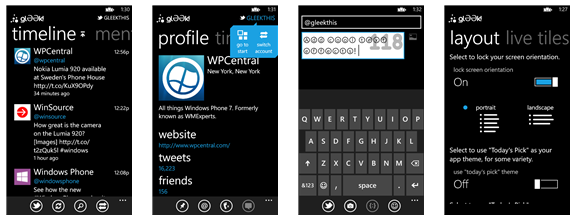
 Meanwhile, glƏƏk! gets points for trying to stuff as much functionality as it can into an already fine app. While it has lower information density, the app can do just about everything Rowi can do while throwing in voice controls, lock screen images, and a live tile for when you want to check what retweets you’ve gotten. And the dev team is very supportive.
 Tumblr-ing along
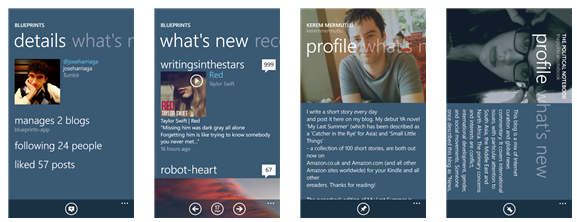
Where else will you find your favorite gifs? Tumblr doesn’t have an official offering on Windows Phone, and that’s unfortunate. Thankfully, it isn’t really missed since Blueprints is such an excellent alternative. The app can handle multiple Tumblr blogs attached to the same account, and you can do anything from check your favorite longform blogs to trip down the meme rabbit-hole. Highly recommended.
We actually need those stinking badges…
If checking into new places is your thing, it’s a good bet you’ve used something like Foursquare before to find restaurants, venues, and night spots you and your friends might love. So it’s a good thing Foursquare has been on Windows Phone since forever. It’s less good that the official app itself is a laggy, buggy mess.
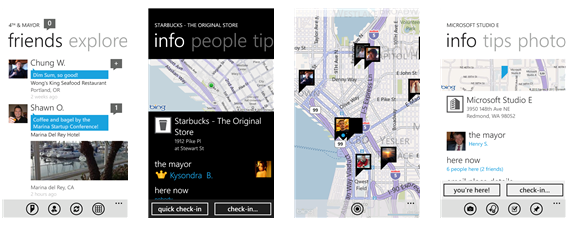
Luckily, the third-party app 4th & Mayor is a worthy surrogate. It’s minimal and nimble, letting you earn your badges and drink in peace. Exactly what the proprietary Foursquare app should be.
Redditors, rejoice!
If you truly understand and appreciate what it is to be a part of the Internet — as funny and scary a place as it can so often be — you must visit Reddit from time to time. You don’t have to be a Redditor or even a card-carrying member of 4Chan, but only understand that Reddit is a microcosm of the Web at large. Therefore, Windows Phone had to find its way there. It’s a rule.
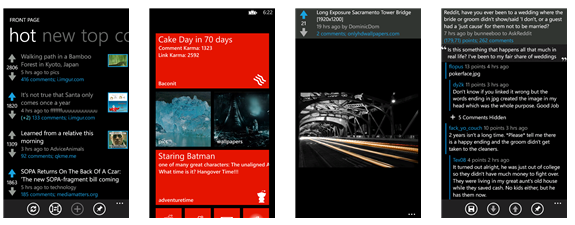
Baconit accomplishes that with considerable aplomb. It has everything; you can login, contribute, and troll subreddits to your heart’s desire. The way it renders comments with content can be a little unwieldy at times, but you’d be hard-pressed to find a better client than this.
Wherefore art thou, Instagram?
Ah, Instagram! Well, first and foremost, no, there is no Instagram client for Windows Phone. What’s more, the way Instagram handles its API means that there are no third-party apps that will allow you to contribute to the service. Seeing as Instagram is swiftly becoming one of the tentpole apps for both iOS and Android, that Windows Phone 8 has been left in the dark is a problem that needs to be fixed sooner rather than later.
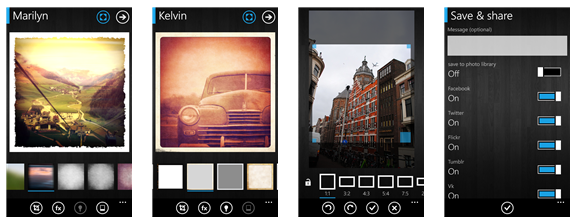
Or maybe not. Considering the entire ToS imbroglio, maybe you don’t need Instagram anymore and want an alternative. Lomogram is probably the best you can do, and that’s not so bad. It has more than 40 filters, light effects, borders, and all the horrid hipster things we love, but without the iffy privacy issues users might be worried about.
Editors' Recommendations
- 5 phones you should buy instead of the Google Pixel 8
- The best cheap phones in 2024: our 9 favorites for tight budgets
- The 10 best apps for a second phone number in 2024
- Best Google Pixel 8 deals: Save $800 on the latest Pixel
- How to hide apps on your iPhone