Apple TV+ may not be one of the oldest streaming services out there, but since its arrival in 2019, it’s gone head-to-head with streaming giants like Netflix, Amazon Prime Video, and Hulu since day one. It prioritizes exclusive content, so you won’t find a library of shows and movies you already know and love. Instead this streamer has been pushing out amazing new shows like Ted Lasso, For All Mankind, Silo, and Foundation. There’s even access to Major League Baseball and Major League Soccer for sports fans.
With no ads, Apple TV+ has cemented itself as one of the best streaming services out there, and has amassed an estimated 25 million subscribers over the last five years. It’s estimated, because the company has a penchant for offering free promotional subscriptions to those who buy a new Apple device like an iPhone or MacBook.
At just $10 per month, Apple TV+ (you can even get it for free, if you know where to look) remains one of the cheapest video streaming services available. Here’s everything you need to know.
Cost and availability
Apple TV+ is one of the more affordable streaming services, costing $10 a month. That’s $13 cheaper than Netflix’s top-tier Premium plan. If you’re willing to sit through ads, though, the ad-supported plan on Netflix is still cheaper. While the ad-supported tiers of Prime Video, Hulu, and Disney+ all used to be cheaper they’ve raised prices in 2024 making them the same price, or more expensive than Apple TV+.
Sports fans can get their fix from Apple TV+ as well. The monthly price includes MLB’s Friday Night Baseball, which continues to air its weekly double-header. MLS soccer fans, however, have to add-on the MLS Season Pass at $15 per month.
Apple also maintains a pretty aggressive acquisition model for Apple TV+. Anybody can try it free for seven days, or you can get three months for free with the purchase of any eligible iPhone, iPad, iPod touch, Apple TV device, or Mac. You just have to remember to redeem the offer within 90 days of purchase.
Additionally, if you haven’t already signed up, you can get a one-month free trial as part of an Apple One subscription, but be aware that the prices for these bundles (that include services such as Fitness+, Arcade, News+, and iCloud storage) have also gone up.
You can even sign up for Apple TV+ within Amazon Prime Video, allowing Amazon to do the heavy lifting on the billing front.
We have a full explainer on how much Apple TV+ is as well.
Supported devices
Naturally, Apple TV+ is available on all modern Apple hardware, including all iPhone, iPad, and iPod Touch devices capable of running the latest operating systems, the Apple TV 4K and Apple TV HD, and third-generation Apple TVs. You can access Apple TV+ via web browsers such as Safari, Chrome, or Firefox.
The Apple TV+ app is available on smart TVs from Samsung, Vizio, LG, Sony, and Hisense. The app is also available on the best streaming devices, including Roku, Amazon Fire TV, Android TV , Google TV, as well as on PlayStation 4 and 5, and Xbox One, Series X, and Series S consoles.
How do you get Apple TV+?
As we alluded to above, there are several ways to get Apple TV+ for free, whether you’re a first-time Apple device owner or a long-time Apple fan. Either way, here are the basic steps for getting in on the streaming service.
Step 1: Head to AppleTV.com and select the Start free trial button. It’s easiest to do on a desktop browser, but you can do this on pretty much any device.
Step 2: Sign in with your Apple ID (or create one first, if necessary).
Step 3: If you haven’t already set this up with your Apple ID, you may have to enter your credit card information. Once this is done, click Confirm.
Step 4: You’re done. You should be able to start watching immediately, but you might have to sign in on any of the devices you’re using to watch.
Note: Keep in mind, though, that with the free trial, and with most free trials, once the term is over, it will automatically renew, charging you the $10 per month fee thereafter. If you find that it’s not for you, you may want to cancel it before it’s too late.
Audio and video
All Apple TV+ originals are optimized to support 4K HDR, HDR10+, and Dolby Vision, and most also support Dolby Atmos sound. And if you have an Apple TV 4K you can combine it with a compatible pair of headphones (such as AirPods Max, AirPods Pro (first or second gen), AirPods 3, or Beats Fit Pro) to experience Apple’s immersive Spatial Audio 3D sound with head-tracking. Many Apple TV+ supports up to six simultaneous streams across one subscription, and up to six family members can create their own profiles using their own Apple login credentials. Mac, iPhone, iPad, and iPod Touch users can also download Apple TV+ content to watch offline.

Apple TV+ content
As we mentioned above, Apple TV+ is all about original movies and TV series. And while they launched with only a handful of titles, their roster is now much more respectable and growing every month. The Apple TV+ lineup features shows and movies from many high-profile actors and filmmakers, and Digital Trends covers everything you can watch on a monthly basis with our streaming guides, including our what’s new on Apple TV+, best shows on Apple TV+, and best movies on Apple TV+.
FAQ
What’s the difference between Apple TV+ and Apple TV?
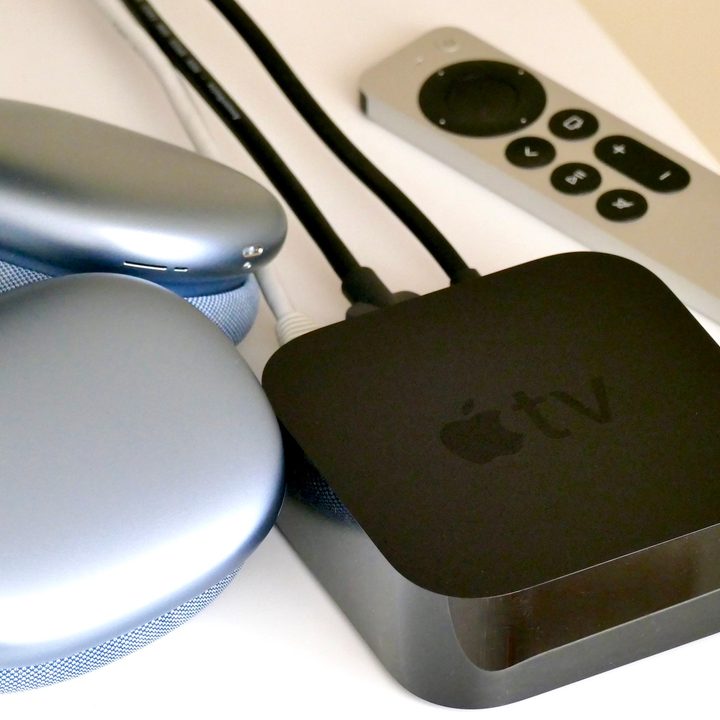
This is an unfortunate naming snafu that has confused people for years, but to put it simply, Apple TV is a streaming device, also known as a set-top box, that you connect to your TV to access content in much the same way that you would with a Roku or Amazon Fire Stick. The device itself allows you to access several streaming services by installing their apps, such as Netflix, Amazon Prime Video, Hulu, Disney+, and, of course Apple TV+, which is also a streaming service in and of itself.
How many profiles can be created with Apple TV+?
Apple TV+ lets you create up to six user profiles so everyone can have their own viewing histories and the algorithm can serve up tailored content to each individual.
Can and Apple TV+ subscription be shared with my family?
Of course. Apple allows you to use Family Sharing to share your subscription with up to five other family members (six in total).
Can Apple TV+ be accessed on other devices?
Yes, the Apple TV+ app, similarly to other apps such as Netflix or Disney+, can be downloaded and installed on other streaming devices such as Roku (through its Channel Store), Fire TV Stick, Google TV and Chromecast, and even video game consoles.
Is Apple TV+ content available in 4K?
Darn right it is. All of Apple TV+’ content, such as movies and TV series, is all presented in 4K resolution, but you will need a 4K TV to view it.