If you plan on eventually unlocking the Wolverine skin in Fortnite, you’ll need to complete challenges related to that character as part of the game’s fourth season. Each week, a new Wolverine challenge will appear, and if you finish them up to a certain point, you’ll be rewarded with the Wolverine skin. The week 2 challenge is ready to go, and it requires you to find the loading screen picture at a Quinjet Patrol.
You might not know where to find a Quinjet Patrol. Or, maybe you’ve located one but are having trouble spotting the loading screen picture. Either way, we’re here to help. In this guide, we’ll show you how to find a Quinjet Patrol and where to locate the loading screen image, and we’ll offer some tips to make it as quick and painless as possible. Here’s how to complete Wolverine’s week 2 challenge in Fortnite.
Recommended reading
- Fortnite season 4, week 1 challenge guide: Where to investigate mysterious claw marks
- Fortnite season 4 week 2 challenge guide: How to bounce on dog toys at Ant Manor
- Fortnite season 4, week 1 challenge guide: Where to collect floating rings at Misty Meadows
How to initiate the challenge
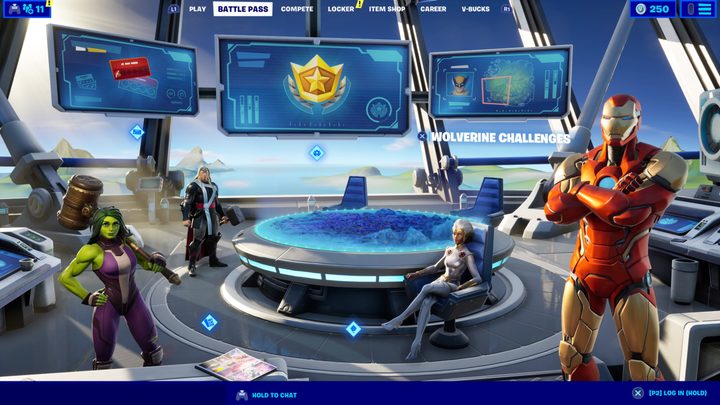
Before you jump in and start completing Wolverine’s challenges, you have to unlock them. To do so, you’ll need to purchase the season 4 battle pass for 950 V-Bucks (equivalent to around $7.99). Unfortunately, there is no way to start these challenges without getting the battle pass, so hopefully, you’ve got some leftover V-Bucks from a previous season. Otherwise, you’ll have to shell out real money.
Once you’ve purchased the battle pass, you can tab over to the Battle Pass menu and select Wolverine Challenges. Here, you’ll see all of the weekly challenges related to Wolverine, along with your progress in each. They don’t need to be completed in order, so you’ve got plenty of freedom to grab them in whichever order you choose. When you’re ready, jump into a match and prepare to find a Quinjet Patrol.
Where to find a Quinjet Patrol
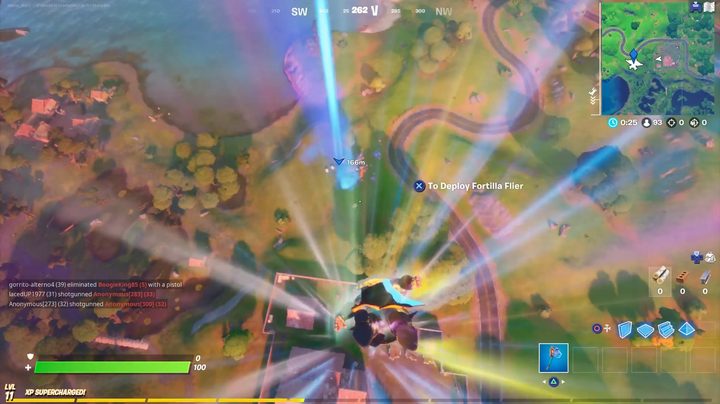
At the start of a match, while you’re still in the bus, you’ll see several jets fly past before landing at various locations around the map. Where they land is random, but you can check their locations on the map (they’re indicated by a jet icon). When a jet lands, a small blue beam will project from it, indicating its location.
It’s recommended to land at a Quinjet Patrol that’s sort of out of the way so you don’t run across enemy players. It’s likely that you’ll find an enemy at whichever location you choose, but it’s still best to land at one that’s far from the bus’s main path. The other thing to keep in mind is that players tend to destroy the jets, which will negate being able to collect the loading screen picture you’re looking for. That’s why it’s a good idea to run into the jet quickly, grab the picture, and get out.
If you do happen to land at a Quinjet Patrol with other players, you can either take them out or wait for them to leave. They might start to destroy the jet. In that case, you’ll want to try taking them out. If that’s not possible, you’ll have to pick another Quinjet Patrol or back out and try again.
Also look out for the Stark Robots that guard the jets. They aren’t too terribly difficult to take out, but if all of them are shooting at you, you’ll probably have a tough time — especially if you don’t come prepared with a weapon. Completing this challenge is straightforward, but its difficulty is somewhat luck-based, depending on the locations of the Quinjet Patrols.
Where to find the loading screen picture
What you’re looking for is a picture of a loading screen, and it’s inside the Quinjet itself. It’s hanging up on one of the inner walls, and what you want to do is head inside and interact with it to get credit. Press Square on PS4 or X on Xbox One to search, and you’ll get credit for finding the picture. In the video above, you can see how quickly you’re able to complete this challenge, but we did get lucky there weren’t any nearby players shooting at us. If you’re stuck, bring some friends with you and have them protect you while you go inside to collect the loading screen image.
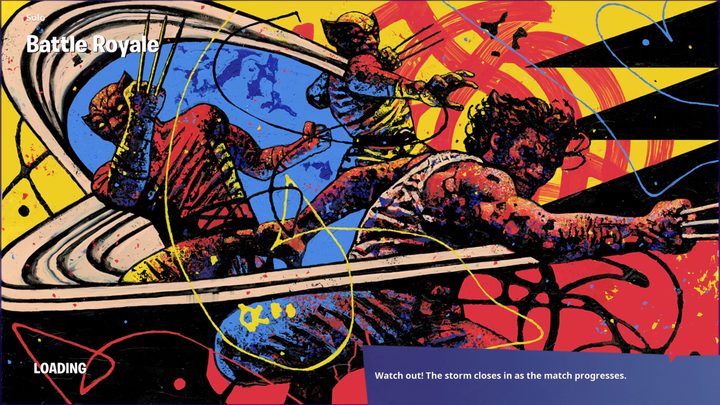
The image itself is a cool Jackson Pollock-esque painting of Wolverine with his claws out, so make sure you set it as your loading screen if you’re a fan.