  1. Home
  2. Computing
  3. Legacy Archives

Microsoft entices Windows app developers by paying $100 per published app

Add as a preferred source on Google

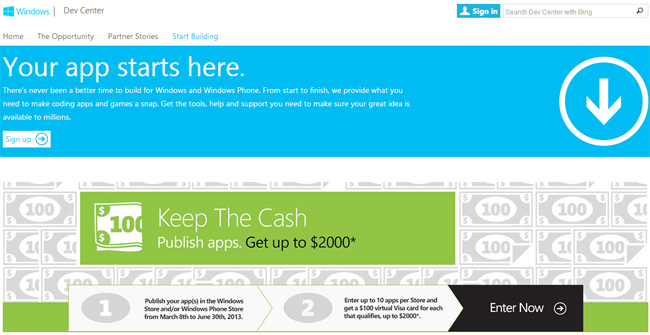
windows-apps-dev-promoMicrosoft recently launched a program to entice more developers to make Windows apps by paying them for all apps published from March 8 to June 30. With the program in place, you get can $100 per Windows 8 app. Developers can submit 10 apps to each the Windows Store and Windows Phone Store, meaning it’s possible to get $2,000 in total by submitting 20 apps. 

You can’t whip up a quickie product and expect to automatically make $100 for it, though. Developers need to fill out a form on the promo page with links to all the apps they want Microsoft to consider and then hope that the submission qualifies for the promo. If it does qualify, the developer will get a $100 Visa card for each app, and he or she can keep submitting more apps until they hit the $1,000 ceiling for each store. Compensation is limited to the first 10,000 qualifying entries, all of which should do more than just launch a browser to open a website. 

Recommended Videos

According to stats published in December 2012, there are more than 35,000 apps in the Windows 8 Store. Unfortunately, many of them are filler apps that either don’t work as intended, or don’t work at all. The promo period is short, so unless Microsoft closely scrutinizes each app it deems qualified to receive $100, its stores could end up with even more shovelware. Let’s just hope the company’s people do what they can to find the true gems among the junk, or at least the diamonds in the rough.

We’ll have to see if this strategy will give us even more reason to think the Windows 8 store is a complete mess, or will it finally do some much needed good?


Mariella Moon
Mariella loves working on both helpful and awe-inspiring science and technology stories. When she's not at her desk writing…
These are the compact printers I’d actually recommend for back-to-school
From dorm room paperwork to instant selfie prints, there's a tiny printer for every need.
Computer Hardware, Electronics, Hardware

Everything is digital until the one professor who still wants a printed essay, or the lease you need to sign in ink, or the photo you want to stick on your dorm room’s wall. That's usually the exact moment you remember you don't own a printer anymore, and the nearest one is a library machine with a line out the door.

I looked at four compact printers that solve that problem without taking over your desk and breaking the bank. Two are built for documents, one is a proper all-in-one for actual home office work, and one has nothing to do with homework and everything to do with turning your camera roll into something you can hold.

Read more
Shopping for back-to-school? These are the webcam lights I’d actually turn on before a Zoom call
From a budget clip light to a proper desk setup, there's a webcam light here for every price.
Head, Person, Face

Between online classes, group project calls, and the occasional job interview over Zoom, your webcam will be doing a lot more heavy lifting in school than it ever did at home. The problem is that most laptop cameras are bad in low light, and a single overhead bulb or a window behind you turns every call into a game of "wait, can you see me okay?"

A good webcam light fixes that faster than moving your whole desk around. I picked five, starting with the most affordable and working up to the one that's genuinely overkill for a Zoom call but still worth knowing about.

Read more
Google Chrome could soon let you translate pages right inside Reading Mode
However, not everyone's seeing it yet, even on Canary.
Google Chrome

Chrome's Reading Mode just got a new button tucked inside its settings menu. Google is quietly testing a translate option for the feature on Chrome Canary, the browser's experimental testing channel where new ideas show up long before they're ready for everyday use.

What does this new translate button actually do?

Read more
