
Chances are that you’ve already used USB 3.1 in your daily life. USBs (which stands for “Universal Serial Bus”) are a commonly used type of cord to connect two devices, like a PC with a gaming device or camera. So, what sets USB 3.1 apart from other options, like USB 3.2 or USB-C?
Read on to find out the strengths and weaknesses of USB 3.1 and to learn more about technological advancements in current USB innovation.
By the numbers
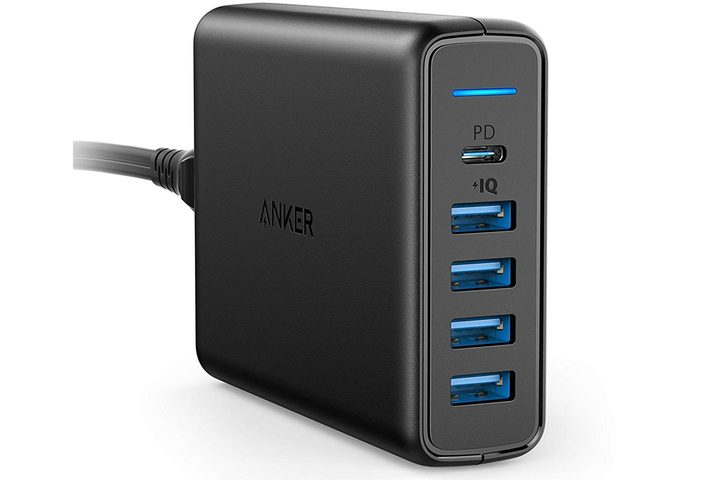
USB 3.1 is a generational number that mostly refers to the data transfer speed of the USB connector, not its shape or size. Officially launched in July 2013, USB 3.1 effectively replaced USB 3.0 as the new, high-speed USB standard. It would, in turn, go on to be replaced by USB 3.2, which would refresh the naming conventions of USB as well. That has resulted in a rather confusing mess of names and speeds. Some may still refer to various USB speeds, colloquially at least, as USB 3.0, 3.1, and 3.2 individually, but the official naming convention and their respective speeds are as follows:
- USB 3.2 Gen 1 is USB 3.0. It has a maximum throughput of 5Gbps. This is also known as SuperSpeed USB.
- USB 3.2 Gen 2 is USB 3.1. It has a maximum throughput of 10Gbps. This is also known as SuperSpeed USB 10Gbps.
- USB 3.2 Gen 2×2 is USB 3.2. It has a maximum throughput of 20Gbps. This is also known as SuperSpeed USB 20Gbps.
All of these speeds are the theoretical maximums of the USB standard and are unlikely to be seen in everyday use, but you will certainly see an increase in transfer speed for files of most sizes when using a USB 3.2 Gen 2 (USB 3.1) device over one that is rated USB 3.2 Gen 1, or USB 3.0, only.

USB 3.2 Gen 2 isn’t supported by all modern devices but has slowly seen greater support over the past few years. A good example of a change between hardware generations is with Dell’s XPS 13 laptop. The 2017 XPS 13 9360 laptop shipped with two USB 3.2 Gen 1 ports, while the 2018 and 2019 models replaced those with USB 3.2 Gen 2 connections of the USB-C flavor. More on that later.
Another big advantage of USB 3.2 Gen 2 is that it can support a feature known as Power Delivery 2.0. It allows compatible ports to provide up to 100 watts of power to the device they’re connected to, thereby allowing for the charging of larger devices like laptops through a single USB cable. This is most commonly seen in laptops that use the new USB-C standard.
USB-C isn’t the same as 3.1

While often associated with USB 3.2 Gen 2 and Gen 2×2, USB-C is not the same thing. USB letter types, like A, B, and C, denote the shape and form of the port and connector, while the number types (3.2, etc.) denote the data transfer capabilities.
Many modern devices have moved away from the classic USB-A, USB-B, and micro-USB ports and toward USB-C — which is small, reversible, and often goes hand in hand with faster transfer speeds. While that isn’t always the case, the fastest USB 3.2 Gen 2×2 transfer speeds are only possible on USB-C.
USB-A is still offered on a number of devices for legacy support of older accessories and cables that still use that standard, but it’s becoming increasingly common for laptops and smartphones to ship with just USB-C connectivity.
Whether a laptop, tablet, or smartphone has USB-A, USB-C, or some other connection in that wheelhouse, though, it does not guarantee that it is USB 3.2 Gen 2. The Microsoft Surface Book 2 ships with two USB-A ports and a USB-C port, all of which are “USB Gen 1,” which is actually USB 3.2 Gen 1 (USB 3.0), not 3.2 Gen 2 (USB 3.1). It’s confusing but shows how important it is to read between the lines if you care about your new hardware having the latest standards.
What about Thunderbolt 3?
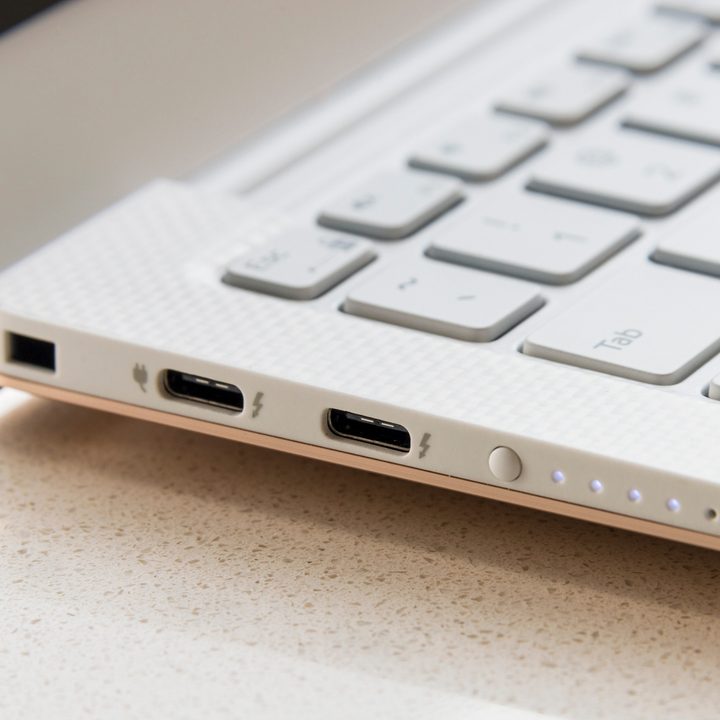
To make things even more confusing, USB-C ports can also be compatible with Thunderbolt 3. Thunderbolt 3 is a standard that utilizes the USB-C port and offers data transfer rates up to 40GBps — four times that of USB 3.2 Gen 2 and even two times that of the fastest USB 3.2 Gen 2×2. Although it can be cross-compatible with USB 3.2 Gen 2 cables, that’s not always the case.
Thunderbolt 3 charges, moves data, and streams video onto other screens, all at the same time. This is possible by leveraging the USB-C port to increase the device’s compatibility over all previous generations.
A USB-C port can have Thunderbolt 3 abilities, or it can only work with USB 3.2 Gen 2. Most computer brands will point out whether they include Thunderbolt 3 capabilities on their ports.



