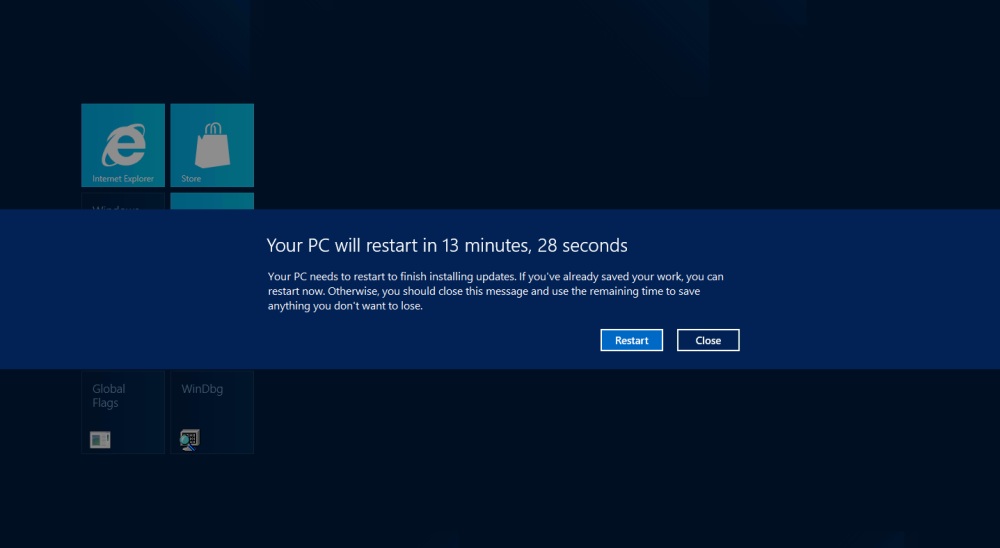
There is nothing worse than Windows 7 automatically restarting your PC when you’re not around, but it does it all the time. Windows Updates are frequently downloaded, but often cannot complete installation until your PC is completely restarted. Instead of asking, Windows 7 just says it’s going to reboot your PC in a few minutes and starts a countdown clock. Manually, you can delay this process if you happen to be at your computer (for up to 4 hours), but if you stepped away to do anything, you could lose everything you’ve been working on. It’s both intrusive and scary, but Microsoft insists that it’s an important feature. With Windows 8, the team is making a few improvements to the system.
In a lengthy blog post, Farzana Rahman, the group program manager for Windows Update, explained that Updates will wait until the big monthly Security update to force a reboot of your Windows 8 machine, meaning it will still have to be restarted once every month. However, instead of giving no warning and just shutting everything down, a notification will appear on the Windows log in screen for three days, asking you to restart or it will do it automatically. When a restart is forced, applications will be able to save their state better as well. We assume this means Microsoft will begin mandating the log in screen. Currently, though widely adopted, it is an optional feature.
Rahman also took a moment to explain that Windows Update will not begin serving all third party application updates because Microsoft doesn’t have the resources to thoroughly vet every single app update in the world. Much like iOS, Android, and Windows Phone, Windows 8 will have an app store that developers can use which has a built-in updating feature, allowing all publishers to push out app updates to users.
The automatic restarting has helped about 90 percent of PCs regularly get important security updates, claims Microsoft. Still, it’s annoying that a lot of software can be installed on a machine without rebooting now, but almost every Microsoft program or update requires a full restart. You would think Microsoft software would be the easiest and most seamless to install. After all, Microsoft makes the OS.
Editors' Recommendations
- How to check your PC’s specifications on Windows 11
- Microsoft plans to charge for Windows 10 updates in the future
- Microsoft says disabling these two Windows 11 features will boost gaming performance
- Even Microsoft is running an unsupported Windows 11 PC
- This Windows 11 update could seriously boost your SSD