Bungie introduced cross-save to Destiny 2 in 2019, and since then, players have been asking for full cross-platform support. With other “live” games like Fortnite and Apex Legends allowing every platform to play together, it only seems like a natural feature for Bungie’s looter-shooter. Crossplay isn’t here yet, so in the meantime, here’s everything we know about Destiny 2 cross-platform support.
Further reading
- Destiny 2 Gambit guide: How to melt the Primeval
- Destiny 2 Crucible guide: Dominate PvP
- Destiny 2: How to unlock the Dead Man’s Tale Exotic scout rifle
Is Destiny 2 crossplay?
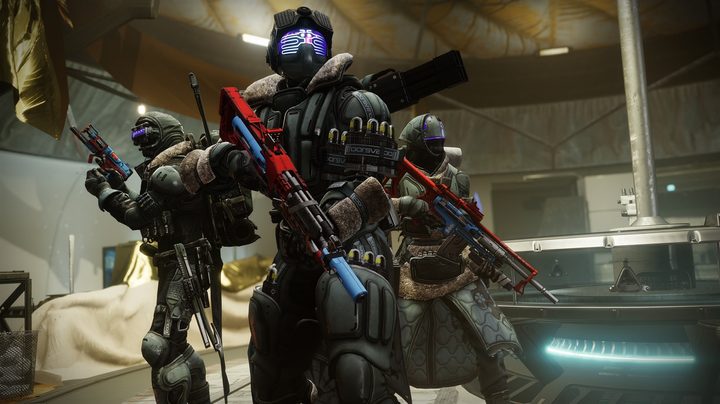
Destiny 2 doesn’t support crossplay as of early 2021, but the feature is coming this year. Bungie confirmed in a blog post that crossplay is coming in 2021, though didn’t provide a more specific timeframe beyond that. With Season of the Chosen already here, Bungie will likely launch crossplay alongside The Witch Queen expansion that’s expected to launch this fall.
The best players have now is cross-generation play. Players on Xbox Series X and Xbox One can play together, as can players on PS5 and PS4. This was part of Beyond Light expansion, and Bungie has the feature enabled by default. Matchmaking is automatic, and you can invite other players to your fireteam like you normally would. There isn’t a way to disable cross-generation play, but then again, there’s no real reason to.
We know full crossplay is coming in 2021, and Bungie is already balancing Destiny 2 to account for the change. Before the launch of Season of the Chosen, Bungie pushed a patch adjusting the recoil on most weapons for PC players. The change is to account for the disparity between a keyboard and mouse versus a controller, and it suggests that cross-platform matchmaking will be the norm moving forward.
Destiny 2 cross-save and cross-progression

Destiny 2 supports cross-save and cross-progression on every platform it’s currently available on (Xbox Series X, Xbox One, PS5, PS4, Steam, and Stadia). Your characters, gear, quest and bounty progress, season pass progress, and more carry over between platforms, and getting set up is easy. All you need to do is link your main account on Bungie’s website, then connect your accounts on other platforms. After that, you’ll automatically have all your progress regardless of the platform you’re playing on.
There are a few restrictions, though. First, you can’t merge two accounts. If you have two different characters on Xbox and Steam, for example, you can’t combine them into a single account. Whatever account you link first is considered your “active” account, and you’ll only have access to Guardians associated with that main account.
Expansions don’t work across platforms, either. You need to re-buy the expansions for every platform you want to play on to participate in quests or other activities associated with that expansion. Thankfully, any gear you’ve earned from expansions still carries over between platforms, regardless of if you own the expansion on whatever platform you’re playing on. New gear drops from unowned expansions will drop at the base power cap.
Your season pass transfers across accounts, too, as do any seasonal rewards. If you buy the season pass once, you’ll have access to it everywhere. The only exception is Destiny 2: The Collection on Stadia. This version includes the season pass by default, and you can’t transfer it to other platforms.
As we’ve seen with Dauntless and its cross-save feature, in-game currency is a hurdle. Silver is only available on the platform you purchase it on, and Bungie takes this restriction seriously. If you refund Silver on one platform to buy it on another, you won’t be able to use cross-save until you re-buy the Silver on your main platform.
How to disable cross-save in Destiny 2
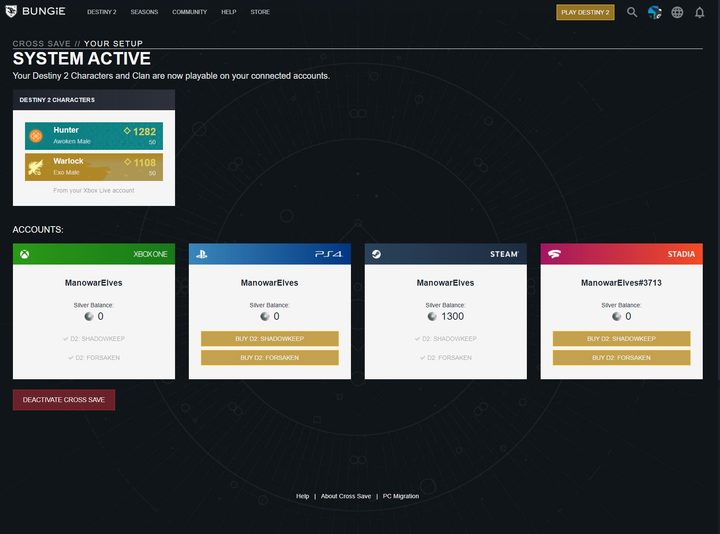
Cross-save works seamlessly in Destiny 2, but if you encounter a save conflict or simply don’t want to swap your data between platforms, you can disable the feature. After signing in to Bungie.net, you can view and deactivate cross-save by doing the following:
- Select your profile icon
- Select Cross Save
- Select View Setup
- Select Deactivate Cross Save
On your cross-save setup page, you can also view your characters, Silver balance on each platform, and the expansions you own. Once you disable cross-save, your original characters (if you have any) will be available on each platform.
There are some restrictions here, too. If you disable cross-save, you can’t re-enable it for 90 days. Similarly, you have to wait 90 days after purchasing Silver to disable cross-save, regardless of the platform you purchased the Silver on.