

The Apple AirPods Pro and Samsung Galaxy Buds+ are two of the best true wireless earbuds that you can buy. If you’re an iOS user and want unprecedented convenience plus active noise canceling, you better get the AirPods Pro. While the Galaxy Buds Plus do work with Apple devices, they’re much more optimized for Android, especially Samsung Galaxy phones, and even though they don’t offer active noise canceling, they’re at least $70 cheaper than the AirPods Pro. So which pair should you purchase? Read on to discover other key differences between the two earbuds and get them today starting from just $130 at Amazon ahead of Prime Day.
Samsung Galaxy Buds+ – $130, was $150
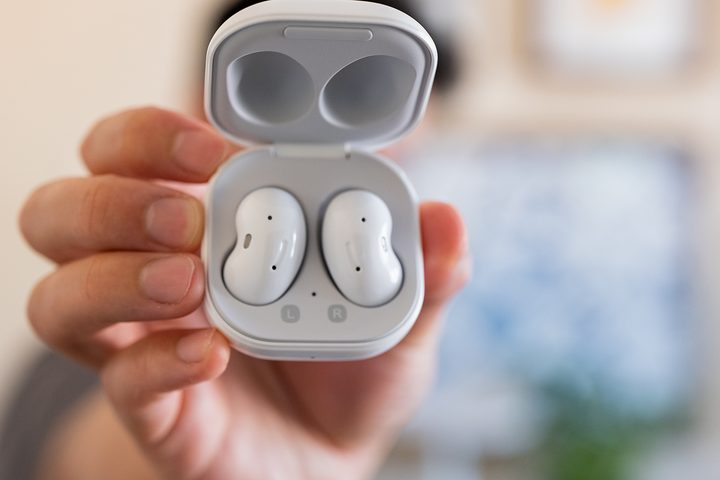
As mentioned, the Samsung Galaxy Buds+ work for both Android and iOS devices, and if you own a flagship Galaxy phone would be able to charge these at the back of it wirelessly. In our opinion, the biggest selling point of the Galaxy Buds+ are their phenomenal battery life. These can last at least 11 hours with nonstop music playback on a single charge – that’s double what the AirPods Pro offer! Unlike the AirPods Pro, these earbuds come with a stellar mobile app that’s available for download on Android and iOS for sound customization. They already sound spectacular out of the box, thanks to a dual driver design that’s tuned by AKG, but playing around with the numerous audio presets is a whole lot of fun. We particularly liked the equalizer mode “Dynamic,” which adds an extra layer of oomph to songs. Touch controls are quite intuitive and easy to master. A single touch will play or pause music, double-tap skips to the next track or answers/ends calls, and a triple tap skips backward. Finally, thanks to IPX2 splash-resistant technology, these earbuds can handle a light drizzle, a little sweat, and even accidental spills. They don’t offer active noise cancellation though, which is probably the AirPods Pro’s best feature, but their design blocks out a fair amount of sound already. In our opinion, the Samsung Galaxy Buds+ are a much better value for your money with their impressive audio performance, customizable sound, and unrivaled battery life. Get them at Amazon today for just $130 instead of $150.
Apple AirPods Pro — $199, was $249
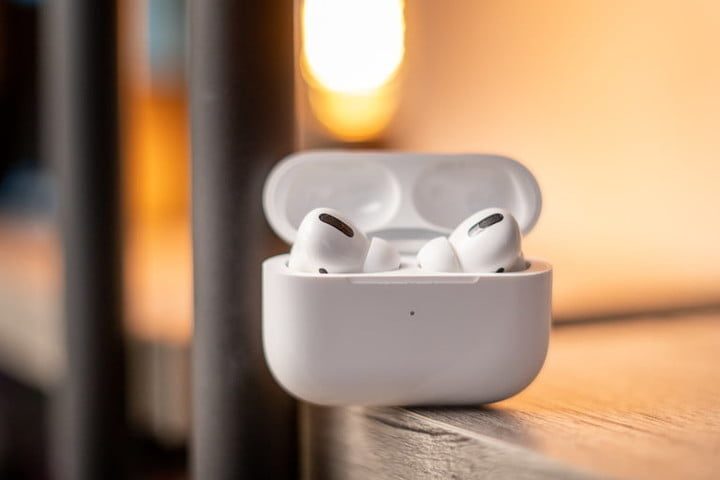
If you’ve got an iPhone and want a pair of true wireless that offer unprecedented convenience, there’s no better choice than the AirPods Pro. They inherit their predecessor’s insanely easy operation. Each AirPod auto-pauses audio immediately when you take it out and resumes play once you put it back in. You can also assign other control gestures using your iPhone’s Bluetooth settings, or simply ask Siri to skip songs, adjust the volume, or change playlists for you. Unfortunately, if you’ve got an Android phone, you’re stuck doing it all manually. Probably the AirPods Pro’s best feature is its active noise canceling, which is activated by double-tapping the exterior. It works incredibly well, making these earbuds fantastic for commuting or traveling. There’s also a nifty Transparency mode which when activated allows sounds to arrive in a very natural way, almost as if you’ve removed the buds themselves. Apple’s new H1 chip has contributed to a tremendous improvement in the AirPods Pro’s audio quality, although we still prefer the Galaxy Buds+’s more dynamic and exciting sound signature. Unlike their predecessors, the AirPods Pro are in no danger of falling off even with excessive movement thanks to three sets of differently sized detachable ear tips. Finally, an IPX4 rating guarantees that the AirPods Pro will remain fully functional even after an extremely sweaty workout. Get the best true wireless earbuds for iOS users at Amazon today for just $199 instead of the usual $249.


