
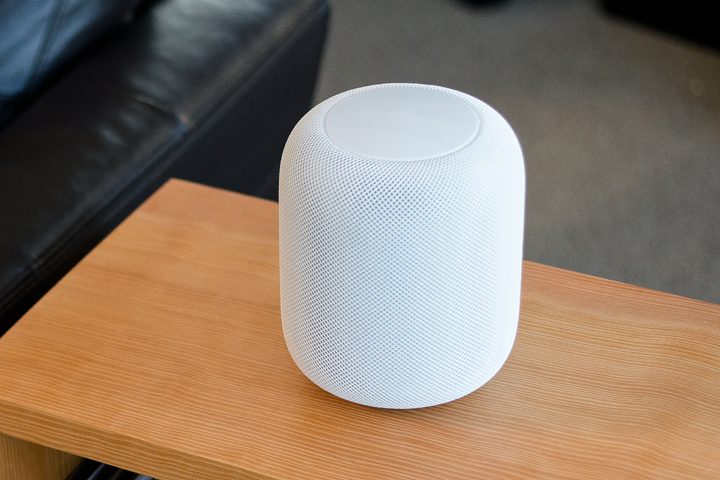
The biggest knock on the Apple HomePod since its debut is the price. Initially selling for $349, it was by far the most expensive smart speaker on the market. While Apple has since lowered the price to $299, it’s still pretty expensive. That’s why we’re highlighting Best Buy’s new sale on the HomePod. For a limited time, the electronics retailer is selling the smart speaker for just $200, which is the lowest price we’ve seen yet. The sale price is good for both the space gray and white versions of the HomePod, and in-store pickup is available in as little as one hour.
While that is still expensive when compared to other smart speakers, the HomePod does have some important advantages that make it one of the better options on the market. If you’ve built your smart home around HomeKit-enabled devices, the HomePod will seamlessly integrate, giving you voice control without having to use your iPhone or iPad to call up Siri.
It’s also straightforward to set up — one thing that we’ve repeatedly lauded Apple for with HomeKit devices. That’s a welcome difference from other smart home platforms, which we’ve had varying degrees of success in getting to work on the first try or without a bit of finagling to get them to work correctly.
Another important advantage where the HomeKit shines is sound quality. The smart speaker adjusts automatically to its environment, ensuring that sound is directed in such a way that clarity is maximized. Take putting it in a corner, for example: Instead of blasting out the music in all directions, the HomePod will focus the sound to the portions of the speaker facing away from the wall, resulting in a cleaner sound.
One 4-inch woofer and seven tweeters surround the speaker, each with its own high-power amplifier. Comparing it with other smart speakers, the HomePod repeatedly scored better in sound quality across just about every critical metric. It’s here where HomePod’s high price is justified, and to be honest, the closest competitors from other platforms are actually about the same price as the HomePod anyway.
To put it simply? You get what you pay for. While, yes, you can get an Echo or Google Home device for $100 or less, you won’t be nearly as happy with the sound quality. Of course, you’ll need be within the Apple ecosystem to truly enjoy the HomePod, but at $200 from Best Buy right now, now’s as good of a time as any to pick up one for yourself.


