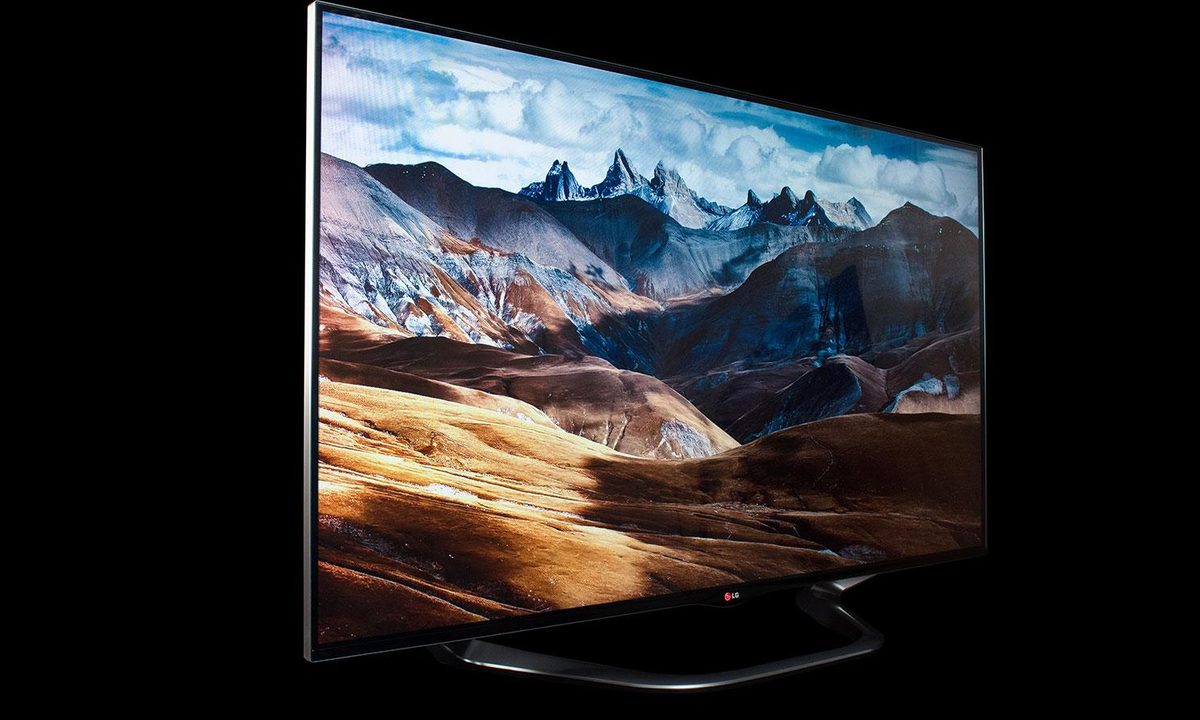
“With a gorgeous design, the industry’s most intuitive remote and an excellent Smart TV interface, LG’s LA8600 is bound to be a crowd favorite.”
- Beautiful design
- Excellent color
- Exceptionally bright
- Intuitive and easy-to-use Magic remote
- Improved Smart TV interface
- Obvious LED backlight hot spots
- Poor black levels
- Poor off-axis performance
- Pricey
“Why you can trust Digital Trends – We have a 20-year history of testing, reviewing, and rating products, services and apps to help you make a sound buying decision. Find out more about how we test and score products.“
LG LA8600 Series information: This review is based on our hands-on experience with the 55-inch 55LA8600 TV. However, our observations also apply to the 60-inch 60LA8600. According to LG, the two sets differ only in dimension and weight and offer identical features and performance.
|
Models in LG LA8600 series |
Size |
| LG 55LA8600 (reviewed) | 55 inches |
| LG 60LA8600 | 60 inches |
You know what they say when it comes to television: Once you go true-black, you’ll never go back. I can vouch for that, because I’ve seen some of the best TV’s of the year – Panasonic’s ZT60 and VT60 series plasmas, LG’s 55EA9800 curved OLED and Samsung’s KN55S9C curved OLED – and they have just about ruined me for any TV that can’t stand up to their stellar black-level performance. Once you’ve seen what really excellent black levels can do for a TV’s picture quality, it’s hard to settle for anything else.
Add in the fact that plasma TVs have gotten thinner and lighter in recent years, and LED-backlit LCD televisions become an even harder sell. But for some folks, nothing but the thinnest and lightest television will do, and LG’s LA8600 series certainly fits that bill. The LA8600, aesthetically speaking, is LG’s finest looking set yet. And, as the flagship for LG’s LED TV line, it’s loaded with every bell and whistle in the company’s heavily fortified arsenal. Let’s take a look at how it fared as the centerpiece of a family room for three weeks.
Out of the box
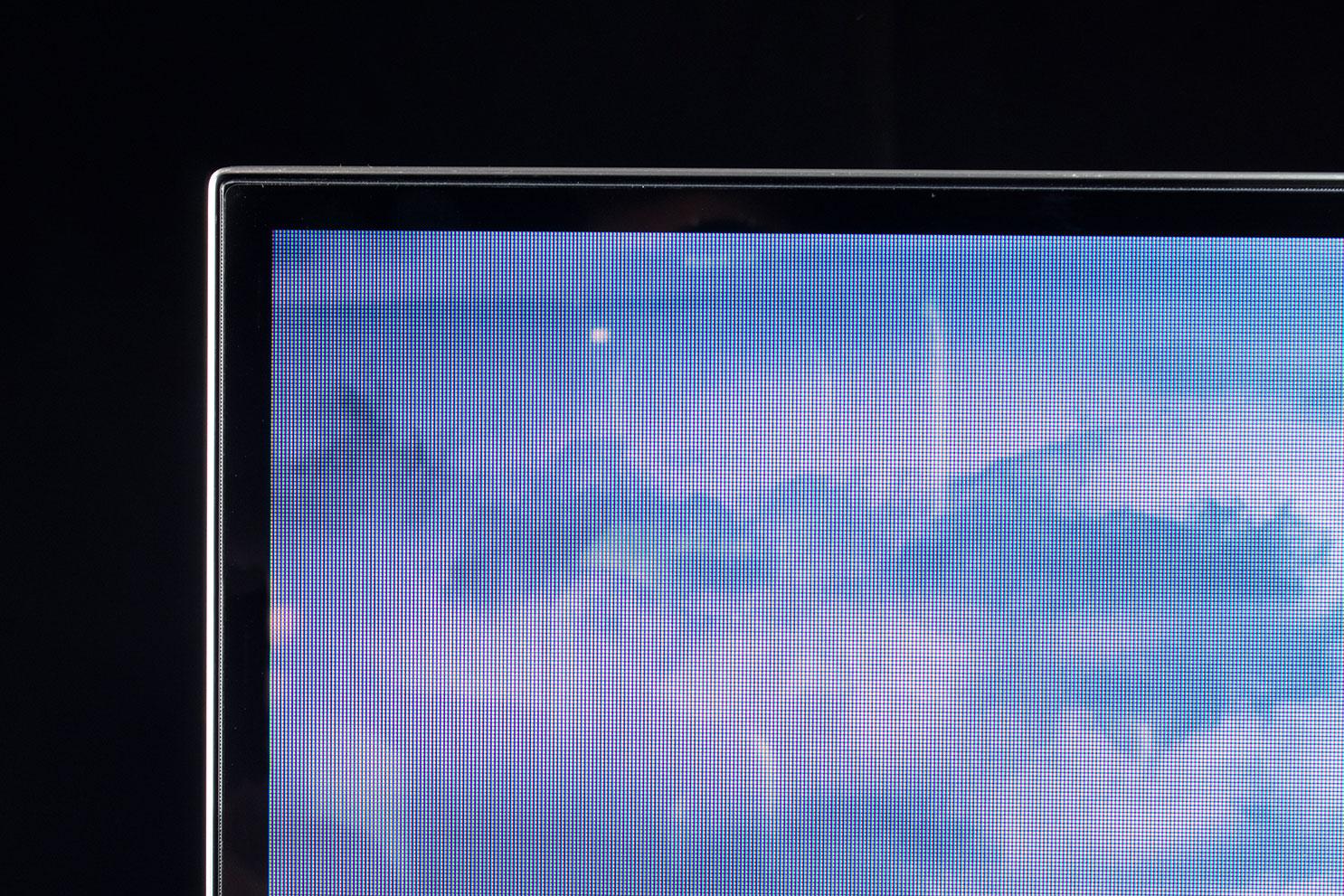
When we say thin and light, we mean it. The 55-inch LA8600 model we tested measures 1.34 inches deep and weighs 51.6 lbs. That depth measurement doesn’t really tell the whole story, because the TV’s remarkably thin bezel makes the whole unit look much slimmer than that.


The TV’s stand adds quite a bit of depth, bumping things out to 12.44-inches of total depth, but only spikes the poundage by 6.2 lbs. The stand is sturdy, attractive, easy to attach and does allow the TV to swivel, though it works a little differently. Rather than have only the TV swivel, the entire base swivels, allowing a generous degree of movement.
In the box with the TV, we found LG’s Magic Motion remote control (no standard-style remote is provided), batteries, some breakout cables for legacy connections, and four pairs of LG’s passive 3D glasses.
Features
For a full list of features, you’ll want to take a moment to browse LG’s LA8600 product page, but we’ll go over some of the more notable inclusions.
…for some folks, nothing but the thinnest and lightest television will do, and LG’s LA8600 series certainly fits that bill.
At the heart of the LA8600 is a dual-core processor which, among other things, keeps the user interface (UI) moving along swiftly. Anyone who’s dealt with a sluggish UI on a feature-rich TV can vouch for how quickly things can get frustrating, but we experienced no problems with sluggishness during our evaluation.
That processor is also responsible for the outstanding video processing that can be found on this TV. LG’s proprietary processing provides for great deinterlacing, upscaling, color correction and noise reduction.
The LA8600 uses edge-mounted LED backlighting with local dimming. Local dimming can help with deeper black levels, though it tends to be less effective with edge-lit sets. It can also create “hot spots” on the screen where light bleeds through the LCD cells close to where the light is located. This is something we had problems with and will dig into deeper later.
 LG prefers to use passive 3D technology, so the glasses included with this set are simple, comfortable to wear, and require no batteries or recharging. LG TV’s also support two-player split screen games in full screen mode. The feature requires the purchase of separate passive 3D glasses and allows each player to see a full-screen version of their unique point of view.
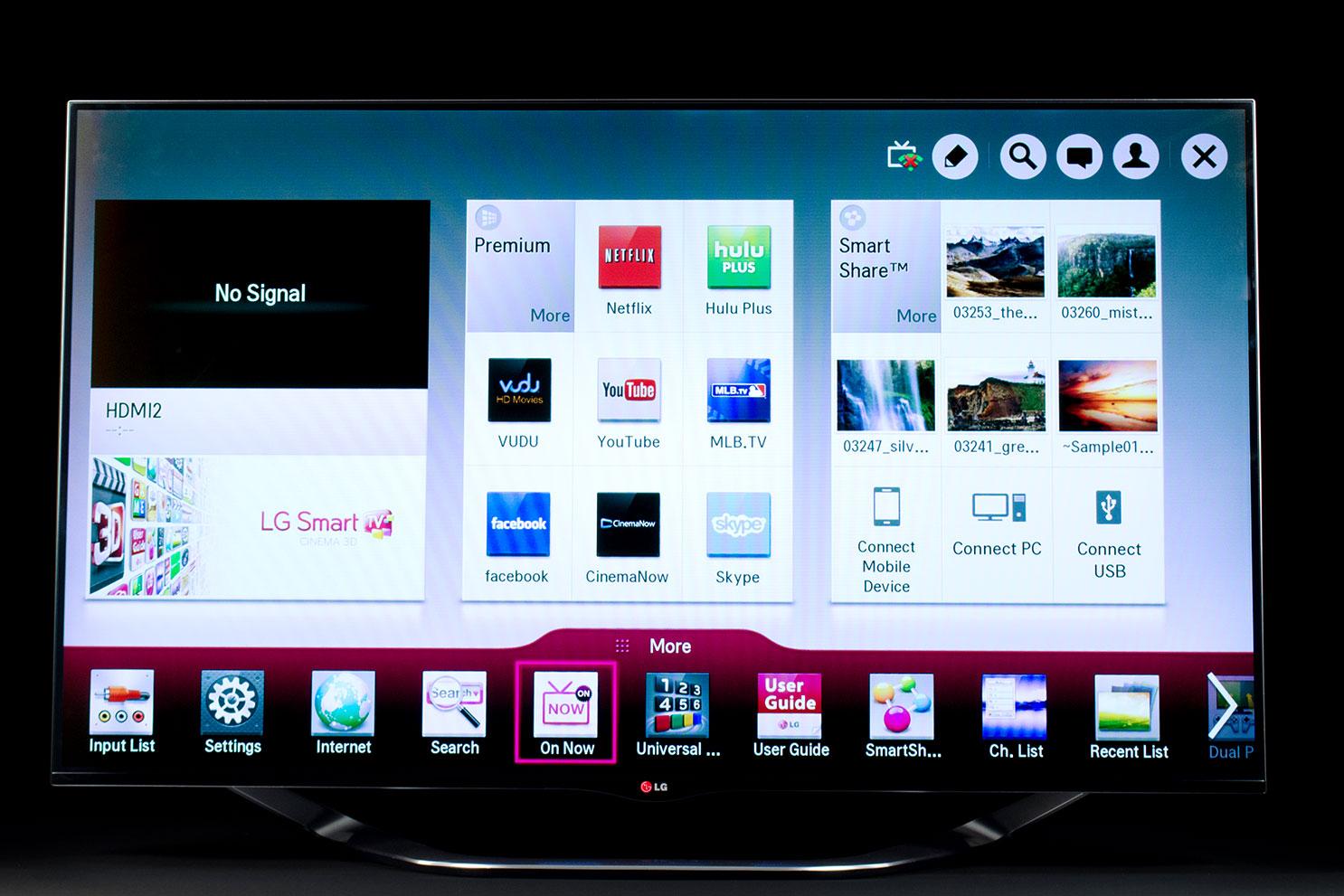
Finally, the LA8600 is packed with all of LG’s Smart TV features and includes more apps than one is likely to need. Of the most popular video-one-demand apps, LG omits a couple of important ones: Amazon Instant and HBO Go. Were it not for Amazon’s increasing popularity, this might not be such a big deal. But Amazon Instant is a must-have these days, and it was missed more than a few times during our evaluation.
Picture performance
Like I said before, the blitz of black level badassery that we have experienced with the last few televisions we’ve reviewed can make going back to an LED TV just that much more of a disappointment. With that said, the LA8600 was a little more of a let-down in the black level department than we had anticipated.
…the LA8600 was a little more of a let-down in the black level department than we had anticipated
Its blacks often looked more like grays and it didn’t help that moving off axis (vertical or horizontal) exacerbated that effect. Generally, LG’s LCD panels are very good at maintaining performance for off-axis viewing, but that certainly didn’t seem to be the case with this particular set.
Surprisingly, shadow detail was a bit better than we expected from a TV with such grayish blacks. Watching Prometheus, we were able to make out details in the dark walls of the caves as the crew first sets out on its exploration. Still, with underwhelming black levels, it was hard to be too impressed.
Blooming was also a problem. This is a phenomenon where a TV’s LED edge lights cause a bright glow on the panel near where they are located. One consistently bad spot for us was the upper left corner of the screen, where the glow seemed to persist regardless of the nature of the material we were watching.
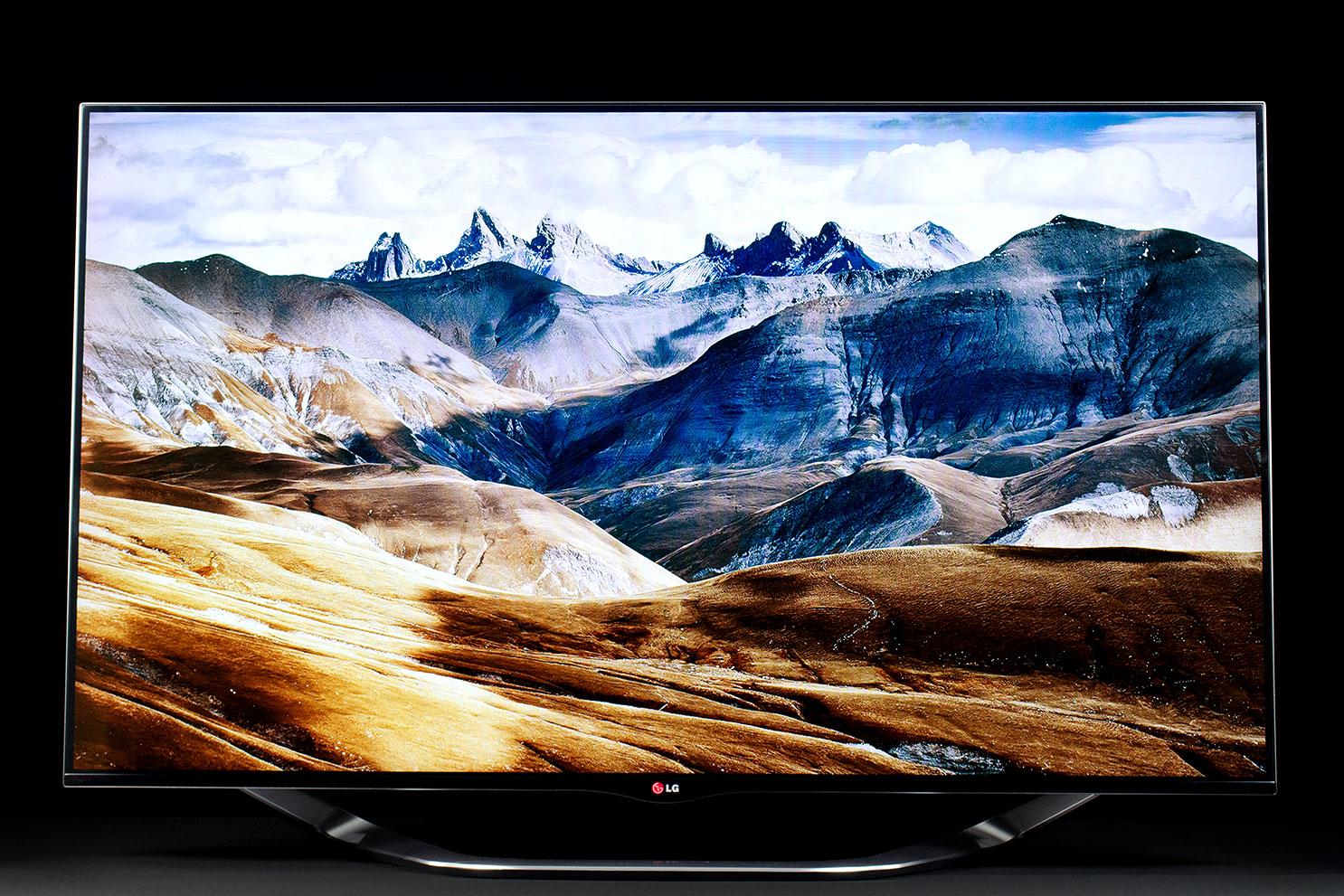 Color is this TV’s greatest strength. Out of the box, the LA8600 offers very good color accuracy and colors are bright and vibrant, too. With a proper calibration, this set will offer excellent color performance. To that end, LG includes more than enough ISF-level calibration options.
Out of the box, the LA8600 offers very good color accuracy and colors are bright and vibrant, too.
Brightness is one of this TV’s other strong points, but it is undone to some extent by the panels poor off-axis performance and an especially glossy screen. Still, we never had any problem seeing images clearly, even with the summer sun pouring into the room.
We just recommend any potential buyers seriously consider mounting this TV at eye level or have a mount with a generous amount of tilt to angle the TV toward viewers if mounted well above eye level.
Magic Remote really is magic
Our first experience with LG’s Magic motion remote control wasn’t great. It fell over often, constantly putting a cursor up on the screen; it was highly inaccurate and wobbly, and it made using the TV a drag in general. Since those early days, however, the Magic remote has vastly improved; so much so that it is now our favorite stock remote.
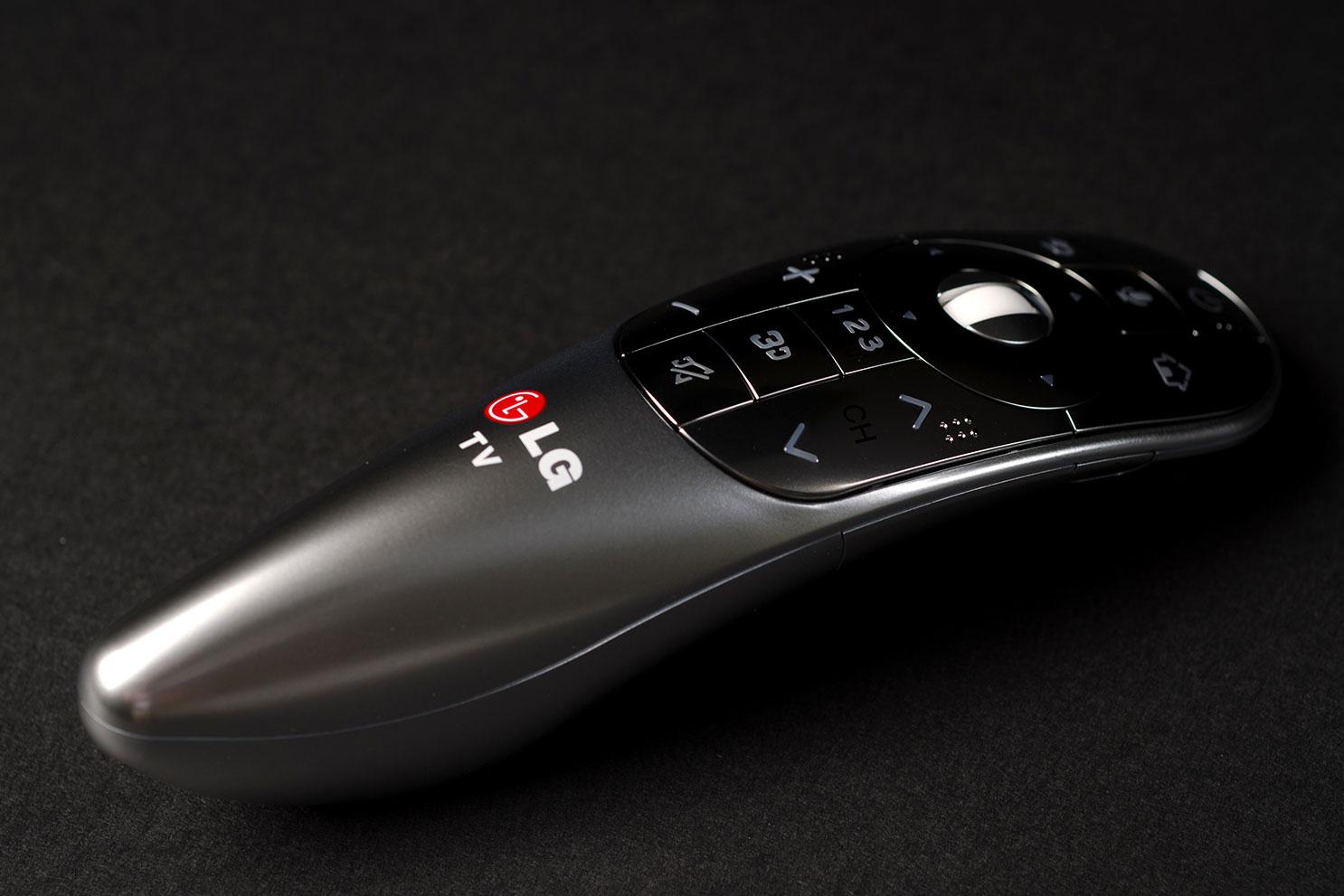
The remote works a lot like Nintendo’s Wii remote works. You wave it around and a cursor on the screen follows your movements. Since it is so much like a Wii remote, even young kids have no problem using it. Our 4 year-old daughter picked up the remote and started using it the first day we had the TV set up. Within 30 seconds, she had turned the TV on, found the Smart TV menu and opened Netflix. Had I already set up our Netflix account on the TV, she would have been watching kid shows in under a minute.
…the Magic remote has vastly improved; so much so that it is now our favorite stock remote.
That sort of intuitive control makes navigating the entire TV easy and fun. Even though text entry remains a pain, it’s made at least a little bit easier with LG Magic remote. Plus, it’s always fun to have folks who haven’t seen the remote before look on in amazement as you point and click your way through everything.
Our family was not, however, enthralled with controlling other devices in our entertainment system with the remote. The process requires bringing a virtual remote up on screen which is programmed based on the information you give the TV during setup. While it did an ok job with our very basic cable box, it wasn’t able to control our Anthem A/V receiver or Oppo BDP-103 Blu-ray disc player.
Smart TV
LG’s Smart TV interface has seen a lot of improvements over the past few years, and, purely functionally speaking, it is one of the better ones. For instance, the LA8600 did a better job of playing Movies, TV shows, Music and photos stored on a local media server than the Panasonic (ZT60 and VT60) and Samsung TV’s (F8000) we evaluated at the same time. With that said, though, it has a much less polished feel than Samsung’s Smart TV interface, and it’s missing important apps, too, such as Amazon Instant and HBO Go. Fortunately, we have it on good authority that LG’s Smart TV portal is going to see some pretty significant improvements in 2014. Let’s hope those missing apps get folded in with some even newer ones.
Cable service integration
Something both LG and Samsung added this year was cable-service integration into the Smart TV platform. During setup, you tell the TV what ZIP code you’re in, select the cable service you have, give it the model number of your cable box, and voila: instant cable control.
 The idea is to present available content in a graphics-oriented grid to make browsing of shows easier (anything but reading!). In some cases, show recommendations can be made based on viewing habits. Unfortunately, LG’s efforts in this regard fail for the same reason Samsung’s did: The software has no idea of knowing what service tier you subscribe to. If you have a basic subscription, you’re constantly going to be looking at a bunch of shows you can’t watch. If you get every channel, this feature may work well for you, but for those with even moderately restricted channel selections, it’s not very helpful.
Conclusion
To be sure, this TV is not for videophiles. Its black levels are disappointing, the bloom from the LED edge-lighting is impossible for the trained eye to look past and the off-axis blurring can be annoying.
For the average viewer, though, this TV offers an outstanding user experience. The Smart TV interface is easy to navigate, apps are easy to find, the remote control is excellent, the Wi-Fi signal is rock solid, the picture is bright and the color is excellent. Our family enjoyed having this TV and was sad to see it go.
Were it not such a pricey model, we’d have no problem getting behind the purchase of a LA8600, but this set costs $100 to $500 more, size per size, than the competing Panasonic VT60, which is vastly superior in terms of picture quality. Also, just a couple of steps down in LG’s own line-up will offer many of the features found in this model, but without the hefty price tag. You just have to be willing to give up the sleek and slim look of the LG flagship.
If outward appearance trumps picture quality for you, the LG LA8600 is your TV. It looks gorgeous, and it’s a terrific family TV thanks to its ease of use. You could certainly do a lot worse than this set; just know what it is that your money is paying for going into it.
Highs
- Beautiful design
- Excellent color
- Exceptionally bright
- Intuitive and easy-to-use Magic remote
- Improved Smart TV interface
Lows
- Obvious LED backlight hot spots
- Poor black levels
- Poor off-axis performance
- Pricey