

The ability to make digital purchases of movies has made it incredibly easy to watch your favorites over and over again, all without taking up space with bulky Blu-ray discs. The only problem is there are so many stores out there — from iTunes to Google Play to countless others — that it can be tricky to hop between different services in order to watch the various pieces of digital content you own. Movies Anywhere, which initially launched in 2014 as Disney Movies Anywhere, aims to solve that problem by letting you watch movies from various digital stores in one place, and as it continues to make partnerships with various digital stores and movie studios, it’s getting closer to accomplishing that goal all the time.
What is Movies Anywhere?
To put it simply, Movies Anywhere is a system that allows you to access your movie purchases from any of the participating studios and retailers (and associated apps) and organize them into one app.
For example, say you already own Star Wars Episode III: Revenge of the Sith (having bought it years ago on iTunes), and you recently purchased Rogue One: A Star Wars Story via Amazon. Previously, to watch these movies on your smartphone or other device, you would have needed both the iTunes app and the Amazon Video app — and if you recently switched to an Android device, you would have had to employ some shady workaround to even watch Episode III.
With Movies Anywhere, both films will appear in both libraries, as well as within the official Movies Anywhere app and website. The same goes for, say, Avatar — a property of 20th Century Fox, which is part of Movies Anywhere — or all the Spider-Man movies, from Sony Pictures. So, if you’ve spent years amassing a vast collection of digital films spread across several marketplaces, it’s now much simpler and easier to watch them where you want, when you want.
Which movies are included?
Movies Anywhere currently includes films from an impressive collection of prominent film studios, including Disney, Sony Pictures, 20th Century Fox, Warner Bros., and Universal Pictures. In total, the number of movies supported exceeded 7,300 at time of publication, and that number will grow with each new release put forth by one of the aforementioned studios and their subsidiaries (like Sony’s Columbia Pictures).
Right now, Paramount and Lionsgate are the two most prominent exceptions; sources suggest Lionsgate could throw its hat in the ring at some point, while Paramount is reportedly holding out due to financial disagreements. If these two studios end up on board, Movies Anywhere would represent an unprecedented level of collaboration in an age with a surplus of competing VOD streaming services.
Which retailers are involved?
Not only is Movies Anywhere the first collaboration of its kind to combine multiple movie studios, it’s also a remarkable partnership between digital retailers, including Apple (iTunes), Google Play, Vudu, Amazon Video, FandangoNow, and Microsoft. Once you’ve signed up, any films purchased from one of these retailers will appear in your library via the Movies Anywhere website and apps, and barring any logistical issues (there are always a few), those films should also show up in the libraries of all of these retailers.
How to use Movies Anywhere
Note: Movies Anywhere is currently only available in the United States. Sorry, everyone else.
Getting set up
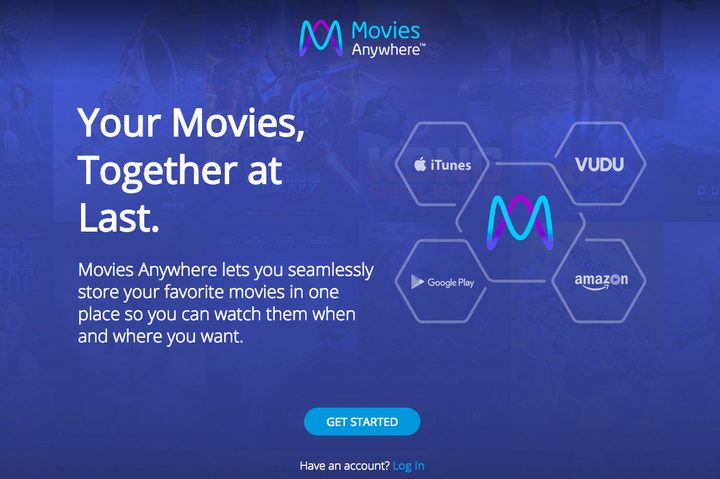
To get started, you’ll need a Movies Anywhere account. Head to the website and click Get Started (a blue button in the center of the page). You can sign in using your Google or Facebook account, or you can simply do it the “old-fashioned” way and use an email address.
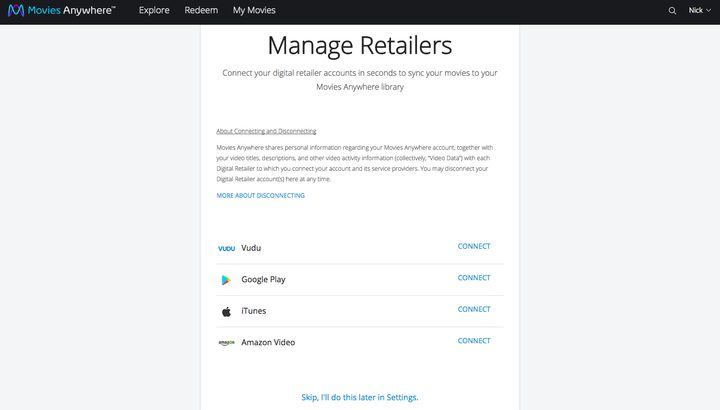
Next, after checking some boxes (if you want to opt out of data sharing later, click here), you’ll be prompted to link up your accounts with Vudu, Google Play, iTunes, Amazon Video, FandangoNow, or Microsoft.
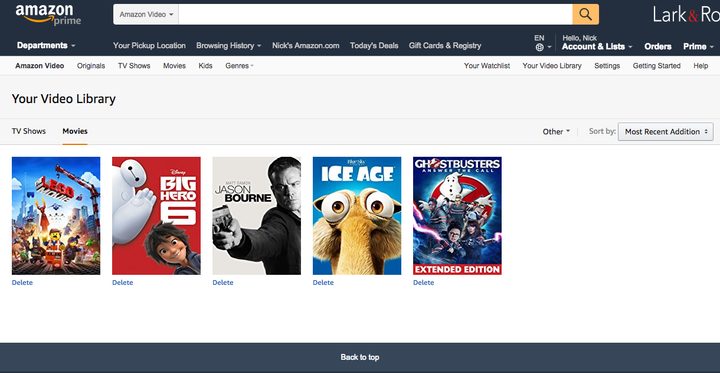
Link up one of these accounts, and you’ll automatically receive Ice Age and Ghostbusters (2016) for free, per the 5 Movies On Us promotion; add another account, and you’ll get Big Hero 6, Jason Bourne, and The Lego Movie. Though these aren’t all Oscar-worthy flicks, they’re a nice reward for less than five minutes of work.
Once you’ve linked all your accounts, you’ll find all compatible movies in your Movies Anywhere library. To add accounts, click on your name in the upper right corner and select Manage Retailers from the drop-down menu.
How to watch
Now that your accounts are linked, your digital collections have been synced. This means that, no matter which of the associated retailers you used to buy a movie (or even if you entered a digital download code from a physical DVD or Blu-ray disc), it’ll show up in all of your libraries. So, if you’ve got a sizable smattering of films on Vudu, but you much prefer to watch via iTunes, that’s no longer a problem.
If you’re wondering about the best route for actually watching your content, well, there’s no real “right” answer. You can always download the new Movies Anywhere app (or use the website, if you’re on a computer), or use any of the dedicated apps/devices for the respective retailers. See the table below.
Retailer/app |
Compatible devices |
| Amazon Prime Video | iOS devices Android devices Amazon Kindle Fire & Fire TV devices Roku streamers PlayStation 4 Xbox One Windows 7+ (Chrome, Firefox, IE, Edge, Opera) MacOS 10.7+ (Chrome, Firefox, Opera, Safari) Linux/UNIX (Chrome) Select smart TVs |
| Google Play Movies & TV |
iOS devices |
| Movies Anywhere | iOS devices Apple TV Android devices Amazon Kindle Fire & Fire TV devices Chromecast Roku streamers Windows (Chrome, Firefox, IE, Edge) MacOS (Chrome, Firefox, Safari) |
| Vudu | iOS devices Apple TV Android devices Android TV Chromecast PlayStation 4 Xbox One Select smart TVs and Blu-ray players |
| FandangoNow | iOS devices Android devices Android TV Chromecast Roku streamers Windows (Chrome, Firefox, IE, Edge) MacOS (Chrome, Firefox, Safari) |
| TV app (Apple) | iOS devices Apple TV |
| Microsoft Movies & TV | Windows 10 Xbox One |
Frequently asked questions (FAQ)
So, these aren’t technically FAQs — at least, not yet, since Movies Anywhere hasn’t been around long enough for anyone to ask us about it. That said, these are questions we anticipate users may have about the service.
Does Movies Anywhere support 4K and/or HDR playback?
Yes and no. You won’t be able to watch anything in 4K (or 3D, or HDR) on the Movies Anywhere app or website, even if you purchased a movie in one of those formats. If you own movies in these formats, however, you can watch them in 4K (or HDR, or 3D if you’ve got the right television) via compatible apps and devices.
Note: If you’ve linked your iTunes account to Movies Anywhere, iTunes will automatically upgrade some of your compatible movies to 4K, free of charge (depending upon the studio and the retailer where you purchased it).
Can I redeem digital copy codes in Movies Anywhere?
Yes! Head to this page to redeem digital codes from physical DVD and Blu-ray discs. If you’re confused about the concept, head here. Once redeemed, the movie will show up in the libraries of all your connected retailers. This includes Ultraviolet codes.
Can I download movies to watch offline?
Yes. You can download movies in SD (default) or HD via the Movies Anywhere app, so long as you’ve got enough space on your chosen device. You can also do this via Amazon Prime Video, Vudu, or the TV app for iOS if you prefer any of those options.
How many streams can I watch at once?
You can use your Movies Anywhere account on four different devices simultaneously. For whatever reason, if you want to watch the same movie on multiple different devices, you’re limited to two.
Does Movies Anywhere include any special content or features?
Any film in your Movies Anywhere collection will read as “purchased” in iTunes, Amazon, Vudu, and Google Play. This means features like Amazon X-Ray and iTunes Extras are freely available — even if you didn’t buy the movie via those specific retailers. The Movies Anywhere website and app also offers some additional content, which varies by title.
Can I set up a separate account for my child, with parental restrictions?
Yes. While logged into the Movies Anywhere website, head to Manage Profiles. From there, you can add new profiles and restrict viewing by MPAA ratings, from G to R.
I just bought a movie, and it isn’t showing up across all my libraries. What gives?
According to Movies Anywhere, it can take up to eight hours for movies to appear.
Does Movies Anywhere work for rentals?
No. At least for now, it’s purchase-only, and that doesn’t seem likely to change anytime soon.
What about TV shows?
No. Hence the name.
For any other questions, concerns, or troubleshooting, check out the official help page here.


