
“The Govee Immersion Kit is a solid option for someone that wants to enhance their home theater experience without breaking the bank in the process.”
- Inexpensive
- Easy to operate and customize
- Looks great when connected
- Long enough to work with the largest TVs
- Finicky setup process
- Camera is sensitive to light from other sources
“Why you can trust Digital Trends – We have a 20-year history of testing, reviewing, and rating products, services and apps to help you make a sound buying decision. Find out more about how we test and score products.“
I’ve always loved the idea of immersive lighting. There’s something about the way it plays off the colors displayed on your TV that makes the content come to life, almost like it bleeds off the screen and onto the walls around it. So when Govee asked if I wanted to review its Immersion Kit with Light Bars, I jumped at the chance.
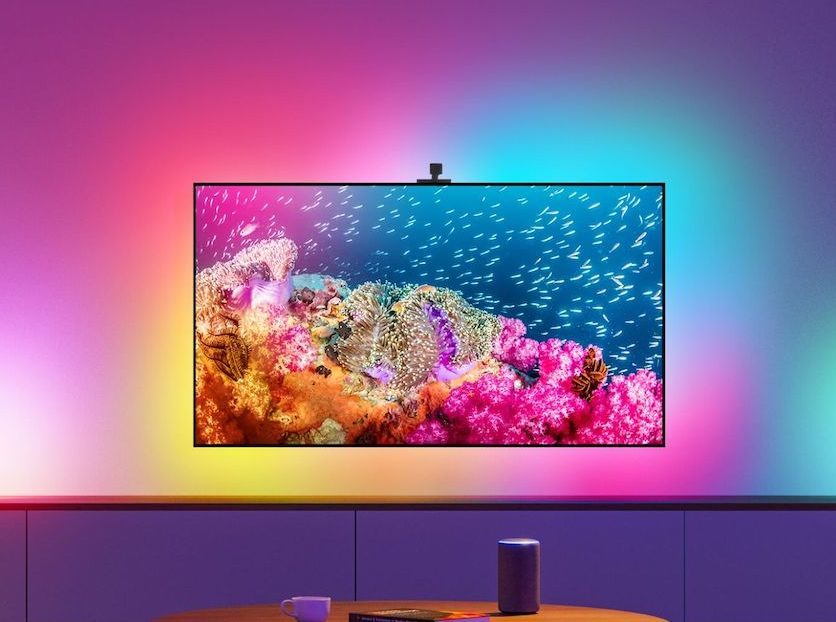
The results have blown me away. While it’s by no means a perfect product, the lighting looks great and creates a cool effect on the wall. I don’t know if it enhances the viewing experience or not, but it definitely improves the look of my TV setup in the living room — especially when viewing content with stark color contrasts, like the initial start screen of Ratchet and Clank: Rift Apart or that awesome scene from the end of Avatar: The Last Airbender.
It definitely improves the look of my TV setup in the living room.
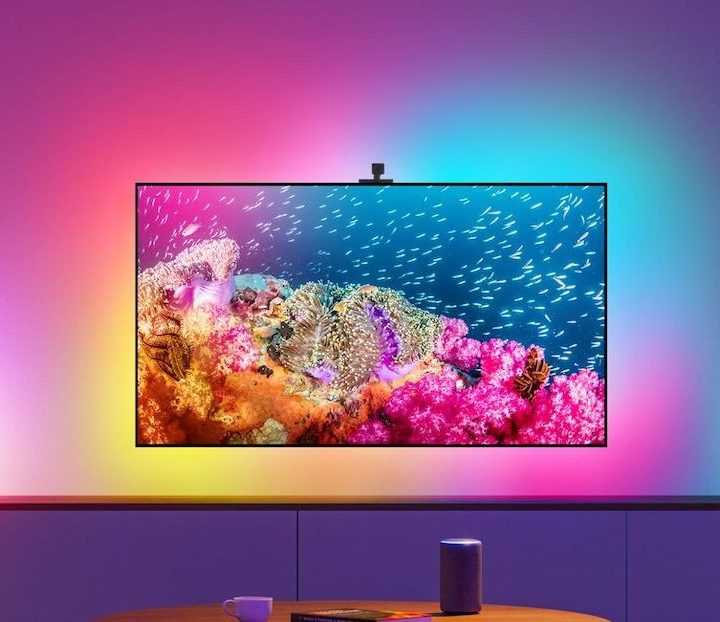
What’s in the box?
The Govee Immersion Kit includes a lot of accessories, all of which you will need. Set aside time to set it up, as it’s not the easiest process in the world.
The box includes two light bars and a strip of LED lights. It also includes a camera, a sync box, and mounting hardware. I installed it on the back of a 65-inch TV and the LED strip was still almost too long. It went across the top, down both sides, and across the bottom, almost to the edges of the TV. So, it’s not short.
The setup instructions give you the option to mount the camera to either the top or bottom of your TV. I chose to mount it to the bottom, but the instructions and all the graphics still displayed it from a top-mounted orientation — that’s a bit confusing, to put it mildly. The box also includes a set of adhesive orange squares that you are supposed to mount to the four corners of your television, and then place one square opposite the camera. These are used to ensure the camera can capture the entire screen. They’re useful, since looking at the camera’s view through your phone is incredibly distorted due to its lens shape.
The instructions also warn against pulling the squares straight off to avoid damage to your TV. It begs the question: If this requires temporarily mounting something to my screen that could damage it, is it necessary? I think you could get by without using the squares, but they did actually come off easily. Just pull them to the side, rather than straight back.
You place the light bars on either side of your television. The light bars, the LED strip, and camera cable all attach to a single hub that can be mounted to the back of your television to keep it out of sight. One cable provides power to the entire setup.
All in all, setup wasn’t a difficult process, but was fraught with minor annoyances.
Lights, sound, action
The Govee Immersion Kit works by capturing the colors on screen and reflecting those colors through the lights. It does a pretty good job of this, although there have been multiple times that the color accuracy just felt off. What the lights projected and what was displayed on screen were not perfect representations of one another.
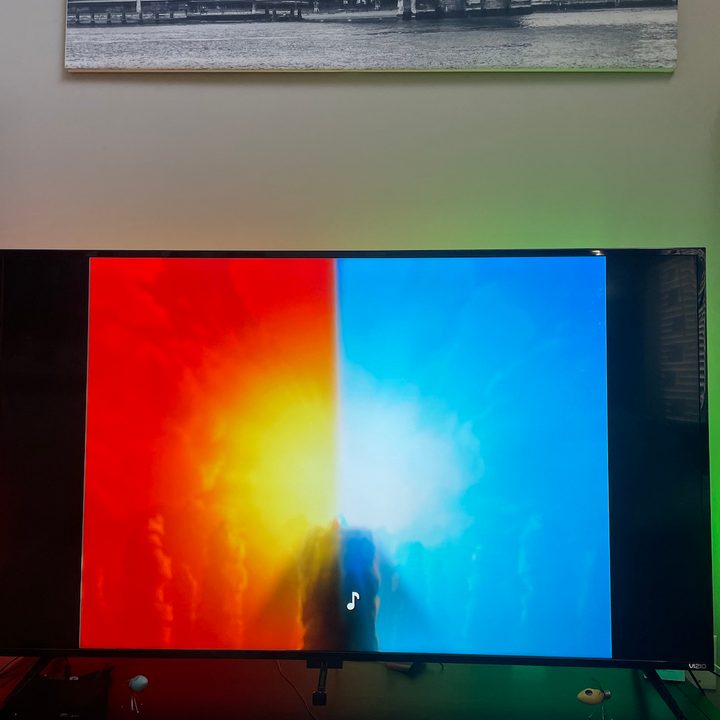
The overall color also plays a role in how the lights are perceived. I tested it while watching Rosewood, only to realize the reason the lights always had a yellow tint is because the show itself is shown with a sepia filter on everything.
Thankfully, the Govee app makes it possible to adjust and tweak the lights. The app lets you choose custom settings for the lights. You can opt to have the entire setup display the most predominant color in whatever you’re watching, or you can have each light bar display a separate color. You can also choose for the light bars to be segmented (with each one capable of displaying numerous colors at once) or for each light bar to be one color, while the LED strip displays different colors.
If I could add one feature, it would be to turn the lights off when the TV is turned off.
You can also adjust the frequency of the color changes. The Dynamic setting results in more frenetic shifts, while the Calm setting is a slow, gradual transition that works well for movies. If you really want to up the ante, activate sound effects. The lights will change not only based on what color is displayed on the screen, but also based on the volume.
Of course, you can also choose for the entire setup to be a separate color based entirely on your preferences and what’s not shown on the screen. You don’t have to utilize the camera.
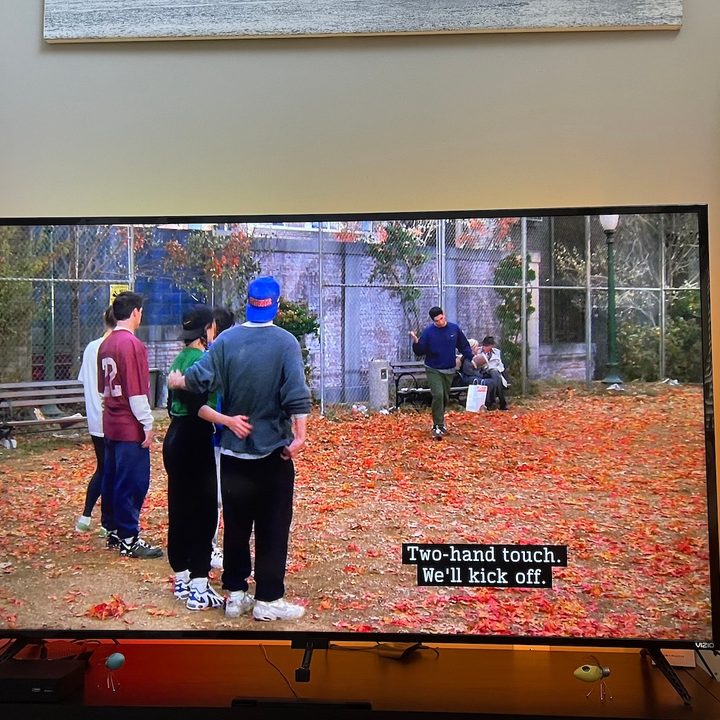
If I could add one feature, it would be to turn the lights off when the TV is turned off. The Govee Immersion Kit’s camera is sensitive to light. If the TV is turned off, the lights will remain on and display whatever hue it detects. Even in the dead of night, with no other light on anywhere in the house, it shines a pale blue. Since the lights can’t actually be connected to your TV’s power supply, you have to turn them on and off yourself.
Of course, that’s made easier since Govee connects to smart assistants. It’s easy enough to link the Govee Immersion Kit to Alexa or Google Assistant and control it that way.
The Govee Immersion Kit is a fun, inexpensive option for an immersive lighting kit.
The sensitivity of the camera means that the brighter your TV, the better — especially when viewing content during the day or with the lights on in your home. Sitting down to watch something with all the lights in your home turned off (except the Govee Immersion Kit, obviously) is a pretty magical experience. The colors come off the screen and onto the wall around the TV. I would recommend choosing something particularly colorful, like a Pixar film. It’s a great way to experience these smart lights.
Our take
The Govee Immersion Kit is a fun, inexpensive option for an immersive lighting kit. It’s main downsides are the sensitivity of the camera to outside light and the irritating setup process. If the camera had a shield around its upper section that blocked all light input except that coming from the TV, it would improve the color accuracy.
Is there a better alternative?
The Hue Play HDMI Sync Box also matches the on-screen colors, and it likely does so more accurately because the input is fed through the box itself. However, it’s a much pricier alternative. The Sync Box alone is $230, and that doesn’t include the cost of the lights.
The Govee Immersion Kit does the job well for a much more affordable price of $150.
How long will it last?
All of the components feel solid and sturdy. I have multiple Govee lights in my home, and they all continue to work well even after over a year of use. Should something happen, the Govee Immersion Kit includes a one-year warranty.
Should I buy it?
Yes. Despite my complaints about aspects of the Kit, it’s overall a great value and one I look forward to experiencing each time I sit down to relax at the end of the day.