
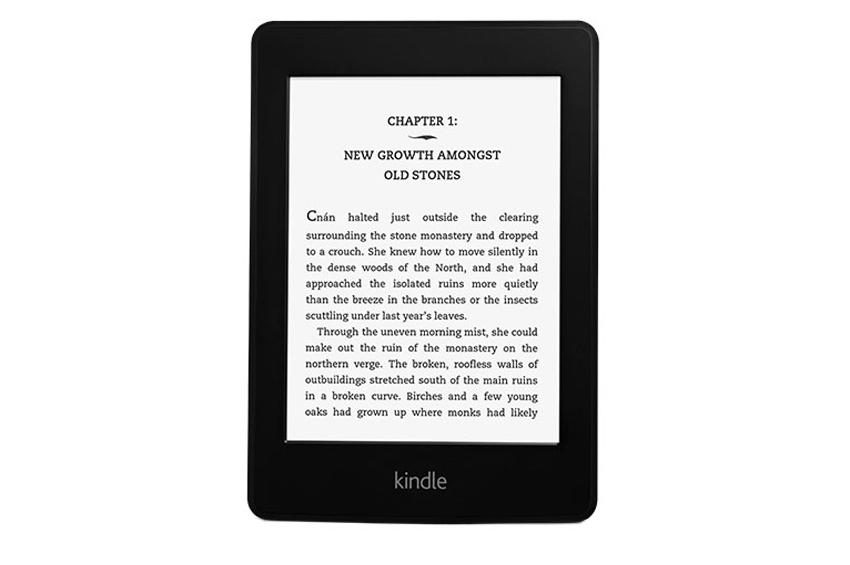

- Bright, high contrast screen
- Front light
- Battery life (2-8 weeks)
- Improved touch interface
- USB charging
- DRM book selection
- Non-compatible with other e-book stores
- No expanded storage or microSD
“Why you can trust Digital Trends – We have a 20-year history of testing, reviewing, and rating products, services and apps to help you make a sound buying decision. Find out more about how we test and score products.“
Amazon’s Kindle kicked off the e-reader and tablet phenomenon and continues to reign supreme today. Many thought dedicated e-book readers would die out with the introduction of the iPad a couple of years ago, but sales remain strong. With the Kindle Paperwhite, Amazon hasn’t redefined the idea of an e-reader – it’s still just for books – but it has taken the concept to a new level.
The Paperwhite light
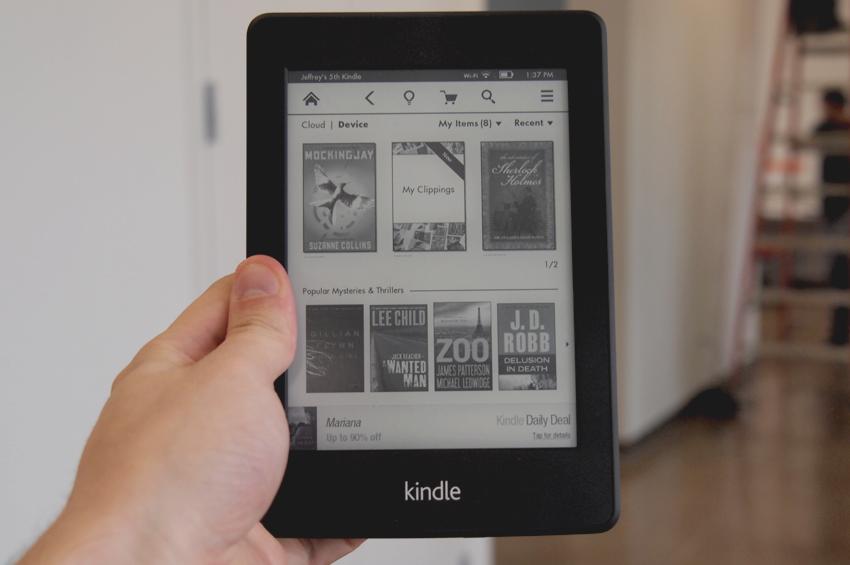
The first thing you will notice about the Kindle Paperwhite is how… well, white and clear the screen is. Amazon boasts that this Kindle has 25 percent higher contrast and 62 percent more pixels than previous Kindles. If you’ve looked at other e-readers, you’ll be impressed when you first see the screen; if you aren’t an e-reader user, you might be shocked. This is the best E Ink screen we’ve ever seen. It still has a slow refresh rate and only comes in black and white, but for reading, there is nothing better.
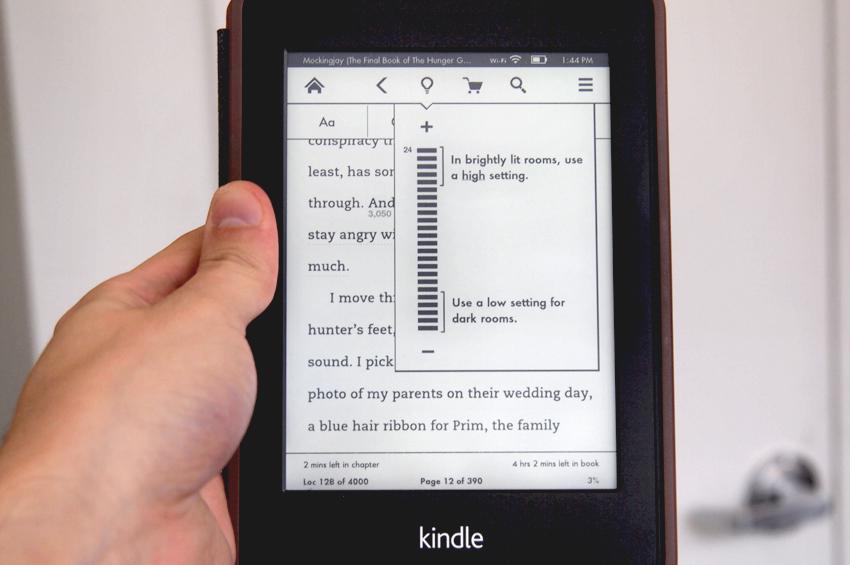
At first, you may not realize it, but the reason the Paperwhite screen looks so white is its front light. This is the first Kindle with a built-in screen light, in fact it’s one of the first e-readers with this feature, following the introduction of the Nook Simple Touch with GlowLight earlier this year. However, unlike the Nook, which has an uneven blue tint to it, Amazon’s light makes the e-reader look more like actual paper than ever before. You can easily adjust the intensity of the light as well.
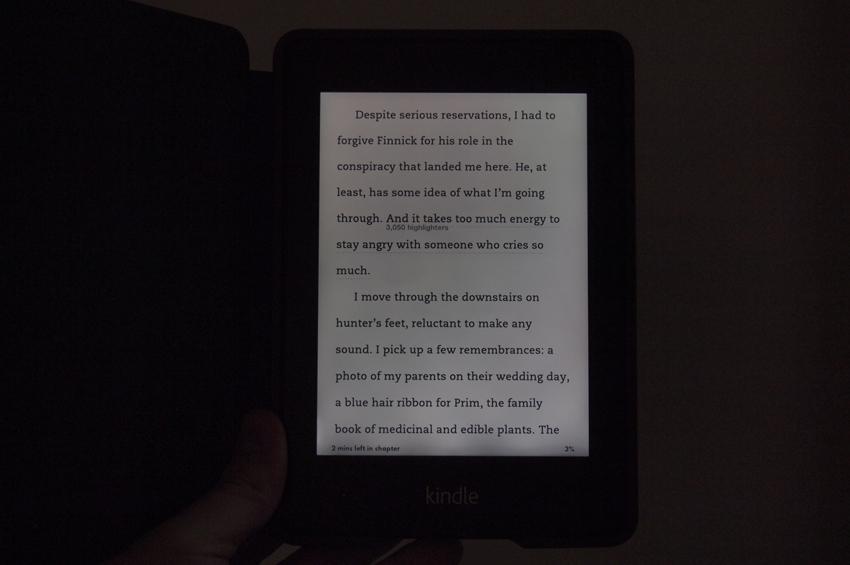 The only complaint we have is that in darker conditions, you can see a few spots where light is more intense at the bottom of the screen due to the placement of the LED lights. The effect isn’t distracting though, and compared to the Nook, the screen has a much more even light distribution to it.
Touch & Feel
Amazon continues to refine its touch interface. This time around, everything is touch-based, and though E Ink continues to have a much slower response rate than LCD screens (the benefit is that it looks like real ink), the Paperwhite is a big step forward. Thanks to the use of capacitive touchscreen technology (the same thing your phone uses), the touch experience is much more accurate and responsive than any e-reader we’ve tested. Previous touch e-readers, including the first Kindle Touch, used an infrared touch field stacked on top of a regular screen to simulate touch recognition. It worked all right, but it’s clear that a capacitive screen may be the way to go.
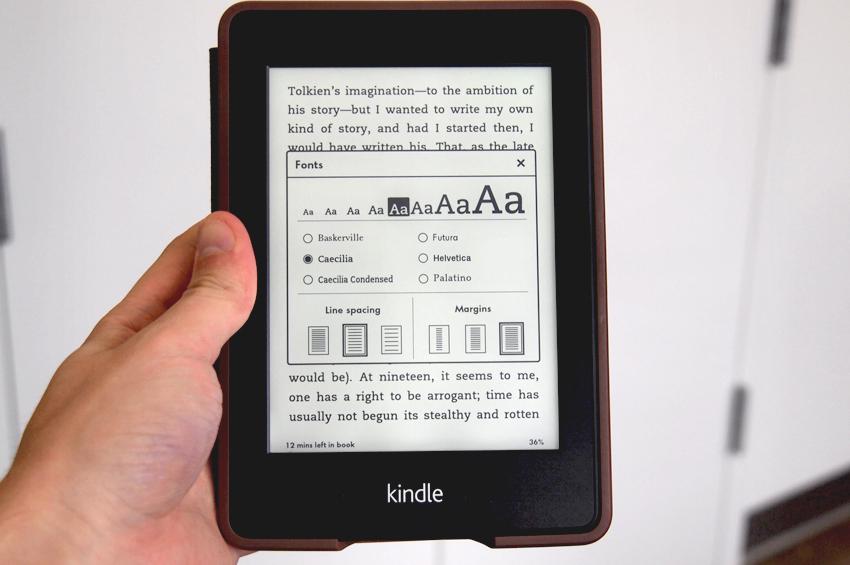 The Paperwhite is heavier than some e-readers, but has a smaller footprint than previous Kindles. The lack of buttons is nice and the new black design resembles Amazon’s line of Kindle Fires, complete with the grippy-rubbery coating that helps prevent slip-ups.
We don’t typically bring up cases, but Amazon’s new case looks nice and is quite comfortable. It has a leather book look to it with a magnetic grip that tells the Paperwhite when the screen is covered. Without it, you have to press the power button to wake up the Kindle, but with it, you only need to open it up like a book. It’s a little extra, but if you want the premium Kindle experience, we recommend buying the case.
Interface
The Kindle Paperwhite has only one button – the power button – on it. It’s located on the bottom of the device. There is no Home button or anything else – just the power button. Though not having any buttons at all is odd at first, it seems to be a smart decision on Amazon’s part. The new Kindle interface is simpler and easier to use than any e-reader we’ve reviewed.
Amazon has a very robust and helpful tutorial that it runs through when you first activate your Kindle, but here are some of the basics: To turn a page, you can tap or swipe on the left or right side of the screen. To access the menu at any time, you simply tap anywhere in the top 1/5th of the screen. This brings up the menu with a Home button, back button, light toggle, shopping cart, search button, extended menu (with Settings), and some reading options like Font, Go To, X-Ray (the feature that helps you find key characters and terms in books), and share, where you can sync up your Twitter and Facebook accounts to share passages with your friends or followers. Using the power of aggregation, Amazon also shows you sentences and sections of books that many readers have highlighted, which we found fun. Tap and hold on any word and drag your finger around to highlight text or bring up a definition. Changing the font size and type is easy as well.
 That’s pretty much all there is to it. There is a Kindle Store and a rough browser that works if you’re on Wi-Fi, but the browser is only good in a pinch. It’s actually called an “experimental browser,” which I assume is Amazon’s way of saying “it’s not very good.” But no one should buy an e-reader for this purpose anyway.
Book library
Amazon’s e-book library is not the largest, but it gets the job done. The online retailer boasts 1.5 million books, 180,000 exclusive titles, 650,000 books priced at $5 or less, and 1.2 million priced at $10 or less. There are also “millions” of free, out-of-copyright books, though Amazon won’t give an exact number. Barnes & Noble currently says it has 2.5 million books in its library, with a million of those being free. Which is better? I can’t tell you. From our tests, both stores seem to have a solid selection, as do Kobo and Google Books. The real test is to get online and search for your favorite books on the Nook and Amazon websites. The big problem with all of these stores is that any books you buy will be DRMed, or full of Digital Rights Management locks. If you buy a Kindle Book, you’ll never be able to use it if you don’t have a Kindle App or device. If you have a Nook book, you’ll never be able to access it if you don’t have a Nook device or app. Amazon and B&N do a good job of supporting many devices, but they give a false sense of freedom. In reality, if Barnes & Noble or Amazon went out of business tomorrow, you could lose all of your books. No fun, right? Unfortunately, that’s the way the e-book market works right now.
 Having said that, Amazon’s e-book borrowing is nice and easy to use, and many titles support the service. You can “borrow” one of the available books from Amazon’s library at a time. When you return it, you can borrow another. Libraries also offer this function.
Hardware specs
If you’re hunting for specs on a Kindle, you’re pretty hardcore, but here is what we know. The Kindle Paperwhite is a 5th generation Kindle and has 2GB of onboard flash memory and about 1.25GB of that can be used to store books. This means you can hold roughly 1,100 books, or more than most of you should own. The screen is has a 768 x 1024 pixel resolution, a significant bump from the 600 x 800 pixel screens we’re used to on e-readers. We’re struggling to find out what processor Paperwhite is running, but the device is less sluggish despite having a higher resolution screen, so we’re guessing some form of upgrade was issued.
Battery Life
We’ve only had the Kindle Paperwhite for a few days, but haven’t had to charge it yet, and we don’t expect to for some time. Amazon claims that, despite adding a light-up screen, the Paperwhite can still achieve eight weeks of battery life on a single charge, assuming you turn the Wi-Fi/3G off and turn the light to about 1/3 brightness. We’ve been running the light at max with Wi-Fi and 3G on and have already noticed the battery lose about 10 percent of its energy in a day. Expect the Paperwhite to realistically get a couple weeks of battery. Still, that’s significantly better than almost any other electronic gadget, so no complaints.
Conclusion
For $120 — or $140 if you don’t want the ads, which are mostly non-intrusive – the Kindle Paperwhite is a worthwhile investment for a book reader. If you’re already into the Nook ecosystem, this probably isn’t a reason to switch since the Nook Simple Touch with Glowlight is also a great e-reader, but that said, Amazon has taken the e-reader crown from Barnes & Noble. You’ll find no e-reader with an easier screen to read, and Amazon’s touch interface is finally getting to the point where almost anyone can use it. The Kindle Paperwhite does not reinvent the standalone e-reader, but it does bring them one step closer to perfection.
Highs
- Bright, high contrast screen
- Front light
- Battery life (2-8 weeks)
- Improved touch interface
- USB charging
Lows
- DRM book selection
- Non-compatible with other e-book stores
- No expanded storage or microSD


