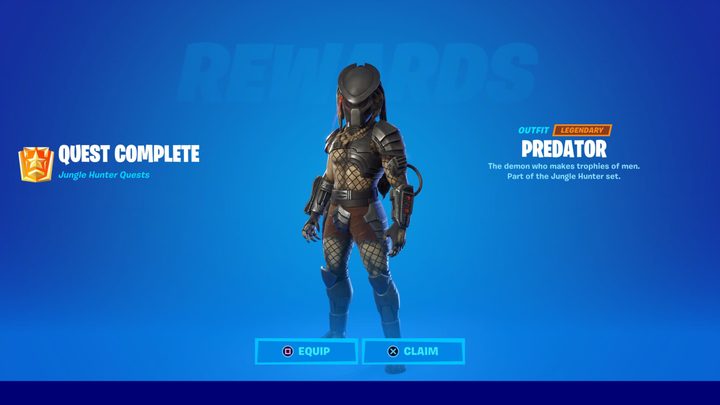
The latest licensed character has been added to Fortnite, and this time joining the lineup is Predator. Unlike with many other character skins in Fortnite, you’re able to unlock the Predator by playing the game instead of buying it with V-bucks. Though, the process of unlocking the skin is quite difficult, which is where we come in.
In this guide, we’ll show you how to get your hands on the Predator skin in Fortnite.
Recommended reading:
- How to level up fast in Fortnite
- Fortnite season 5 week 7 challenges and how to complete them
- How to link your Fortnite accounts
Defeat the Predator to unlock its skin
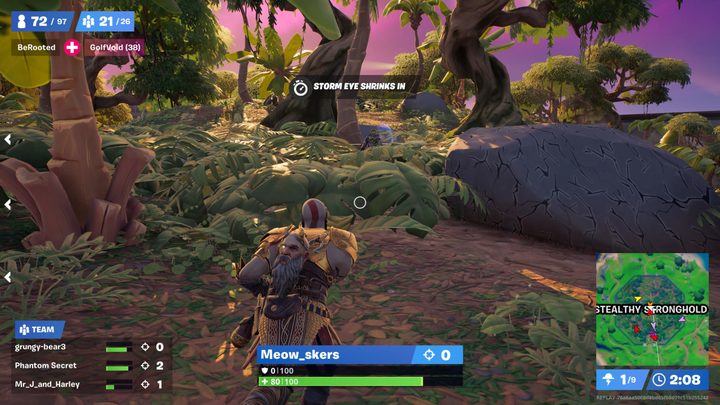
You might’ve noticed at the start of season 5, a new area called Stealthy Stronghold was added to the Fortnite map. It’s located in the northwest portion of the map, and here is where you’ll be spending much of your time earning the Predator skin.
What you have to do is defeat the Predator boss — a task that is much easier said than done, and one that mirrors the Wolverine boss from season 4. Once you defeat the creature, you’ll be awarded with its skin, but the main difficulty (aside from the fact that the Predator is no pushover) is the other players who will be trying to do the same thing you are.
There are a few things to be aware of before facing off against Predator. For one, the boss spawns at random locations throughout Stealthy Stronghold. Because of this, we advise turning on Visualize Sound Effects from the audio settings. This way, you’ll have an indicator of the creature’s footprints on-screen, making it easier to track down. The reason this is so important is because the Predator can turn invisible, just like in the films!
This can make tracking it down pretty tough, but as long as you have Visualize Sound Effects turned on, you’ll have an easier time finding Predator. Just look for the clear silhouette that indicates the boss’s position.
Despite how difficult the boss is, your main issue will likely be the other players looking to defeat the Predator as well. Not only do you have to worry about them taking you out, but if an enemy player gets the finishing blow on the Predator first, you’ll have to try again in a separate match. That’s why we highly recommend attempting this challenge with a team of players who are all on the same page.
The strategy is to make a beeline for Stealthy Stronghold (which can be easier depending on the starting path of the Battle Bus). Then, once you land, try and take note of the locations of other players. We advise you not to land right in the middle, as it will be the busiest. Instead, head for the outskirts of the location and land at one of the huts that contain chests. Collect shields, weapons, and anything else you can find, and then head toward the shooting.
If you’re lucky, the enemy players will have damaged the boss, so what you and your team have to do is fend off the opposing squads while keeping a lookout for Predator. With a little luck, you’ll be able to defeat the other players before they finish off the boss. If the Predator comes into your view, prioritize dealing damage to it before it jumps away.
When we succeeded in defeating the boss, our squad did a good job of damaging the Predator while taking care of many of the other teams. The Battle Bus spawned in a location that was far from Stealthy Stronghold, meaning not as many players landed there as you might think. On a few different attempts, the Battle Bus spawned right above Stealthy Stronghold and, as you’d expect, the area was crowded with lots of players, making it much harder to complete the objective.
If you’re having trouble, keep trying in Squads and coordinate with a team to make sure everyone is aware of what you’re trying to do. You might have luck doing it with random players, but unless you’re communicating with them, it’s tough to rely on them to go to the location and take out the boss. It also might be a good idea to wait a little while since this area is so busy right now. Typically, locations that are home to certain Fortnite challenges become very busy on the day of, but if you wait even just a couple days, it might be more manageable.
After you or anyone on your team lands the final blow on Predator, you’ll get a notification that you’ve unlocked the skin.