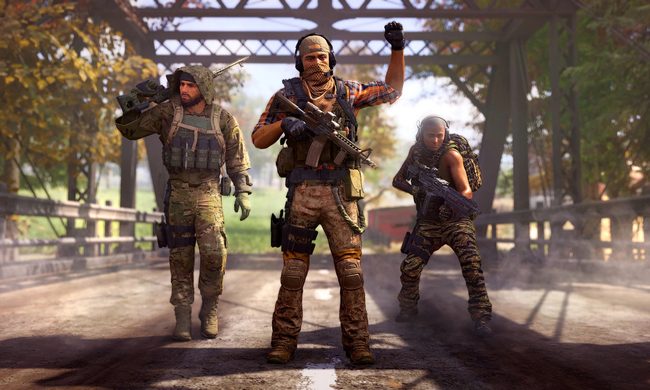
Dark Zones in The Division 2 are Ubisoft’s unique take on PvEvP combat. If you’re new to the game, you’ll unlock these Dark Zones fairly easily. If you’re a longtime player, you’ll be happy to hear that Ubisoft has plans to roll out more content for The Division 2 as 2021 rolls on. This guide will go over how to gain access to all three Dark Zones, how to survive them, and what mechanics players must implement to be successful. Dark Zones in The Division 2 can be the most dangerous places in the game. We’re here to help you through them.
See more
- Tips and tricks for surviving the ruined streets of D.C. in The Division 2
- A master agent’s guide to skills and perks in The Division 2
- How to level fast and reach the endgame in The Division 2
How to unlock Dark Zones
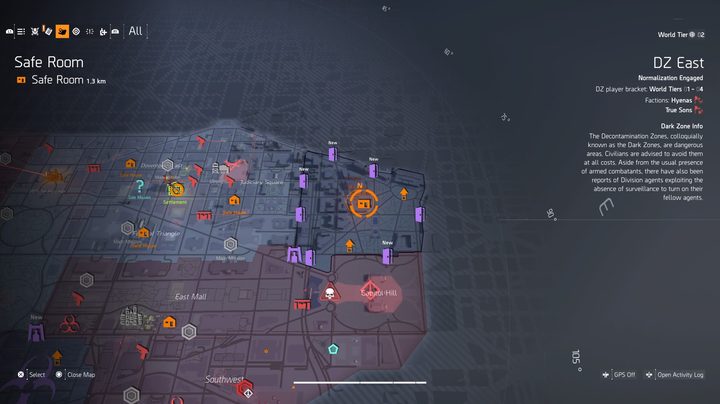
When you open the map, you’ll see three cordoned off areas — one to the east, one down south, and the last to the northwest. You cannot enter Dark Zone East, Dark Zone South, or Dark Zone West from the jump., First you have to recruit Senait Ezra in the Theater settlement. The ability to recruit her comes after completing the first three story missions. After talking to her, she’ll move to the White House and give you a recon mission in Dark Zone East.
It’s up to you if you want to enter the Dark Zone before completing the game, really. It doesn’t hurt to do so, but part of the appeal of the Dark Zones are the loot. At this stage, you’ll probably still have a single digit level, which means you’ll be finding better gear every few minutes or so.
- Dark Zone East Recon: The first recon mission is much less involved than the story missions. Once inside Dark Zone East, you have to scan a few locations to get the area map and activate turrets. You’ll face a little resistance, especially when extracting your first piece of loot, but overall it’s a fair amount of sightseeing to get your bearings. Dark Zone East is an urban area with lots of open space, which makes it ideal for long range rifle combat.
- Dark Zone South Recon: After completing Dark Zone East’s recon mission, you’ll unlock the recon in Dark Zone South. This dense commercial zone has tons of nooks and crannies to hide in. It’s good for medium and short range combat with automatic weapons and even shotguns. The recon mission once again has you scan areas to acquire the map. It’s a walk in the park, really, and will take you no more than 15 minutes.
- Dark Zone West Recon: Dark Zone West unlocks after completing East’s recon mission. Dark Zone West feels like a hybrid of the first two zones. The recon mission tasks you with scanning the area and extract another piece of loot. All weapon types excel in Dark Zone West.
Players are separated by level
Dark Zones in The Division 2 don’t throw high level and low level players in the same instances. Instead, they separate the player base by your overall level.
- Levels 1-10
- Levels 11-20
- Levels 21-30
- World Tier 1-4
As you can imagine, you have an advantage gear-wise if you’re near the higher limit of each bracket. The World Tier bracket is fairly unforgiving though, as those in World Tier 1 (the start of the endgame) likely have gear that is roughly half as powerful as those in World Tier 4. That’s a big difference.
Gear is (mostly) normalized in Dark Zones
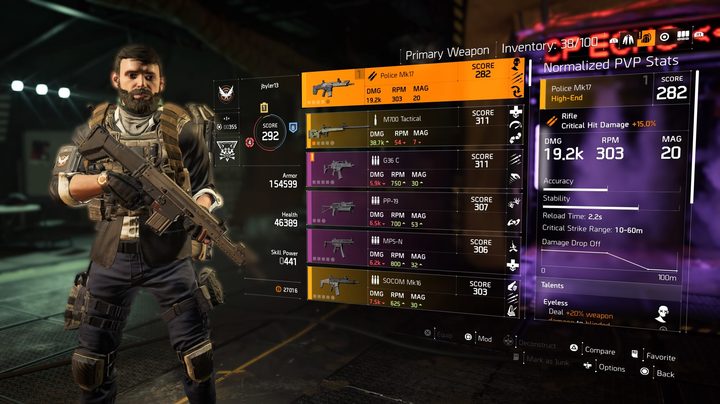
To combat the imbalance, the Dark Zones normalize gear stats for weapons and armor for PvP encounters. Normalization changes your armor and DMG stats but your perks, skills, and other innate attributes such as Talents and Brand Set bonuses are unaffected. Essentially, more powerful gear has better bonus stats, so those with higher quality stuff will still have a not so insignificant advantage in the Dark Zones. You can check your normalized stats versus standard stats in the character menu by pressing L3.
When gear isn’t normalized
Once you reach the endgame and enter World Tiers, one of the three Dark Zones can become “Occupied” at a time. If you enter an Occupied Dark Zone, do so at your own risk. Gear normalization is turned off entirely and, on top of that, friendly fire is on automatically. Players who have made the grind towards the level cap have a significant advantage in Occupied Dark Zones.
Dark Zone leveling
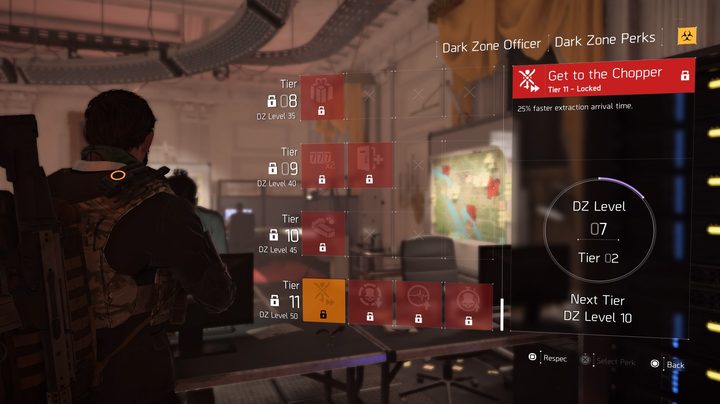
The Dark Zone has a separate leveling system that feeds into its perks system. Each time you advance five levels (progression is quicker than it is in the main game), up to four new perks will become available from the Dark Zone Officer in the White House. As of now, the Dark Zone level cap is 50, which equates to 11 tiers of perks. Perks range from gear find bonuses to Rogue cooldown bonuses to quicker extraction times and more.
Killing AI controlled enemies earns you experience just like in the main game. You can earn huge chunks of experience by discovering and clearing landmarks, designed locations that yield loot but are swarming with enemies.
Extracting contaminated gear
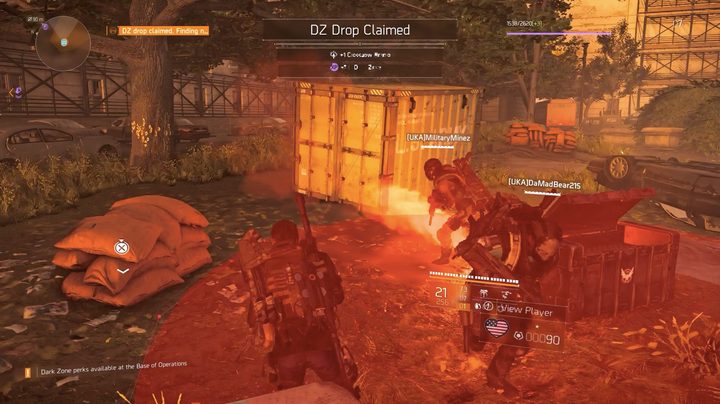
Not every piece of gear you find in the Dark Zones will need to be extracted, but like the first game, much of what you find will be contaminated. You cannot bring this gear out on your own for some reason. You’ll find contaminated gear at supply drops, landmarks, and by looting enemies. Instead, you need to call in a chopper to extract the gear. The chopper obviously makes a ton of noise and is a visible target, so enemies will invade during the lead up to the extraction, during it, and even after you’ve attached the item.
Each Dark Zone has two extraction points, both of which can be triggered concurrently. You can either just go for it and trigger the extraction yourself or sit back and wait. Letting someone else call in an extraction, hanging back, and then attaching your gear once the coast is clear is a good strategy. Alternatively, you can go to the second extraction point and hope that the majority of attention will go towards the player(s) who triggered the extraction first.
Rogue, Disavowed, and Manhunt
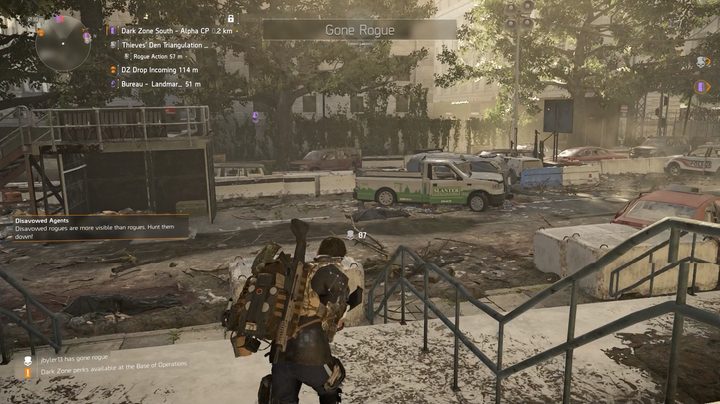
You can play in the Dark Zone without ever having to take fire or shoot at another agent. But if you want the best loot and like the risk that comes with it, you can go Rogue, which opens you up to friendly fire. Going Rogue during extraction is a great strategy, as it increases the likelihood of securing more loot. But you can also go Rogue before you’re ready to extract and leave. You can go Rogue by holding down the map button. Rogue status increases your chances of uncovering great loot. It last 90 seconds, but the time can re-up by committing crimes against other players.
While it’s usually a decision made by you, your actions can also cause you to turn Rogue. If you steal loot that other players are extracting, you’ll turn Rogue. If you break chests to secure loot, you’ll also turn Rogue. The longer you’re Rogue and the more theft you commit, the more likely you are to be noticed by other players. If you aren’t careful while performing your thievery, you may have to square off with another player (or perhaps you do it intentionally). Killing another agent turns you from Rogue to Disavowed. Continue on your spree for too long, and you’ll enter Manhunt status. Manhunt status basically means that everyone in the Dark Zone will be gunning for you, as your position will be marked on the map.
To remove a Rogue status, you can attempt to run away and duck into cover. Sit and wait for your agent to return back to good standing. You can also hack Manhunt terminals, which allow you to either return back to normal or increase the duration of your Rogue status, if you so choose.
There’s a tangible reason to turn Rogue other than to simply steal from and kill other players. Going Rogue and completing objectives such as hacking terminals and stealing chests helps you pinpoint the location of the Thieves Den. The Thieves Den is a safe area for Rogue agents complete with a vendor who sells rare loot.