
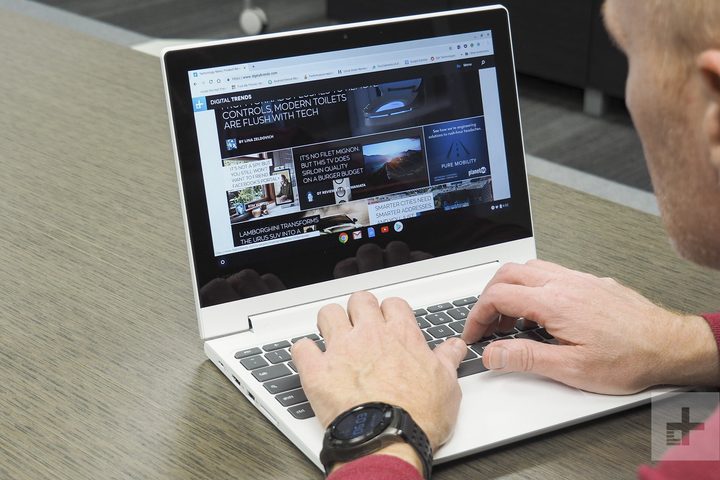
If you don’t want to spend too much money on a secondary computer that you’re just going to use for web browsing or binge-watching, you might want to consider a Chromebook. There are several low-cost options to choose from, one of which is the Lenovo Chromebook C330. This convertible laptop/tablet hybrid is not only inexpensive, but also packs a decent performance, an impressive 10-hour long battery life, a comfortable keyboard, and a wide selection of ports. Right now, you can get it on Amazon for a cool 18% off . Instead of $300, just shell out $247 for this 2-in-1 device.
The Lenovo Chromebook C330 is super tiny and borders on cute, very reminiscent of the obsolete netbooks. However, its bezels are offensively large and paired with an all-plastic body that flexes with the slightest of pressure, it also borders on cheap. Fortunately, it comes with a healthy number of ports, including a single USB-C 3.0 port, a USB-A 3.0 port, a full-size HDMI connection and a DisplayPort port for connecting external displays, a full-size SD card reader, and a combo audio jack. You wouldn’t have any trouble connecting both older and more modern peripherals to this Chromebook. In fact, the only thing missing is a Thunderbolt 3 port.
This Chromebook’s 11.6-inch IPS display is a little dim for our taste. We had difficulty seeing it outside especially when the sun is at its peak. It’s best to just use it indoors. And even though the screen is already quite small, it looks conspicuously pixelated. Clearly, the display is not a high point.
The same thing cannot be said though about the keyboard, which offers an outstanding typing experience. Normally, Chromebook keyboards are shallow with short travel time, but not with this Chromebook. The mechanism is wonderfully snappy, and typing is precise and comfortable. The larger than usual touchpad is also very good, capable of responding to multitouch gestures with ease. Another highlight is the battery life. Given that the Chrome OS is already a lightweight operating system, the Lenovo Chromebook C330’s 12-hour battery life is still pretty impressive.
Employing a MediaTek MTK 8173C processor with 4GB of RAM and 64GB eMMC, the Lenovo Chromebook C330 is more than capable of handling basic productivity tasks and internet browsing. You can have multiple tabs open in Chrome and run a few Android apps at the same time with no discernible problem.
The Lenovo Chromebook C330 is an excellent value for your money. For less than $300, it strikes a nice balance between admirable performance and good build, with a few hardware compromises that can be overlooked. It’s dependable, long-lasting, and most importantly, affordable, which are exactly the qualities that you should be looking for in a Chromebook.
For more options check out our best Chromebooks for 2019. Don’t forget to visit our curated deals page for more exciting tech discounts.


