

Many smart home gadgets are expensive–look no further than robot vacuums or robot lawn mowers for a prime example. But building a robust smart home doesn’t have to cost a fortune. In fact, many cool devices can be had for under $100, yet they bring some serious functionality to your daily life. From smart bulbs and smart speakers to video doorbells and more, here’s a look at the best smart home devices under $100.
If you’re patient, many of these are discounted to even lower prices during big shopping holidays like Black Friday and Prime Day — so consider adding them to your wishlist and waiting around for a good deal.
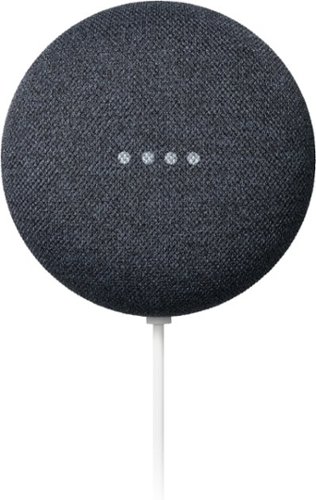


A smart speaker that won't break the bank
Google Nest Mini
- Quick responsesr
- Adjusts sound based on background noiser
- Eco-friendly materialsr
- Affordable pricer
- r
- Max volume could be louderr
- Same look as the previous model
The Google Nest Mini is small but mighty. Offering impressive sound for a $50 speaker, the Nest Mini is the perfect option for folks just starting to piece together their smart home. Not only does it work as a great central hub for all your other gadgets (thanks to built-in Google Assistant), but its minimal design allows it to fit anywhere in your home.

An inexpensive way to automate appliances
Amazon Smart Plug
- Affordable
- Works with Alexa
- No smart home hub required
- Not compatible with HomeKit or Google Assistant
Smart plugs don’t sound very exciting, but you’d be shocked at their versatility. These affordable gadgets can be used to remotely turn on devices such as lights, fans, and other appliances – giving your “dumb” electronics a bit of “smart” functionality. Amazon Smart Plugs are some of the best on the market, and they clock in at a wallet-friendly $25.

Affordable doorbell with some smarts
Ring Video Doorbell (Wired)
- Delightful installationr
- No need to charger
- Great appr
- Crisp, clear videor
- Bypasses wired chimer
- Narrow field of view
If you don’t mind doing a bit of rewiring, the Ring Video Doorbell (Wired) is an absolute steal. Priced at $65, you’ll get video monitoring of your front door, along with the ability to talk with folks outside via a smartphone app. You can even set up notifications to alert you when someone walks by your front door.

Improve the ambiance for $10
Sengled Smart Bulb
- Affordable
- Intuitive smartphone app
- Only produces white light
The Sengled Smart Bulb offers an easy way to quickly change the atmosphere of your home. Whether you want to dim the lights for a romantic dinner or schedule them to turn off when it’s time to go to bed, these affordable smart bulbs bring plenty of functionality to the table. All the action is powered by an intuitive smartphone app that lets you control their performance remotely.

Secure your home in style
Wyze Lock Bolt
- Sleek design
- Offers both keypad and fingerprint scanner
- Replaces existing deadbolt
- No voice controls
Lock or unlock your front door with a password or fingerprint instead of a key. The Wyze Lock Bolt replaces your current deadbolt and can be installed in around 20 minutes. A sleek design, 12-month battery life, and useful smartphone app round out the package, making this $74 smart lock one of the best on the market.

Apple AirTag
- Very easy to user
- Leverages huge ecosystemr
- Replaceable batteryr
- Precision tracking works great
- Accessories are priceyr
- Some privacy concerns
Whether you want to call them a smart home product or not, you can’t deny that AirTags bring some impressive smarts to your household. These nifty little devices can be used to monitor the location of just about everything — from keys and purses to pets and luggage, the Bluetooth trackers make it easy to keep tabs on everything important in your life. They’re also pretty cheap, and only become cheaper if you purchase them in a bundle.

Echo Pop
- The price is rightr
- Decent soundr
- Mostly all the featuresr
- Bonus Eero extender
- No aux inputr
Clocking in at just $40 (and often on sale for much less), the Echo Pop is the perfect smart speaker for shoppers on a budget. It offers full support for Alexa and works with Apple Music, Spotify, Amazon Music, and even SiriusXM — giving you a number of ways to access your favorite tunes. Four different color options are up for grabs (lavender bloom, charcoal, glacier white, and midnight teal), so there’s a good chance you’ll be able to find something to match your home décor. Toss in a cool design, tiny footprint, and a mic off button to ensure your privacy, and you’ve got a well-rounded gadget that’s remarkably affordable.
As for how to find other budget smart home devices? Check out other items from Wyze and Amazon. Both brands have a roster of reasonably priced gadgets. We’d recommend steering clear of unknown manufacturers you’ll find on Amazon, however, as these products might carry a low price tag but are often built to low quality standards and won’t survive long before needing to be replaced. Instead, stick to trusted companies (Wyze, Amazon, Google, Samsung, Ecobee, etc.) even if it means spending a few more bucks.


